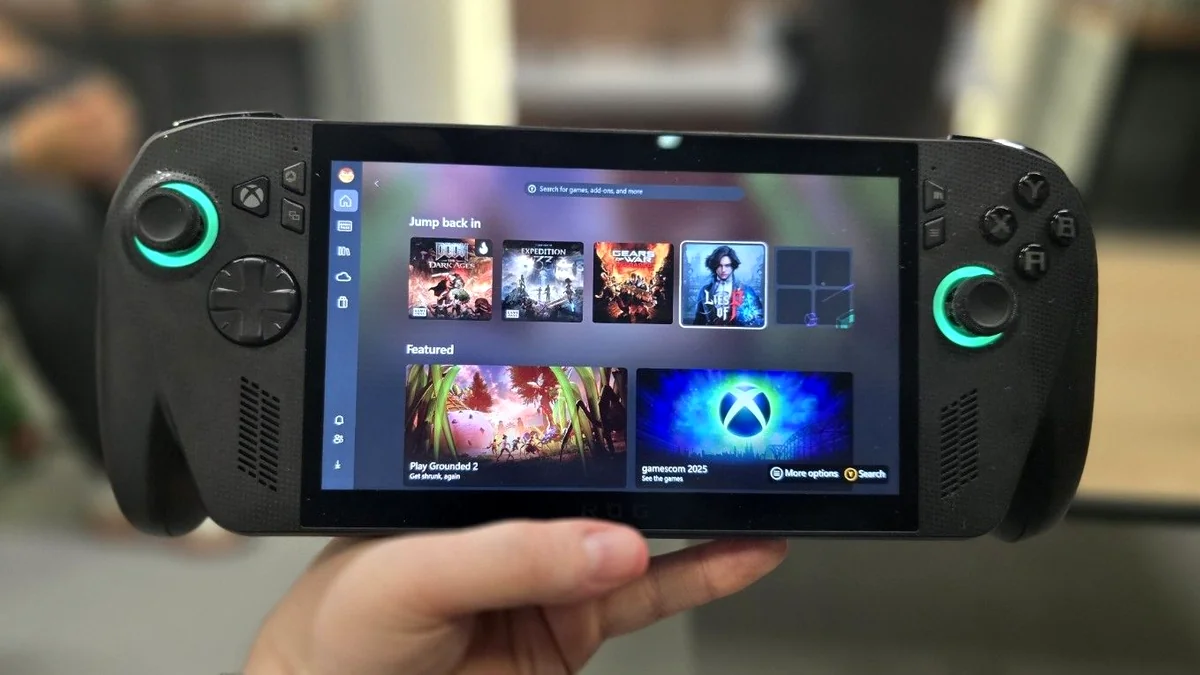

The Console Dream: Xbox FSE Rolls Out to All Windows Handhelds
Key Takeaways
- Microsoft’s Xbox Full Screen Experience (FSE) is now generally available for all Windows handheld PCs (like the MSI Claw and Legion Go), starting November 21st.
- The FSE acts as a console-like UI layer atop Windows 11, bypassing the traditional desktop shell to save approximately 2GB of system memory.
- The mode unifies all PC game launchers (Steam, Epic, Battle.net) into one controller-friendly hub via the Xbox PC app.
- Despite technical improvements, the community remains highly skeptical that FSE can overcome the fundamental resource demands and instability inherent to the Windows 11 OS.
For years, the Achilles’ heel of Windows handheld gaming PCs—from the GPD Win to the early ROG Ally—was the operating system itself. While Windows offered unparalleled compatibility with PC game libraries, the small screen and joystick input made navigating the desktop a frustrating chore. Now, Microsoft is officially launching the Xbox Full Screen Experience (FSE) to all Windows 11 handhelds, fulfilling the promise of a true console-like UI. This rollout, starting with Insider builds and officially expanding to all supported devices on November 21st, aims to finally close the usability gap with competitors like the Steam Deck.
The Core Technical Win: 2GB of Freed RAM
The primary performance benefit of FSE is its ability to suppress unnecessary components of a typical Windows 11 installation. By avoiding the loading of the full desktop and the Explorer shell, the system frees up substantial resources, resulting in a measurable memory saving of approximately 2GB. This memory is instantly made available to improve game performance, which is critical on resource-constrained handheld devices where every megabyte of LPDDR5X counts toward stability and frame time consistency.
The Flagship Hardware: ROG Xbox Ally X Design Deconstructed

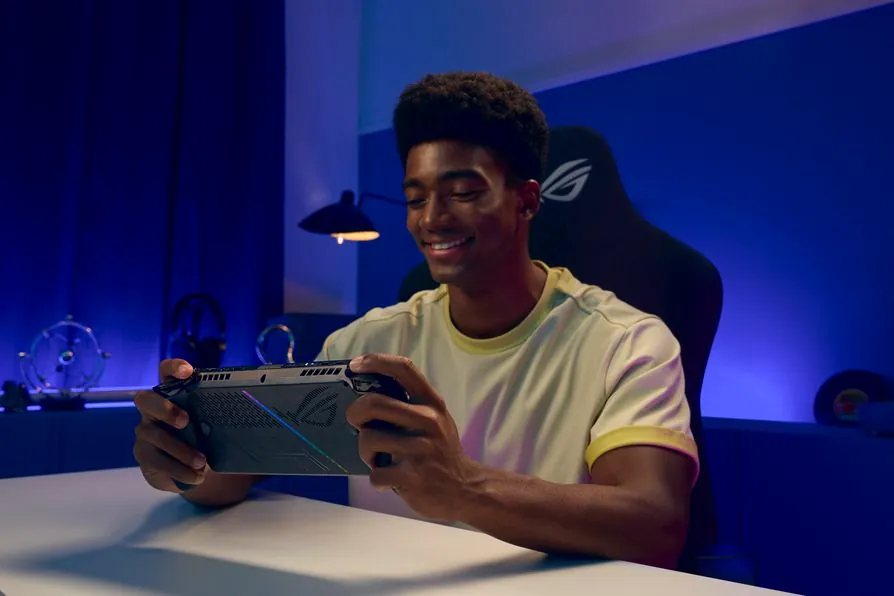
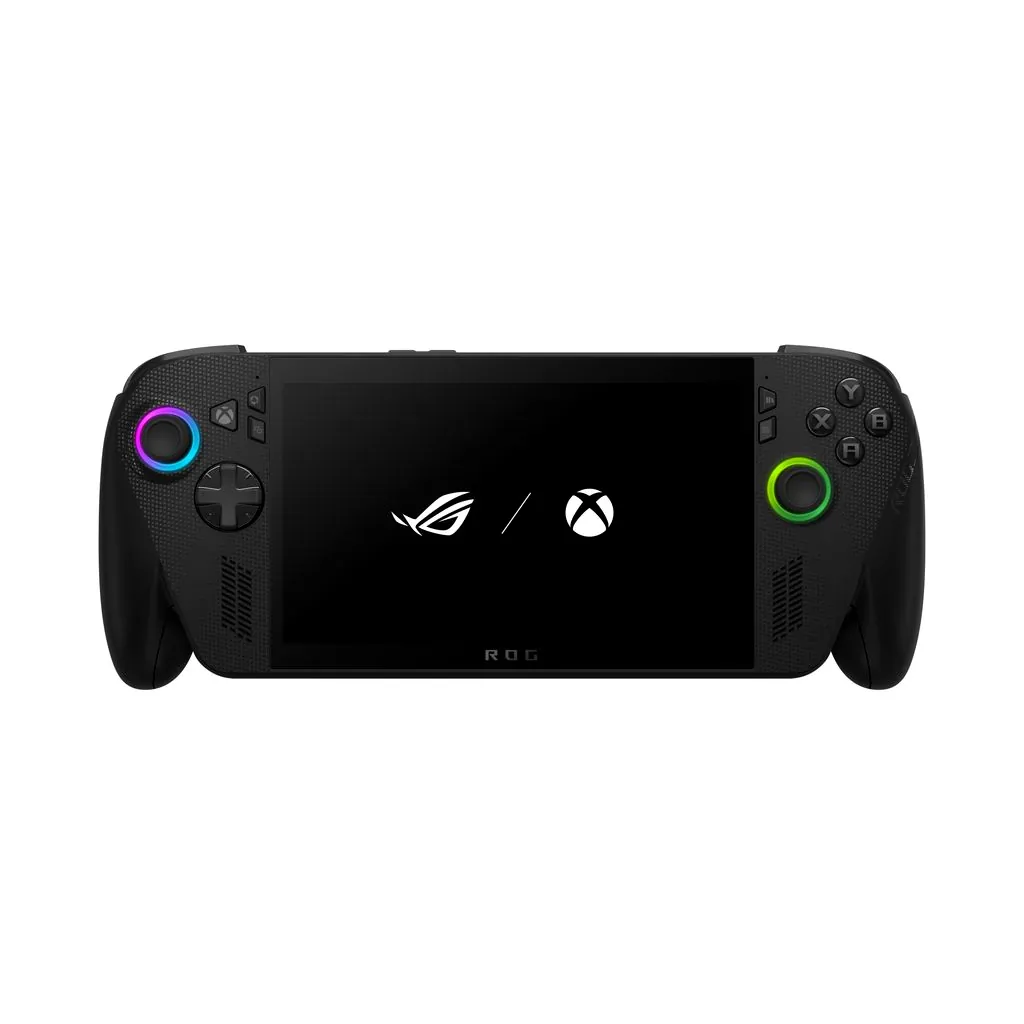
ROG Xbox Ally X (2025 Edition) Key Specifications
- Processor
- AMD Ryzen AI Z2 Extreme (with NPU)
- Memory
- 24GB LPDDR5X-8000
- Storage
- 1TB M.2 2280 SSD (Upgradable)
- Battery
- 80Wh
- Display
- 7-inch, 500-nit FHD (1080p) IPS
- Connectivity
- Thunderbolt 4 compatible USB4 port
The Fandom Pulse: Why Skepticism Still Dominates
While Microsoft touts the FSE as the definitive solution for handheld navigation, the PC gaming community remains deeply skeptical. The prevailing sentiment, fueled by years of Windows instability, is that the FSE is merely a cosmetic wrapper—a repackaging of the existing Xbox PC app that prioritizes marketplace promotion and Game Pass advertisements over a clean, user-centric gaming dashboard. Crucially, critics argue that the UI itself is not the core problem; the underlying Windows 11 operating system is the true bottleneck, consuming resources and suffering from chronic stability issues that plague demanding titles, including random BSODs, ACPI events, and persistent game launch failures documented across various community forums.
The biggest problem with gaming on Windows isn’t the user interface, it’s Windows 11 itself is a bloated resource hungry disaster of an operating system.
Windows vs. SteamOS: The Usability and Optimization Battle
Xbox FSE on Windows 11 vs. SteamOS (Steam Deck)
| Feature | Xbox FSE (Windows 11) | SteamOS (Linux) |
|---|---|---|
| Core OS Footprint | Full Windows 11 Kernel (FSE saves 2GB UI overhead) | Highly customized, minimal Linux distribution |
| Primary Goal | Ecosystem Integration (Game Pass, Microsoft Store) | Pure Gaming Experience (Steam Big Picture) |
| Stability/Bloat | Susceptible to background processes, drivers, and known Win11 instability errors. | Extremely streamlined, few non-gaming background tasks. |
| Game Compatibility | Native (Full Modding Access) | Proton Layer (Occasional compatibility issues, limited anti-cheat support) |
Is the FSE Enough?
The Xbox Full Screen Experience is a long-overdue and necessary upgrade that finally makes Windows handhelds usable by solving the desktop navigation crisis. The 2GB memory saving is a quantifiable performance boost that should be praised, as it offers immediate, measurable gains in game stability and performance headroom. However, FSE does not solve the underlying paradox: that Windows 11 is fundamentally too bloated and unstable for peak handheld performance. The FSE closes the UI gap, transforming the front-end experience from a chore into a pleasure, but the performance gap with SteamOS remains wide. Microsoft has taken the first essential step toward optimization, but the journey to true handheld dominance requires a level of OS streamlining they have yet to commit to.