
Key Insights
- The B850 chipset delivers exceptional value for mainstream builders, universally guaranteeing PCIe 5.0 M.2 support while offering a stable platform for Ryzen 9000 and 7000 series processors in the sub-$250 bracket.
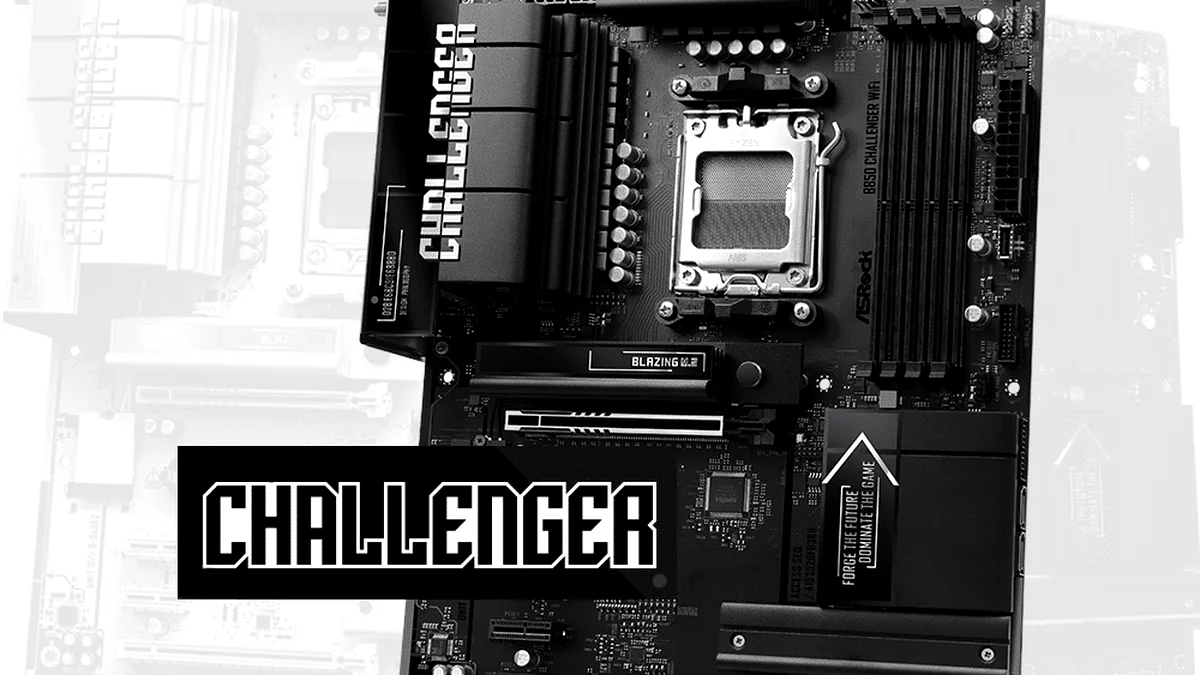
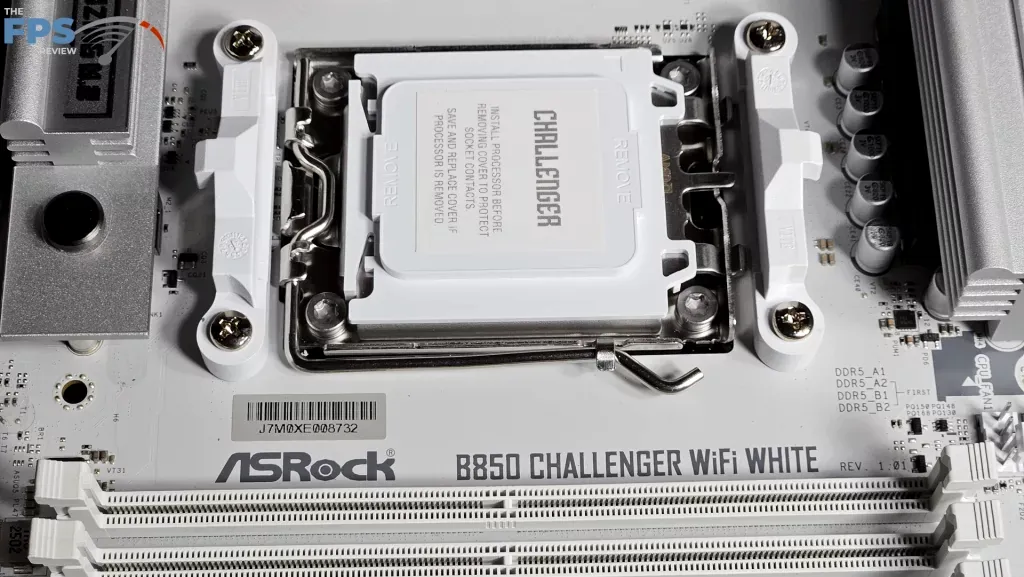
- For Ryzen 5 and Ryzen 7 builds, specific budget-friendly boards like the ASRock B850 Challenger (with its 12+2+1 Dr.MOS design) and MSI B850 Livemixer provide excellent VRM stability and thermal performance out of the box.
- Engineering compromises in the B850 tier typically manifest in the omission of quality-of-life features; budget variants often lack GPU EZ-latches, debug LEDs, or tool-less M.2 mounting for secondary slots.
- Memory stability is the new frontier of ‘budget’ troubleshooting. Our testing of the ASRock Challenger revealed that achieving advertised 6000MT/s EXPO speeds may require manual voltage adjustments (e.g., dropping to 1.30V) to resolve Prime95 errors.
- While the 2025 AM5 burnout crisis necessitates caution with Ryzen 9 flagships, the ‘Safe List’ identifies B850 models with robust power delivery that makes them a confident choice for mid-range gaming and productivity.
The B850 Value Proposition: Mainstream Power for Ryzen 9000 and the Budget Builder
The B850 chipset is AMD’s calculated answer to the mainstream system builder, positioned strategically beneath the enthusiast X870 and X870E tiers. Its core design mandate is to maximize the performance potential of the Ryzen 9000 and 7000 series processors without incurring the significant cost overhead associated with guaranteed PCIe 5.0 GPU lanes, high-density component counts, or high-end features like integrated USB4/Thunderbolt. Our analysis reveals how manufacturers, including market leaders like ASUS (with their high-spec ROG Strix boards and budget-friendly Prime series) and ASRock (with their Challenger and Steel Legend lineups), are defining their B850 offerings. The critical engineering challenge for these companies is determining where to implement key compromises—such as VRM phase count or the inclusion of Debug LEDs—to hit the competitive sub-$250 price bracket effectively. For the budget-conscious builder targeting Ryzen 5 or Ryzen 7 CPUs, identifying boards that offer out-of-the-box stability and sufficient VRM quality without demanding manual tweaking or premium prices is paramount to a successful, long-term build.
| Feature | B850 | X870/X870E |
|---|---|---|
| Primary GPU Slot | PCIe 5.0 x16 (Optional) | PCIe 5.0 x16 (Guaranteed) |
| Primary M.2 Slot | PCIe 5.0 x4 (Guaranteed) | PCIe 5.0 x4 (Guaranteed) |
| Max DDR5 OC Speed | 8000+ MT/s (OC) | 8400+ MT/s (OC) |
| USB4 Support | Optional (Rare) | Standard (Multiple Ports) |
| Wi-Fi Standard | Wi-Fi 6E/7 (Varies) | Wi-Fi 7 (Standard) |
| Overclocking Focus | Moderate/Memory Only | Extreme CPU & Memory |
The Shadow of Instability: VRM Design, Memory Quirks, and The AM5 Burnout Crisis
The AM5 platform has been haunted by early adopter instability, including persistent DRAM quirks and, more catastrophically, the infamous CPU burnout incidents directly linked to excessive System-on-Chip (SOC) voltage. For the B850 generation, this history translates directly into significant consumer distrust, particularly when budget boards are paired with high-TDP processors. The core engineering challenge for motherboard manufacturers is ensuring their cost-conscious Voltage Regulator Module (VRM) designs can reliably handle the sustained power draw of flagship parts like the Ryzen 9 9950X. We have observed designs, such as the ASRock B850 Challenger‘s 12+2+1 Dr.MOS configuration or the Sapphire Nitro+’s 12+2+1 x55A Smart Power Stages, which, while seemingly robust, must be cooled sufficiently and paired with conservative BIOS defaults. Furthermore, memory compatibility remains a subtle but critical concern: as seen with the ASRock B850 Challenger, achieving advertised EXPO speeds (e.g., 6000MT/s) with certain DDR5 kits may require manual voltage adjustments—lowering from 1.35V to 1.30V in some cases—or even a change of RAM to ensure system stability under Prime95 loads. When inadequate cooling or aggressive default voltage/memory tuning meets demanding workloads, component longevity is severely compromised, turning a value proposition into a potential liability.
The widespread 2025 CPU burnout crisis involving specific budget B850 boards was definitively traced to a confluence of inadequate 8+2 phase VRM designs and factory BIOS settings that aggressively pushed SOC voltage and power limits (PBO/EDC/TDC) beyond safe AMD recommendations. If your build plan includes a high-end Ryzen 9 (such as the 9950X or 9900X3D) on a B850 board, you MUST prioritize models featuring demonstrably robust cooling and high-phase VRMs, like the ASUS ROG Strix B850-E’s 16+2+2 architecture. Furthermore, immediately update the BIOS to the latest version to enforce safe voltage limits. Ignoring this protocol risks catastrophic CPU failure, echoing the failures seen across the AM5 platform’s history. For builders utilizing Ryzen 5 or Ryzen 7 CPUs, however, the risk profile is significantly lower; several well-engineered budget B850 boards now offer proven stability and excellent thermal performance for these mid-range tiers.
Thermal Validation: VRM Performance Under Load
LoadSyn’s ‘Safe List’: Recommended B850 Boards for Budget Ryzen 5/7 Builds
Based on our latest research and thermal validation, the following B850 motherboards represent excellent value and proven stability for Ryzen 5 and Ryzen 7 processors. These boards strike a balance between cost-effectiveness and critical engineering quality, ensuring a smooth building experience without the need for extensive manual tweaking or fear of component instability. We’ve focused on models that demonstrate robust VRM performance, reasonable connectivity, and practical quality-of-life features for their price point, providing the confidence needed to bypass higher-priced enthusiast models.
LoadSyn’s Budget B850 ‘Safe List’ for Ryzen 5/7 (Under $200)
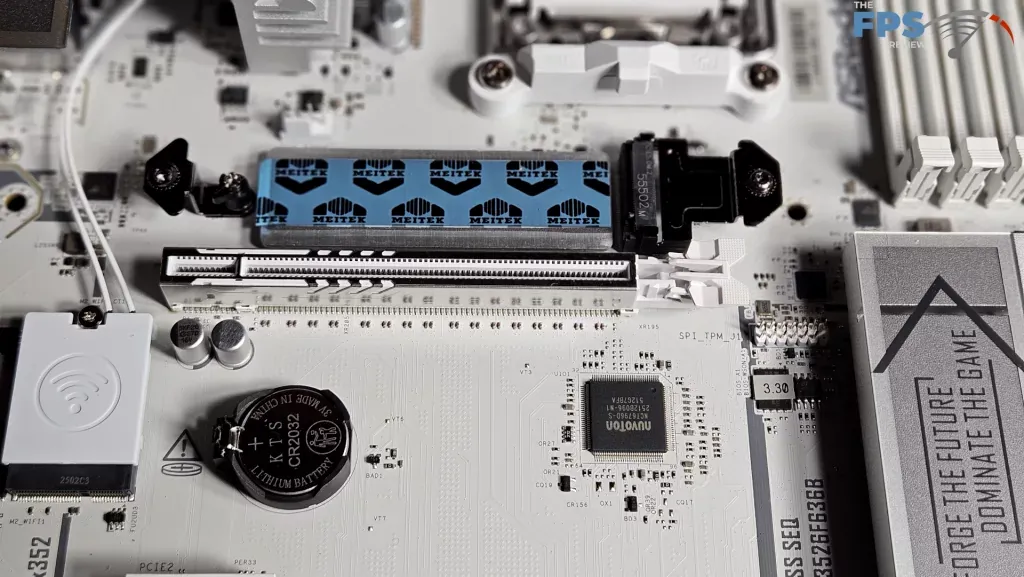
VRM: 12+2+1 Phase Dr.MOS; Cooling: Enlarged VRM heatsinks (35°C peak with Ryzen 7 7700X); PCIe: 1x PCIe 5.0 x16, 1x PCIe 4.0 x4; M.2: 1x Gen5x4 (EZ-Latch), 1x Gen4x4 (screws); Memory: DDR5-8000+ (OC), noted EXPO stability issues with some kits (manual 1.30V or different RAM needed); QoL: No GPU EZ-Release, 2 M.2 slots; Connectivity: Wi-Fi 7, 2.5GbE LAN; Summary: A solid performer for Ryzen 5/7, excellent VRM thermals. Be mindful of potential DDR5 EXPO quirks requiring manual adjustment or specific RAM.
VRM: 14 Duet Rail (80A SPS), 2 Phase SOC, 1 Phase MISC; Cooling: Extended Heatsink design, 7W/mK MOSFET thermal pads; PCIe: 1x PCIe 5.0 x16 (Steel Armor II, EZ PCIe Release), 1x PCIe 4.0 x16; M.2: 2x Gen5x4 (1 double-sided Frozr), 1x Gen4x4, 1x Gen4x2 (all with M.2 Shield Frozr); Memory: DDR5-8200+ (OC), EXPO profiles; QoL: EZ M.2 Shield Frozr II (tool-free), EZ M.2 Clip II (screwless), EZ PCIe Release; Connectivity: Wi-Fi 7, 5GbE LAN, Front USB 20Gbps Type-C; Summary: A more premium ‘budget’ option with extensive QoL features and robust power delivery, ideal for those wanting more M.2 slots and easier installation.
VRM: 12+2+1 x55A Smart Power Stages (Richtek RT3678, AOS AOZ5510Q1 DrMOS); Cooling: Sufficient; PCIe: 1x PCIe 5.0 x16, 1x PCIe 4.0 x4 (shared with M.2), 1x PCIe 4.0 x2; M.2: 1x Gen5x4, 2x Gen4x4 (1 shared with PCIe slot, ‘laborious’ access); Memory: DDR5-8000+ (OC); QoL: Understated styling, limited M.2 access, single rear USB-C; Connectivity: Wi-Fi 7, 2.5GbE LAN; Summary: A true budget contender with strong VRM design. Sacrifices some convenience features for aggressive pricing, making it a ‘perfectly reasonable’ choice.
VRM: Digital twin 8+2+2 phases; Cooling: M.2 Thermal Guard; PCIe: 1x PCIe 5.0 x16 (EZ-Latch), 1x PCIe 3.0 x16 (x4 mode); M.2: 1x PCIe 5.0 x4, 1x PCIe 4.0 x4 (M.2 EZ-Latch Plus screwless); Memory: DDR5-8200+ (OC), EXPO/XMP; QoL: PCIe 5.0 EZ-Latch, M.2 EZ-Latch Plus (screwless), X3D Turbo Mode; Connectivity: 2.5GbE LAN, No Wi-Fi/BT; Summary: Excellent Micro-ATX option with modern QoL features like screwless M.2 and GPU EZ-Latch. Good VRM for Ryzen 5/7, but lacks integrated Wi-Fi.
VRM: 8+2+1 Phase Dr.MOS (VCore+SOC+MISC), Hi-Density Power Connector, 6 Layer PCB; Cooling: Aluminum Heatsink; PCIe: 1x PCIe 5.0 x16 (Reinforced Steel Slot), 1x PCIe 4.0 x4; M.2: 1x Blazing M.2 (Gen5x4), 2x Hyper M.2 (Gen4x4); Memory: DDR5-8000+ (OC), XMP/EXPO; QoL: BIOS Flashback, Auto Driver Installer, Dual Graphics Outputs (HDMI+DP); Connectivity: Wi-Fi 6E + Bluetooth, 2.5G LAN; Summary: A strong Micro-ATX value, offering robust VRM for its tier and useful DIY features like BIOS Flashback. Multiple M.2 slots are a bonus.
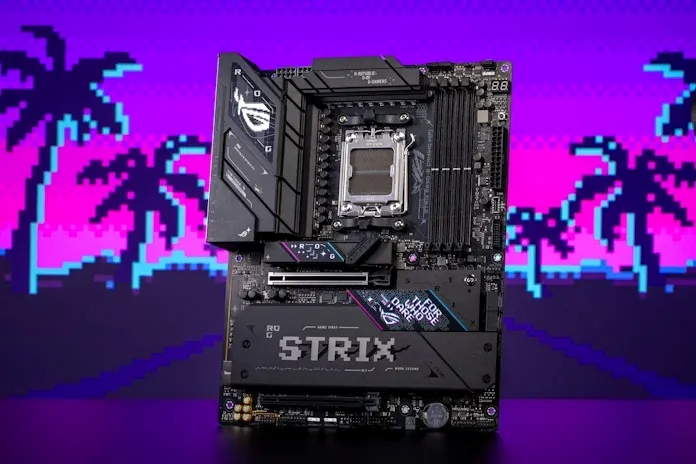
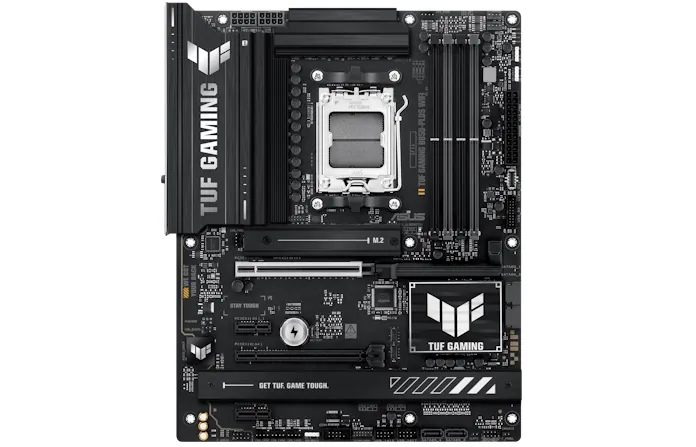
Key Specifications: ASUS ROG Strix B850-E Gaming WiFi (The B850 Benchmark)
The Hidden Costs: Why the X870 Feature Gap Still Matters, and What Budget B850s Lack
Pros
- Excellent DDR5 Overclocking (up to 8000+ MT/s) is standard across most models.
- Guaranteed PCIe 5.0 M.2 support ensures access to the fastest available storage.
- Widespread integration of high-speed networking (Wi-Fi 7 / 2.5GbE).
- Significantly lower cost than X870E flagship boards.
Cons
- PCIe 5.0 GPU support is often omitted on budget boards.
- Lack of Debug LED displays increases troubleshooting anxiety.
- Variable VRM cooling quality; careful research is required for high-TDP CPUs.
- USB4 is rarely standard on budget variants.
- Memory stability quirks (EXPO) may require manual voltage tuning.
- QoL features (EZ-Latch) are frequently removed to save costs.
Final Verdict
The B850 chipset is fundamentally sound, offering a compelling blend of next-generation features—specifically PCIe 5.0 M.2 storage and high-speed DDR5 support—at a truly mainstream price point. Our expanded research confirms that for Ryzen 5 and Ryzen 7 processors, there are indeed excellent, stable, and budget-friendly B850 motherboards available that deliver reliable performance without requiring an engineering degree to configure. Models like the ASRock B850 Challenger, MSI B850 Livemixer, and GIGABYTE B850M DS3H stand out for their robust VRMs and solid feature sets at around the $180 mark. However, the platform still demands caution for those reaching for the ceiling. While premium B850 boards provide the necessary engineering headroom for flagship Ryzen 9 CPUs, budget models paired with high-TDP processors still carry the historical risk of instability and thermal issues if BIOS updates are ignored. For top-tier Ryzen 9 builds or rigorous extreme overclocking, the marginal extra cost for a guaranteed X870 board remains a worthwhile investment. But for the vast majority of mainstream builders targeting Ryzen 5/7, the B850 platform, with careful selection from our ‘Safe List,’ is now a highly recommended and confident choice for stability, longevity, and peace of mind.