
Key Takeaways
- Unique MX-style cross stems allow for full mechanical keycap compatibility on a membrane board.
- Aggressive $59.99 price point targets the entry-level market, though it faces stiff competition from budget mechanicals.
- Features a robust IP57 rating for water and dust resistance, a rarity at this price.
- Typing experience is described as heavy and potentially fatiguing compared to modern mechanical switches.
- Includes premium touches like a tactile volume knob and 10-zone RGB lighting.
The Membrane Reimagined: Design and Build Quality
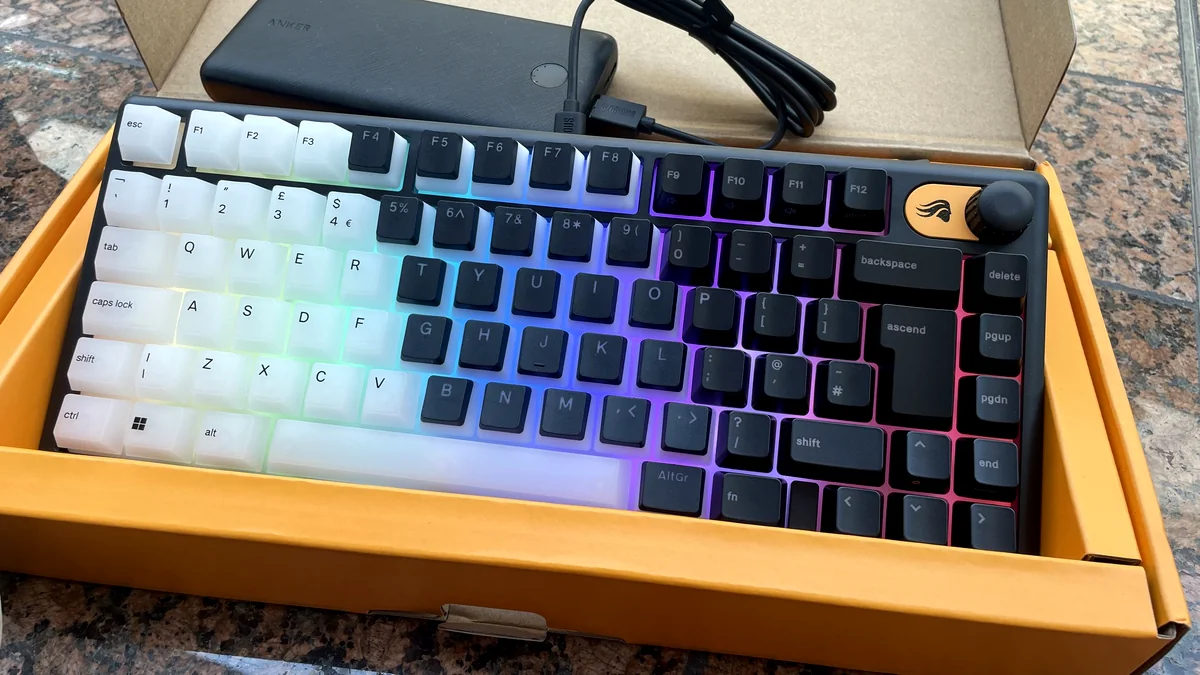
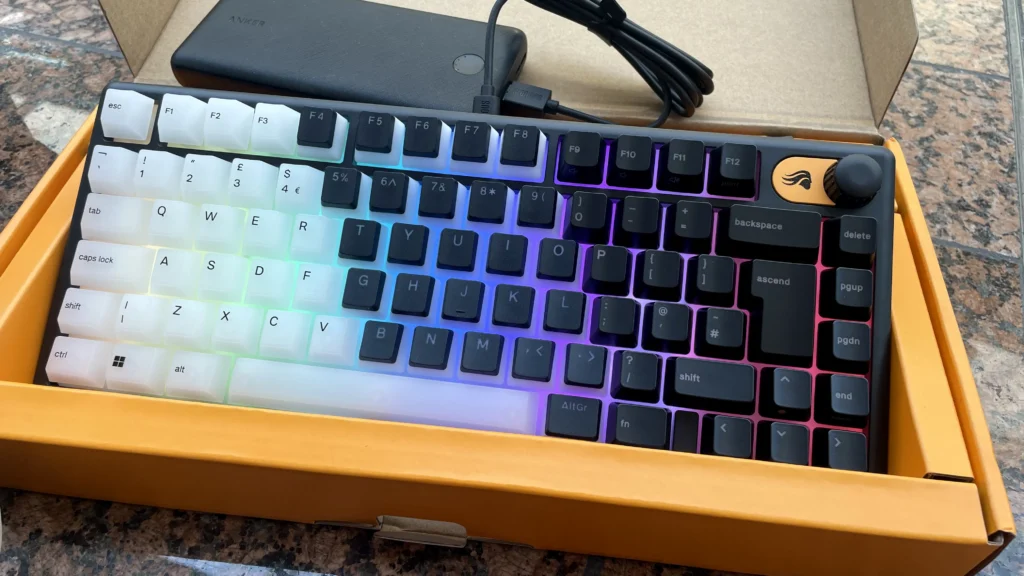
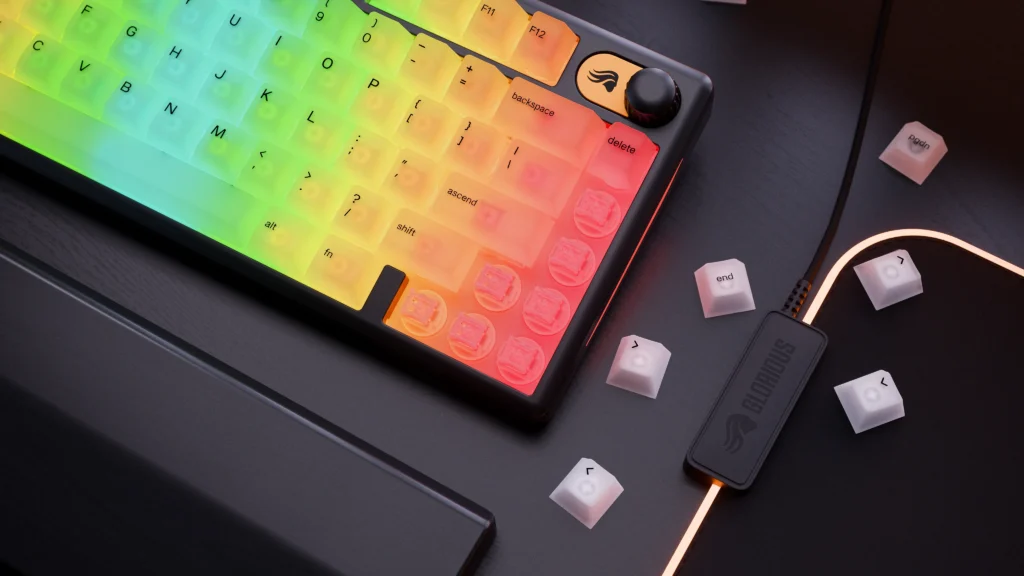
The Glorious GMBK 75% enters a market typically defined by generic office decks and attempts something bold: legitimizing the membrane switch. By adopting a compact 75% layout, Glorious preserves the essential function row and navigation cluster while carving out more room for mouse movement—a critical metric for low-DPI gaming. While the chassis is plastic, its wedge-shaped design offers a surprising amount of structural rigidity with minimal creaking. The inclusion of a dedicated, tactile rotary dial that is fully interchangeable with GMMK 3 accessories signals a level of modularity that is frankly unheard of in the sub-$60 category.
| Feature | Specification |
|---|---|
| Switch Type | Rubber Dome Membrane |
| Layout | 75% Form Factor |
| Polling Rate | 1,000Hz |
| Durability | IP57 Water/Dust Resistant |
| Connectivity | USB-C (Removable) |
| RGB | 10-Zone Customizable |
| MSRP | $59.99 / €59.99 |
The Typing Experience: Heavy Domes and MX Stems
Typing on the GMBK 75% is a departure from the mushy standard. Glorious has tuned these rubber domes to provide a more tactile ‘clack,’ though the trade-off is a heavy actuation force that can feel somewhat sticky compared to a linear mechanical switch. For the competitive player, this increased resistance might lead to fatigue during marathon sessions. However, the real technical achievement here is the MX-style cross stems. By decoupling the keycap mount from the switch type, Glorious allows users to ditch the default, shine-prone ABS caps for high-end PBT sets, effectively letting a membrane board wear a mechanical ‘outfit’ for the first time without the mechanical price tag.
GMBK 75% vs. The Budget Competition
| Model | Type | Key Feature | Price |
|---|---|---|---|
| Glorious GMBK 75% | Membrane | MX-Keycap Compatible | $60 |
| Gamakay x NaughShark NS68 | Mechanical | Hot-Swappable Switches | ~$60 |
| Corsair K55 Core | Membrane | Silent Operation | $40 |
| Roccat Magma | Membrane | Full Semi-Transparent Plate | $50 |
Pros
- Excellent keycap customization via MX stems
- Tactile volume knob is highly functional
- IP57 rating provides great durability
- Vibrant 10-zone RGB lighting
- Removable USB-C cable
Cons
- Membrane feel can be heavy and fatiguing
- Stiff competition from budget mechanical boards
- Glorious Core software can be CPU-intensive
- Default ABS keycaps are prone to shine
Final Verdict
The Glorious GMBK 75% is a fascinating experiment in democratizing keyboard aesthetics. While it can’t truly replicate the crisp, low-latency response of a dedicated mechanical switch, its ability to wear any mechanical ‘outfit’ and survive a spill makes it a strong contender for casual gamers on a strict budget. It is easily the best-looking membrane board on the market today, even if your fingers might feel the weight of those heavy domes after a few hours of play.
Frequently Asked Questions
Can I use any mechanical keycaps on the GMBK 75%?
Yes, as long as they use the standard MX-style cross stem, they will fit perfectly.
Is the GMBK 75% wireless?
No, it is a strictly wired keyboard with a removable USB-C cable.
How does the IP57 rating help?
It means the keyboard is protected against dust ingress and can withstand immersion in water up to 1 meter for 30 minutes.