
The Accelerated Truth: BitLocker’s New Era
- Hardware-accelerated BitLocker significantly boosts Windows 11 storage performance (up to double in some workloads) and reduces CPU usage by over 70%, especially for random 4K operations on NVMe SSDs.
- This improvement offloads cryptographic operations from the main CPU to dedicated SoC (System-on-a-Chip) accelerator units, leveraging hardware-wrapped keys for enhanced security.
- Initial support targets Intel vPro platforms with upcoming Core Ultra Series 3 ‘Panther Lake’ processors, rolling out with Windows 11 24H2 (with September updates) and 25H2.
- Despite performance gains, the PC community views Microsoft’s move with deep skepticism, citing a long delay in addressing software BitLocker’s performance issues and attributing the fix to competitive pressure (e.g., Linux gaming) rather than proactive user advocacy.
- Users can verify their BitLocker mode via
manage-bde -statusin Command Prompt, looking for ‘Hardware accelerated’ under Encryption Method.
The Elephant in the Room: BitLocker’s Past Performance Problem
BitLocker, Microsoft’s native full-disk encryption solution for Windows, has long been a double-edged sword. While it provides essential data protection by encrypting entire volumes, its software-based implementation historically introduced a significant performance overhead. This overhead became particularly noticeable with the widespread adoption of high-speed NVMe SSDs, where cryptographic operations often consumed a substantial proportion of CPU cycles. This bottlenecked even routine tasks, leading to frustrating slowdowns in activities like gaming and video editing. For a gaming technology blog like LoadSyn, this performance hit on modern hardware was a critical concern, pushing many enthusiasts to either avoid BitLocker altogether or seek out alternative encryption solutions. Indeed, early data showed software-based BitLocker could cause a staggering 375% increase in CPU cycles per I/O compared to an unencrypted drive, a clear indicator of the problem Microsoft needed to address.
Unlocking Speed: How Hardware-Accelerated BitLocker Works
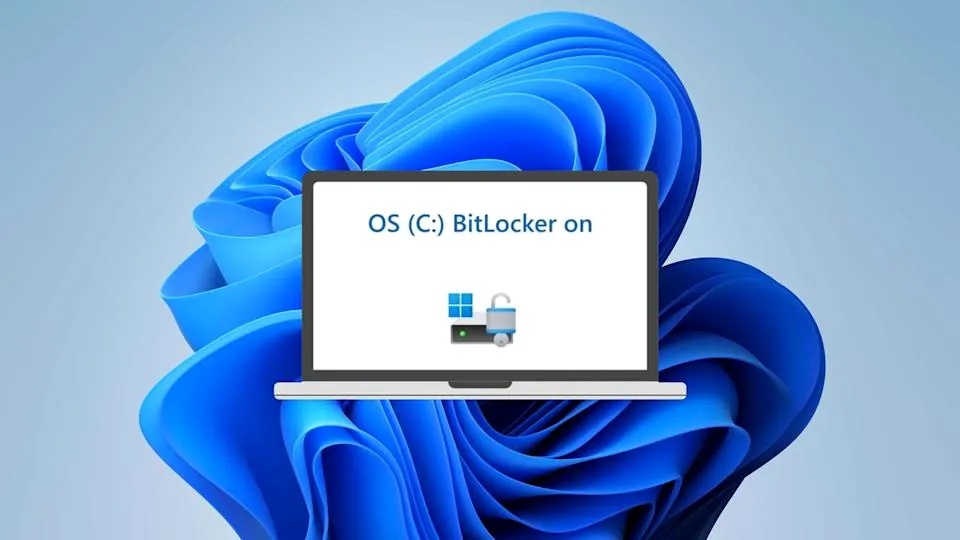
Microsoft’s new hardware-accelerated BitLocker represents a significant architectural shift in how data encryption is handled at a fundamental level. Instead of cryptographic operations being solely handled by the main CPU, these bulk encryption and decryption tasks are now offloaded to dedicated accelerator units integrated directly into the System-on-a-Chip (SoC) or CPU microarchitectures. This fixed-function cryptography engine, operating with the robust XTS-AES-256 algorithm by default, is designed to work in tandem with the Trusted Platform Module (TPM) to manage encryption keys securely. Furthermore, a critical security enhancement sees encryption keys now ‘hardware-wrapped,’ significantly minimizing their exposure to CPU and memory-based cyberattacks. This innovation is a deliberate step towards a future where BitLocker keys are entirely eliminated from vulnerable memory spaces, enhancing overall system integrity and security.
Key Technical Pillars of Hardware Acceleration:
- Crypto Offloading: Shifts intensive cryptographic computations from the main CPU to dedicated hardware engines within the SoC, freeing up CPU resources and improving battery life.
- Hardware-Wrapped Keys: Encryption keys are protected at the hardware level, significantly reducing their vulnerability to memory-based attacks and complementing existing TPM security.
- Default XTS-AES-256: Standardizes on a robust encryption algorithm for supported devices, simplifying deployment and ensuring strong security by default.
The Numbers Game: Performance Benchmarks & CPU Savings
Initial testing reveals truly substantial performance gains with hardware-accelerated BitLocker. Microsoft’s own data indicates that some workloads can experience nearly double the storage performance compared to the older software-based BitLocker. Crucially, this comes with an average CPU usage reduction of over 70% per I/O operation. While sequential read/write speeds remain largely comparable between the two methods, the real impact is seen in random 4K operations—a critical metric for modern multitasking, application responsiveness, and, notably, in-game asset streaming. For instance, in RND4K Q32T1 tests, hardware-accelerated BitLocker was reported to be 2.3 times faster for both reads and writes. Single-queue random reads saw a 40% boost, and single-queue random writes experienced an impressive 2.1x speedup. These figures directly address the very performance bottlenecks that previously plagued BitLocker on high-speed NVMe drives, making a tangible difference to system snappiness.
Current Availability & Future Rollout
Hardware-accelerated BitLocker is rolling out with Windows 11 version 24H2 (specifically with September updates installed) and Windows 11 25H2, as well as Windows Server 2025. Initial support is being launched exclusively on Intel vPro platforms featuring the upcoming Intel Core Ultra Series 3 ‘Panther Lake’ processors. While this is a targeted rollout, Microsoft has confirmed plans to extend support to other SoC vendors and platforms progressively, meaning widespread adoption will take time. For now, users with the very latest Windows 11 updates and compatible Intel hardware are the first to reap the performance benefits.
The Trust Equation: Security, History, and Community Skepticism
While the technical improvements are clear and quantifiable, the introduction of hardware-accelerated BitLocker is met with a significant degree of skepticism and even resentment within the broader PC community. Many users vividly recall Microsoft’s controversial decision in 2018 to disable default hardware acceleration for self-encrypting drives (SEDs) due to ‘vulnerable implementations’ by manufacturers. This move effectively forced users onto the slower, software-based BitLocker, creating the very performance problem that is now being ‘fixed.’ This history, coupled with ongoing concerns about Microsoft’s telemetry, forced online accounts, and perceived ‘bloatware’ in Windows 11, has deeply eroded user trust. The community’s sentiment suggests that while the fix is welcomed, it’s viewed more as a long-overdue rectification than a proactive innovation.
“I don’t think it’s a ‘praise M$ for fixing it’, and rather a ‘good you did, took you long enough’ scenario.” – Community Comment
Some interpret this renewed push for hardware acceleration as a reactive measure, spurred either by increasing competition from Linux in the gaming space—where performance is paramount—or as a necessity to enable new CPU sales, rather than a genuine focus on user experience. There’s also an inherent distrust of BitLocker itself, with some users preferring open-source alternatives like VeraCrypt, citing past data loss nightmares or concerns over Microsoft’s access to recovery keys, which are often stored in the cloud by default when using a Microsoft account. This complex interplay of past missteps and present suspicions creates a challenging environment for Microsoft to regain the full confidence of its most vocal users.
Hardware-Accelerated BitLocker: Weighing the Benefits Against the Backlash
Pros
- Significant Performance Boost: Up to double storage performance and 70%+ CPU reduction.
- Enhanced Security: Hardware-wrapped keys offer better protection against memory-based attacks.
- Improved Efficiency: Lower CPU usage can translate to better battery life on mobile devices.
- Seamless Integration: Native to Windows 11/Server 2025 for compatible hardware.
Cons
- Historical Trust Issues: Past actions (disabling eDrive) fuel community skepticism.
- Limited Initial Availability: Only available on specific new Intel vPro platforms initially.
- Recovery Key Concerns: Worries about cloud-stored recovery keys by default.
- Not a Universal Solution: Requires specific hardware and OS versions.
Hardware vs. Software Encryption: A Fundamental Difference
| Feature | Hardware Encryption (e.g., New BitLocker, SEDs) | Software Encryption (e.g., Old BitLocker, VeraCrypt) |
|---|---|---|
| Processing Location | Dedicated cryptographic engine on SoC/Drive Controller | Main CPU |
| Performance Impact | Minimal; often near unencrypted performance | Can cause significant slowdowns on high-speed I/O |
| CPU Load | Very low; offloads tasks from CPU | High; consumes significant CPU cycles |
| Key Storage | Hardware-wrapped keys, often in TPM | System memory, potentially more vulnerable |
| Security Vulnerabilities | Dependent on hardware; New hardware-wrapped keys mitigate risks. | Dependent on OS; potentially vulnerable to memory attacks. |
For the Gamer: What This Means for Your Rig
For gamers, the performance improvements from hardware-accelerated BitLocker are genuinely significant and directly impact the fluidity of your experience. With modern games increasingly relying on fast asset streaming from high-speed NVMe SSDs, the effective elimination of encryption bottlenecks means smoother loading times, a noticeable reduction in stuttering, and an overall more responsive system. The drastic reduction in CPU cycles required for encryption frees up valuable processing power for game physics, AI, and other background tasks, potentially leading to higher average framerates and, critically, improved 1% lows. While the sentiment around Microsoft’s motivations may be mixed within the community, the objective technical benefits for a high-performance gaming rig running Windows 11 are undeniable. This is a clear win for system responsiveness where every millisecond and CPU cycle counts.
Pro-Tip: Check Your BitLocker Status!
To determine if your Windows 11 device is utilizing hardware-accelerated BitLocker, open Command Prompt as an administrator and run the command manage-bde -status. Look under the ‘Encryption Method’ section. If it displays ‘Hardware accelerated’, you’re good to go!
Frequently Asked Questions About BitLocker Acceleration
BitLocker is a full-volume encryption feature built into Windows that protects your data by encrypting entire drives. This ensures that if your device is lost, stolen, or accessed offline, the data remains unreadable without proper authentication, such as a recovery key or TPM interaction.
With the rise of ultra-fast NVMe SSDs, software-based BitLocker became a performance bottleneck. Its cryptographic operations consumed significant CPU cycles, leading to noticeable slowdowns in I/O intensive tasks like gaming and video editing. Hardware acceleration offloads these tasks to dedicated hardware, restoring performance.
This feature is available starting with Windows 11 24H2 (with September updates installed) and Windows 11 25H2, as well as Windows Server 2025.
Yes, initial support is limited to Intel vPro platforms with upcoming Intel Core Ultra Series 3 (‘Panther Lake’) processors. Microsoft plans to expand support to other vendors, but a compatible SoC with dedicated crypto acceleration capabilities is required.
Microsoft states that hardware-accelerated BitLocker enhances security by utilizing hardware-wrapped encryption keys, which minimize exposure to CPU and memory-based cyberattacks. This builds upon the security provided by the Trusted Platform Module (TPM).
Windows may prompt for a recovery key if it detects a possible unauthorized attempt to access data, or if significant hardware, firmware, or software changes (e.g., BIOS update, new PCI card) have occurred that BitLocker cannot distinguish from a potential attack. It’s crucial to back up your recovery key.
Performance Unlocked, Trust Still Pending
Microsoft’s introduction of hardware-accelerated BitLocker for Windows 11 is a genuinely impactful technical advancement. For gamers and power users, the promise of significantly faster storage performance and reduced CPU overhead, especially on NVMe drives, directly addresses a long-standing pain point. This innovation aligns perfectly with the demands of modern PC gaming, where every millisecond and CPU cycle counts towards a smoother, more responsive experience. However, as a ‘Core Architecture Theory’ analysis, we recognize that technical prowess alone doesn’t win universal acclaim. The community’s deep-seated skepticism, born from past Microsoft decisions—like the contentious 2018 eDrive disablement—and broader trust issues, remains a critical factor. While the performance benefits are clear and a definitive step in the right direction, Microsoft still has work to do to fully rebuild that trust. For those with compatible new hardware, this is an undeniable upgrade to their system’s foundation. For others, it’s a cautiously optimistic note in a complex, often adversarial, relationship with their operating system.