
Key Takeaways
- High-refresh-rate 1080p and 1440p monitors are more affordable than ever, offering exceptional value.
- You don’t need to break the bank for a competitive gaming experience in 2025.
- IPS and VA panels now deliver excellent speed and visual quality at budget price points, a significant leap from past limitations.
- Understanding key specs like refresh rate, response time, and adaptive sync is crucial for smart buying.
- Our guide cuts through the hype to recommend truly ‘good enough’ monitors that excel in real-world gaming scenarios.
The ‘Good Enough’ Revolution: Why Budget Gaming Monitors are Dominating 2025
For too long, the PC gaming community chased an elusive ideal: the bleeding-edge monitor, always just out of reach for most budgets. The mantra was ‘more is better,’ pushing enthusiasts towards increasingly expensive displays. But here in 2025, a quiet, powerful revolution is fundamentally reshaping the market. Gamers are no longer forced to make painful compromises on refresh rates or panel quality to save money. Today, you can find displays that deliver a genuine competitive edge and stunning visuals without demanding a premium price tag. This definitive LoadSyn guide is dedicated to helping you navigate this exciting landscape, proving that ‘good enough’ isn’t just acceptable anymore—it’s often the smartest choice for serious gamers.
Beyond the Hype: Essential Monitor Terms Explained
Before we dive into our specific recommendations, it’s absolutely vital to grasp the core concepts that define a gaming monitor’s true performance. Understanding these terms will empower you to make an informed decision tailored to your specific gaming needs and budget, allowing you to cut through marketing jargon and focus on what truly matters in the heat of a game.
Refresh Rate (Hz): The Smoothness Factor
The refresh rate, measured in Hertz (Hz), dictates how many times your monitor can update the image on screen per second. Think of it as the fluidity of motion. A higher refresh rate means significantly smoother motion, drastically reduced motion blur, and crisper fast-paced visuals, which are critical for competitive play. While 60Hz has been the standard for years, 144Hz is now considered the bare minimum for any serious competitive PC gaming. Displays at 240Hz and even 360Hz offer further, albeit diminishing, returns in terms of perceived smoothness. For casual gamers enjoying cinematic RPGs, 60-75Hz might suffice, but for any competitive title, from FPS to MOBAs, 144Hz provides an undeniable, often indispensable, advantage in reaction time and visual feedback.
Is 144Hz Enough for You?
While 240Hz+ monitors certainly offer the ultimate competitive edge, realizing their full potential demands a powerful GPU capable of consistently pushing frame rates that match or exceed the monitor’s ceiling. For most gamers, especially those on a budget or with mid-range rigs, a solid 144Hz or 165Hz display provides an excellent balance of smoothness and value. You get a significant performance boost without overspending on a monitor your hardware can’t fully utilize – that’s the essence of ‘good enough’ done right.
Response Time (ms): Eliminating Ghosting
Response time, typically measured in milliseconds (ms) for Grey-to-Grey (GtG) transitions, indicates how quickly a pixel can change from one color to another. Lower numbers, such as 1ms GtG or MPRT, are absolutely crucial for fast-paced games. They dramatically reduce motion blur and eliminate ‘ghosting’ – those distracting, lingering trails behind moving objects that can obscure targets. Historically, TN panels led the pack in speed, but modern IPS and VA panels have made incredible strides, now offering competitive 1ms-4ms response times. This means you can get the speed needed for competitive play without sacrificing the superior color quality and viewing angles that IPS and VA panels offer.
Panel Types: IPS, VA, TN & OLED (A Quick Glance)
The type of panel technology profoundly impacts your visual experience, influencing everything from color vibrancy to contrast and viewing angles. While OLED currently dominates the high-end with its perfect blacks, budget gaming monitors typically feature IPS, VA, or, less commonly now, TN panels. Each comes with its own set of distinct trade-offs that are important to understand.
Budget Panel Technologies at a Glance
| Feature | IPS (In-Plane Switching) | VA (Vertical Alignment) | TN (Twisted Nematic) |
|---|---|---|---|
| Color Accuracy | Excellent | Good | Poor |
| Contrast Ratio | Good | Excellent (Deep Blacks) | Poor |
| Viewing Angles | Excellent (Wide) | Good | Poor (Narrow) |
| Response Time | Very Good (1-4ms) | Good (Often 4-5ms, potential ghosting) | Excellent (1ms, historically fastest) |
| Price Point | Mid-Range Budget | Lower-Mid Budget | Lowest Budget |
Our Methodology: How We Test for True Value
At LoadSyn, our monitor evaluations extend far beyond a quick glance at raw specifications. We prioritize rigorous, experiential testing, subjecting each display to weeks of real-world use across a diverse variety of games – from the pixel-perfect demands of fast-paced esports titles to the visually rich landscapes of modern RPGs. In the lab, we use professional tools like X-Rite colorimeters and Blur Busters utilities for quantitative analysis of color accuracy, motion handling, and, crucially, input lag. But quantitative data is only half the story. Our expert reviewers, including myself, assess practical desktop performance, scrutinize HDR implementation (which, let’s be frank, is often a weak point on budget models, especially with Windows’ messy native HDR), and evaluate overall build quality to ensure our recommendations truly deliver on their promise of exceptional value. We cut through the marketing fluff to give you figures and experiences you can trust.
The Best Budget Gaming Monitors of 2025: Our Top Picks
Best Overall Budget 1080p: Alienware AW2523HF
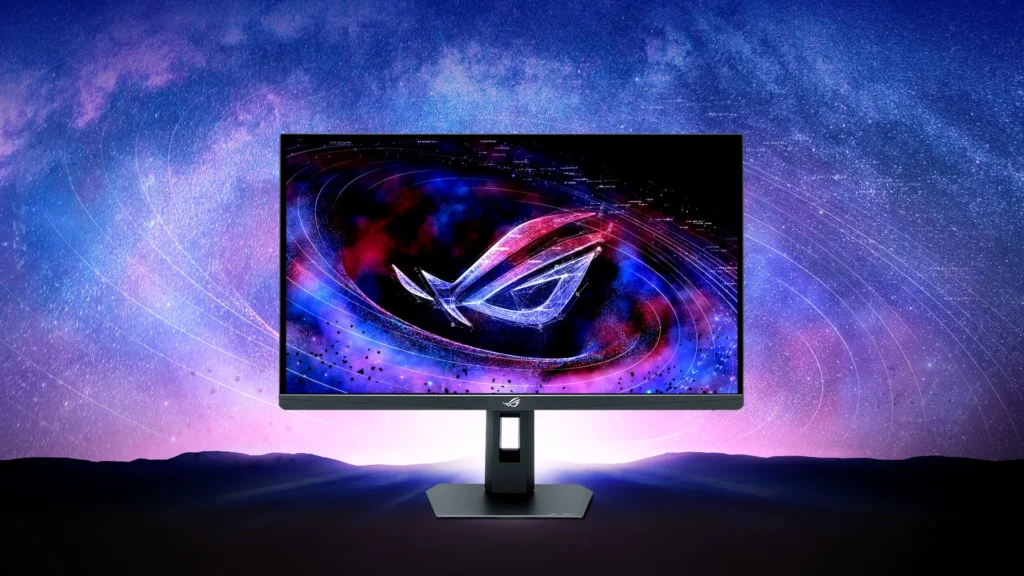
The Alienware AW2523HF stands as a powerful testament to how far budget 1080p gaming has come in a few short years. Aggressively priced, often available for $300 or less, this 24.5-inch IPS monitor delivers a blistering 360Hz refresh rate and a phenomenal 0.5ms response time. It is laser-focused on competitive PC gaming, offering truly excellent motion clarity and demonstrably improved accuracy in fast-paced titles like CS:GO. While its smaller size and 1080p resolution make it less ideal for productivity or extensive multitasking, its out-of-the-box color accuracy and brightness are strong, covering a full 100% sRGB. However, be aware of its limited contrast ratio (a tested 1270:1), which can make dark scenes appear somewhat washed out and flat.
Pros
- Blistering 360Hz refresh rate for competitive edge
- Excellent motion clarity and low input lag (0.5ms response)
- Strong out-of-the-box brightness and sRGB color accuracy
- Robust ‘Legend’ design with extensive ergonomic adjustments
- Comprehensive connectivity including a 4-port USB hub
Cons
- 1080p resolution on 24.5-inch is poor for productivity/multitasking
- Limited contrast ratio (1270:1) leads to washed-out dark scenes
- Lacks HDR support
- Narrow color gamut (83% DCI-P3, 78% AdobeRGB)
- Omits USB-C ports and KVM functionality
Alienware AW2523HF Key Specifications
- Display Size
- 24.5 inches
- Resolution
- 1920 x 1080 (Full HD)
- Panel Type
- IPS
- Refresh Rate
- 360Hz
- Response Time
- 0.5ms (GtG)
- Adaptive Sync
- AMD FreeSync Premium Pro (G-Sync compatible)
- Peak Brightness (SDR)
- 381 nits (tested)
- sRGB Coverage
- 100%
- Contrast Ratio
- 1270:1 (tested)
- Connectivity
- 2x HDMI 2.0, 1x DisplayPort 1.4, 4x USB 3.2 Gen 1 downstream, 1x USB-B upstream, Headphone jack
Best Budget 1440p: KTC H27T22C-3
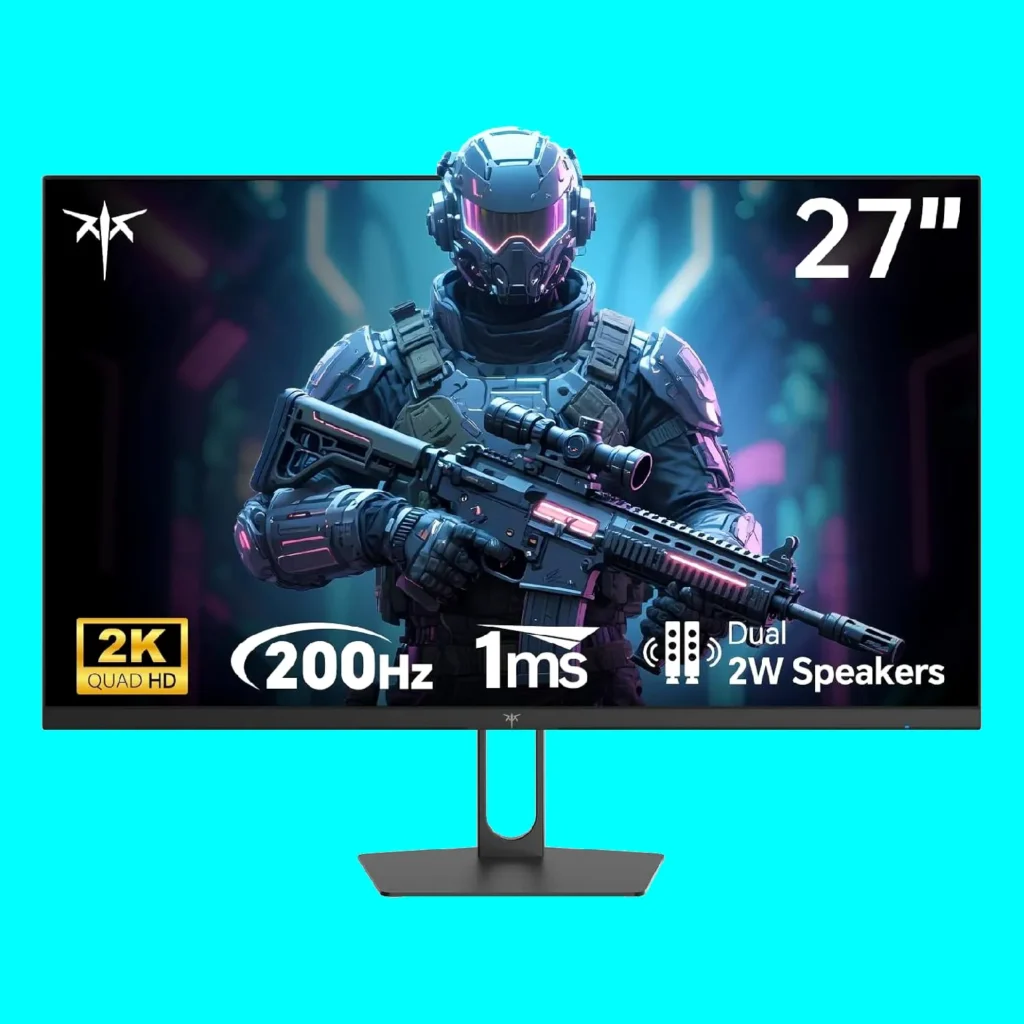
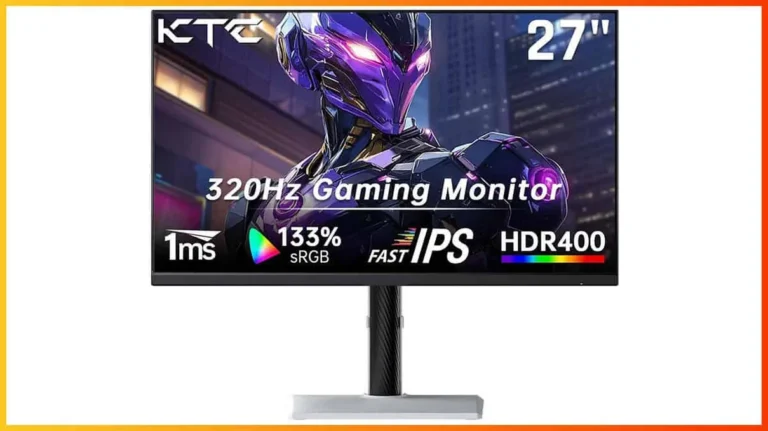
For gamers eager to step up from 1080p without investing in a 4K powerhouse, the KTC H27T22C-3 unequivocally emerges as the best budget 1440p option. This 27-inch IPS display offers a well-rounded 210Hz refresh rate experience at a surprisingly cheap price. While its IPS panel can’t match the inky, perfect blacks of OLED technology, it provides superior clarity and vibrant color reproduction compared to older TN panels, alongside excellent wide viewing angles. It’s a fantastic choice for those seeking a superb balance between resolution, refresh rate, and overall cost-effectiveness.
Pros
- Excellent value for a 1440p IPS monitor
- High 210Hz refresh rate for smooth gameplay
- IPS panel offers superior clarity, color, and wide viewing angles
- Good balance of resolution, speed, and affordability
Cons
- IPS panel cannot match OLED contrast ratios
- May lack some advanced features found on premium models
- Specific response time not detailed, but IPS is generally competitive
KTC H27T22C-3 Key Specifications
- Display Size
- 27 inches
- Resolution
- 2560 x 1440 (QHD)
- Panel Type
- IPS
- Refresh Rate
- 210Hz
- Adaptive Sync
- N/A (implied FreeSync/G-Sync compatibility for gaming monitors)
- Color Reproduction
- N/A (IPS implies good color)
Best Budget Ultrawide: Huawei MateView GT
For those craving an immersive, cinematic gaming experience without the premium price tag typically associated with high-end ultrawides, the 34-inch Huawei MateView GT is a genuine standout. This 3440 x 1440 VA panel offers a solid 165Hz refresh rate, providing a truly vast desktop and gaming canvas. Uniquely, it includes a built-in soundbar that delivers surprisingly good audio quality for an integrated solution, and it boasts versatile USB-C connectivity, making it a hub for various devices. It’s an excellent choice for both productivity and games that fully support the 21:9 aspect ratio, offering incredible value for its feature set.
Pros
- Immersive 34-inch ultrawide (3440×1440) experience
- Solid 165Hz VA panel for good contrast
- Unique built-in soundbar for enhanced audio
- Versatile USB-C connectivity
- Great value for an ultrawide monitor
Cons
- VA panel may exhibit some ghosting
- Not all games fully support ultrawide aspect ratios
- May lack some advanced ergonomic adjustments
Huawei MateView GT Key Specifications
- Display Size
- 34 inches
- Resolution
- 3440 x 1440 (WQHD Ultrawide)
- Panel Type
- VA
- Refresh Rate
- 165Hz
- Aspect Ratio
- 21:9
- Unique Features
- Built-in Soundbar, USB-C Connectivity
Other Noteworthy Budget Contenders
- LG UltraGear 27GN600-B: A solid 27-inch 1080p IPS option with 144Hz and 1ms GtG response, HDR10 support, and G-SYNC/FreeSync compatibility.
- Lenovo Legion R25f-30: An excellent budget 1080p choice with a 280Hz panel, praised for its speed.
- AOC Gaming C27G4ZXE: A 280Hz curved VA panel for 1080p, good for budget builds, though with noted pixel response and HDR limitations.
- BenQ Mobiuz EX2710: Often cited as an ‘overall best budget choice,’ this 27-inch 1080p IPS monitor offers 144Hz, 2ms response, and excellent color accuracy.
The Smart Buyer’s Checklist: What to Look For
Matching Your Monitor to Your Rig (and Wallet)
Your ideal monitor isn’t just about raw specifications; it’s about achieving perfect synergy with your existing hardware. PC gamers naturally have the most flexibility, but console players need to be acutely mindful of their platform’s capabilities. PS4 and Xbox One owners are generally limited to 1080p, while PS5 and Xbox Series X/S can leverage 4K. However, a 1440p monitor can still offer a fantastic experience on current-gen consoles without the extreme GPU demands of 4K. For PC users, always ensure your graphics card can consistently push frame rates close to your monitor’s refresh rate. Failing to do so means you’re leaving performance on the table and wasting investment.
- Resolution (1080p, 1440p, 4K): Match this to your GPU power and console generation. 1080p is budget-friendly and great for high FPS, 1440p is the sweet spot for many, and 4K requires serious hardware.
- Refresh Rate (144Hz+): Essential for competitive play. Aim for at least 144Hz if your system can support it. Higher is better, but diminishing returns exist.
- Panel Type (IPS vs. VA): IPS for best colors and viewing angles, VA for superior contrast and deeper blacks (but watch for ghosting). TN is mostly for ultra-budget/competitive-only scenarios.
- Adaptive Sync (FreeSync/G-Sync Compatible): Crucial for eliminating screen tearing and stutter. FreeSync is common and cost-effective on budget models, often compatible with Nvidia GPUs.
- Response Time (1ms-4ms): Lower is better to reduce motion blur and ghosting. Aim for 1ms GtG or MPRT for fast-paced games.
- Connectivity: Ensure it has the ports you need (DisplayPort for high refresh rates, HDMI 2.0+ for consoles, USB-C for versatility).
- Ergonomics & Build Quality: Budget models often cut costs here. Look for at least tilt adjustment, ideally height and swivel for comfort.
Don’t Forget About Input Lag!
While response time measures how quickly a pixel changes color, input lag is the total delay between your action (e.g., mouse click, controller input) and its display on screen. It’s often not quoted in specs, but it is equally, if not more, important for responsiveness, especially in competitive titles. Look for reviews that specifically test input lag using tools like the OSRTT for the truest measure of a monitor’s speed and responsiveness.
Adaptive Sync: FreeSync vs. G-Sync Compatibility
Adaptive sync technologies, such as AMD FreeSync and Nvidia G-Sync (or G-Sync Compatible FreeSync monitors), are absolute game-changers for smooth gameplay. They work by synchronizing your monitor’s refresh rate with your GPU’s frame rate, effectively eliminating distracting screen tearing and judder. FreeSync is widely adopted and commonly found on budget monitors, offering exceptional value. Crucially, many FreeSync monitors are also ‘G-Sync Compatible,’ meaning they work seamlessly with Nvidia GPUs. This makes adaptive sync a near-universal feature you should prioritize, as it delivers a far more fluid and enjoyable gaming experience without a significant hit to your wallet.
Addressing Common Budget Monitor Myths & Realities
Is 27-inch 1080p Really That Bad? (Pixel Density Concerns)
The debate around 27-inch 1080p monitors often fixates on ‘pixel density’ (PPI). At this size and resolution, individual pixels can indeed be noticeable, potentially making text appear less sharp for productivity tasks or when viewing from a very close distance. However, for gaming, especially when viewed from a typical armchair or desk distance, this concern is frequently overstated. The larger screen real estate at 1080p can be far more immersive, and critically, the lower resolution allows even mid-range GPUs to push very high frame rates. This is a major advantage for competitive play where every FPS counts. It’s a clear trade-off, but for many budget-conscious gamers prioritizing raw performance and immersion, the benefits often outweigh the perceived drawbacks.
HDR on a Budget: Manage Your Expectations
Many budget monitors proudly advertise HDR (High Dynamic Range) support, but it’s absolutely crucial to manage your expectations here. True, impactful HDR requires exceptionally high peak brightness (typically 400 nits or more), sophisticated local dimming zones, and wide color gamuts – features rarely found on truly budget-friendly displays. While a budget HDR monitor might technically accept an HDR signal, the actual visual difference from SDR can be minimal, or in some cases, even worse, resulting in a duller, less vibrant image. My advice: focus on strong SDR performance first and foremost. View budget HDR as a potential bonus, not a primary selling point, and prepare for Windows’ often messy native HDR implementation.
Community Pulse: What Gamers Are Saying
The ‘Good Enough’ Mentality: Fandom’s Embrace of Value
Affordable things that do the job well enough are EXACTLY what we need in this economic climate.
Dude, I remember buying a 144hz 1080p 24in IPS for like 500$ back when in 2015. Being able to buy a similar monitor now for less than 100$ is amazing.
The sentiment from the broader gaming community is crystal clear: there’s a collective sigh of relief and genuine delight at the current state of budget gaming monitors. Gone are the days when high refresh rates and quality IPS panels were exclusive luxuries, locked behind premium price tiers. Gamers are actively seeking out and celebrating products that offer exceptional performance-to-price ratios, wholeheartedly embracing a pragmatic ‘good enough’ mentality. This significant shift prioritizes accessible value over the constant, often unnecessary, pursuit of bleeding-edge features, reflecting a more mature and economically savvy approach to building a formidable gaming setup. It’s a welcome change that truly validates our focus on value.
The Future is Value: You Can Game Like a Pro on a Budget
The landscape of gaming monitors in 2025 stands as a powerful testament to rapid technological progress and fierce market competition. High refresh rates, lightning-fast response times, and vibrant IPS panels are no longer aspirational luxuries; they are now accessible, standard features even on budget-friendly displays. Our carefully vetted recommendations, from the blistering speed of the Alienware AW2523HF to the versatile clarity of the KTC H27T22C-3, unequivocally prove that you can build a highly competitive and deeply immersive gaming setup without emptying your wallet. Embrace the ‘good enough’ revolution – your wallet and your gameplay will undoubtedly thank you for it.
Frequently Asked Questions
What’s the absolute minimum refresh rate I should consider for competitive gaming?
For truly competitive gaming, 144Hz is the practical minimum. While 60Hz or 75Hz might be fine for casual, cinematic games, 144Hz provides a significant advantage in reaction time and motion clarity for fast-paced titles like FPS and MOBAs.
Do I need G-Sync or FreeSync for a budget monitor?
Yes, adaptive sync technology (FreeSync or G-Sync Compatible) is highly recommended. It prevents screen tearing and stuttering by synchronizing your monitor’s refresh rate with your GPU’s frame rate, providing a much smoother experience. Most budget gaming monitors now offer FreeSync, which often works with Nvidia GPUs as well.
Is a 27-inch 1080p monitor always a bad idea?
Not necessarily. While the pixel density isn’t ideal for productivity or close viewing, for gaming at a typical distance, a 27-inch 1080p monitor can offer a more immersive experience and allow your GPU to hit higher frame rates more easily. It’s a trade-off worth considering for budget-conscious gamers prioritizing FPS.
What’s the difference between GtG and MPRT response times?
GtG (Grey-to-Grey) measures how quickly a pixel changes from one shade of grey to another, reflecting overall pixel transition speed. MPRT (Moving Picture Response Time) measures how long a pixel remains visible on screen, which is more indicative of perceived motion blur. Both aim for lower numbers (e.g., 1ms) for a clearer, faster image.