
The world of gaming peripherals is in a constant state of evolution, driven by an insatiable hunger for competitive advantage. Today, that arms race is defined by two key battlegrounds: extreme weight reduction and lightning-fast polling rates. From feather-light mice that disappear in your hand to keyboards that report inputs 8,000 times a second, manufacturers are pushing the boundaries of what’s possible. But amidst the hype and the marketing claims, what truly delivers a tangible edge? This definitive guide will cut through the noise, demystifying the ultra-light and 8KHz revolution, and helping you navigate the complex landscape of next-gen gaming mice and keyboards from industry giants like Logitech to agile innovators like Pulsar and LAMZU.
The Featherweight Frontier: Why Every Gram (and Millisecond) Matters
The pursuit of the ultra-light mouse isn’t just a trend; it’s a fundamental shift in competitive peripheral design. By shedding every unnecessary gram, these mice aim to minimize inertia, allowing for quicker flicks, easier tracking, and more precise micro-adjustments. This directly translates to reduced wrist and forearm fatigue during extended gaming sessions, enhancing player comfort and endurance. Similarly, the drive for higher polling rates, particularly 8,000Hz, aims to minimize the delay between your physical input and its registration in-game, theoretically offering a competitive edge in critical, split-second moments. Together, these innovations promise a more fluid, responsive, and less fatiguing gaming experience.

The 8KHz Advantage: Cutting Latency to the Absolute Limit
An 8,000Hz polling rate means your mouse or keyboard transmits data to your PC 8,000 times per second, resulting in an ultra-low input latency of just 0.125 milliseconds (ms). This is an eightfold improvement over the traditional 1,000Hz standard (1ms latency). For competitive esports, this extreme speed is theoretically crucial, offering faster shot registration, quicker spell activation, and near-perfect combo accuracy in high-intensity games like FPS and MOBAs. Keyboards with magnetic switches, like the Pulsar PCMK 3 HE TKL, combine this polling rate with sub-millimeter actuation accuracy, enabling unprecedented ‘release-to-stop’ control.
Critical System Requirements for 8KHz Polling
Achieving the full benefits of an 8,000Hz polling rate isn’t a simple plug-and-play affair. It demands significant system resources and specific hardware to avoid performance bottlenecks or inconsistencies. To truly leverage 8KHz, you’ll need:
- CPU: Intel® Core™ i5 or AMD Ryzen™ 5 CPU (9th Gen or higher recommended) or equivalent.
- USB Port: A dedicated USB 3.0 or higher port for the 8KHz dongle.
- Monitor: A high-refresh rate display (144Hz+ for 4KHz, 240Hz+ for 8KHz) to visually perceive the reduced latency.
- OS: Latest Windows 11 version (Windows 7 or higher for software, but 8KHz benefits from OS optimizations).
- Software: Manufacturer’s dedicated software (e.g., Pulsar Software, Razer Synapse) for configuration.
Be prepared for increased CPU load and a noticeable reduction in battery life for wireless mice operating at these extreme rates.
The Apex Arsenal: Key Players in the Ultra-Light, Ultra-Fast Race
Pulsar Gaming Gears: The Aggressive Innovator
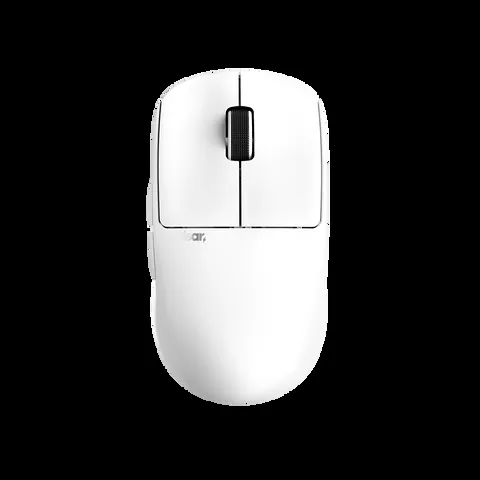
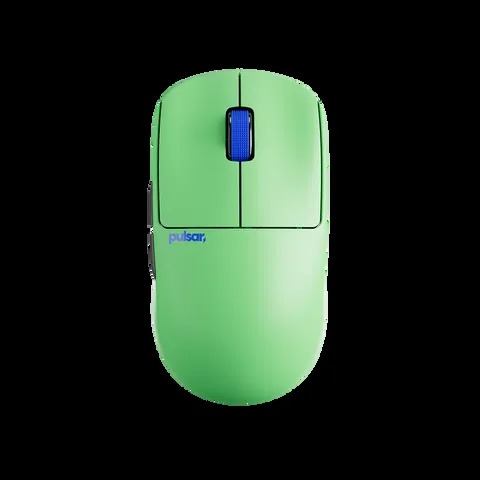
Pulsar Gaming Gears has rapidly established itself as a formidable contender, particularly with its X2 CrazyLight series. Defined by an extreme weight reduction, tipping the scales at around 35-39g, the X2 CrazyLight aims to minimize wrist fatigue and maximize speed. It features the advanced XS-1 flagship sensor, capable of up to 32,000 DPI and 750 IPS tracking, and supports an 8,000Hz polling rate via a dedicated wireless dongle. Pulsar also offers the PCMK 3 HE TKL keyboard, integrating magnetic switches with 8KHz polling for micron-level precision and rapid trigger capabilities, positioning itself as a strong value proposition for competitive gamers.
| Feature | Value |
|---|---|
| Weight | 35g (with dot skates) / 39g (with regular skates) |
| Sensor | Pulsar XS-1 Flagship (32,000 DPI, 750 IPS, 50g Accel) |
| Polling Rate | Up to 8,000 Hz (with 8K Wireless Dongle) |
| Switches | Pulsar Optical Switches (100M click lifespan) |
| Encoder | Pulsar Blue Encoder (smooth, quiet, dust-proof) |
| Grip Style | Claw, Fingertip (symmetrical, low-hump, wide-waist) |
| Skates | 16x 6.6mm UHMW-PE Pulsar Dot Skates included |
| Connectivity | Wireless (2.4GHz with 8K Dongle), USB-C (charging/wired) |
| LOD Settings | 2mm, 1mm, 0.7mm |
Logitech G Pro X Superlight Series: The Established Champion’s Evolution
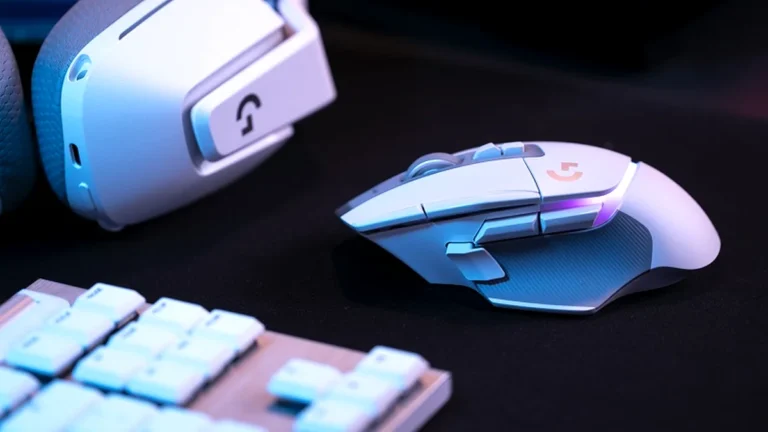
Logitech, a long-standing leader in gaming peripherals, has evolved its highly popular G Pro Wireless into the G Pro X Superlight series. The original Superlight achieved a featherweight 60g, setting a new standard for wireless performance. The latest iteration, the G Pro X Superlight 2c, further refines this, dropping to an astonishing 51-53g while integrating Logitech’s advanced HERO 2 Sensor and introducing an 8,000Hz polling rate via LIGHTFORCE Hybrid Switches. This series remains a top choice for esports professionals, balancing extreme lightness with proven reliability and a comprehensive ecosystem, albeit at a premium price point.
| Feature | G Pro X Superlight 1 | G Pro X Superlight 2c |
|---|---|---|
| Weight | 60g | 51-53g |
| Sensor | HERO 25K (25,600 DPI) | HERO 2 (25,600 DPI, 888 IPS, 88G Accel) |
| Polling Rate | 1,000 Hz | Up to 8,000 Hz |
| Switches | Mechanical | LIGHTFORCE Hybrid (Optical-Mechanical) |
| Battery Life | 70 hours (constant motion) | 95 hours (constant motion) |
| Connectivity | LIGHTSPEED Wireless (2.4GHz) | LIGHTSPEED Wireless (2.4GHz), POWERPLAY Compatible |
| USB Port | MicroUSB | USB-C |
LAMZU, VXE, Glorious & Razer: The Agile Challengers and Tech Pioneers
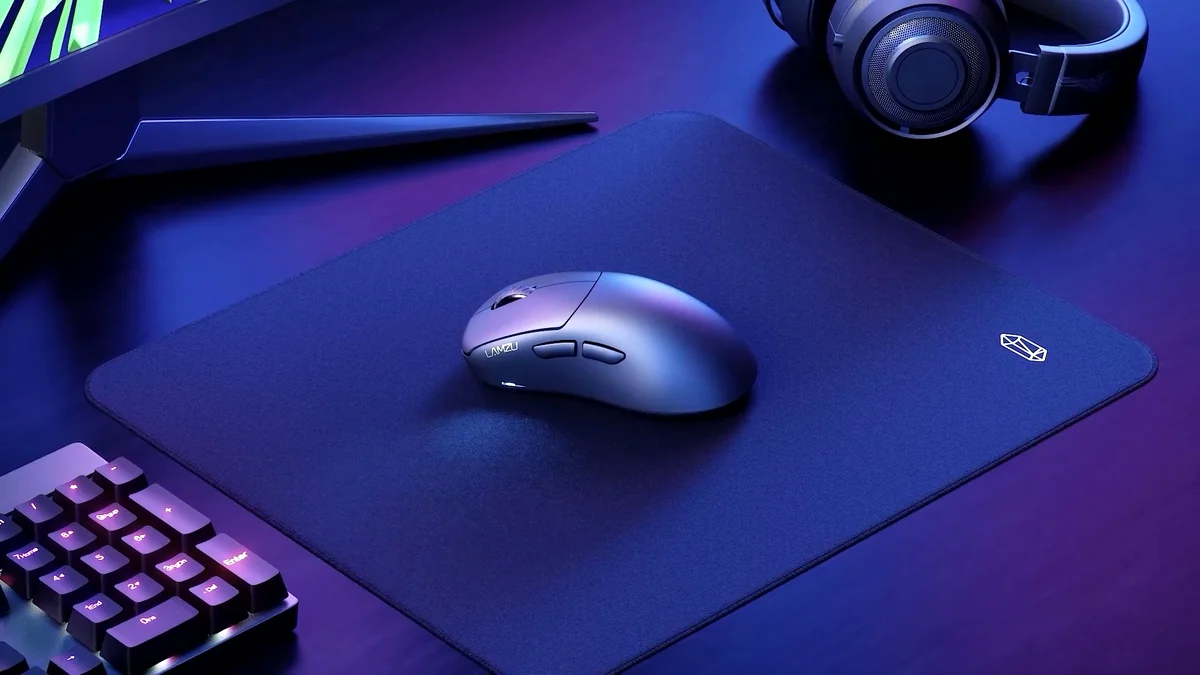
Beyond the established giants, a wave of agile challengers is making significant inroads. LAMZU’s Atlantis Mini (51g, PAW3950 sensor) offers an 8KHz polling rate option, quickly becoming a favorite for its refined symmetrical shape and premium feel at a competitive price. VXE’s MAD R series (36-42g, PAW3395/3950 sensor) also boasts 8KHz wireless capability and an ‘Ice Feel’ coating, garnering strong community praise for its value. Glorious’s Model O 2 PRO and Model D 2 PRO offer up to 8KHz in wired mode (4KHz wireless), providing accessible entry into high-polling rate gaming. Meanwhile, Razer has been a pioneer in 8KHz polling, first with the wired Viper 8KHz and now extending HyperPolling Wireless 8KHz to premium mice like the Viper V2 Pro and DeathAdder V3 Pro, solidifying their commitment to extreme latency reduction.
Challenger Brands: Pros and Cons
Pros
- Extreme Lightweight Design: Many models rival or surpass incumbents in weight reduction (e.g., LAMZU Atlantis Mini 51g, VXE MAD R 36-42g).
- Cutting-Edge Sensors: Often utilize top-tier PixArt PAW3395/3950 sensors for pixel-perfect tracking.
- High Polling Rate Options: Most offer 4KHz or 8KHz polling, often wirelessly, pushing the performance envelope.
- Superior Value: Frequently deliver comparable or better performance/features at more competitive price points.
- Innovation & Design: Often feature unique coatings, switch types (magnetic), and ergonomic refinements.
- Community-Driven: Many are highly responsive to community feedback, leading to rapid product iteration.
Cons
- Availability: Some models or specific editions (e.g., 8KHz bundles) can have limited stock or regional availability.
- Ecosystem & Support: May have less established software ecosystems or customer support compared to global giants.
- Brand Recognition: Less brand recognition can make purchasing decisions feel riskier for some users.
- Dongle Cost: 8KHz dongles are sometimes sold separately or only included in premium versions, adding to the cost.
The Fandom Pulse: Hype, Skepticism, and Shifting Loyalties
While the technical advancements are undeniable, the PC gaming community’s reception to ultra-light mice and extreme polling rates is nuanced. There’s palpable excitement for innovation and the promise of a competitive edge, but also a significant undercurrent of skepticism. Many gamers question whether the extreme weight reduction truly translates to better performance for everyone, or if 8,000Hz polling is merely a ‘new number to sell’ rather than a tangible upgrade over 1,000Hz, especially given the demanding system requirements and potential performance issues.
I spent almost a year using lighter mice like the Sora V2 and the X2 Crazylight, but once I switched back to my GPRO for testing, I found myself still aiming better with my Superlight V1. I thought it might be a shape issue, so I also bought the Ninjutso Ten Air which has a really similar shape to the Superlight, but nothing changed. I have corepad skates on both of them and tested them using the same pad (Artisan Zero) but I still feel the heavier Superlight gives me more stability, specially when making micro adjustments while aiming. It might just be me, but it shifted my perspective on Lighter = Better for gaming mice.
10:23 I’ve been saying this for over a year, ever since I first heard about 2000 Hz polling rate mice. When the first 1000 Hz mice came out, many people had performance issues. Old computers struggled with DPC latency and CPU usage. Since nobody cares about DPI/CPI anymore, peripheral manufacturers needed a new number to sell, hence the polling rate. It’s just the new gimmick. If your monitor refreshes at less than 1000 Hz, a 1000 Hz polling rate is already more than enough. And even if you had a 2000 Hz monitor and you could render a game at 2000 FPS, you still wouldn’t be able to tell the difference between 1000 Hz and 2000 Hz polling rate. It makes no practical difference.
This skepticism is intertwined with a noticeable shift in consumer loyalty. Many gamers express frustration with the premium pricing and perceived stagnant innovation or recurring quality control issues from established brands like Logitech. This has led to an increasing appreciation for newer, ‘off-brand’ companies that are offering superior value and comparable or even better performance. The VXE MAD R, for example, is often cited as a prime example of a budget mouse that rivals premium options, challenging the notion that you need to pay top dollar for top-tier performance.
Honestly i cant see a reason to buy a Logitech mouse for myself in the near future. The last one i bought was the VXE MAD R, and i am more than happy with it. I remember those legendary Logitech mice, like the MX518. But now that they dont seem to have better tech anymore, i cant justify that premium price.
Making Your Apex Choice: Beyond the Numbers
Choosing the right high-performance peripheral isn’t just about chasing the lowest weight or highest polling rate. It’s about finding the perfect synergy between your personal preferences, gaming style, and system capabilities. Consider the following factors carefully:
Key Factors to Consider When Choosing a High-Performance Peripheral:
- Grip Style & Hand Size: The shape of a mouse is paramount. Does it comfortably support your claw, fingertip, or palm grip? Is it appropriately sized for your hand dimensions? (e.g., Pulsar X2 CrazyLight for claw/fingertip, X2H for relaxed claw).
- System Compatibility & CPU Load: Can your PC’s CPU (Intel i5/Ryzen 5 or higher) handle the increased processing demands of 8,000Hz polling without introducing DPC latency issues or micro-stutters? Old computers may struggle.
- Monitor Refresh Rate: Do you have a high-refresh rate display (144Hz+ for 4KHz, 240Hz+ for 8KHz) that can actually benefit from sub-1ms input latency? On a 60Hz monitor, the difference is virtually imperceptible.
- Battery Life vs. Polling Rate: For wireless mice, higher polling rates significantly reduce battery life. Are you willing to sacrifice endurance for peak responsiveness, or will you play wired/use a charging mat?
- Budget & Value: Are you paying a premium for marginal gains, or are you seeking the best performance-to-price ratio from emerging brands? Consider the ‘sweet spot’ of 1,000Hz or 2,000Hz for excellent performance without extreme costs.
- Switch Type: Do you prefer the crisp tactile feel of mechanical switches or the faster, more durable, and debounce-free nature of optical or magnetic switches (e.g., Pulsar Optical, Logitech LIGHTFORCE, Gateron magnetic)?
- Mouse Pad Material & Skates: Your mouse feet (PTFE, UHMW-PE dot skates) and mouse pad (cloth, glass, hard) significantly impact glide. Ensure they complement each other for optimal control and speed.
The True Apex: Performance Meets Practicality in the New Peripheral Era
The ultra-light, 8,000Hz peripheral revolution is undeniably pushing the boundaries of gaming input. These technologies offer measurable, albeit sometimes subtle, improvements in latency and responsiveness that can provide a competitive edge for elite players with optimized systems. However, the real-world impact often depends heavily on individual player skill, system configuration, and personal preference. The market is currently undergoing a fascinating shift: established brands like Logitech and Razer are adapting their premium offerings, while agile innovators like Pulsar, LAMZU, and VXE are aggressively innovating, offering compelling value propositions that are reshaping consumer expectations.
Ultimately, the ‘best’ peripheral isn’t solely about the lowest weight or highest polling rate. It’s about finding the tool that harmonizes with your unique playstyle, hand ergonomics, system capabilities, and budget. For many, a well-designed 1,000Hz or 2,000Hz mouse offers an exceptional experience without the demanding requirements or premium price tag of 8KHz. For the truly competitive and technically inclined, however, the latest generation of ultra-light, ultra-fast peripherals represents the pinnacle of input precision, offering a tangible pathway to minimize the bottleneck between thought and action. Choose wisely, and let your hands do the talking.
Frequently Asked Questions About Ultra-Light & 8KHz Peripherals
For most casual gamers, the difference between 1,000Hz and 8,000Hz polling is unlikely to be noticeable. It demands significant CPU resources and a very high refresh rate monitor to even theoretically benefit. 1,000Hz or even 2,000Hz offers an excellent balance of responsiveness and system compatibility for the majority of users without the added cost or complexity.
While ultra-light mice can reduce fatigue and allow for faster movements, they are tools, not magic bullets. Some players, especially those who prefer micro-adjustments or have specific grip styles, may even find slightly heavier mice offer more stability. The ‘better’ mouse is highly subjective and depends on your grip, hand size, and aiming style. It’s an optimization, not a guarantee of instant skill improvement.
Increasingly, yes. Many newer brands are offering comparable or even superior sensor performance, build quality, and innovative features (like 8KHz polling) at more competitive price points. While long-term software ecosystems and customer support might vary compared to global giants, their hardware is often top-tier and directly challenging the incumbents in performance and value.
Higher polling rates significantly increase power consumption. For wireless mice, this means a noticeable reduction in battery life. A mouse rated for 80 hours of continuous motion at 1,000Hz might only last 35 hours or less at 4,000Hz, and even less at 8,000Hz. If you prioritize maximum polling rate, be prepared to play while charging via the included USB-C cable or consider a POWERPLAY compatible mouse with a wireless charging mat.
While not strictly ‘special,’ pairing your ultra-light mouse with high-quality, low-friction skates (like the included UHMW-PE dot skates on the Pulsar X2 CrazyLight) and a consistent mouse pad surface (glass, hard, or a high-quality cloth pad like Artisan Zero) will maximize the benefits of its design. The precision of 8KHz polling also benefits from a smooth, uniform tracking surface.