
Key Takeaways
The Turtle Beach Vulcan II TKL Pro arrives with a compelling arsenal of features, most notably its Hall Effect magnetic switches, offering adjustable actuation and hot-swappability. Its strengths lie in a robust, Roccat-inspired aluminum build and comprehensive Swarm II software that provides granular control over per-key actuation and RGB lighting. However, the keyboard is significantly hampered by its budget-feeling ABS keycaps, a flimsy wrist rest, and a critical design flaw: noticeable gaps between keys that frequently lead to missed inputs during intense gaming and rapid typing. This directly undermines its competitive promise and impacts its overall value proposition, especially at its price point. The Vulcan II TKL Pro is best suited for enthusiasts deeply committed to Turtle Beach’s ecosystem or those who find it at a substantial discount and are prepared to overlook its keycap and spacing issues. In a market teeming with strong Hall Effect competitors, it struggles to assert a definitive lead.
Introduction: The Turtle Beach Vulcan II TKL Pro Arrives
In the dynamic world of gaming peripherals, innovation is the currency of competitive advantage. The Turtle Beach Vulcan II TKL Pro makes a significant entrance, marking a pivotal moment for the brand as it continues to transition away from the well-regarded Roccat identity. This new keyboard isn’t just a rebadge; it’s a statement, packing cutting-edge Hall Effect magnetic switches into a compact tenkeyless (TKL) form factor. For competitive gamers, technologies like Hall Effect are more than just buzzwords; they represent the future of input, promising unprecedented speed, precision, and customization crucial for shaving off those critical milliseconds in high-stakes play.
Design & Build: Roccat’s Heritage, Turtle Beach’s Polish
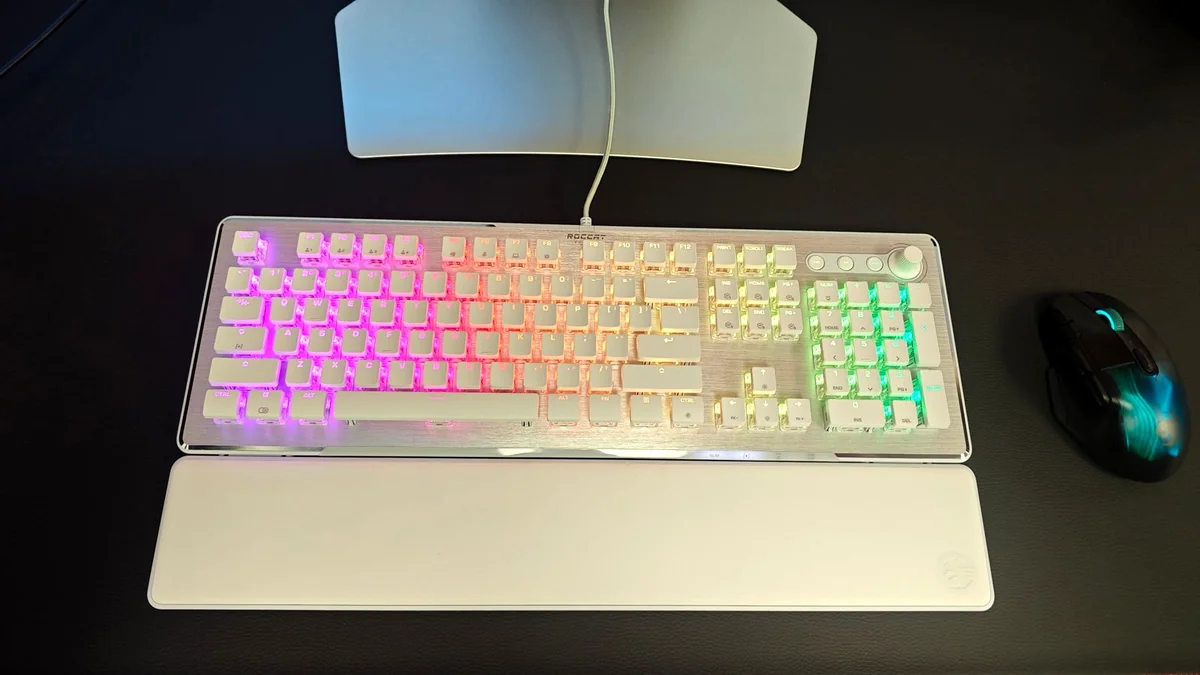
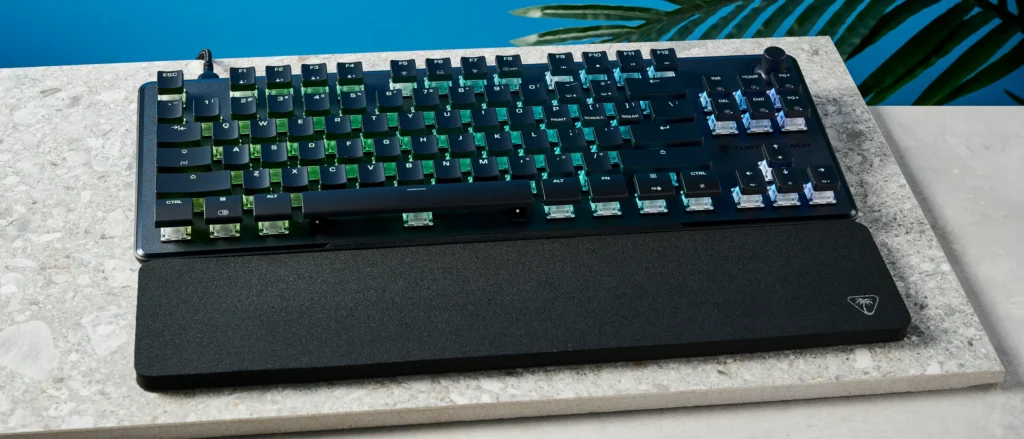
The Vulcan II TKL Pro immediately strikes a familiar chord, inheriting the sleek, low-profile aesthetic and durable construction that defined Roccat’s acclaimed Vulcan series. Its robust aluminum top plate and slim chassis exude a premium feel, making it both sturdy and visually appealing. The tenkeyless (TKL) layout is a strategic choice, liberating valuable desk real estate and allowing for expansive mouse movements—a non-negotiable for many competitive FPS and MOBA players. Underneath, Turtle Beach’s Titan HS switches come pre-lubed, ensuring a smooth, quiet keystroke right out of the box, further enhanced by sound-dampening foam to eliminate unwanted case ping. A detachable USB-C cable underscores its portability and simplifies maintenance. However, this otherwise strong build is let down by its choice of ABS keycaps, which quickly show fingerprints and are prone to developing a shine, detracting from the premium feel. The included wrist rest also falls short, proving to be a flimsy, unsupportive piece of foam that offers minimal ergonomic benefit and struggles to stay in place.
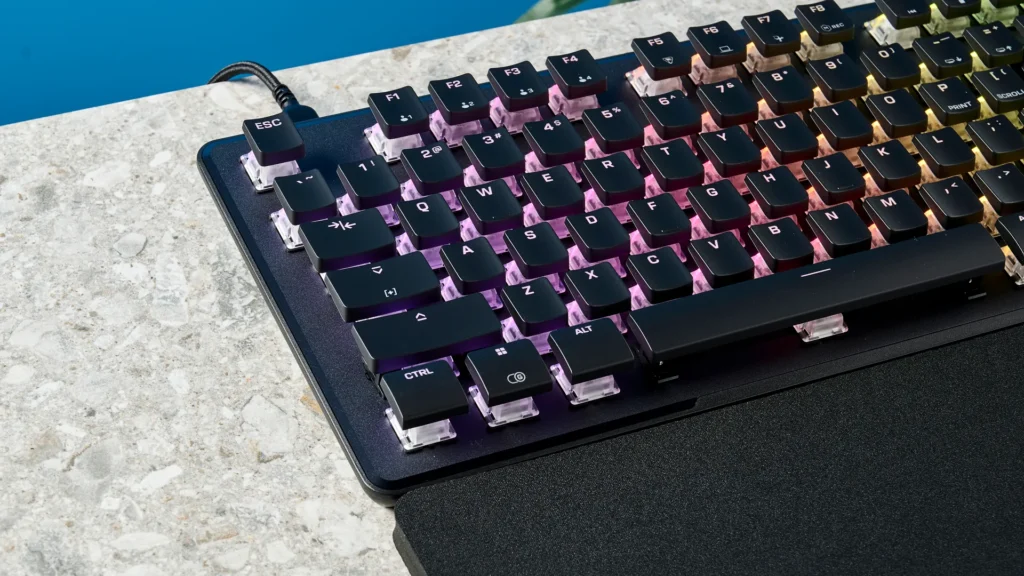
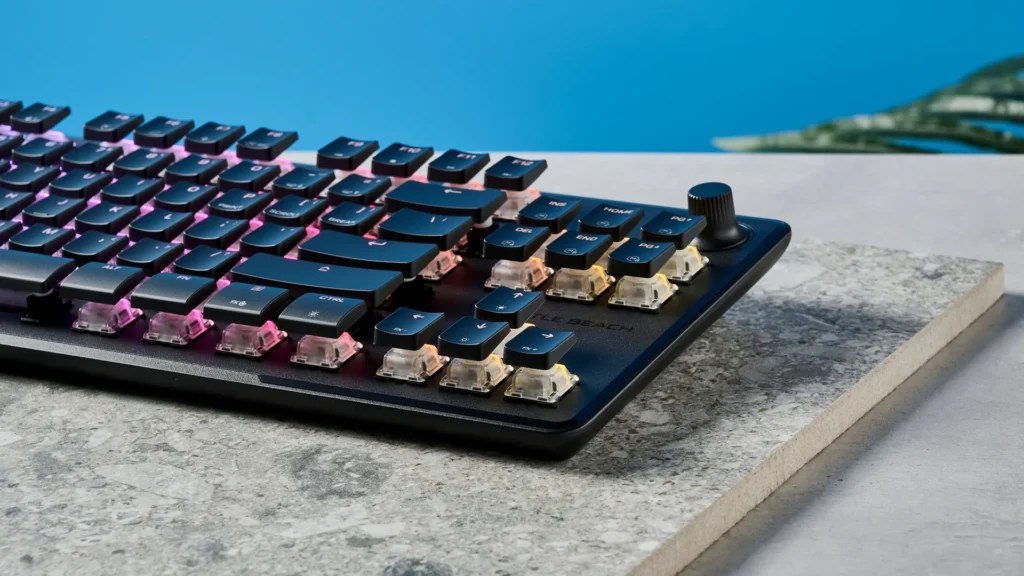
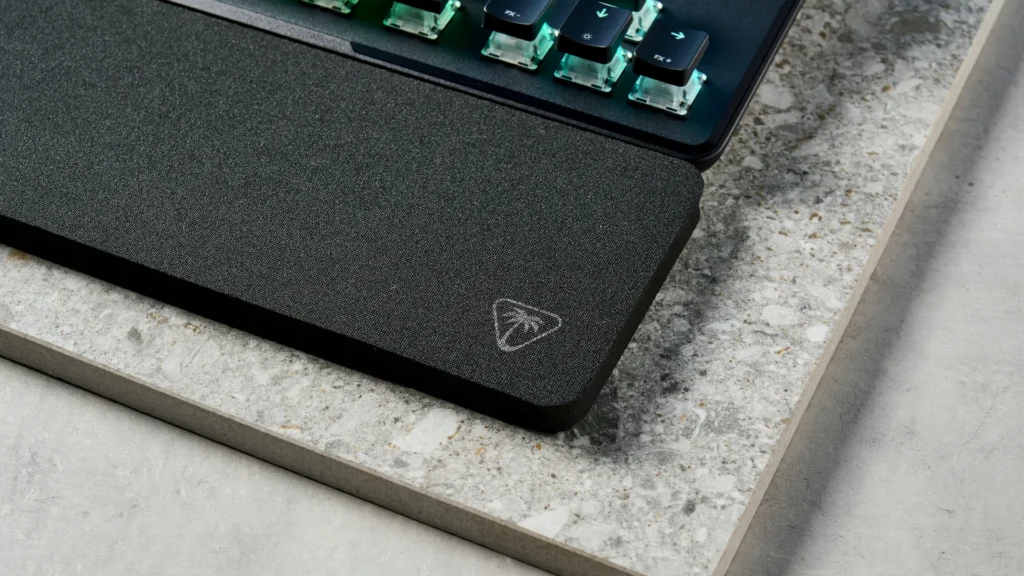
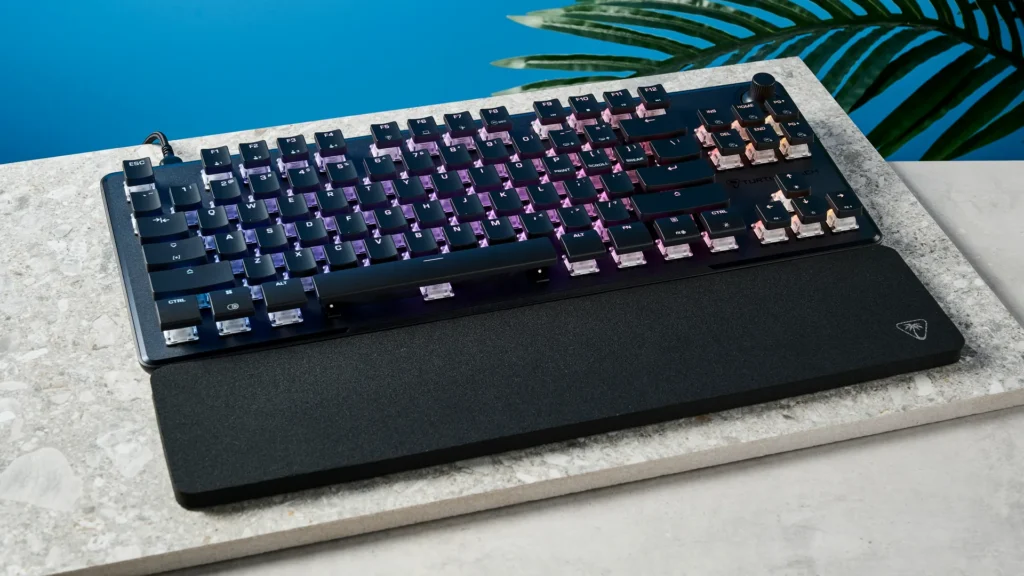
Multiple angles showcase the Vulcan II TKL Pro’s sleek design and per-key RGB lighting.
Pros
- Robust aluminum top plate and solid construction
- Compact TKL layout saves desk space
- Detachable USB-C cable for portability
- Pre-lubed switches for smooth feel
Cons
- Cheap-feeling ABS keycaps prone to shining
- Flimsy and unsupportive wrist rest
- Unmappable volume knob limits customization
Hall Effect Heartbeat: The Vulcan II TKL Pro’s Core Tech
At the heart of the Vulcan II TKL Pro lies its most significant innovation: Hall Effect magnetic switches. Unlike traditional mechanical switches that rely on physical contact, these switches utilize magnets and electrical fields to register keystrokes. This contact-less design is revolutionary, enabling an adjustable actuation point from an incredibly precise 0.1mm up to 4.0mm. This means gamers can fine-tune the sensitivity of each key, from a hair-trigger response for twitch-reflex actions to a deeper press for more deliberate inputs, all without physical wear. This technology, often lauded as the future of gaming keyboards, unlocks a suite of competitive features. Rapid Trigger allows keys to reactivate instantly upon release, eliminating dead travel and providing unparalleled responsiveness. Multi-input lets users program multiple actions to different press depths on a single key, while ReacTap prioritizes the most recent directional input for fluid, accurate movement. Beyond performance, the magnetic nature of these switches dramatically extends their lifespan to an impressive 150 million keystrokes, far surpassing the durability of conventional mechanical switches, promising years of high-speed, precise gameplay.
Turtle Beach Vulcan II TKL Pro Key Specifications
| Form Factor | Tenkeyless (TKL) |
| Switches | Hall Effect Magnetic Switches (Turtle Beach Titan HS) |
| Actuation Point | Adjustable 0.1mm – 4.0mm |
| Rapid Trigger | Yes |
| Key Lifecycle | 150 Million keystrokes |
| Polling Rate | 1,000Hz |
| Keycaps | ABS, high-profile |
| Top Plate | Brushed Aluminum |
| Connectivity | Wired (Detachable USB-C) |
| RGB Lighting | Per-key customizable RGB (AIMO compatible) |
| Software | Turtle Beach Swarm II |
| Onboard Profiles | 5 |
| Price | $149.99 USD |
Turtle Beach Vulcan II TKL Pro vs. Key Hall Effect Competitors
| Feature | Turtle Beach Vulcan II TKL Pro | SteelSeries Apex Pro Mini (Wired) | Wooting 60HE (Wired) |
|---|---|---|---|
| Switch Type | Hall Effect Magnetic (Titan HS) | OmniPoint 2.0 Magnetic | Lekker Switch v2 (Magnetic) |
| Form Factor | TKL (75%) | 60% | 60% |
| Adjustable Actuation | 0.1mm – 4.0mm | 0.2mm – 3.8mm | 0.1mm – 4.0mm |
| Rapid Trigger | Yes | Yes | Yes |
| Dual-Actuation/DKS | Multi-input | Yes | Yes |
| Software | Swarm II | SteelSeries GG | Wootility |
| Keycap Material | ABS | Double Shot PBT | Double Shot PBT |
| Polling Rate | 1,000Hz | 8,000Hz | 1,000Hz (8k Planned) |
| MSRP (approx.) | $149.99 | $179.99 | $174.99 |
Software Ecosystem: Mastering Your Input with Swarm II
The true power of Hall Effect switches is unlocked through robust software, and Turtle Beach’s Swarm II aims to deliver. This Windows-only application provides a remarkably user-friendly interface, making deep customization accessible even for those new to advanced keyboard settings. Swarm II offers comprehensive per-key RGB customization, boasting 16.8 million colors and AIMO lighting synchronization for a cohesive desktop aesthetic. Beyond visuals, it provides the essential tools for competitive play: the ability to remap keys, program complex macros, and, crucially, granularly control the actuation point for individual keys. Each setting within Swarm II is accompanied by clear explanations, guiding users through the nuances of optimizing their input. This level of detail is vital for competitive gamers looking to extract every bit of performance from their hardware. For convenience, the keyboard also supports five onboard profiles, allowing users to carry their personalized settings wherever they go, even without the software installed.
Gaming & Typing Performance: A Double-Edged Blade
In theory, the Hall Effect switches should grant the Vulcan II TKL Pro an undeniable edge. The ‘buttery smooth’ keystrokes promise to elevate gaming speed and responsiveness to new heights. However, real-world testing reveals a significant design flaw that compromises this theoretical advantage: the noticeable gaps between keys. This seemingly minor aesthetic choice proves to be a double-edged blade, directly impacting both intense gaming and everyday typing. During critical gaming moments, such as rapid quick-time events in an RPG or complex combat rotations in an MMORPG, fingers can slip into these gaps, leading to frustratingly missed inputs. This issue also translates to a noticeable drop in typing accuracy, with users reporting more typos than usual. For a keyboard positioned for competitive dominance, such input inconsistency is a severe detriment, undermining the very precision and speed that Hall Effect technology is designed to deliver.
“It’s such bullshit that the keyboards with less keys costs the most. In general. Surely they cost like half to make since half the material and switches and everything.”
Value & The Competitive Landscape
Priced in the $119-$149 range, the Turtle Beach Vulcan II TKL Pro enters a fiercely competitive market, where its value proposition faces intense scrutiny. While it boasts cutting-edge Hall Effect technology, its significant flaws—particularly the problematic key spacing and the underwhelming ABS keycaps—cast a long shadow over its overall worth. The gaming community, often vocal about perceived overpricing, expresses skepticism towards established brands when numerous budget-friendly alternatives are emerging with similar or even superior cutting-edge features. When benchmarked against top-tier Hall Effect keyboards like the SteelSeries Apex Pro Mini or the Wooting 60HE, the Vulcan II TKL Pro’s price point, coupled with its design shortcomings, makes it a harder recommendation. It occupies a peculiar space, offering premium technology but failing to deliver a fully polished user experience that justifies its cost against rivals, whether they are more expensive but refined, or more affordable and feature-rich.
- SteelSeries Apex Pro Mini: A strong Hall Effect competitor, albeit at a higher price.
- Wooting Keyboards: Often cited as the gold standard for Hall Effect features like Rapid Trigger.
- Keychron V1: Offers PBT keycaps and customization at a lower price point, though not Hall Effect.
- Gamakay LK75: Another feature-rich mechanical keyboard with better keycap quality for the price.
- Monsgeek HE boards: Budget-friendly Hall Effect alternatives that directly challenge established brands on price and features.
Your Burning Questions Answered: Turtle Beach Vulcan II TKL Pro
What are Hall Effect switches and why are they good for gaming?
Hall Effect switches use magnets and electrical fields to register keystrokes without physical contact. This allows for adjustable actuation points (how deep a press registers) and features like Rapid Trigger, where a key reactivates instantly upon release. This provides unparalleled speed and precision for competitive gaming.
Is the TKL form factor worth the price for less keys?
The TKL (Tenkeyless) form factor is designed to save desk space and allow for wider mouse movements, which is beneficial for many FPS and MOBA players. While it has fewer keys, the cost can be similar or higher due to premium components, advanced switch technology, and specialized manufacturing processes. Community sentiment, however, often expresses frustration with this pricing paradox.
How does the Vulcan II TKL Pro compare to older Roccat Vulcan keyboards?
The Vulcan II TKL Pro builds on the design legacy of Roccat’s Vulcan series, maintaining a similar low-profile aesthetic and durable aluminum top plate. The key difference is the transition from Roccat’s Titan mechanical or optical switches to Turtle Beach’s Titan HS Hall Effect magnetic switches, offering advanced adjustable actuation and rapid trigger features. It represents an evolution in switch technology under the new Turtle Beach branding.
Does the Vulcan II TKL Pro have Rapid Trigger?
Yes, the Turtle Beach Vulcan II TKL Pro features Rapid Trigger functionality, along with Multi-input and ReacTap, all enabled by its Hall Effect magnetic switches and customizable via the Swarm II software. These features are key selling points for competitive gamers seeking maximum responsiveness.
Final Verdict
The Turtle Beach Vulcan II TKL Pro is a keyboard of immense potential, boasting cutting-edge Hall Effect technology and a robust, premium build that pays homage to its Roccat heritage. Its comprehensive Swarm II software provides deep customization, from per-key RGB to granular actuation control, all crucial for competitive play. Yet, this promise is undeniably undermined by notable weaknesses. The cheap-feeling ABS keycaps and flimsy wrist rest are minor annoyances, but the critical flaw lies in the noticeable gaps between keys. This design choice leads to frustratingly missed inputs during both intense gaming and rapid typing, directly hindering the very competitive advantage its advanced switches aim to provide. For the serious competitive gamer, where every keystroke counts, this inconsistency is a deal-breaker. While the innovative technology is compelling, its execution flaws at the $149.99 price point make it a questionable investment. Unless you find it at a significant discount and are willing to adapt to its unique key spacing, better, more polished Hall Effect alternatives exist from brands like SteelSeries and Wooting, or even more value-oriented options from emerging manufacturers.