
Key Takeaways
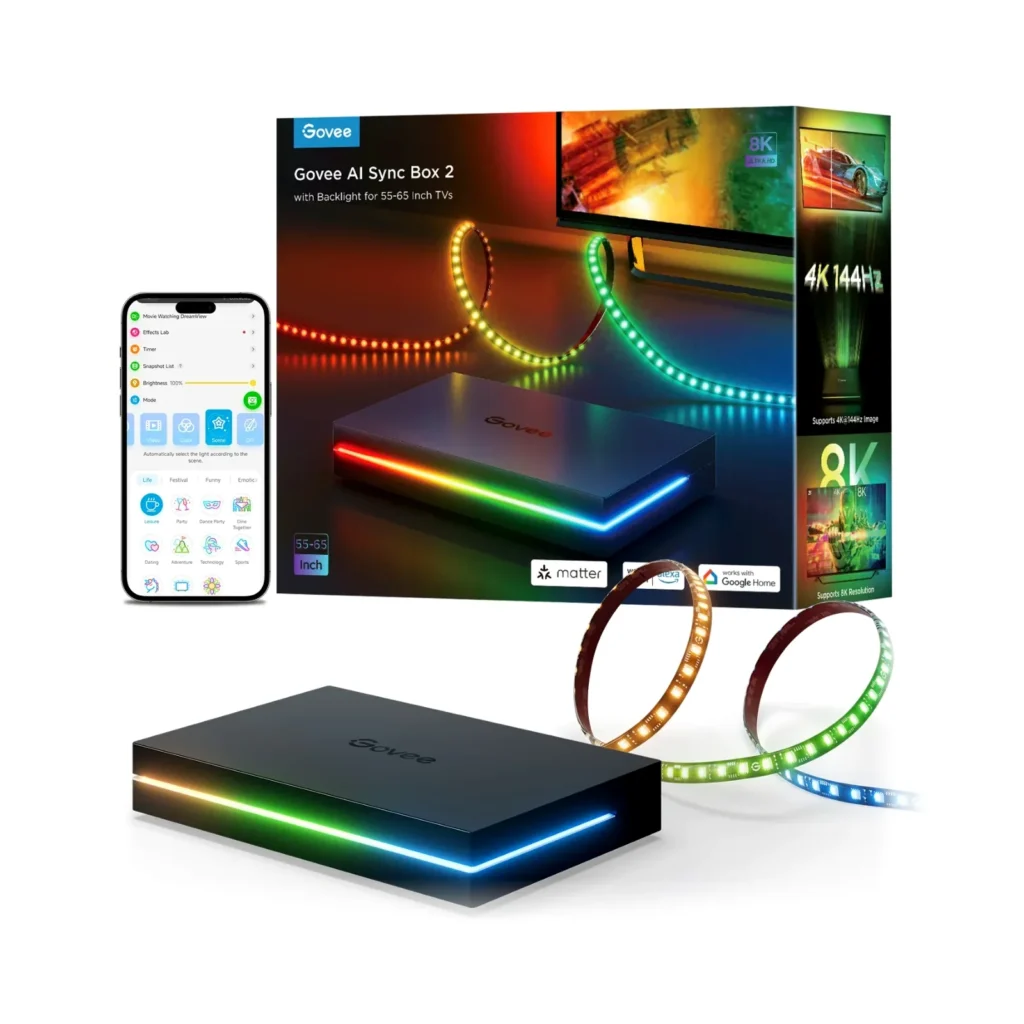
- The AI Sync Box Kit 2 is Govee’s definitive ambient lighting solution, featuring HDMI 2.1 passthrough to support 4K@144Hz, VRR, G-Sync, and ALLM, eliminating the latency of camera-based systems.
- The core drawback for PC gamers is the continued omission of DisplayPort. This forces high-end desktop users into complex conversion solutions or sacrificing native connectivity.
- The CogniGlow AI, powered by an internal NPU, provides genuine game-specific lighting effects for a growing library of titles (now over 30).
- While the hardware is excellent, the user experience is hampered by software friction: no auto-switching for HDMI inputs, occasional connectivity drops, and known conflicts with complex RGB ecosystems like Corsair iCUE.
The HDMI 2.1 Breakthrough: Why Passthrough is Essential for Competitive Gaming
The fundamental flaw of previous ambient lighting systems was latency. Relying on a camera to capture the screen and then process the color introduces a delay—a death sentence for competitive gamers. The AI Sync Box 2 solves this by using direct HDMI 2.1 passthrough, processing the video signal before it even hits the display. This architectural shift, powered by a Neural Processing Unit (NPU), allows the system to support high-end features like 4K at 144Hz, Variable Refresh Rate (VRR), G-Sync, and ALLM without introducing noticeable lag. This is the difference between a novelty light show and a genuinely immersive gaming enhancement. By intercepting the signal directly, Govee guarantees that the visual enhancement doesn’t impose a measurable input penalty, validating its relevance to our performance-focused audience.
Govee AI Sync Box Kit 2 (H6604) Technical Specifications
| Feature | Detail |
|---|---|
| Connectivity | 4x HDMI 2.1 Input, 1x HDMI 2.1 Output (eARC support) |
| Max Resolution/Refresh | 8K@60Hz or 4K@144Hz |
| Gaming Features | VRR, ALLM, G-Sync, FreeSync support |
| Processing Unit | Integrated Neural Processing Unit (NPU) |
| LED Technology | RGBWIC (75 LEDs per meter) |
| Smart Home Standard | Matter (via OTA update), Alexa, Google Assistant |
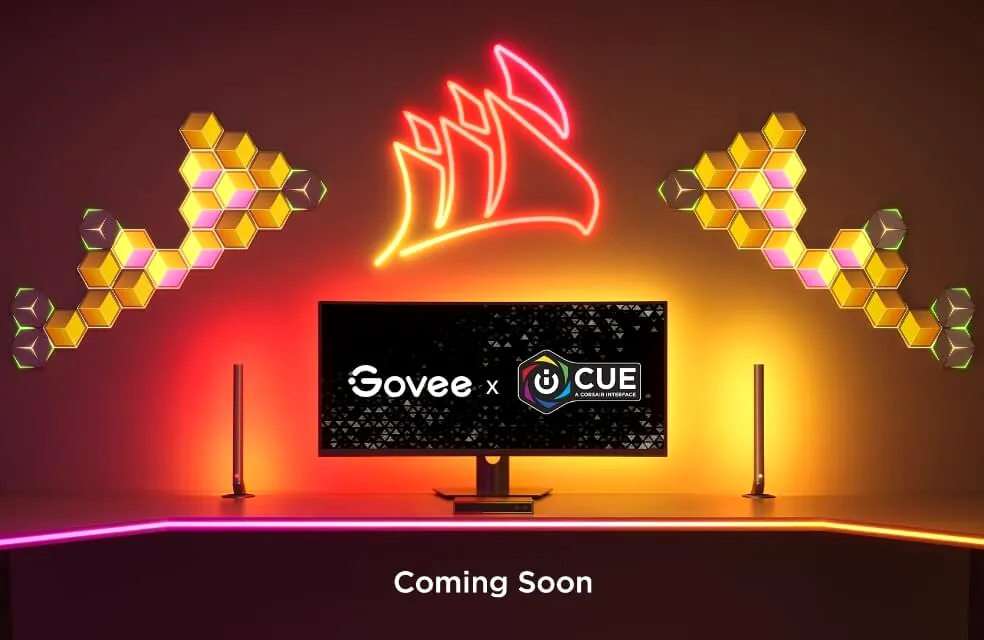
| Ecosystem Sync | DreamView, Corsair iCUE (Q1 integration) |
The Connectivity Wall: Why the Lack of DisplayPort Cripples the PC Experience
CRITICAL WARNING: DisplayPort Omission
The Govee AI Sync Box 2 is an HDMI-only device. If your high-refresh-rate PC monitor (27-34 inches) relies solely on DisplayPort 1.4 or 2.0, you must purchase a high-quality, expensive active HDMI 2.1 to DisplayPort 1.4 converter. This adds cost, complexity, and introduces a new point of failure, undermining the zero-latency promise of the box. For the majority of high-end desktop users, this is a non-starter that compromises the fidelity of the signal chain.
Ambient Lighting System Comparison: Govee vs. Competitors
| Feature | Govee AI Sync Box 2 (HDMI) | Govee Envisual T2 (Camera) | Philips Hue Sync Box |
|---|---|---|---|
| Synchronization Method | HDMI Passthrough (NPU) | Dual Camera Capture | HDMI Passthrough |
| Max Refresh Rate (4K) | 144Hz (VRR/G-Sync) | 60Hz (No VRR) | 120Hz (VRR/G-Sync) |
| Latency (Estimated) | Near-Zero (Signal Processing) | Approx. 35ms | Near-Zero (Signal Processing) |
| DisplayPort Support | No | Yes (Works with any source) | No |
| Approximate Kit Price | $239 – $279 | $104 – $140 | $249 (Box Only) |
The Software Stack: CogniGlow AI, iCUE, and the App Experience
Govee’s CogniGlow AI is the system’s defining feature, moving beyond simple color matching. The NPU analyzes in-game events—like scoring a kill in *Warzone*, using an item in *Diablo IV*, or winning a round in *Valorant*—and triggers specific, custom lighting effects. This is a significant leap in immersion. Furthermore, Govee is expanding its ecosystem through Matter support and a strategic partnership with Corsair, promising integration into the iCUE software. The goal is a unified lighting scheme across Govee strips and Corsair peripherals, with custom effects tied to system notifications. However, this is where the system’s polish begins to fade. While the hardware excels at zero-latency passthrough, the software stack introduces friction points that frustrate the user during daily operation.
AI Sync Box Kit 2: Performance vs. Polish
Performance Wins (Pros)
- Zero-Latency Performance: True HDMI 2.1 passthrough (4K/144Hz) with VRR/G-Sync support.
- CogniGlow AI: Real-time, event-specific lighting for a growing list of 30+ games.
- High Density LED: RGBWIC strip (75 LEDs/m) offers superior color accuracy and purer whites.
- Value Proposition: Highly competitive pricing compared to the Philips Hue ecosystem.
Operational Flaws (Cons)
- No DisplayPort: Forces high-end PC users to use converters, adding complexity and cost.
- No Auto-Switching: Users must manually change HDMI inputs via the app or physical button.
- Software Instability: Reports of frequent Bluetooth/Wi-Fi connection drops and convoluted app design.
- HDR Color Saturation: HDR content often results in less vibrant colors, requiring manual saturation adjustments.
Setup, Cable Management, and the Ecosystem Conflict
Installation Overview (Monitor Kit)
- Affix the RGBWIC light strip to the back of the monitor using the adhesive and mounting clips, ensuring proper orientation via the Govee Home app.
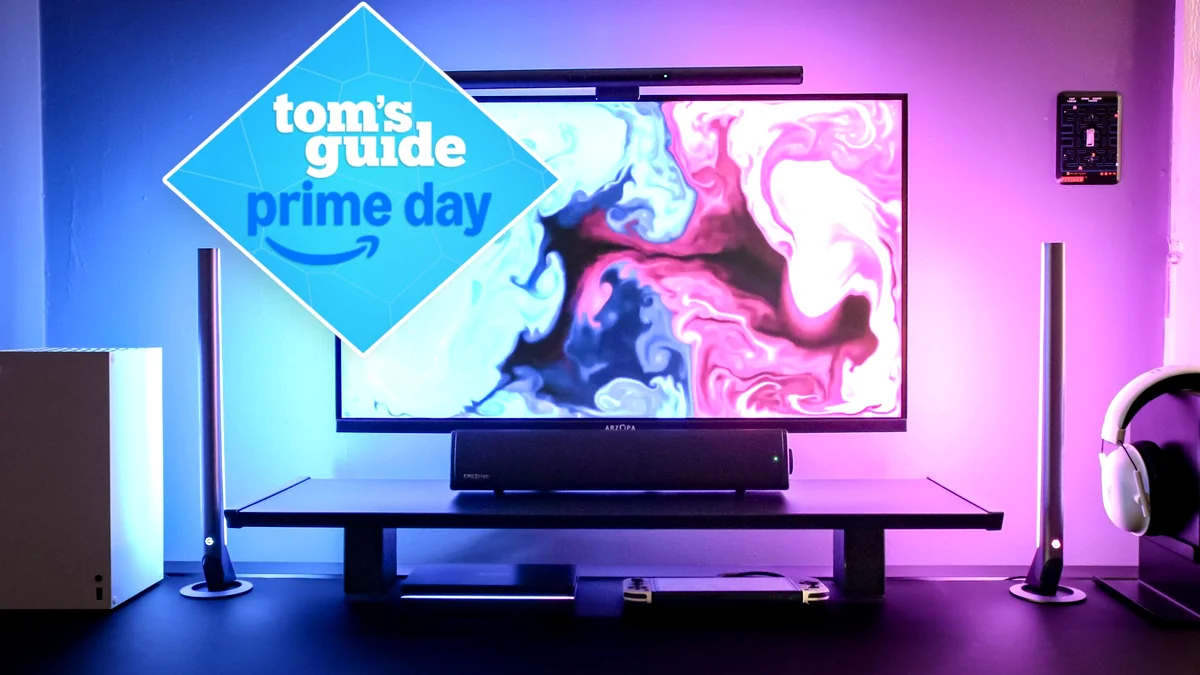
- Connect the light strip and the two light bars (if using the PC kit) to the AI Sync Box 2 via the dedicated USB-C ports.
- Connect your gaming source (PC, PS5, Xbox) to one of the four HDMI 2.1 input ports on the Sync Box.
- Connect the Sync Box output to your display’s HDMI input (preferably the eARC port if using a soundbar).
- Use the Govee Home app (2.4GHz Wi-Fi required) to pair the device, calibrate the lighting segments, and configure AI effects.
“icue software doesnt ‘work great’ is fucking trash and breaks other shit on your computer. Causes crashing in software etc.”
— Fandom Pulse: Community Commentary on RGB Ecosystems
The LoadSyn Final Verdict: A Must-Buy, But Not For Everyone
The Govee AI Sync Box Kit 2 is the best ambient lighting solution available today for console gamers and home theater enthusiasts, full stop. The HDMI 2.1 support for 4K/144Hz with VRR is a game-changer that eliminates the latency penalty of previous generations. However, for the high-end PC gamer—the core LoadSyn audience—it remains a frustrating compromise. The lack of DisplayPort forces technical workarounds, and the existing software stability issues, compounded by the complexity of integrating with ecosystems like iCUE, mean the user experience is far from flawless. If you game primarily on PS5 or Xbox Series X, buy this immediately. If you are a dedicated desktop warrior, wait for Govee to release a native DisplayPort version, or be prepared to manage the ‘cable management nightmare’ and the ‘DisplayPort tax.’
Frequently Asked Questions
Does the Govee AI Sync Box 2 support 5GHz Wi-Fi?
No. Like many smart home devices, the Sync Box 2 requires a connection to a 2.4GHz Wi-Fi band for configuration and control. It does not support 5GHz connectivity.
Can the Sync Box automatically switch between HDMI inputs?
No. A major operational drawback is the lack of automatic input switching. Users must manually change the source using either the physical button on the box or through the Govee Home mobile app.
What is the difference between the TV kit and the PC monitor kit?
The PC kit (27-34 inch) is typically more expensive and uniquely includes two standalone light bars, which plug into the Sync Box via USB-C to extend the ambient lighting effect across the desk setup.
Does the system support Dolby Vision and Dolby Atmos passthrough?
Yes, the Sync Box 2 supports passthrough for both Dolby Vision and Dolby Atmos. However, using HDR formats like Dolby Vision may require manual saturation adjustment in the Govee app to achieve optimal color matching.