LoadSyn’s rigorous analysis reveals that AMD X870E motherboards provide an exceptionally robust foundation for the next generation of high-performance PC builds, adeptly supporting both extreme gaming and the burgeoning demands of AI development. However, the immediate real-world benefits of cutting-edge technologies like PCIe Gen 5 for GPUs and Thunderbolt 5 for eGPUs are often nuanced, requiring a discerning eye beyond raw theoretical speeds. Our findings underscore the increasing strategic importance of unified memory architectures and dedicated neural engines in the evolving AI landscape. Therefore, intelligent future-proofing necessitates a pragmatic approach, prioritizing foundational hardware quality and making informed decisions based on tangible impact rather than solely on peak specifications.
As the digital frontier expands, the AMD X870E platform emerges as a pivotal advancement, ushering in a new era for high-performance PC construction. With the highly anticipated Ryzen 9000 series processors on the horizon, these motherboards are not merely incremental upgrades; they represent a foundational shift designed to unlock unprecedented capabilities. This comprehensive guide from LoadSyn will dissect how X870E motherboards are engineered to cater to the dual demands of extreme gaming and the computationally intensive world of AI development, providing the peer-reviewed technical depth necessary to truly understand their enduring value.
The X870E Platform: A New Dawn for AMD Systems
The X870E chipset stands as a cornerstone for AMD’s AM5 platform, poised to redefine expectations for the Ryzen 9000 series processors. This new iteration brings forth a suite of fundamental advancements critical for modern computing. Central to its appeal is the pervasive integration of PCIe Gen 5, offering double the bandwidth of its predecessor, PCIe Gen 4, for both graphics cards and NVMe storage devices. Furthermore, the platform boasts advanced DDR5 memory support, engineered for higher frequencies and tighter timings, crucial for data-intensive applications. Beyond raw speed, X870E motherboards are intrinsically designed with a keen eye on the future of computing, incorporating built-in AI capabilities such as ASUS’s innovative AI Cache Boost, which optimizes CPU cache and memory pathways to deliver up to 29% faster local Large Language Model (LLM) performance. These foundational upgrades collectively position the X870E as more than just a component; it is the intelligent backbone for next-generation systems.
ASUS ROG CROSSHAIR X870E HERO: A Closer Look
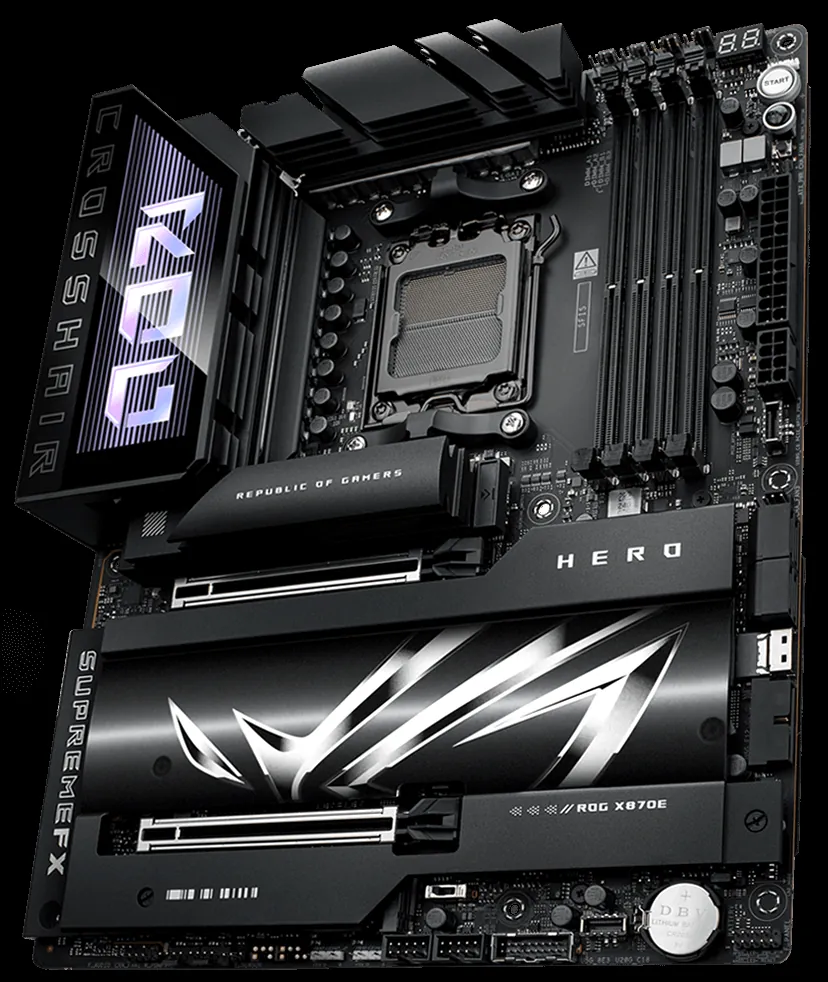
| Feature | Detail |
|---|---|
| CPU Socket | AMD AM5 (Ryzen™ 9000 & 8000 & 7000 Series) |
| Power Solution | 18(110A)+2(110A)+2(80A) Power Stages, Dual ProCool II Connectors |
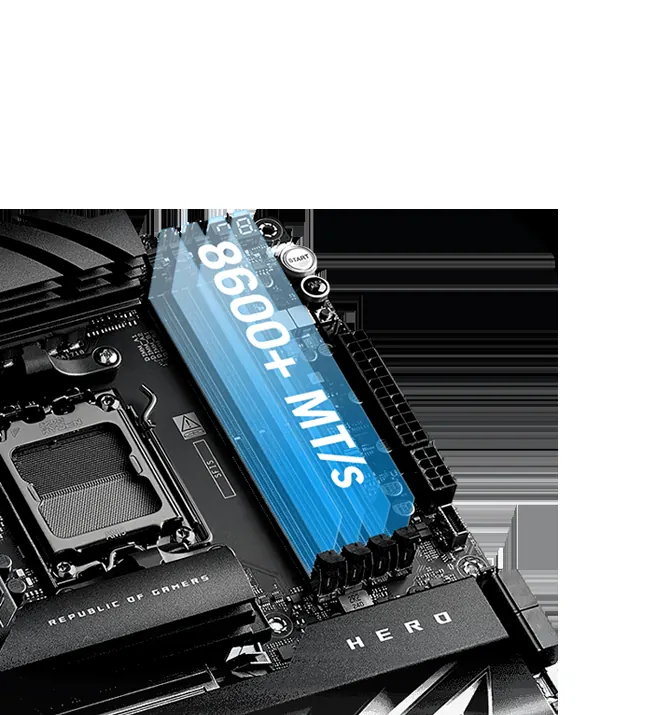
| Memory Support | 4 x DDR5 DIMM, Max. 256GB, up to 8600+ MT/s OC, NitroPath DRAM, AEMP |
| PCIe Slots | 2 x PCIe 5.0 x16 Slots (SafeSlot) |
| M.2 Slots | 5 x M.2 (3 x PCIe 5.0 x4, 2 x PCIe 4.0 x4) + SlimSAS Connector |
| Networking | Wi-Fi 7, Intel® 2.5Gb Ethernet, Realtek 5Gb Ethernet |
| USB Connectivity | 2 x USB4® (40Gbps), 2 x USB 20Gbps Type-C Front Panel (QC4+) |
| AI Features | AI Cache Boost, AI Overclocking, AI Cooling II, AI Networking II, AI Advisor |
Advanced Power Delivery: The Heartbeat of High Performance
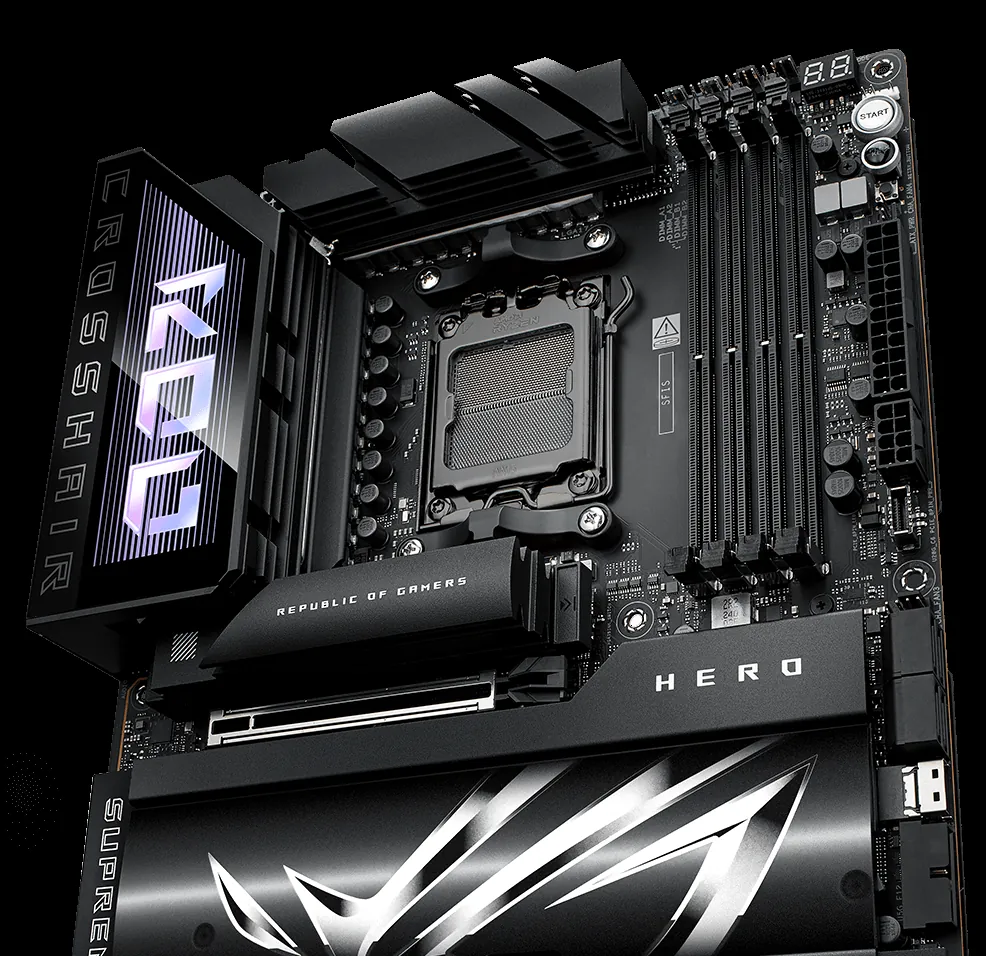
The unyielding stability of a high-performance system begins at its power delivery architecture. On X870E motherboards, we observe formidable Voltage Regulator Module (VRM) designs, typified by configurations such as the 18+2+2 power stages seen in flagship boards like the ASUS ROG Crosshair X870E Hero. This intricate design, featuring 110-amp power stages, is not merely a number; it’s a critical engineering feat that ensures exceptionally clean and stable power is delivered to the CPU, even under the most demanding loads. For enthusiasts pushing clock speeds through overclocking, or creators rendering complex 3D scenes, this robust power solution is paramount. It directly translates to enhanced system stability, preventing crashes and data corruption, while also extending the longevity of high-value components by mitigating electrical stress. A meticulously engineered VRM is, quite simply, the bedrock upon which sustained peak performance is built.
Uncompromised Cooling: Keeping the Beast Tamed
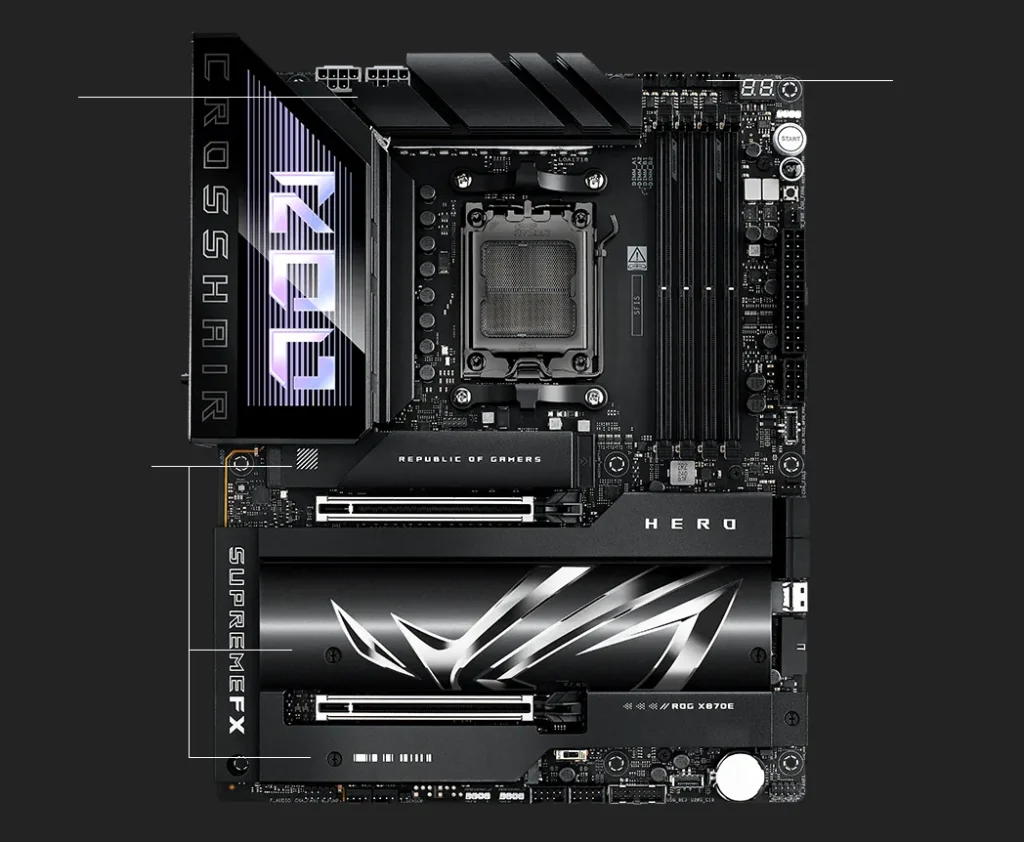
The relentless pursuit of performance in modern computing necessitates equally advanced thermal management. X870E motherboards integrate comprehensive cooling solutions designed to tame the heat generated by power-hungry components. This includes expansive integrated heatsinks for the VRMs, crucial for dissipating the heat generated by power stages, and dedicated M.2 heatsinks—some even featuring backplates and high-conductivity thermal pads—essential for maintaining optimal temperatures for blistering-fast PCIe Gen 5 NVMe SSDs. Furthermore, active or passive chipset cooling ensures the core logic operates efficiently. These meticulously engineered thermal pathways prevent throttling, safeguarding against performance degradation, and ensure that all components, from an aggressively overclocked CPU to a high-speed NVMe SSD, can sustain their peak operational capabilities without compromise. Effective cooling is not a luxury; it is a fundamental requirement for consistent, high-fidelity system performance.
PCIe Gen 5: Beyond Just Speed – Real-World Impact
PCIe Gen 5 represents a monumental leap in bandwidth, theoretically doubling the data transfer rates of its Gen 4 predecessor. For GPUs, this means an astounding 64 GB/s of bidirectional bandwidth, while PCIe Gen 5 NVMe SSDs can achieve sequential read speeds exceeding 14,000 MB/s. On paper, these figures promise revolutionary improvements across the board. However, the critical question for the discerning enthusiast is whether these theoretical gains translate into tangible, noticeable real-world advantages for current-generation gaming and everyday computing tasks. Community sentiment, often driven by the ‘Fandom Pulse,’ reveals a mixed bag. While the sheer speed of Gen 5 SSDs significantly reduces load times for large game assets and demanding applications, the performance uplift for graphics cards in current gaming titles over PCIe Gen 4 often falls within single-digit percentage points, leading to a pragmatic skepticism about its immediate value for the average gamer.
| Feature | PCIe Gen 3 | PCIe Gen 4 | PCIe Gen 5 |
|---|---|---|---|
| Max Bandwidth (x16) | 16 GB/s | 32 GB/s | 64 GB/s |
| Max Read Speed (NVMe x4) | ~3,500 MB/s | ~7,000 MB/s | ~14,000+ MB/s |
| Use Cases | General Computing | PC & Console Gaming, Content Creation | High-performance Workloads, Top-End PC Gaming |
PCIe Gen 5: The Double-Edged Sword
Pros
- Blazing-fast speeds for NVMe SSDs (14,000+ MB/s) ideal for data-intensive tasks.
- Future-proofing for upcoming high-bandwidth GPUs and storage devices.
- Reduced latency for demanding applications and competitive gaming.
- Supports high-end content creation (8K video editing, large-scale simulations).
Cons
- Minimal real-world gaming performance gains over Gen 4 for current GPUs.
- Requires compatible (and often more expensive) Gen 5 motherboards and SSDs.
- Increased thermal demands for Gen 5 NVMe SSDs, often requiring large heatsinks.
- Limited current software utilization to fully exploit maximum bandwidth.
The I/O Superhighway: USB4, Thunderbolt 5 & the eGPU Dilemma
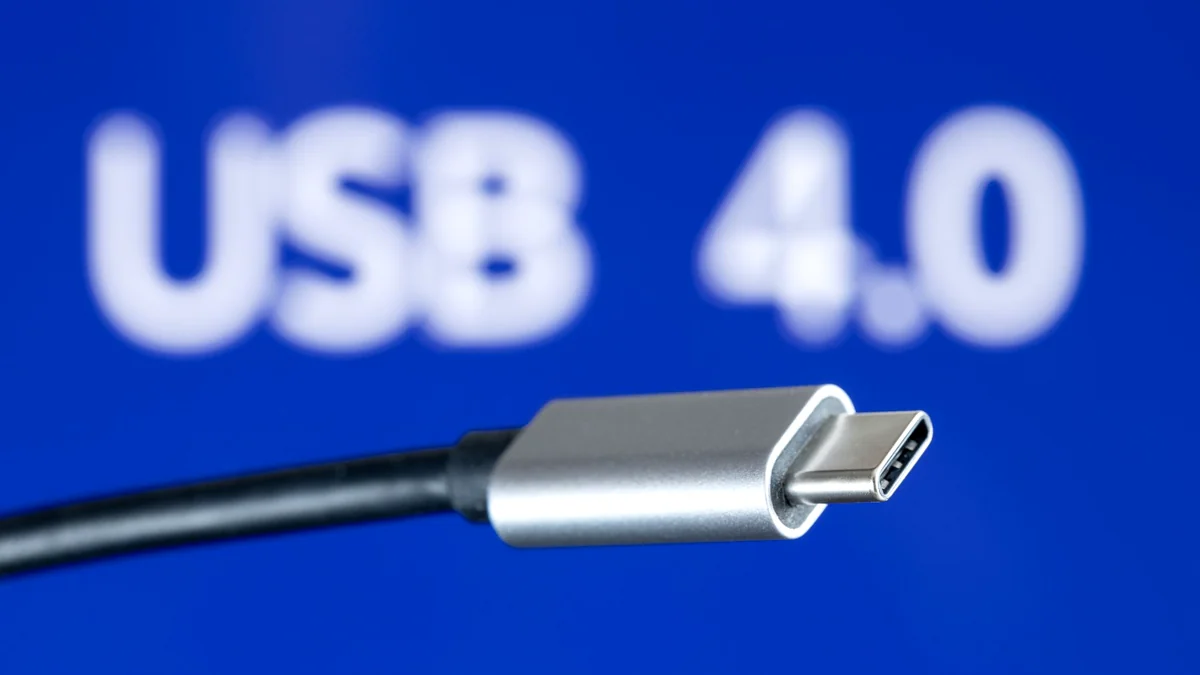
The evolution of external connectivity has reached a new pinnacle with the introduction of USB4 and Thunderbolt 5. These standards offer unprecedented bandwidth, with Thunderbolt 5 delivering a baseline of 80 Gbps bidirectional data transfer, capable of bursting to an impressive 120 Gbps with its Bandwidth Boost feature. This massive throughput facilitates enhanced display support, enabling connections for multiple 4K or even dual 8K monitors at high refresh rates, a boon for professionals and gamers alike. Furthermore, both standards significantly increase power delivery, with Thunderbolt 5 providing up to 240W via USB-C PD 3.1, eliminating the need for separate power bricks for many high-performance laptops. This potent combination of speed, display capability, and power makes them highly attractive for external GPUs (eGPUs) and versatile docking solutions, promising a future of flexible, high-performance computing.
| Feature | USB4 | USB4 v2.0 | Thunderbolt 4 | Thunderbolt 5 |
|---|---|---|---|---|
| Max Bandwidth (Bi-dir) | 40 Gbps | 80 Gbps | 40 Gbps | 80 Gbps |
| Max Bandwidth (Uni-dir) | 40 Gbps | 120 Gbps (3:1) | 40 Gbps | 120 Gbps |
| Encoding | NRZ | PAM-3 | NRZ | PAM-3 |
| PCIe Support | Gen 3 x4 (32 Gbps) | Gen 4 x4 (64 Gbps) | Gen 3 x4 (32 Gbps) | Gen 5 x4 |
| Power Delivery (PD) | Up to 100W | Up to 240W (PD 3.1) | Up to 100W | Up to 240W (PD 3.1) |
“The biggest problem till this day is the lack of non-gaming laptops w/ TB5. I thought 2026 it’s the year when we will finally have non-gaming laptops w/ TB5 or even USB4V2, but CES 2026 proved me wrong.”
While Thunderbolt 5 promises impressive throughput, the practical implementation of eGPU setups still presents ‘gotchas.’ Users frequently encounter DPC (Deferred Procedure Call) latency issues, which can subtly degrade performance. Furthermore, despite the increased bandwidth, an inherent performance overhead of external connections, even with Thunderbolt 5, means eGPUs rarely match the raw, unthrottled performance of internal discrete GPUs. For those considering native PCIe solutions like Oculink for maximum performance, the durability concerns of M.2 socket cycling – often rated for only 60-100 plug/unplug cycles – are an often-overlooked practical challenge, demanding careful consideration for long-term reliability.
DDR5 Dominance: Elevating Memory Performance
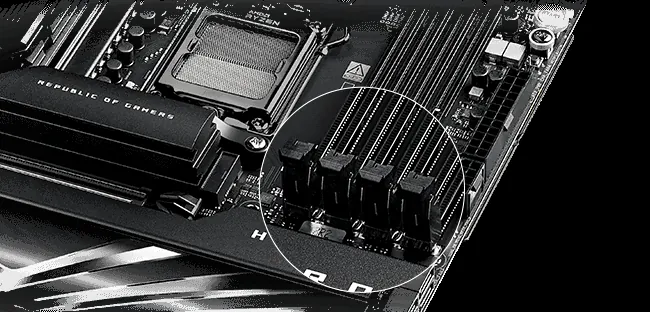
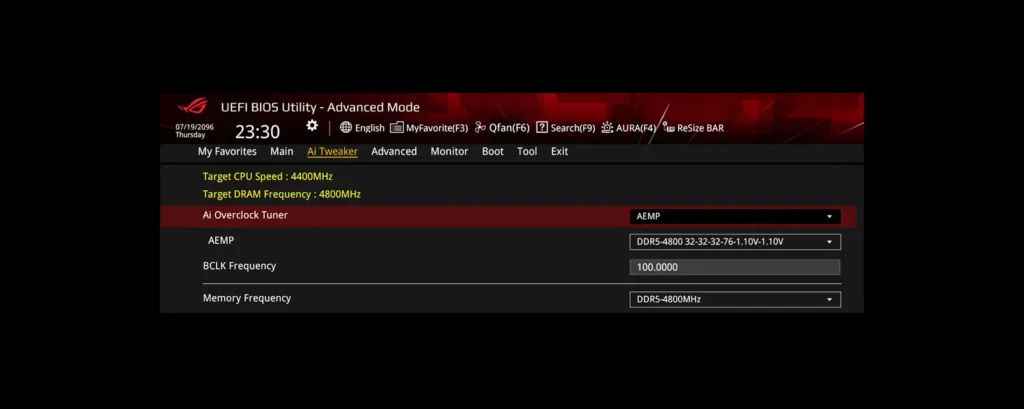
X870E motherboards are meticulously engineered to unlock the full potential of DDR5 memory, pushing frequencies to unprecedented levels and enabling tighter timings. This is achieved through refined PCB layouts, such as server-grade designs with ultra-low-etch manufacturing processes, which reduce electrical interference and optimize signal alignment. ASUS, for instance, has introduced innovations like NitroPath DRAM Technology, featuring shorter gold finger pins and optimized signal pathways for faster data transfers and greater overclocking headroom. Complementing this is ASUS Enhanced Memory Profile (AEMP), a firmware feature that automatically detects memory chips and applies optimized frequency, timing, and voltage profiles. These advancements collectively enhance stability, compatibility, and overclocking potential, ensuring that AMD Ryzen 9000 series CPUs can fully leverage high-speed DDR5, critical for both gaming and intensive content creation.
- NitroPath DRAM Technology: Shorter gold finger pins and optimized signal pathways for faster data transfers and greater overclocking headroom.
- ASUS Enhanced Memory Profile (AEMP): Automatically detects memory chips and applies optimized frequency, timing, and voltage profiles.
- DIMM Fit / DIMM Fit Pro: BIOS features to precisely analyze and optimize individual memory modules for performance and stability.
The AI Paradigm Shift: Motherboards, Discrete GPUs, and Unified Memory
The escalating demands of AI development, particularly in the realm of large language models (LLMs), are driving a profound architectural re-evaluation in hardware design. Motherboards, traditionally seen as mere component conduits, are now integrating AI-specific features like AI Cache Boost, optimizing pathways for local LLM inference. This evolution sets the stage for a critical comparison between two distinct philosophies: the traditional approach of discrete GPUs with dedicated VRAM, and the emerging paradigm of integrated unified memory architectures with specialized Neural Engines. Understanding these different approaches is essential for anyone navigating the complex and rapidly changing landscape of AI hardware.
The debate around optimal hardware for massive AI models (like 200 billion parameters) reveals two distinct architectural philosophies: the traditional discrete GPU approach and the integrated unified memory design. Here, we break down their strengths and weaknesses for AI development.
Traditional Discrete GPUs (NVIDIA RTX/A-Series)
NVIDIA has long dominated the AI hardware landscape, primarily through its CUDA platform and the raw parallel compute power of its discrete GPUs. Cards like the RTX 5090, with 32GB of GDDR7 VRAM, and professional-grade A5500/A6000 series, offer immense processing capabilities vital for complex AI training. Their ecosystem is widely supported by frameworks such as PyTorch and TensorFlow, making them a de facto standard for many developers. However, for ultra-large models requiring 48-72GB of VRAM, single discrete cards often fall short, necessitating multi-GPU setups that face challenges in efficient VRAM pooling and can be constrained by traditional threading models, potentially leading to inefficiencies in the learning process.
Integrated & Unified Memory (Apple Silicon, Intel Lunar Lake)
A contrasting philosophy is championed by architectures like Apple’s M-series (e.g., M4 Max) and Intel’s forthcoming Lunar Lake. These designs integrate CPU, GPU, and a dedicated Neural Engine onto a single package, utilizing a unified memory pool. This shared memory dramatically reduces data transfer bottlenecks and latency, fostering exceptional efficiency for development and inference tasks. Apple Silicon, with its dedicated Neural Engine, excels at optimized machine learning inference and specific training workloads. Intel’s Lunar Lake further enhances this with on-package DRAM and a significantly upgraded NPU, boasting 48 TOPS of AI performance. While these integrated designs offer superior power efficiency and thermal management, they currently face limitations in raw memory capacity compared to multi-GPU server farms for training truly massive models. Yet, the efficiency gains and seamless data flow make them compelling for development, aligning with the perspective that ‘The future is with the way Apple is doing it’ due to the ‘poor design’ of traditional threading models.
“As George insightfully commented: ‘AI was developed by Data Scientists, not Software Engineers. The limitations you raise are purely related to poor design. The future is with the way Apple is doing it.’ He further elaborated, ‘The threading model in the learning process is inefficient.'”
This architectural debate carries significant implications for AI developers and the trajectory of future hardware designs. While integrated unified memory systems offer compelling efficiency and specialized AI acceleration, particularly for inference and smaller model training, traditional discrete GPUs retain their dominance for training truly massive models in scalable server environments due to their sheer raw compute power and the established CUDA ecosystem. X870E motherboards, with their robust PCIe 5.0 and advanced DDR5 capabilities, serve as a crucial bridge in this evolving landscape. They provide the high-bandwidth backbone necessary to fully exploit high-performance discrete GPUs, catering to current industry standards, even as the industry explores more integrated and inherently efficient designs from Apple and Intel. Ultimately, the future of AI hardware demands adaptability, requiring developers to strategically leverage both paradigms based on specific workload requirements, rather than adhering to a single, monolithic solution.
LoadSyn’s Future-Proofing Strategy: What to Prioritize
- Assess Your Core Workloads: Determine if your primary use is high-refresh-rate gaming, 8K content creation, or large-scale AI model training. This dictates your component priorities.
- Balance Hype with Reality: Recognize that not all cutting-edge features (like PCIe Gen 5 for gaming, or initial Thunderbolt 5 eGPU gains) offer immediate, game-changing benefits. Invest where it matters most for your current needs.
- Prioritize Robust Motherboard Foundations: Focus on quality VRMs, comprehensive cooling, and ample high-speed M.2 slots (PCIe 5.0) on your X870E board for long-term stability and upgradeability.
- Consider Your AI Ambitions: If serious AI development is a goal, weigh the benefits of discrete NVIDIA GPUs (CUDA ecosystem) against the efficiency of unified memory architectures (Apple Silicon, Intel Lunar Lake) for your prototyping phase.
- Invest in High-Bandwidth I/O Strategically: While Thunderbolt 5 offers impressive specs, evaluate its real-world integration into your workflow. For eGPUs, acknowledge current limitations and explore native PCIe solutions if practical for your use case.
- Look Beyond Raw Speed: Factor in ecosystem support, driver maturity, thermal management, and overall system synergy, not just theoretical peak performance numbers.
Final Verdict
In conclusion, AMD’s X870E motherboards stand as a robust, future-ready foundation for discerning enthusiasts building high-end systems. They deliver unparalleled connectivity, formidable power delivery, and advanced memory support, making them ideally suited for the demands of the upcoming Ryzen 9000 series. Their dual appeal for both elite gamers seeking every competitive edge and forward-thinking AI developers navigating complex workloads is undeniable. However, true future-proofing, as Dr. Vance emphasizes, necessitates a pragmatic approach to adopting new technologies. Informed choices, guided by a deep understanding of real-world impact over pure theoretical speed, remain the definitive strategy for constructing a truly resilient and high-performing system that will stand the test of time.
Frequently Asked Questions
What is the primary advantage of X870E over X670E?
The X870E chipset typically offers more PCIe Gen 5 lanes, enhanced AI features (like AI Cache Boost), and improved connectivity options like Wi-Fi 7 and advanced USB4/Thunderbolt 5 support, positioning it better for next-gen hardware and AI workloads.
Is PCIe Gen 5 worth it for gaming right now?
For most current gaming scenarios, the real-world performance gains of PCIe Gen 5 GPUs over Gen 4 are minimal. However, PCIe Gen 5 NVMe SSDs offer significantly faster load times and data transfer speeds, which can benefit certain demanding games and applications.
How does unified memory (Apple Silicon) compare to discrete GPUs for AI development?
Unified memory architectures (like Apple Silicon) offer efficient data sharing between CPU, GPU, and Neural Engine, reducing bottlenecks for development and inference. Discrete GPUs (NVIDIA) provide massive raw parallel compute power and CUDA ecosystem support, which is often preferred for training extremely large models in cloud or multi-GPU server environments.
What should I prioritize for future-proofing my X870E build?
Focus on a motherboard with robust VRMs for stable power, comprehensive cooling for sustained performance, multiple PCIe 5.0 M.2 slots for high-speed storage, and advanced I/O like Thunderbolt 5. Consider your long-term plans for AI or extreme gaming when making component choices.
Are eGPUs via Thunderbolt 5 a viable option for high-end gaming?
While Thunderbolt 5 significantly boosts bandwidth, eGPUs still face performance overheads and latency challenges compared to internal GPUs. They can be a good option for extending laptop life or for specific professional workloads, but they rarely match the raw performance of a desktop discrete GPU due to inherent interface limitations and software adoption issues.