
Key Takeaways
- Dell/Alienware pioneered the 3-year burn-in warranty for QD-OLED monitors, establishing a crucial industry standard that GIGABYTE, MSI, and Asus have since adopted to protect high-stakes consumer investments.
- Industry-wide policy standardization now effectively insures the risk of permanent panel degradation, transforming OLED from a speculative purchase into a reliable high-performance choice for the engineering-minded enthusiast.
- Hardware-level mitigation has evolved significantly; Samsung’s Pulsating Heat Pipes and MSI’s Graphene-based thermal solutions represent the current state-of-the-art in proactive heat dissipation and lifespan extension.
- RMA logistics remain a critical differentiator between brands, with real-world data indicating significant variations in shipping cost responsibilities and the likelihood of receiving refurbished replacement units.
- The convergence of 3rd-Gen QD-OLED panel improvements—specifically sub-pixel layout refinements—and comprehensive 3-year warranties makes 2024 the definitive entry point for risk-averse OLED ownership.
The Burn-In Anxiety is Over: How Dell, Gigabyte, MSI, and Asus Set a New Standard
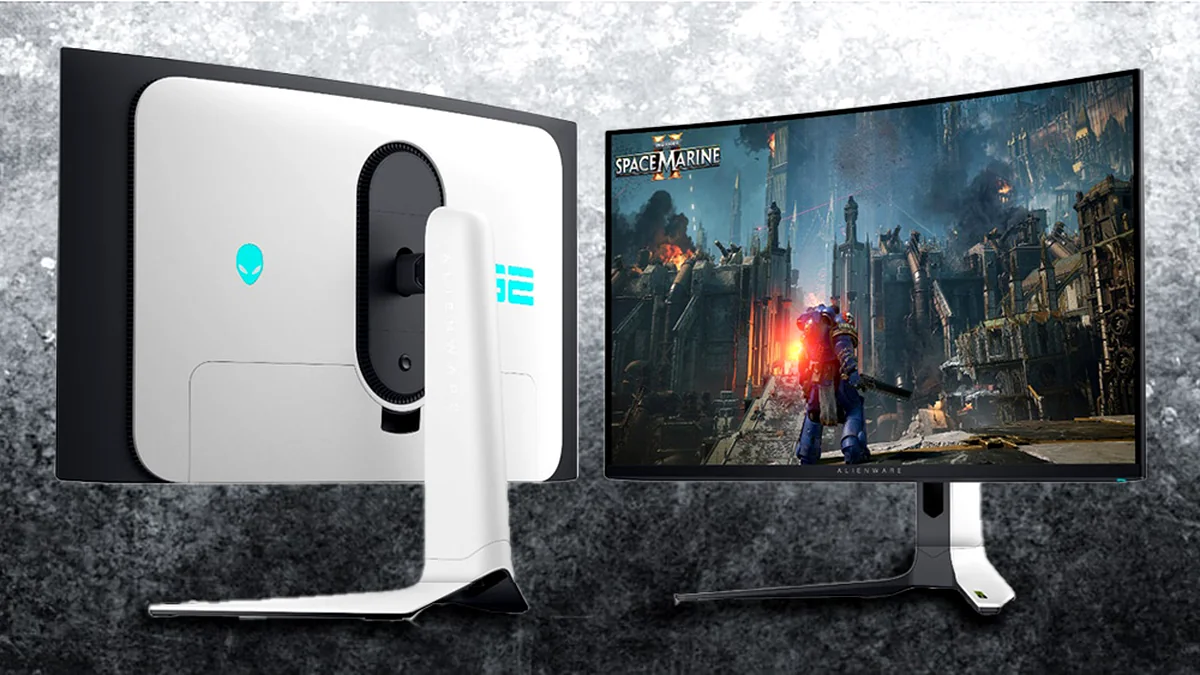
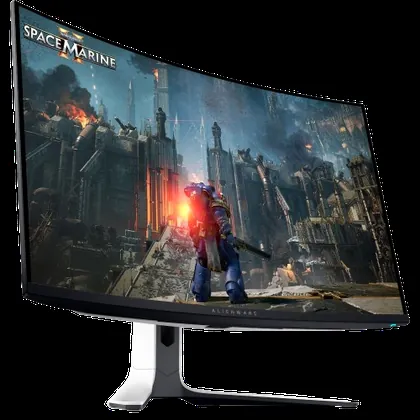
The high cost of premium QD-OLED and WOLED gaming monitors has long been accompanied by a psychological burden: the fear of burn-in. As our Fandom Pulse analysis confirms, this anxiety often undermines the thrill of owning a cutting-edge display, leaving users worried about every static pixel. That dynamic officially changed in 2024, largely pioneered by Dell/Alienware. Dell was among the first to market with 32-inch 4K QD-OLED monitors, such as the Alienware AW3225QF in January 2024, notably offering a comprehensive 3-year warranty explicitly covering burn-in. This early commitment established a crucial benchmark that forced the rest of the market to adapt. GIGABYTE’s recent announcement of a similar 3-year warranty, explicitly covering image retention across its entire lineup of QD-OLED gaming monitors—including the flagship FO32U2P and the high-refresh FO27Q3—is the final nail in the coffin for that fear. By aligning with Dell, MSI, and Asus, who previously established similar 3-year burn-in guarantees, the industry has now quantified and insured the risk. This standardization transforms OLED from a potentially risky investment into a standard, high-performance choice for anyone seeking perfect blacks and near-instantaneous response times.
| Manufacturer | Technology | Warranty Length | Burn-In Coverage | OLED Care Features | RMA Logistics | Key Models |
|---|---|---|---|---|---|---|
| Dell (Alienware) | QD-OLED (Gen 3) | 3 Years | Explicitly Covered | OLED Care, Active Cooling Fan | Premium support; shipping covered | AW3225QF, AW2725DF |
| Samsung | QD-OLED (Gen 3) | 3 Years | Explicitly Covered | OLED Safeguard+ (Heat Pipe) | Regional variations in shipping | Odyssey OLED G8 |
| GIGABYTE | QD-OLED | 3 Years | Explicitly Covered | AI-driven OLED Care | Standard support; ISO Class I | FO32U2P, FO27Q3 |
| MSI | QD-OLED | 3 Years | Explicitly Covered | Graphene Film, Fanless Heatsink | Shipping often customer paid | MPG 321URX |
| ASUS (ROG) | QD/WOLED | 3 Years | Explicitly Covered | Custom Heatsink, Uniform Brightness | Advanced replacement options | PG32UCDM |
| LG | WOLED | 2 Years (Reg.) | Covered (Normal) | Pixel Cleaning, Screen Move | Varies by region | 32GS95UE |
The Technical Truth: Burn-In vs. Image Retention and the Blue Emitter Problem
To understand why these warranties are so important, we must first define the core issue. Image Retention (IR) is temporary ghosting or image persistence that fades quickly when the screen content changes or the display is powered off. It is harmless and common on many panel types. Burn-In, however, is permanent, irreversible damage caused by the uneven degradation of the organic light-emitting materials. This catastrophic failure occurs because blue subpixels inherently degrade faster than red or green due to the significantly higher energy required to emit blue light. When a static element (like a Windows Taskbar, a browser tab, or a persistent game HUD) remains on screen for thousands of cumulative hours, those specific pixels age faster than their neighbors. This creates a permanent, faint shadow that cannot be fixed or reversed by pixel refreshers. Crucially, this degradation process is exponentially accelerated by two factors: high brightness and thermal stress. It’s worth noting that 3rd-generation QD-OLED panels, such as those found in the Alienware AW3225QF and Samsung Odyssey OLED G8, feature an improved sub-pixel size and shape with increased pixel fill. This engineering refinement significantly enhances text rendering and clarity compared to earlier generations, largely mitigating the ‘fringing’ concerns that plagued early adopters.
The Science of Self-Healing: Advanced Panel Physics and Proactive Mitigation
Manufacturers aren’t simply relying on warranty pools to cover inevitable failures; they are building increasingly advanced technological safeguards into the panels themselves. Dell, for instance, integrates ‘OLED Care’ features like Pixel Refresh (automatic after 4 hours) and Panel Refresh (manual for 9000 hours of cumulative use) to combat image retention. Samsung takes this further with ‘OLED Safeguard+,’ incorporating a world-first ‘Pulsating Heat Pipe’ dynamic cooling system that diffuses heat five times faster than traditional graphite sheets, alongside a ‘Thermal Modulation System’ and ‘Logo & Taskbar Detection’ to prevent burn-ins. MSI’s ‘OLED Care 2.0’ is augmented by ‘Graphene Film’ for superior thermal conductivity and a custom heatsink design for fanless, silent operation. Furthermore, 3rd-generation QD-OLED panels from Samsung Display now feature a ‘Quantum Enhancer AI processor’ bespoke for each panel, which Samsung claims doubles panel durability and improves brightness and power efficiency. These innovations, alongside panels sourced from LG Display (WOLED), rely on built-in software and hardware solutions to extend life well beyond the theoretical 30,000-hour baseline.
Key Longevity Technologies in Modern OLEDs
- Tandem/Stacked Architectures: Utilizing multiple emission layers (e.g., LG’s 4th-gen 4-stack structure) to distribute electrical load and boost peak brightness up to 4,000 nits.
- AI-Driven Panel Optimization: Bespoke AI chips monitor and optimize pixel health, predict degradation, and learn usage patterns to enhance durability.
- Advanced Thermal Management: Samsung’s Pulsating Heat Pipes and MSI’s Graphene Film diffuse heat significantly faster, reducing thermal stress.
- Pixel Shifting / Orbiting: Continuously moves the image by a few pixels to ensure static elements never stress the exact same location.
- Automated Pixel Refreshers: Essential maintenance cycles that measure voltage drops and rebalance color output during standby.
- Improved Emitter Materials: Research into deuterium blue emitters promises massive future durability gains, potentially increasing lifetimes 250-fold.
Beyond the Brochure: Deconstructing Real-World OLED Warranty & RMA Logistics
While a 3-year burn-in warranty provides a vital safety net for your premium OLED investment, the true test of consumer confidence often lies in the details of the claims process itself. For a $1,000+ purchase, ‘Protective Anxiety’ isn’t just about whether burn-in is covered, but how that coverage translates into a real-world solution. Understanding the nuances of RMA logistics—such as who bears shipping costs, the likelihood of receiving a refurbished replacement, and vague dead pixel policies—is paramount. These factors can significantly impact the ownership experience, turning a high-stakes purchase into either confident ownership or lingering ‘Buyer’s Remorse.’
| Manufacturer | Shipping Responsibility | Replacement Policy | Pixel Policy |
|---|---|---|---|
| Dell (Alienware) | Generally covered by Dell | New or Refurbished | Standard 3-5 subpixels |
| Samsung | Often covered by Samsung | New or Refurbished | Standard industry practice |
| GIGABYTE | Typically covered by GIGABYTE | New or Refurbished | ISO Class I standards |
| MSI | Often customer responsibility | Refurbished common | Line issues/flickering triggers |
| ASUS (ROG) | Generally covered by ASUS | New or Refurbished | Standard industry practice |
The Gamer’s Protocol: 5 Rules to Guarantee OLED Longevity on Your PC Monitor
Essential Mitigation Strategies for PC Gamers
- Keep Brightness Low/Moderate: Aim for 120–150 cd/m² for standard desktop use to slow down pixel wear exponentially.
- Auto-Hide All Static OS Elements: Set Windows Taskbar and macOS Menu Bar to auto-hide. Use full-screen mode for browsers.
- Embrace Dark Mode: Pure black (#000000) turns OLED pixels off entirely, allowing them to rest and minimizing usage.
- Utilize Built-in Pixel Protection: Never interrupt the automatic pixel refresher cycles that run when the monitor is in standby.
- Power Off When Idle: Put the monitor to sleep or power it off entirely if away for more than 30 minutes to reduce thermal stress.
OLED Monitors: The Final Trade-Off
Pros
- Perfect Blacks & Infinite Contrast
- 0.03ms GtG Response Times
- Exceptional Motion Clarity
- Superior Color Gamut & Viewing Angles
- Advanced AI Mitigation Features
Cons
- Susceptibility to Static Burn-In
- Higher Initial Purchase Price
- Inconsistent RMA Logistics by Brand
- Required Maintenance Cycles
- Glossy Panel Reflections (on some models)
Final Verdict
For years, the OLED debate was framed as a fundamental trade-off: unparalleled visual quality versus the risk of irreversible burn-in. The 2024 wave of 3-year, burn-in-inclusive warranties, notably pioneered by Dell/Alienware and now standard across GIGABYTE, MSI, and Asus, has fundamentally resolved the financial side of that equation. Burn-in is now largely a manufacturer’s liability, not solely the consumer’s. The groundwork laid in 2024 is what allows today’s high-end PC gamers to commit to OLED with confidence. By adhering to the Gamer’s Protocol and selecting a brand with a proven service record, you can finally enjoy perfect blacks with a safety-first mindset.
Frequently Asked Questions
Is burn-in covered by standard manufacturer warranties?
Historically, no. However, premium monitor manufacturers like Dell/Alienware, GIGABYTE, MSI, and Asus have now explicitly included 3-year burn-in coverage on their high-end QD-OLED and WOLED gaming monitors.
What is the real-world lifespan of a modern OLED gaming monitor?
With varied content usage and moderate brightness, a modern OLED monitor should last 8–13 years of typical daily use before significant brightness degradation occurs.
How often should I manually run a Pixel Refresh cycle?
Almost never. Modern OLEDs automatically run short compensation cycles after every four hours of use during standby. Manual refreshes consume panel lifespan and should be used only as a last resort.
Will I have to pay for shipping if I need to RMA my OLED monitor for burn-in?
This varies by brand. Dell typically covers shipping, while some brands like MSI have been reported to require customers to cover initial shipping costs for RMAs.
If my OLED monitor is replaced under warranty, will I receive a new or refurbished unit?
Most manufacturers reserve the right to provide either a new or a refurbished unit. While premium brands aim for new stock, refurbished replacements are common across the industry.