
Key Takeaways: Navigating the Large-Format 4K Gaming Display Landscape – An Engineering Deep Dive
- The 42-43 Inch Conundrum: The sweet spot for desktop 4K gaming (42-43 inches) presents a complex choice between dedicated OLED monitors (e.g., ASUS PG42UQ) and high-performance OLED TVs (e.g., LG C3, Sony A90K). Key differentiators extend beyond panel type to include screen coating (matte vs. glossy), sub-pixel layout (RGBW vs. RGB), and physical design, profoundly impacting desktop text clarity and ambient light performance.
- OLED vs. Mini-LED: A Forensically Deconstructed Showdown: For large-format 4K gaming, the critical choice lies between OLED’s perfect blacks and pixel-perfect contrast (e.g., LG C3/ASUS PG42UQ) and Mini-LED’s intense, often higher peak brightness with sophisticated local dimming (e.g., Samsung Neo G7). Our analysis cuts through marketing hype, revealing how underlying engineering choices manifest in distinct visual trade-offs for the discerning gamer.
- Beyond Refresh Rates: Motion Clarity & Input Latency Nuances: Both display types deliver high-performance gaming with 4K 120Hz+ refresh rates, minimal input lag, and full VRR support. However, OLED consistently boasts superior near-instantaneous pixel response times (sub-millisecond MPRT), virtually eliminating motion blur and ghosting. Mini-LED’s strength lies in dazzling HDR peak brightness, but can exhibit subtle blooming and, in some cases, VRR brightness flicker, impacting perceived motion clarity.
- The ‘Desktop-First’ Engineering Imperative: Utilizing a ‘TV as a monitor’ or a dedicated large-format monitor involves weighing factors beyond raw panel performance. Critical considerations now include the specific sub-pixel arrangement for optimal desktop text clarity, the effectiveness of anti-burn-in features, and the impact of non-native resolution scaling (e.g., 1440p on 4K) on clarity and input lag, demanding a deeper technical understanding.
- Longevity & Verified Performance for Peace of Mind: Long-term reliability is a major concern for this high-stakes investment. While OLED burn-in risks are largely mitigated through advanced panel care algorithms and extended warranties (e.g., ASUS’s 2-year burn-in warranty), user apprehension persists. Similarly, Mini-LED faces scrutiny regarding blooming control consistency and misleading ‘Quantum HDR 2000’ claims. Brand reputation, robust, verifiable technical data, and proactive usage habits are vital for ‘peace of mind’ in this high-value category.
The Gigapixel Gauntlet: OLED vs. Mini-LED Titans Collide for 4K Gaming
In the relentless quest for the ultimate 4K gaming experience, the physical boundaries of our displays have expanded dramatically. Gamers are no longer confined to traditional monitor sizes, increasingly eyeing large-format displays, typically ranging from 42 to 48 inches, which blurs the line between a dedicated TV and a high-performance monitor. This convergence forces a critical decision point for anyone building a serious setup: do you embrace the perfect blacks and infinite contrast of OLED, or chase the dazzling, high-nits brightness and sophisticated local dimming prowess of Mini-LED? At LoadSyn, we cut through the marketing hype, delving deep into the engineering realities of these technologies. We analyze two leading contenders—the LG C3 OLED and the Samsung Odyssey Neo G7 Mini-LED—alongside crucial 42-43 inch alternatives, to arm you with the verified data needed for your next major, informed upgrade. Our goal is to provide ‘peace of mind’ by dissecting the trade-offs that truly matter.
LG C3 OLED: The Contrast King’s Reign on Your Desktop
The LG C3 OLED series, particularly the 42-inch model (OLED42C3PUA), has decisively cemented its reputation as a go-to choice for gamers seeking a large-format display with uncompromised picture quality. Building on the success of its acclaimed predecessors, the C3 leverages LG’s Self Lit OLED evo technology to deliver perfect black levels, effectively infinite contrast, and 100% color fidelity. This isn’t just about pretty pictures; it means every shadow and highlight is rendered with breathtaking precision, enhancing immersion dramatically. Powered by the α9 AI Processor 4K Gen6, the C3 refines both visuals and sound, making it a stellar performer for cinematic content and the most demanding gaming titles. From a raw performance standpoint, its native 120Hz refresh rate, comprehensive VRR support (including NVIDIA G-Sync and AMD FreeSync), and sub-millisecond input lag via the dedicated Game Optimizer make it an exceptionally formidable force in the gaming arena, offering the sharpest, fastest visual feedback possible. However, the C3, like other W-OLEDs, utilizes an RGBW sub-pixel layout, which while offering brightness benefits, can introduce minor text fringing for some users, a detail critical for ‘desktop-first’ users.
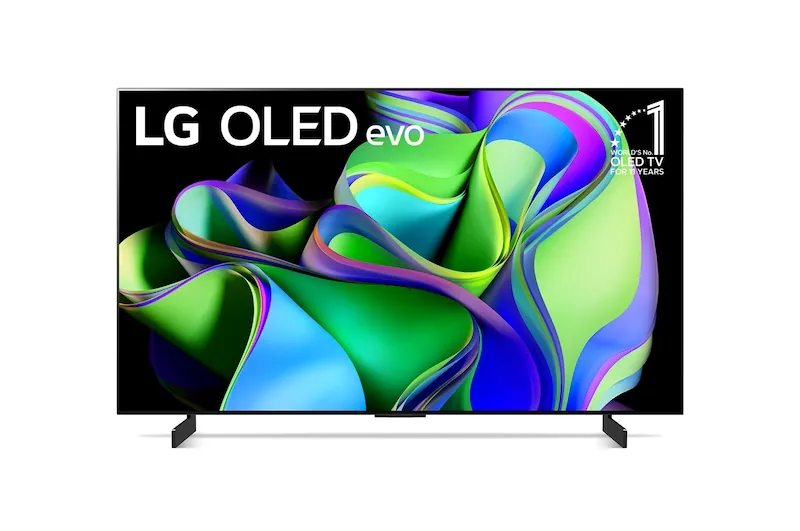
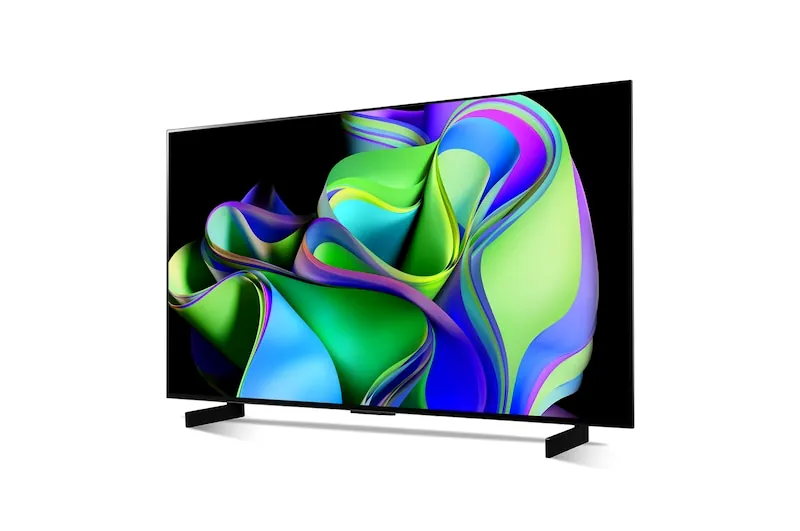
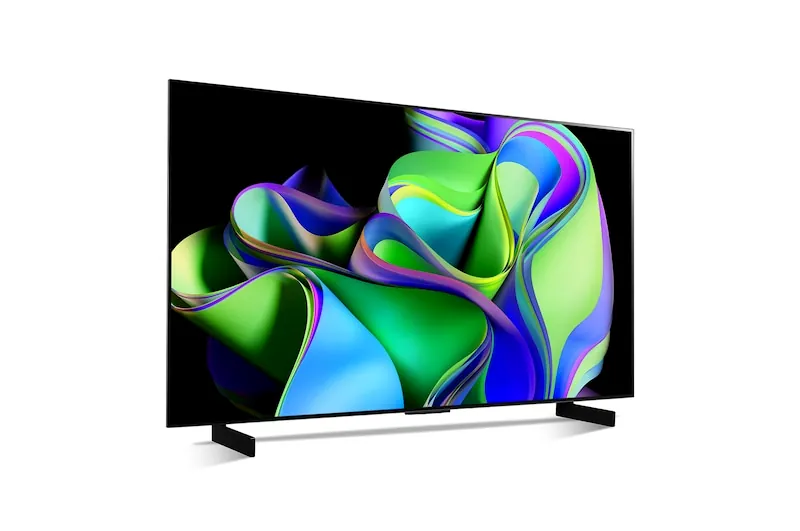
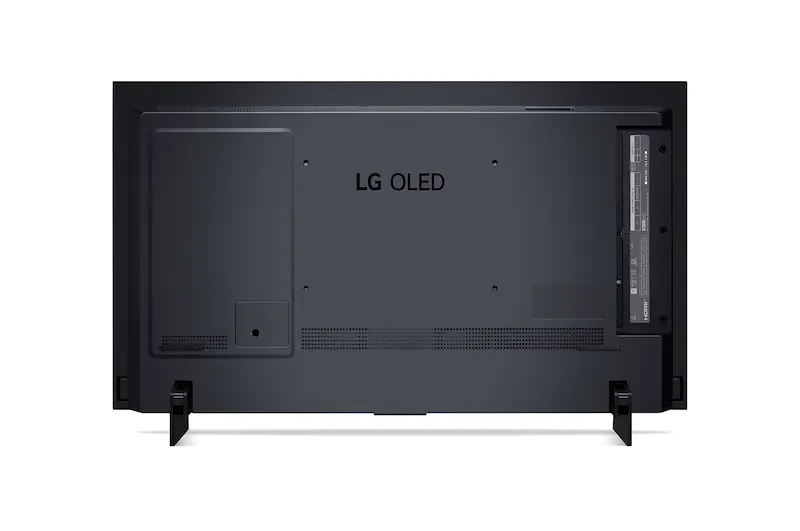
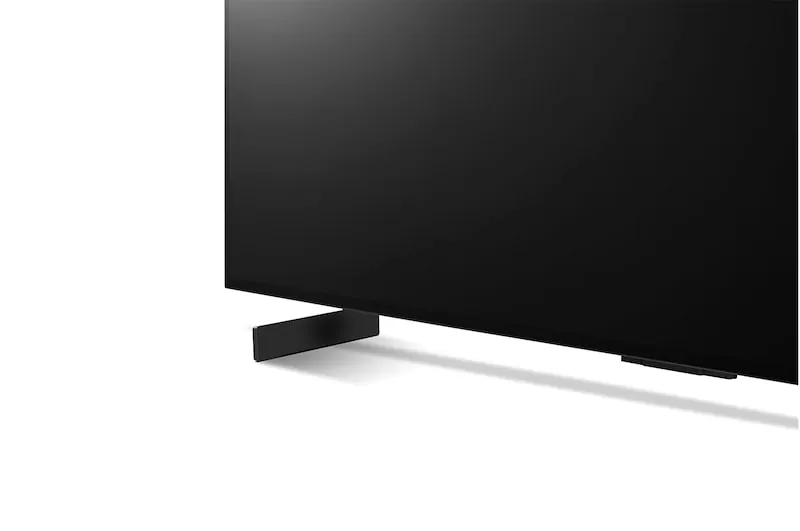
LG C3 42-inch OLED (OLED42C3PUA) Key Specifications
| Display Type | 4K OLED (Self Lit OLED evo) with RGBW Sub-pixel Layout |
|---|---|
| Screen Size | 42 inches |
| Resolution | 3,840 x 2,160 |
| Refresh Rate | Native 120Hz |
| Processor | α9 AI Processor 4K Gen6 |
| HDR Support | Dolby Vision, HDR10, HLG |
| Gaming Features | VRR, ALLM, HGIG Mode, NVIDIA G-Sync Compatible, AMD FreeSync |
| Input Lag | Sub-millisecond (~1ms) |
| Peak Brightness (10%) | Up to 865 nits |
| SDR Brightness (100%) | ~120 nits (affected by ABL) |
| Connectivity | 4x HDMI 2.1 (4K 120Hz, eARC), 3x USB 2.0, Ethernet, Wi-Fi 5, Bluetooth 5.0 |
| Smart Platform | webOS 23 with ThinQ AI |
| Audio | 2.0 Channel, 20W, Dolby Atmos, AI Sound Pro |
| Launch Price | $1,399.99 |
LG C3 OLED: Advantages & Engineering Considerations for Gamers
Pros
- Unrivaled Picture Quality: Perfect blacks and exceptional color accuracy via self-emissive pixels.
- Top-Tier Gaming Performance: Native 120Hz, sub-millisecond lag, and full VRR support.
- Advanced Processor & Calibration: α9 Gen 6 offers superior upscaling and professional calibration support.
- Robust Connectivity: Four full-bandwidth HDMI 2.1 ports.
- Smart TV Features: Comprehensive webOS 23 platform integration.
Cons
- Burn-in Risk: Theoretical risk with prolonged static content despite mitigation algorithms.
- Brightness Limitations: Lower full-screen brightness compared to Mini-LED due to ABL.
- Desktop Text Clarity: RGBW sub-pixel layout can cause minor color fringing on fine text.
- Sound Quality: Built-in 20W speakers are relatively weak for a high-end experience.
- Physical Depth: Control box adds depth, making flush wall-mounting difficult.
The 42-43 Inch Conundrum: OLED Monitors vs. TVs for Desktop & Gaming
The ’43-inch identity crisis’ for many users stems from the desire for a display that seamlessly transitions between a professional desktop monitor and an immersive gaming TV. This segment, often featuring 42-inch OLED panels, highlights the divergence between consumer TVs and dedicated gaming monitors, even when sharing similar core panel technology. Beyond the LG C3, two prominent contenders are the Sony XR-42A90K OLED TV and the ASUS ROG Swift PG42UQ OLED Gaming Monitor, each presenting distinct engineering and user experience profiles.
Key Alternatives in the 42-43 Inch OLED Segment
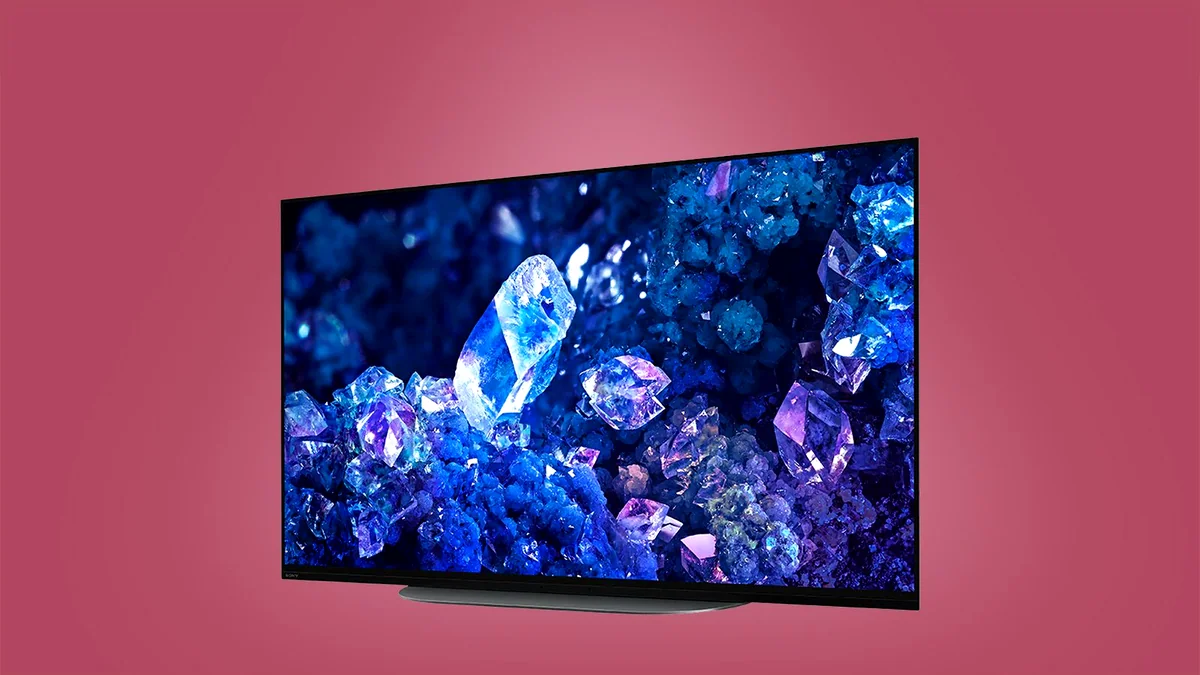
- Sony XR-42A90K OLED TV: While offering Sony’s acclaimed image processing, naturalistic colors, and peerless motion handling, the A90K faces significant engineering trade-offs. Its chassis is notably thick (57mm), making it less ideal for flush wall-mounting. Critically, its pixel density on a 42-inch panel can lead to lower peak brightness (around 206-219 nits SDR, 541-640 nits HDR for 10% window) compared to larger OLEDs or Mini-LEDs, making it a ‘tricky watch’ in bright rooms. It offers two HDMI 2.1 ports and a solid 16.1ms input lag, but is generally pricier, especially in certain regions.
- ASUS ROG Swift PG42UQ OLED Gaming Monitor: Positioned as a direct monitor alternative, the PG42UQ uses the same LG OLED panel but distinguishes itself with a matte anti-glare coating (compared to the LG C3’s glossy finish), making it more suitable for well-lit rooms by mitigating reflections. It incorporates a heatsink design, allowing for slightly higher sustained brightness (up to 200 nits SDR with ‘Uniform Brightness’ enabled, 800 nits HDR for <10% windows) than the C3, addressing a common OLED limitation. It boasts a 138Hz overclocked refresh rate, DisplayPort 1.4, a robust stand with tilt, and a valuable 2-year burn-in warranty, offering ‘peace of mind’ for a dedicated monitor. However, it still shares the RGBW sub-pixel text clarity nuances of the LG C3.
Samsung Odyssey Neo G7: Mini-LED’s Bright Challenger
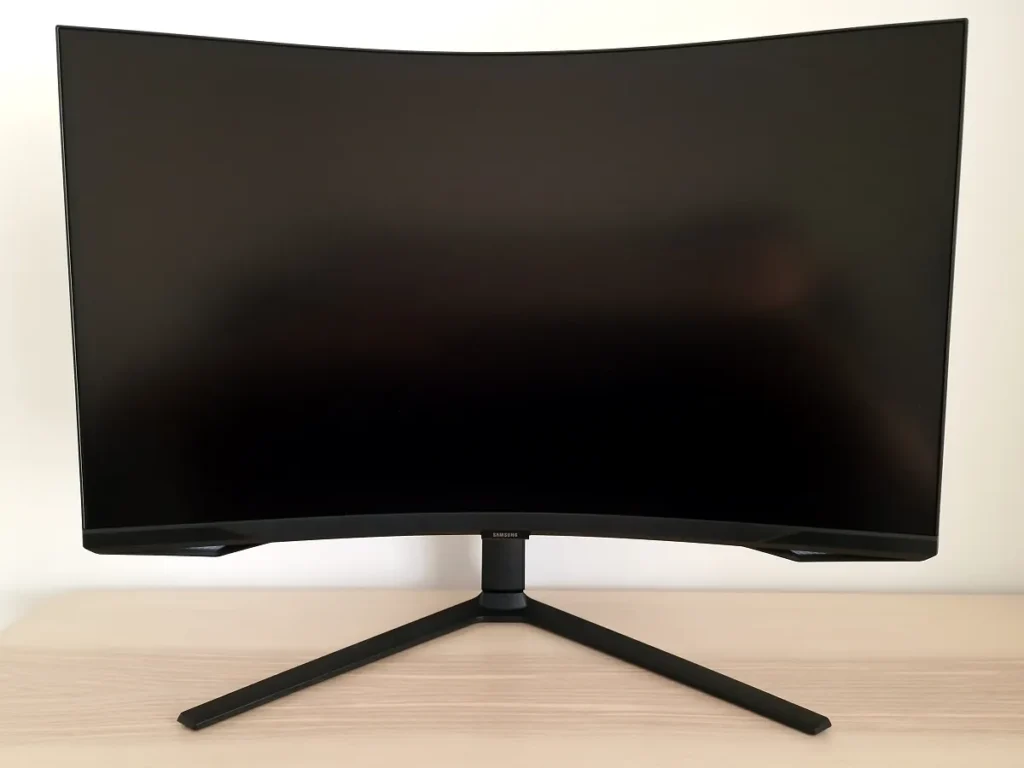
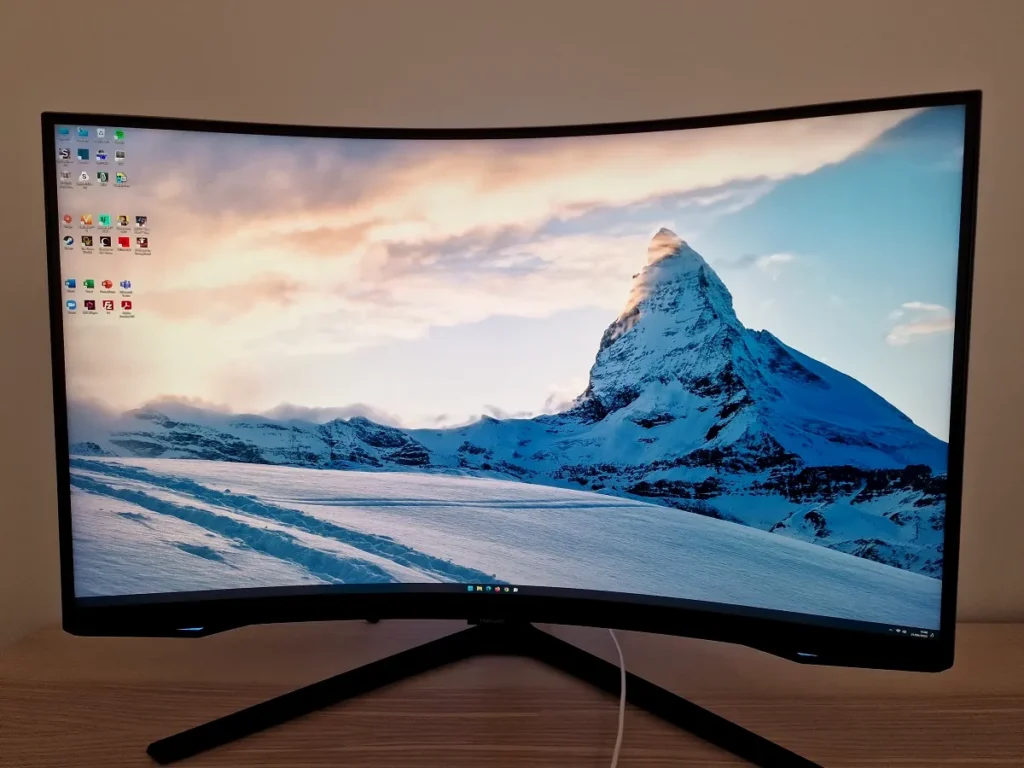
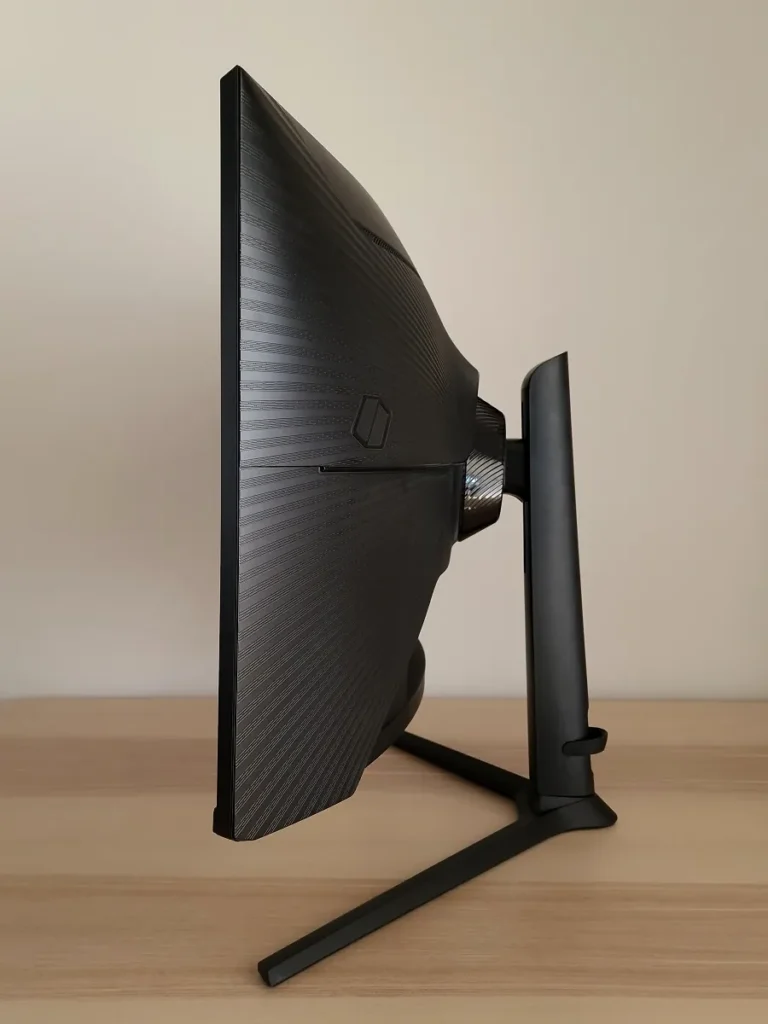
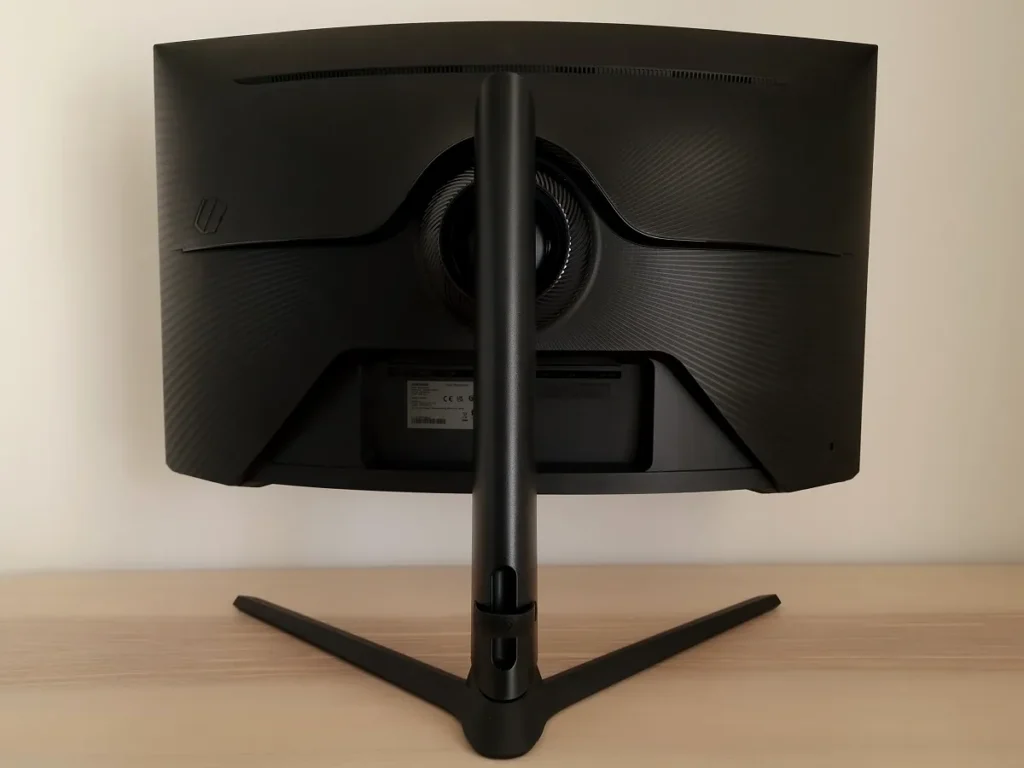
The Samsung Odyssey Neo G7 (S32BG75/G75NB), while widely recognized in its 32-inch variant, represents Samsung’s formidable entry into the large-format gaming display arena with cutting-edge Mini-LED technology. Positioned explicitly as a monitor, it boasts a striking 1000R curvature, meticulously designed for an intensely immersive single-user experience that wraps the visuals around your field of view. Its core strength lies in its Quantum Mini-LED backlight, featuring an impressive 1196 local dimming zones. This sophisticated FALD (Full Array Local Dimming) system delivers exceptional HDR performance, pushing over 1,100 nits peak brightness for small highlights, and achieving deep blacks that closely approach OLED levels, albeit with the inherent potential for blooming around bright objects. The ‘Quantum HDR 2000’ marketing, however, proved misleading in our tests, with actual peak luminance typically falling short of 2000 cd/m², reaching around 1355 cd/m² in real-world scenarios. With a rapid 165Hz refresh rate, a verified 1ms GtG response time, and AMD FreeSync Premium Pro support, the Neo G7 is engineered for raw, unadulterated gaming power, prioritizing speed and brightness, with a robust pixel density of 139.87 PPI at 31.5 inches.
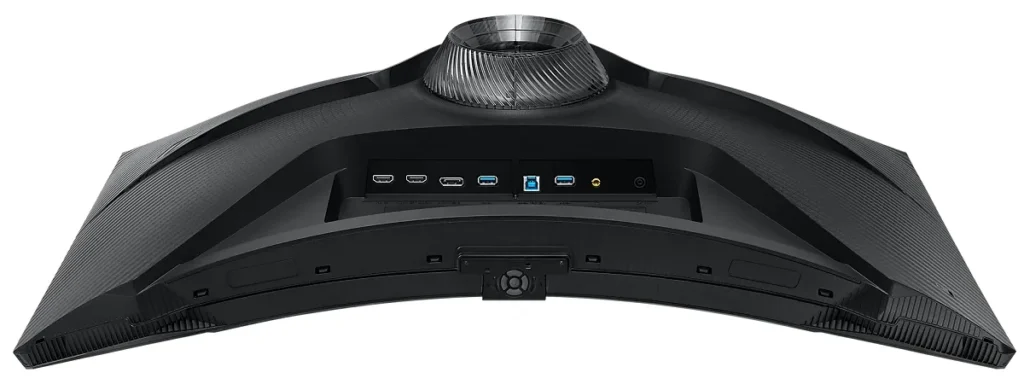

Samsung Odyssey Neo G7 (S32BG75) Key Specifications
| Display Type | 4K VA Panel with Quantum Mini-LED (1196 zones) |
|---|---|
| Screen Size | 31.5 inches |
| Resolution | 3,840 x 2,160 (UHD) |
| Curvature | 1000R |
| Refresh Rate | 165Hz |
| Response Time | 1ms (GtG) |
| Pixel Density | 139.87 PPI |
| Contrast Ratio | 3405:1 (Static), 1,000,000:1 (Dynamic) |
| Peak HDR Brightness | Measured ~1355 nits |
| SDR Brightness | ~350 nits (typical) |
| Gaming Features | AMD FreeSync Premium Pro, G-Sync Compatible |
| Connectivity | 2x HDMI 2.1, 1x DisplayPort 1.4 (DSC) |
| Ergonomics | HAS (Height, Tilt, Swivel, Pivot) |
| Panel Coating | Light matte anti-glare |
Samsung Odyssey Neo G7: Advantages & Engineering Considerations for Gamers
Pros
- Exceptional HDR Brightness: Mini-LED backlight delivers stunning highlights exceeding 1,100 nits.
- High Refresh Rate: 165Hz provides extremely fluid motion for competitive play.
- Immersive Curvature: 1000R curve enhances immersion for single-player experiences.
- Low Input Lag: Approximately 4ms input lag offers imperceptible responsiveness.
- Comprehensive Connectivity: Dual HDMI 2.1 and DisplayPort 1.4 with DSC.
Cons
- Misleading Marketing: ‘Quantum HDR 2000’ claim is significantly higher than real-world peaks.
- Blooming & Flicker: Potential for haloing and VRR brightness flickering during frame fluctuations.
- VA Limitations: Gamma and contrast shifts at wide angles compared to OLED/IPS.
- Aggressive Curve: May not suit all users or multi-monitor setups.
- Ghosting Concerns: Minor ghosting in dark-shade transitions compared to OLED.
Head-to-Head: The Ultimate Display Engineering Showdown
When pitting OLED against Mini-LED in the large-format 4K gaming arena, the decision often comes down to specific, often personal, priorities rooted in display engineering. Both technologies offer incredible gaming experiences, pushing the boundaries of visual fidelity and responsiveness. However, their underlying panel architectures manifest in distinct advantages and trade-offs that gamers need to understand. Let’s break down how the LG C3, ASUS PG42UQ, and Samsung Neo G7 stack up across the most critical categories that matter to us at LoadSyn, ensuring you can make a data-driven choice for ultimate ‘peace of mind’.
| Feature | LG C3 OLED (42″) | ASUS PG42UQ OLED (41.5″) | Samsung Neo G7 (31.5″) |
|---|---|---|---|
| Panel Tech | W-OLED | W-OLED | VA Mini-LED (1196 zones) |
| Sub-pixel Layout | RGBW | RGBW | RGB Strip |
| Max Refresh Rate | 120Hz | 138Hz (OC) | 165Hz |
| Response Time | 0.1ms GtG | 0.1ms GtG | 1ms GtG |
| Peak HDR Brightness | ~865 nits | ~800 nits | ~1355 nits |
| Black Levels | Perfect | Perfect | Very Deep (Bloom potential) |
| HDMI 2.1 Ports | 4 | 2 | 2 |
| DisplayPort | No | Yes (1.4) | Yes (1.4) |
| Curvature | Flat | Flat | 1000R |
| Text Clarity | Minor RGBW Fringing | Minor RGBW Fringing | Good (VA) |
| Warranty | Standard | 2-Year Burn-in | Standard |
Performance & Experience: Where the Engineering Meets the Eye
Key Performance Differentiators: A Technical Deep Dive
- Input Lag & Response Time: OLED’s self-emissive pixels inherently provide near-instantaneous pixel response (sub-millisecond MPRT), virtually eliminating motion blur. The Neo G7’s 1ms GtG response can still exhibit subtle ghosting in certain dark-shade transitions.
- HDR Performance & Misleading Marketing: Neo G7 achieves higher peak brightness (~1355 nits) for dynamic highlights. OLED focuses on perfect black levels and pixel-level contrast for depth. Marketing hyperbole like ‘Quantum HDR 2000’ often creates resentment when real-world performance falls short.
- Refresh Rate & Overclocking: Neo G7 edges out with 165Hz vs C3’s 120Hz. Higher rates offer millisecond advantages in competitive titles, provided GPU horsepower is sufficient.
- VRR Implementation & Flicker: VA Mini-LEDs like Neo G7 are susceptible to ‘VRR brightness flickering’ during frame rate fluctuations. OLEDs offer more consistent brightness but can exhibit near-black gamma shifts.
- Scaling Artifacts & Pixel Density: Neo G7 has higher density (139.87 PPI). OLED’s self-emissive nature often provides a ‘cleaner’ scaled image for 1440p gaming despite lower PPI.
“I have the C7K and im going to return it. It have a lot of ghosting and im gaming a lot and it’s really distracting. Hooked up my PS5 to my mother’s C1 and the image was clean without ghosting.” — Community Feedback on Motion Clarity
Beyond raw performance metrics, the overall user experience differs significantly between these display titans. The LG C3, fundamentally a Smart TV, offers a comprehensive webOS platform, seamlessly integrating streaming services, smart home capabilities, and hands-free voice control. This can be a boon for a multi-purpose setup, providing convenience for media consumption without needing to power on your gaming PC. However, if primarily used as a dedicated monitor connected to a powerful PC, these built-in smart features might feel redundant. Dedicated monitors like the ASUS PG42UQ and Samsung Neo G7 focus purely on display functionality, lacking integrated smart features. For critical desktop use, the choice of panel coating (glossy on C3 vs. matte on PG42UQ/Neo G7) and sub-pixel layout (RGBW on OLEDs vs. RGB Strip on VA) profoundly impacts desktop text clarity and comfort, especially during extended productivity sessions. While the RGBW layout of the C3/PG42UQ can exhibit minor fringing, it is generally considered excellent for text compared to some alternative sub-pixel arrangements, which can exacerbate readability issues.
Longevity & Trust: The Long Game for Peace of Mind
The long-term reliability of both OLED and Mini-LED remains a significant concern for consumers making a substantial investment in a premium display. While LG has made impressive strides in OLED burn-in mitigation through pixel refreshers, logo luminance reduction, and advanced algorithms, the underlying ‘Apprehension’ of permanent image retention from static gaming HUDs or persistent desktop elements still persists. This anxiety is directly addressed by manufacturers like ASUS, which offer a 2-year burn-in warranty on their PG42UQ monitor, providing crucial ‘peace of mind.’ Conversely, Mini-LEDs, particularly those from newer or less established brands, face skepticism regarding potential blooming control degradation over time and overall panel longevity. Consumers often weigh the ‘Apprehension’ of potential issues against the ‘Confidence’ and ‘Pragmatism’ in established brands like LG and Samsung, whose robust warranties and proven track records offer greater reassurance. The ‘Burn-in vs. Blooming’ paradox is a deep-seated anxiety, and verified engineering data, combined with transparent manufacturer support, is key to overcoming the ‘Analysis Paralysis’ in this high-stakes purchase.
“The real purpose of the display is peace of mind. Because that’s what as a colourist drives you nuts. You can work on any display, but you need the confidence that the display is showing you something that is accurate to the specification…” — Juan Salvo, Colorist
The Definitive Verdict: Engineering Your Perfect 4K Gaming Behemoth for Peace of Mind
For the discerning gamer prioritizing absolute picture perfection, instantaneous pixel response, and deep, inky blacks that make every shadow come alive with uncompromised motion clarity, the LG C3 OLED and its monitor counterpart, the ASUS ROG Swift PG42UQ, remain the gold standard. The PG42UQ, with its matte coating, heatsink-enhanced brightness, DisplayPort, and critical 2-year burn-in warranty, offers a compelling ‘monitor-first’ engineering solution that directly addresses ‘burn-in anxiety’ for desktop users. While RGBW sub-pixel layouts can cause minor text fringing, diligent user habits and advanced panel care features largely alleviate longevity concerns, providing unparalleled visual fidelity and ‘peace of mind’.
However, if your primary goal is eye-searing HDR peak brightness (despite misleading ‘Quantum HDR 2000’ claims), a slightly higher refresh rate for competitive play, and a truly immersive curve for single-player experiences, the Samsung Odyssey Neo G7 Mini-LED offers a compelling, and often more affordable, engineering alternative. It delivers an incredible HDR punch and a faster refresh, making it a strong contender. Be mindful of potential subtle blooming artifacts, the subjective nature of its aggressive 1000R curvature, and the possibility of VRR brightness flickering, which are inherent engineering trade-offs of the VA Mini-LED panel.
Ultimately, our ‘Definitive Analysis’ reveals no single ‘best’ display, but rather the ‘best engineered fit’ for your specific needs, directly addressing the ‘Analysis Paralysis fueled by Fear of the Expensive Mistake’. If you value uncompromised visual fidelity, a versatile ‘TV as a monitor’ experience, and ghosting-free motion, the LG C3 or ASUS PG42UQ OLED is unparalleled. If raw brightness, a dedicated, curved monitor experience, and the highest refresh rates are your priority, the Neo G7 shines. Both are phenomenal engineering achievements, but your personal gaming style, room environment, risk tolerance, and the specific technical trade-offs discussed will dictate the true victor in your personal gigapixel gauntlet.
Frequently Asked Questions: Large-Format Gaming Displays – An Engineering Perspective
Is OLED burn-in still a major concern for gaming, and how is it mitigated from an engineering standpoint?
While modern OLEDs are significantly more resistant, static elements like gaming HUDs or news tickers can still cause image retention. From an engineering perspective, displays like the LG C3 and ASUS PG42UQ employ advanced pixel refresh cycles, logo luminance reduction algorithms, and pixel shift technologies to dynamically adjust pixel usage and minimize the risk. Proactive user habits (varying content, screen savers, power cycling) remain crucial. The inclusion of a 2-year burn-in warranty on some dedicated OLED monitors (e.g., ASUS PG42UQ) offers significant ‘peace of mind’.
How does sub-pixel layout affect desktop text clarity on 4K large-format displays?
Sub-pixel layout is critical for desktop text clarity. W-OLEDs (like LG C3 and ASUS PG42UQ) typically use an RGBW layout, where an extra white sub-pixel boosts brightness but can cause minor color fringing with Windows ClearType, which is optimized for standard RGB (Red-Green-Blue) layouts. VA panels (like the Samsung Neo G7) generally use an RGB strip, which can offer better text rendering in some cases, though VA’s viewing angle limitations can introduce shifts. Understanding your panel’s specific sub-pixel structure is key to optimizing text clarity, especially for productivity tasks.
Can I use a 42-43 inch TV as a desktop monitor, and what are the engineering considerations?
Absolutely. Many gamers successfully use 42-43 inch OLED TVs (e.g., LG C3, Sony A90K) or dedicated monitors (e.g., ASUS PG42UQ) as desktop displays. Key engineering benefits include stunning picture quality, incredibly low input lag, and high refresh rates. Critical considerations include sufficient desk depth, the impact of the RGBW sub-pixel layout on text clarity, the physical depth of the TV’s chassis (e.g., Sony A90K’s 57mm), and whether the panel coating (glossy vs. matte) suits your ambient light conditions. Dedicated monitors often offer better ergonomic stands and DisplayPort connectivity.
What is ‘blooming’ in Mini-LED displays, and how does it compare to OLED’s pixel control?
Blooming, or haloing, is a visual artifact where light from bright objects ‘bleeds’ into surrounding dark areas. It occurs in Mini-LED (and other Full Array Local Dimming LCDs) because the backlight is controlled in zones (e.g., 1196 zones on Neo G7), not per-pixel like OLED. While high-end Mini-LEDs minimize this through precise zone control and dark-biasing (as seen in the Neo G7), it’s rarely completely eliminated. OLED, with its self-emissive pixels, offers perfect pixel-level black and light control, eliminating blooming entirely and providing inherently superior contrast for absolute image purity.
Why do some gamers report ‘VRR brightness flickering’ on Mini-LEDs, and how does it affect the experience?
VRR brightness flickering, sometimes reported on VA Mini-LED panels like the Neo G7, occurs when the local dimming algorithm struggles to keep up with rapid frame rate fluctuations, causing noticeable shifts in brightness. This is an engineering challenge inherent to FALD systems when combined with VRR. While manufacturers offer ‘VRR Control’ settings to mitigate it, these can sometimes introduce micro-stutter or minor input lag. OLEDs, while not immune to near-black gamma shifts with VRR, generally offer a more consistent brightness experience due to their per-pixel illumination.
How accurate are ‘Quantum HDR 2000’ or 1000-nit claims, and how do LoadSyn’s measurements provide ‘peace of mind’?
Marketing claims like ‘Quantum HDR 2000’ often represent theoretical maximums under specific, often unrealistic, test conditions. LoadSyn’s ‘peace of mind’ approach involves rigorous, real-world testing. For example, while the Neo G7 claims 2000 nits, our measurements typically showed peak HDR brightness around 1355 nits. Similarly, ASUS’s 900-nit claim for the PG42UQ was achieved with impractical color temperatures. We provide verified, real-world sustained vs. burst brightness data across various window sizes, directly addressing ‘resentment toward misleading marketing’ and ensuring our readers make informed decisions based on empirical evidence.