
The High Stakes of a ‘Free’ Windows 11: Legitimacy vs. Gaming Performance
- Official Upgrades are Best: Free upgrades from Windows 10 are the most legitimate and secure path to Windows 11.
- Beware ‘Cheap’ Keys: Third-party marketplaces often sell OEM keys illegally resold, or keys that are already used, leading to activation failure and potential security risks.
- Unactivated Windows has Drawbacks: While functional, an unactivated version limits personalization and lacks full support, which can subtly impact a gaming setup.
- Gaming Performance Matters: Windows 11 initially had gaming performance issues, but Microsoft is making ‘behind-the-scenes’ fixes to improve stability.
- Prioritize Legitimacy: For a stable, secure, and fully optimizable gaming rig, a genuinely licensed Windows 11 is paramount, even if it costs more upfront.
The Official Route: Free Upgrade from Windows 10
For a significant portion of the gaming community, the upgrade to Windows 11 comes at no monetary cost, provided their existing Windows 10 system meets the necessary specifications. Microsoft actively promotes this upgrade path, offering tools like the Windows 11 Installation Assistant to streamline the process. Key requirements include a compatible 64-bit processor (typically 8th-gen Intel or 2nd-gen AMD and newer), at least 4GB of RAM, 64GB of storage, UEFI firmware with Secure Boot enabled, and critically, a Trusted Platform Module (TPM) version 2.0. While these hardware prerequisites initially caused some consternation, they are fundamentally designed to enhance system security and stability. As Windows 10 approaches its end of support on October 14, 2025, leveraging this official, free upgrade isn’t just convenient; it’s the safest, most reliable method to ensure your gaming rig operates on a fully supported, stable, and secure operating system, free from the inherent risks of unofficial channels.
Decoding Product Keys: OEM vs. Retail vs. Volume Licenses
At a foundational level, Microsoft issues different types of licenses to cater to various distribution models. An OEM key is typically provided to PC manufacturers (like HP or Dell) to pre-install Windows on new computers. Crucially, these licenses are legally bound to the first motherboard they are activated on. This means they are not intended for individual resale, nor can they be legitimately transferred to a new PC if you upgrade your motherboard or build a new system. The low prices you see on many third-party marketplaces often stem from the illicit resale of these OEM keys, or even compromised volume license keys, which are meant for large organizations, not individual consumers. In stark contrast, a Retail key is what you purchase directly from Microsoft or an authorized retailer. These are more expensive, but they offer the flexibility to transfer the license to a new PC, provided the old installation is decommissioned. For gamers, especially those who frequently upgrade components or build new systems to stay ahead of performance curves, understanding this distinction is paramount. Opting for a legally questionable OEM key, even if cheaper upfront, can lead to activation issues, lack of support, and the risk of revocation, ultimately undermining the stability and longevity of your gaming platform.
- OEM Keys: Often significantly cheaper, designed for PC manufacturers to pre-install. Legally tied to the first motherboard/PC they activate on. Not intended for individual resale or transfer to new hardware.
- Retail Keys: More expensive, purchased directly by end-users from Microsoft or authorized retailers. Offer flexibility to transfer the license to a new PC if the old one is decommissioned.
- Volume License Keys: Used by organizations for multiple installations. Often illegally resold by third-parties to individuals, risking mass deactivation if detected by Microsoft.
Many third-party sites promise ‘genuine’ Windows 11 keys at rock-bottom prices. However, these often come from questionable sources (e.g., illegally resold OEM keys, compromised volume licenses) and carry a high risk of activation failure or future revocation by Microsoft. Our ‘Fandom Pulse’ data clearly captures the frustration of users receiving ‘already used’ product keys, underscoring this pervasive issue. Prioritize the stability of your gaming rig over perceived savings.
The Grey Market: A Risky Bet for Gamers
The reality is that many ‘cheap’ keys originate from dubious channels. They are often OEM licenses that have been illegally resold, or keys from volume licensing agreements intended for corporate use, not individual consumers. Microsoft retains the right to deactivate these keys at any time, leaving you with an unactivated operating system and no recourse for a refund. Beyond the activation lottery, the security implications are severe. Acquiring a key from an untrusted source, or worse, resorting to cracked activators or non-genuine ISOs often promoted alongside these keys, opens your system to malware, rootkits, and other malicious software. This isn’t just a theoretical threat; our ‘Fandom Pulse’ intelligence consistently captures the widespread frustration of gamers who, after believing they found a genuine deal, are met with the dreaded ‘product key already used’ message, turning their perceived savings into a costly headache and a security liability.
“Aisa toh nahi hua,product key already used bolke a Raha he”
— YouTube Commenter on ‘How to Activate Windows 11 Pro with Genuine Product Key ✅ | Live Proof & Demo’
Unactivated Windows 11: A Temporary Compromise?
- No Cost: Completely free to install and use the core operating system functionality.
- Full Core Functionality: Most essential features and gaming capabilities remain intact and perform as expected.
- Critical Updates: Receives vital security updates and feature patches, ensuring basic system integrity.
- No Personalization: Restricted from changing desktop background, themes, colors, and other aesthetic elements, impacting user experience.
- Persistent Watermark: A ‘Activate Windows’ watermark appears on the desktop, which can be distracting during gameplay or streaming.
- Limited Features: Access to some advanced settings, cloud integrations, and certain Microsoft services may be restricted.
- No Official Support: Microsoft will not provide direct support for unactivated installations, leaving users to troubleshoot issues independently.
- Psychological Impact: The constant reminder to activate can be annoying and reduce the premium feel of the OS.
Windows 11 Gaming Performance: An Evolving Landscape
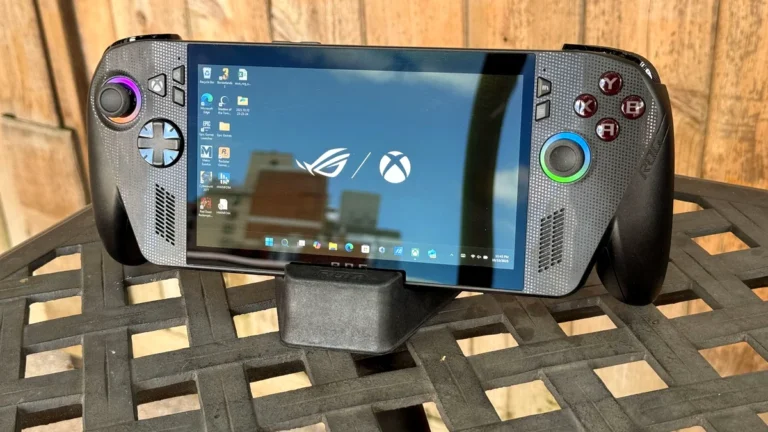
Indeed, the narrative around Windows 11’s gaming prowess has been complex. Early benchmarks often showed dips in framerates compared to Windows 10, a trend that contributed to its slow adoption among the hardcore gaming demographic. We even observed a ‘dramatic reversal’ in Steam user adoption in early 2025, with Windows 10 briefly regaining ground after Windows 11 had surpassed it. This lukewarm reception is particularly evident in the burgeoning handheld gaming PC market. Devices like the ROG Xbox Ally, which ship with Windows 11, consistently demonstrate superior performance when users replace the OS with alternatives like SteamOS or Bazzite, with some titles seeing up to a 32% increase in framerates, alongside more stable performance and quicker resume times. This stark contrast underscores that the operating system’s foundational efficiency directly translates to tangible in-game results.
“The poor performance of Windows 11 for gaming has been highlighted as an issue for handheld gaming computers… Notably, the ROG Ally consistently performs better if users replace Windows 11 with SteamOS.”
— Wikipedia: Windows 11 – Gaming performance
Yet, it’s not all doom and gloom. Microsoft is acutely aware of these performance criticisms and is actively implementing ‘behind-the-scenes platform changes’ to fine-tune the operating system’s fundamentals. As TechRadar recently reported, these efforts are aimed at enhancing overall stability and performance, addressing the very issues that have given some gamers pause. While these changes may not introduce flashy new features, they are critical for optimizing the OS at a low level, which is precisely where true gaming performance gains are often found. This ongoing refinement suggests an evolving landscape, offering hope that Windows 11 will, in time, become the robust and performant gaming platform it was always intended to be.
LoadSyn’s Recommendation: Invest in a Stable Foundation
- Prioritize Official Channels: For unmatched security, stability, and peace of mind, always opt for official Microsoft upgrades or purchases from authorized retailers. This is the best guarantee for a reliable gaming platform.
- Understand the Risks Thoroughly: Be fully aware of the pitfalls (invalid keys, malware, lack of support, potential account bans) before venturing into grey markets. The ‘deal’ can quickly turn into a headache.
- Consider the ‘Unactivated’ Path (Temporarily): If budget is an extreme constraint, using an unactivated Windows 11 is a temporary option. However, acknowledge its limitations for personalization and long-term support, and plan for a legitimate activation.
- Invest in Stability: For serious gamers, a legitimate and fully activated Windows 11 provides the most stable and secure foundation for drivers, critical updates, and optimal gaming performance without unexpected interruptions.