
Key Takeaways
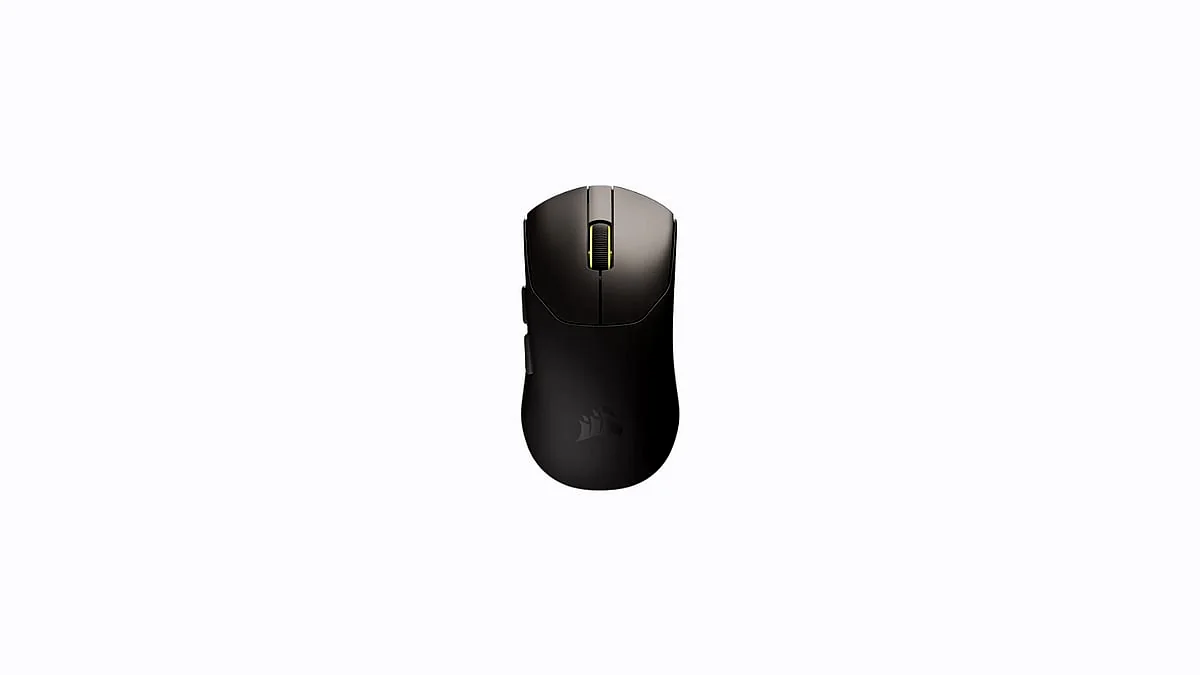
- The Sabre V2 Pro weighs a revolutionary 36 grams, making it the lightest full-bodied wireless mouse from a major brand, significantly undercutting the 60g standard.
- It features a flagship 33,000 DPI Marksman S sensor and an extreme 8,000 Hz hyper-polling rate.
- Critical Trade-off: Utilizing the 8,000 Hz polling rate reduces the battery life from 70 hours (at 1K Hz) to approximately 16 hours.
- Aggressively priced at $99.99, it undercuts the Logitech G Pro X Superlight 2 ($140) while being nearly half the weight.
The 36-Gram Revolution: Setting a New Standard for Wireless Esports Mice
For years, the gold standard for ultralight wireless gaming was set by mice hovering around the 60-gram mark, such as the Logitech G Pro X Superlight. Corsair has decisively shattered that benchmark. By achieving a weight of just 36 grams—the equivalent of seven US nickels—without resorting to a perforated (holey) shell, the Sabre V2 Pro introduces a new era of input speed. This extreme lightness is not just a gimmick; it translates directly into less fatigue and faster, more effortless micro-adjustments critical for high-stakes FPS titles, a fact validated by professional esports athletes who co-developed the mouse.
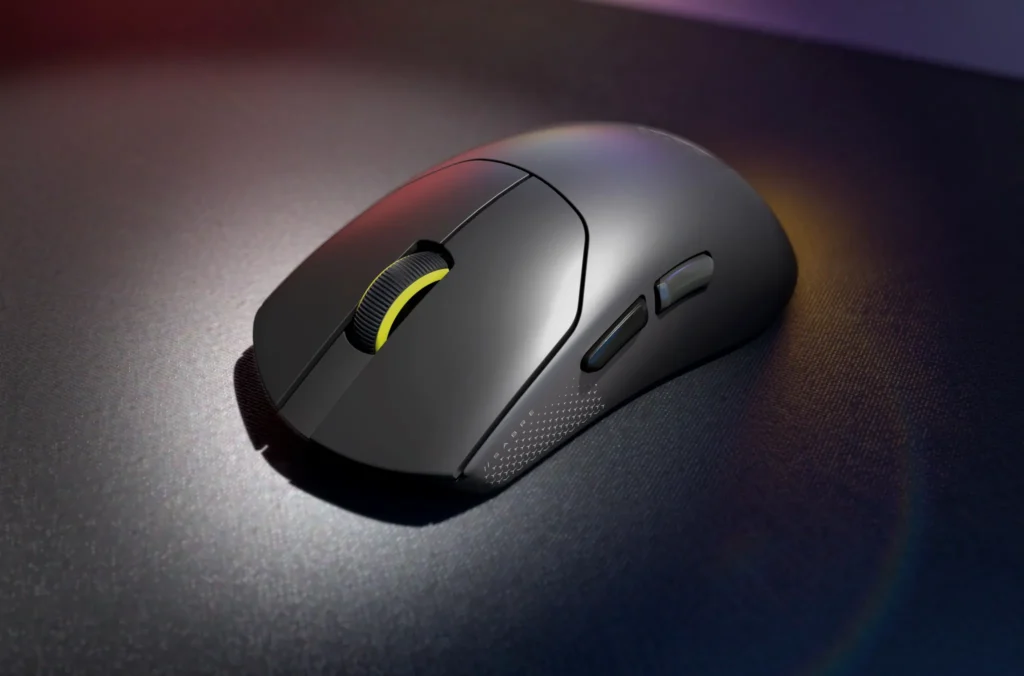
Corsair Sabre V2 Pro Ultralight Wireless: Technical Specifications
- Weight
- 36g (0.079 lbs)
- Sensor
- Corsair Marksman S Optical
- Max DPI
- 33,000 DPI (Adjustable in 50 DPI steps)
- Max Polling Rate
- 8,000 Hz (0.125ms latency)
- Max IPS / Acceleration
- 750 IPS / 50 G
- Switch Type / Rating
- Custom-Tuned Mechanical / 100 Million Clicks
- Connectivity
- 2.4 GHz Wireless (Slipstream) or USB-C Wired (No Bluetooth)
- Battery Life (1K Hz)
- Up to 70 hours
- Battery Life (8K Hz)
- Approx. 16 hours
- Software
- Corsair Web Hub (Browser-Based)
The 8,000 Hz Performance Paradox and Battery Trade-Off
The 8,000 Hz hyper-polling rate is a key feature, delivering inputs eight times faster than standard mice and reducing latency to a theoretical 0.125ms. However, this aggressive data transfer rate demands massive power, resulting in the steep battery life reduction. This trade-off forces users to make a tactical decision: maximum speed for a short session, or reliable endurance for a week of casual use. For the majority of gamers, the 1,000 Hz setting provides more than enough speed and maximizes the mouse’s portability and convenience.
Sabre V2 Pro vs. Flagship Wireless Competition
| Feature | Corsair Sabre V2 Pro | Logitech G Pro X Superlight 2 | Razer Viper Mini Signature Edition |
|---|---|---|---|
| Price (MSRP) | $99.99 | $140.00 | $279.99 (Specialty) |
| Weight | 36g | 60g | 49g |
| Max Polling Rate | 8,000 Hz | 4,000 Hz | 4,000 Hz |
| Sensor Resolution | 33,000 DPI | 32,000 DPI | 30,000 DPI |
| Battery Life (Max) | 70 Hours (at 1K Hz) | 95 Hours (at 1K Hz) | 60 Hours (at 1K Hz) |
Usability, Build Quality, and the New Web Hub Software
+ Pros
- Unprecedented 36g weight without holes (Best in Class).
- Aggressive $99.99 price point.
- High-end Marksman S sensor and 8K Hz polling.
- Durable 100M click mechanical switches.
- New browser-based Web Hub bypasses iCUE bloatware.
– Cons
- Battery life drops to ~16 hours at 8K Hz polling.
- Noted quality control issues (right mouse button wobble, mushy scroll click).
- Lacks dedicated physical DPI/profile switch buttons.
- Web Hub software is limited to specific browsers (Chrome, Edge, Opera).
Corsair’s move to a browser-based configuration utility, the Web Hub, is a significant industry shift. It eliminates the need for the traditionally heavy iCUE software, allowing competitive players to make quick tweaks to DPI, macros, and polling rates from any internet-connected PC—a major advantage in tournament settings. However, this innovative approach is currently hampered by limited browser compatibility, excluding major platforms like Firefox and Safari. Furthermore, the mouse lacks simple physical controls for DPI shifting, relying on an unreliable, simultaneous two-button press, which is a clear usability drawback for a competitive peripheral.
Frequently Asked Questions (Sabre V2 Pro)
Is the Corsair Sabre V2 Pro truly ambidextrous?
The mouse features a symmetrical shape, but functionally it is right-handed, as the two thumb buttons are located only on the left side.
Does the Sabre V2 Pro support Bluetooth?
No. The mouse only supports 2.4 GHz wireless via the included dongle or a wired USB-C connection. It lacks Bluetooth connectivity.
What is included in the box?
The package includes the Sabre V2 Pro mouse, a USB-C charging/wired cable, the 2.4 GHz wireless receiver dongle, pre-cut grip tape, and an extra set of larger UPE mouse skates.
Final Verdict & Score Summary
The Corsair Sabre V2 Pro is a landmark achievement in peripheral engineering. Its 36-gram weight sets a new, almost absurdly low standard for wireless mice, delivering a competitive edge that is immediately noticeable. While the 8K Hz polling rate is a technical marvel, the resulting battery life drain makes it a niche feature for dedicated tournament play only. For $100, Corsair delivers a product that is lighter and often faster than competitors costing significantly more. If you can live with the occasional QC quirk and the limitations of the new Web Hub, this is currently the best value proposition in the ultralight segment.