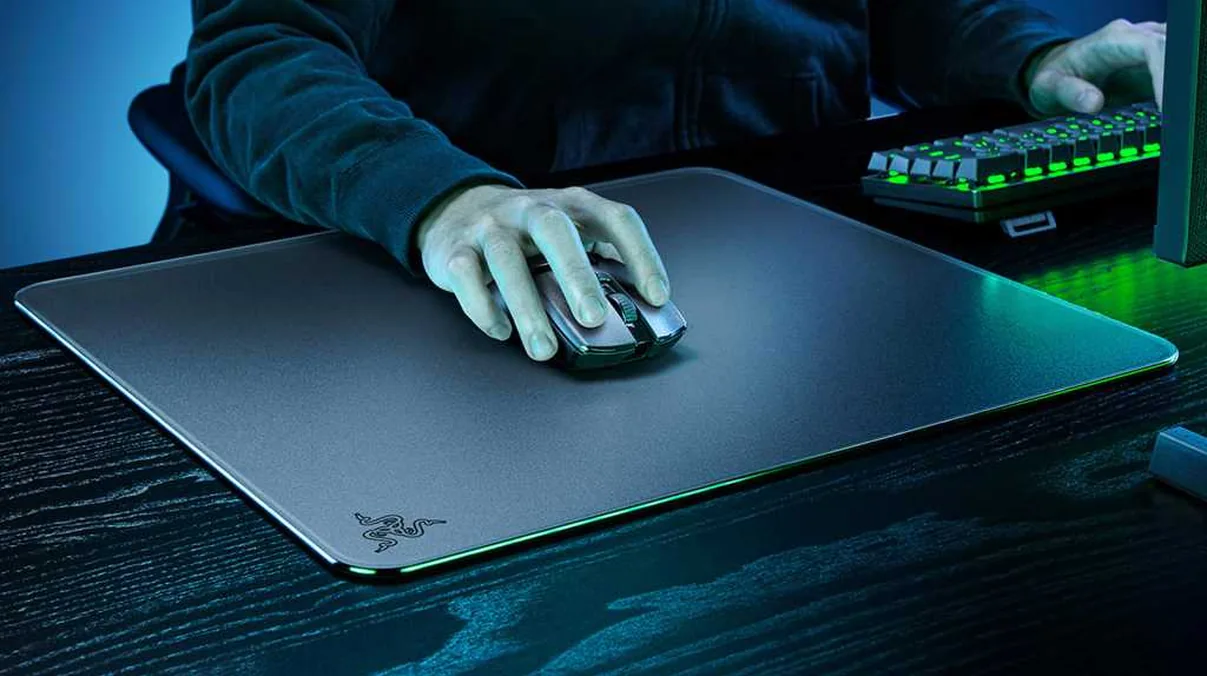

In the ever-evolving landscape of gaming peripherals, where every millisecond and every micron of movement can define victory or defeat, the mouse pad often remains an overlooked hero. Yet, a niche, high-impact segment has begun to reshape perceptions: the glass mouse pad. Razer, a brand synonymous with pushing boundaries, recently re-entered this arena, first with the original Atlas, and now with the even more ambitious Atlas Pro. These aren’t just mere surfaces; they are meticulously engineered slabs of tempered glass, designed to offer an unparalleled glide and consistency. But the central question remains: can a premium glass mouse mat truly redefine gaming performance, and at what cost does this cutting-edge precision come?
The Rise of Glass: A New Era for Gaming Surfaces
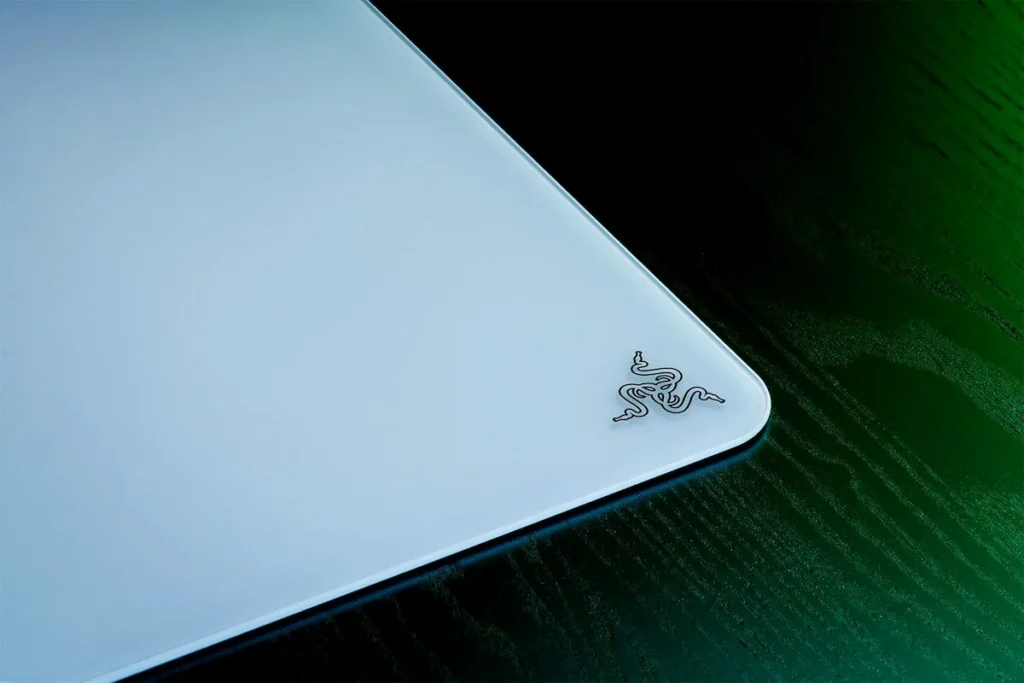
For competitive gamers, especially those immersed in fast-paced FPS titles, the surface beneath their mouse is as critical as the mouse itself. Traditional cloth mats, while comfortable, suffer from variable friction and wear over time, leading to inconsistent tracking. Hard plastic mats offer more speed but can also degrade. This is where glass emerges as a game-changer. Glass mouse pads, like Razer’s Atlas series, fundamentally redefine the experience by offering ultra-low friction, an incredibly consistent glide, and exceptional durability. The micro-etched tempered glass surface ensures that optical sensors track flawlessly, eliminating frustrating spin-outs. This translates into tangible benefits: swift, pixel-perfect movements become effortless, allowing for rapid target acquisition and precise flick shots without the drag or resistance inherent in other materials. With a Mohs hardness rating of 9H, these mats resist scratches from everyday desk items, maintaining their pristine performance for far longer than their fabric or plastic counterparts.
- Pure Polish Precision: Micro-etched tempered glass surface for optimal optical sensor tracking.
- Ultra-Smooth Glide: Minimal resistance for rapid mouse movements and consistent flicks.
- Exceptional Durability: Resistant to wear, tear, and everyday scratches (rated 9H Mohs hardness).
- Easy Maintenance: Oleophobic coating resists smudges and allows for quick cleaning.
“The Atlas Pro was an opportunity to challenge ourselves in a category that had largely stood still,” said Charlie Bolton, Global Head of Design at Razer. “By rethinking how glass should sit and feel on the desk, we created a surface that’s thinner, more refined, and designed to integrate seamlessly into modern setups—and that process is what led to the world’s thinnest glass gaming mouse mat.”
Atlas Pro: Breaking Barriers with Unprecedented Thinness
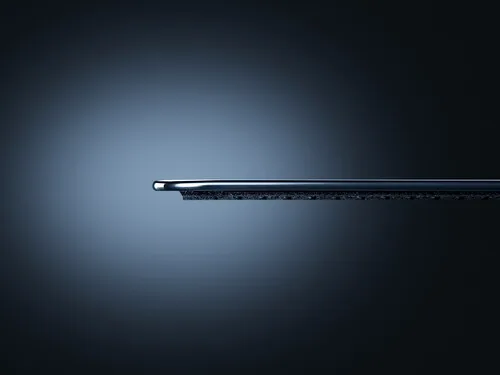
While the original Atlas set a high bar, the Atlas Pro takes glass mat engineering to a new level, primarily through its groundbreaking thinness. Measuring a mere 1.9mm in overall thickness, with the tempered glass layer itself just 1.1mm, the Atlas Pro stands as the world’s thinnest glass gaming mouse mat. This ultra-low profile isn’t just a cosmetic achievement; it delivers significant ergonomic benefits. By bringing the mouse surface closer to the desk, it reduces the height difference that can cause wrist strain during marathon gaming sessions, promoting a more natural and comfortable wrist posture. The seamless transition from desk to mat enhances comfort and control. Furthermore, Razer has increased the surface area to a generous 500x400mm, providing competitive players with ample room for wide, sweeping movements without lifting their mouse.
Razer Atlas Pro Key Specifications
| Material | Premium Tempered Glass (9H Mohs hardness) |
| Thickness | 1.9 mm (overall), 1.1 mm (glass layer) |
| Dimensions | 500 x 400 mm |
| Surface Texture | 2µm Micro-etched for optical sensors |
| Base | Full-coverage Anti-Slip Rubber |
| Edges | CNC-Milled Rounded Edges |
| Available Colors | Black, White |
The Community Pulse: Hype, Hope, and the Hundred-Dollar Question
The introduction of a new, premium glass mouse mat from Razer has predictably sparked a complex mix of reactions within the gaming community. There’s undeniable intrigue and curiosity surrounding the Atlas Pro’s high-performance claims, especially among those seeking a competitive edge. However, this excitement is heavily tempered by skepticism, particularly concerning its significant price point. As one user bluntly put it, “I don’t have 140$ to spend on a mousepad!” Beyond the financial barrier, durability is another major concern for many, with comments like, “im very concerned about the durability with how thin it is,” highlighting fears about fragility. Some long-time enthusiasts even express a sense of nostalgia, questioning how modern iterations truly stack up against legends like the original Icemat: “I still own and use the original ICEMAT glass mousepad from waaaayyy back somewhere 2003. How does this one compare?” This collective sentiment reveals a community eager for innovation but wary of perceived overkill and high investment.
“I don’t have 140$ to spend on a mousepad!”
“im very concerned about the durability with how thin it is”
“I still own and use the original ICEMAT glass mousepad from waaaayyy back somewhere 2003. How does this one compare?”
Durability, Maintenance, and… Peculiar Warnings?
Despite community concerns, the Atlas Pro’s construction from premium tempered glass, rated 9H on the Mohs hardness scale, is designed for impressive longevity, resisting scratches from keys, pens, and other everyday desk items. Its protective oleophobic coating also ensures that smudges and grime are easily wiped away, maintaining a pristine surface with minimal effort using just a warm, damp cloth. However, Razer has chosen to include a set of strikingly unusual – and frankly, humorous – safety warnings. These include explicit instructions not to use the Atlas Pro as a magnifying glass to start fires, as a sunshade, or as a blunt weapon. While these might seem absurd, they subtly underscore the inherent properties of tempered glass and the need for careful handling despite its robust hardness. It’s a reminder that while tough, it’s still glass, and users should always use original or PTFE mouse feet to avoid scratching the surface or their mouse feet.
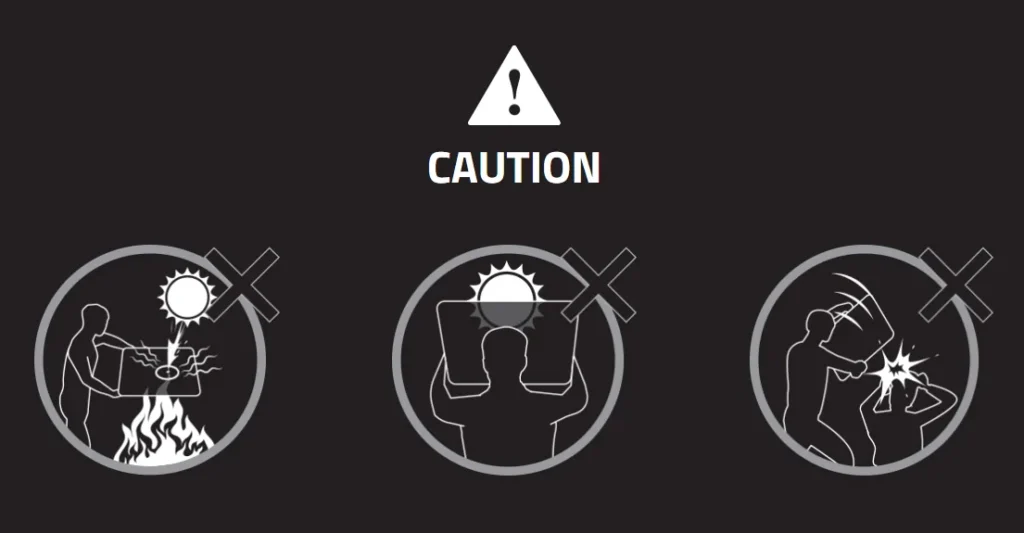
Razer’s Atlas Safety Protocols (Seriously?)
Razer explicitly warns users not to use the Atlas Pro for arson (due to magnifying glass effect), as a sunshade, or as a blunt weapon. While seemingly absurd, these highlight the tempered glass’s inherent properties and the need for careful handling despite its robust 9H Mohs hardness rating. Always use original or PTFE mouse feet to avoid scratching the surface.
Performance Unveiled: Speed, Control, and Sensor Synergy
When it comes to raw performance, the Razer Atlas Pro truly shines. Its defining characteristic is an ultra-smooth, low-friction glide that feels almost frictionless. This is a dream for speed-focused gamers, particularly those in FPS titles, who rely on lightning-fast reflexes and sweeping movements. When paired with mice featuring high-quality PTFE skates and advanced optical sensors, such as Razer’s Focus Pro 30K, the synergy is palpable. The 2µm micro-etched surface is precisely engineered to ensure flawless optical tracking, preventing the ‘spin-outs’ that can plague less optimized surfaces. This ensures every movement, no matter how quick, is accurately translated on-screen. Compared to traditional cloth pads that offer more stopping power and control, the Atlas Pro provides a raw, unadulterated speed that can take some adjustment. Users who prefer heavier mice or value granular control might find the initial lack of resistance overwhelming. However, for those who master it, the consistent, rapid glide unlocks a new level of responsiveness and precision, making it a formidable tool in competitive play.
Mouse Mat Material Comparison: Glass vs. Cloth vs. Hard Plastic
| Feature | Glass (Razer Atlas Pro) | Cloth (e.g., SteelSeries QcK Heavy) | Hard Plastic (e.g., Razer Firefly V2) |
|---|---|---|---|
| Friction | Ultra-low | Medium to High | Low |
| Glide Consistency | Excellent | Variable (wears down) | Good (can wear down) |
| Durability | Very High (scratch resistant) | Low (frays, stains) | Medium (scratches, wears) |
| Precision | High (micro-etched) | High (controlled stop) | Medium-High |
| Noise | Moderate (with certain feet) | Low | Moderate |
| Portability | None (rigid) | High (rollable) | Medium (flat) |
The Verdict: Is the Atlas Pro a Must-Have or a Niche Luxury?
Pros
- Unparalleled smooth and consistent glide for speed-focused gamers.
- Exceptional durability and scratch resistance compared to other materials.
- Optimized micro-etched surface ensures flawless optical sensor tracking.
- Ultra-thin profile enhances ergonomics and blends seamlessly into modern setups.
- Easy to clean and maintain pristine surface.
Cons
- Premium price point ($100-$130) is a significant investment.
- Rigid glass construction makes it non-portable and demanding of desk space.
- May offer ‘too little’ resistance for users who prefer more control or lightweight mice.
- Potential for noise with non-PTFE mouse feet or aggressive playstyles.
- Lack of RGB lighting might disappoint some Razer enthusiasts.
Final Verdict
The Razer Atlas Pro is undeniably a marvel of gaming peripheral engineering, pushing the boundaries of what a mouse mat can be. Its ultra-smooth, consistent glide and durable tempered glass surface offer a distinct advantage for speed-focused competitive gamers who prioritize precision and low friction. The thin profile is a genuine ergonomic improvement, and its sleek aesthetic is a definite plus. However, its premium price tag positions it as a luxury item, and its rigid, high-maintenance nature means it’s not for everyone. While it may ‘change everything’ for a specific subset of gamers with ample desk space and a need for speed, many will find the cost and practical considerations a significant barrier. It’s a niche, high-performance tool, not a universal upgrade.
Frequently Asked Questions
What is the main difference between Razer Atlas and Atlas Pro?
The Atlas Pro is a newer, significantly thinner version (1.9mm vs. 5mm) of the original Atlas, designed for enhanced ergonomics and a more refined aesthetic, while maintaining core glass performance benefits.
Do glass mouse pads scratch mouse feet?
While the glass surface itself is very hard, using glass mouse skates on a glass mouse pad can cause scratches. Razer recommends using original PTFE mouse feet or equivalent replacements to ensure smooth glide and prevent damage to both the mouse feet and the mat.
Is the Razer Atlas Pro compatible with all gaming mice?
The Atlas Pro is optimized for optical sensors and works well with most modern gaming mice, especially those with high-precision sensors. Razer specifically recommends mice with their Focus Pro 30K Optical Sensor for ‘flawless’ tracking.
How do I clean the Razer Atlas Pro?
Razer recommends gently wiping the mat periodically with a warm, damp cloth. Avoid using soap or harsh cleaning agents. The oleophobic coating helps resist smudges and grime, making it relatively easy to maintain.
Why is the Razer Atlas Pro so expensive?
The high price is attributed to its premium tempered glass construction, CNC-milled rounded edges, specialized micro-etching for optical sensors, and ultra-thin design, positioning it as a high-end, specialized gaming peripheral.