
Key Takeaways
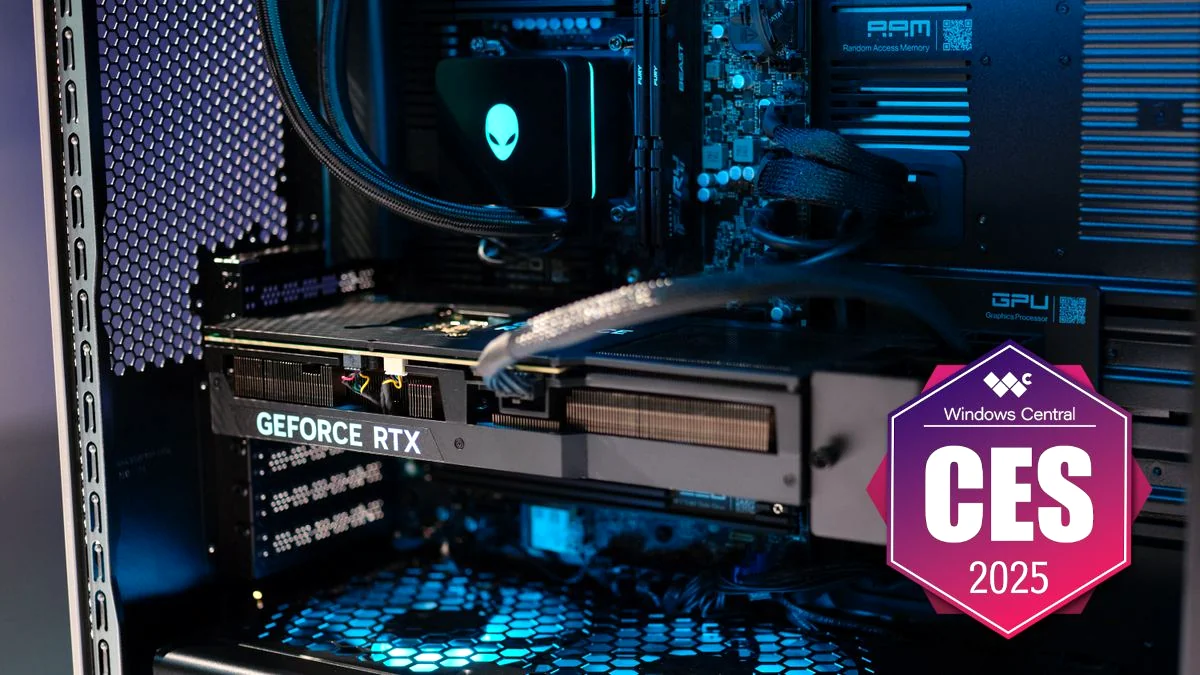
- The Area-51 desktop is Alienware’s largest (80L) and quietest PC to date, featuring a revolutionary positive pressure cooling system that works exceptionally well.
- The system uses cutting-edge, standardized components (RTX 5090, Core Ultra 9 285K) and the new ATX12VO power standard.
- Independent analysis shows the Area-51 carries a significant markup—up to 50% higher than equivalent DIY parts, costing over $1,500 extra.
- The shift to standardization is compromised: swapping the motherboard requires a mandatory, proprietary $35 AlienFX adapter kit to enable the system to power on.
- The Area-51 laptops deliver a massive 280W TPP and feature Thunderbolt 5, but the desktop is the main point of contention for enthusiasts.
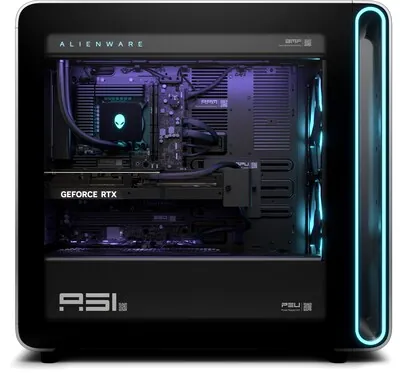
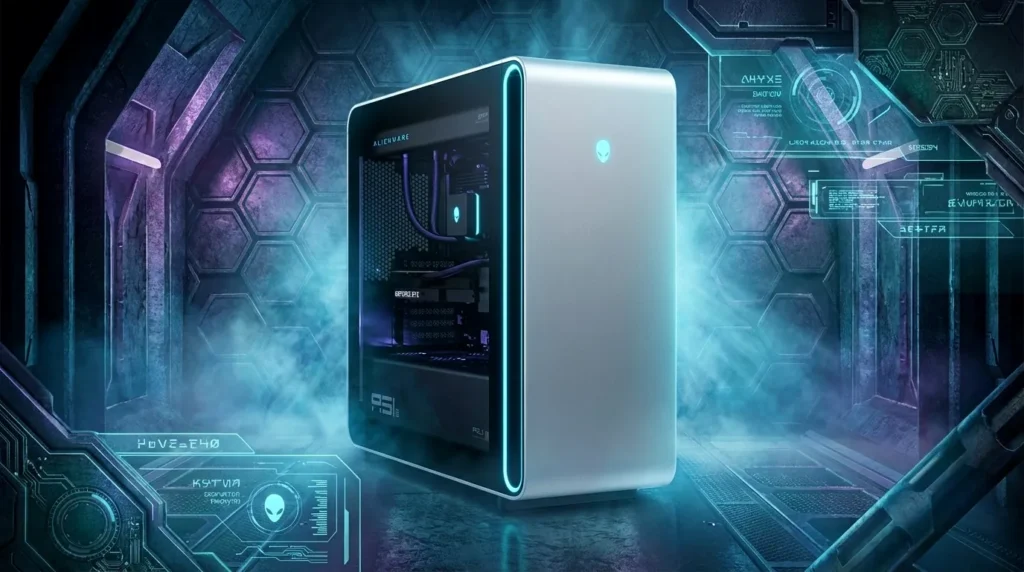
The return of the Alienware Area-51 brand was positioned as a triumphant moment for the PC enthusiast. After years of criticism regarding proprietary designs in the Aurora line, Dell promised a return to roots: an 80-liter, full-size tower built around industry-standard components, capable of housing up to an RTX 5090 and a 420mm liquid cooler. The message was clear: this is the ultimate, upgradeable flagship. Our deep dive confirms that Alienware has delivered on the engineering front, achieving phenomenal thermal performance and quiet operation. However, the promise of standardization is complicated by two critical proprietary choices: the adoption of the ATX12VO standard and a mandatory, $35 adapter kit required to swap the motherboard. For a machine starting north of $4,500, these caveats define the ultimate dilemma for the DIY gamer.
The Cost of Entry: Analyzing the $1,559 Premium and Value Proposition
When assessing a pre-built PC, the primary question is always the value of the ‘system integrator tax.’ For the Area-51, that tax is substantial. The tested $4,650 configuration (Core Ultra 9 285K, RTX 5080, 64GB DDR5-6400, 1500W Platinum PSU) was independently priced at $3,091 for equivalent DIY components. This translates to a premium of over $1,559—a 50% markup. While this premium covers the unique 80L chassis, the custom positive pressure cooling design, and the Elite Care support package, it is significantly higher than the industry average (typically 7% to 30%). This makes the Area-51 a hard sell purely on a cost-per-frame basis, demanding that the proprietary thermal and design elements justify the massive price gap.
Expert Scorecard
Summary: The Area-51 is a masterpiece of thermal engineering but is severely hampered by its excessive cost premium and proprietary roadblocks that undermine its promise of full standardization.
Engineering Deconstructed: The Success of Positive Pressure Cooling
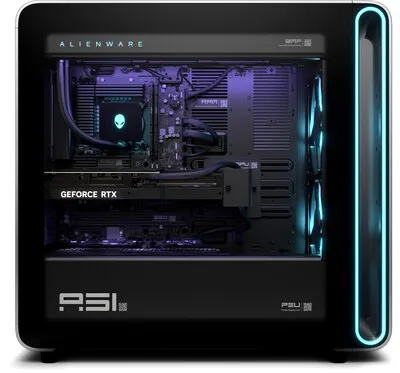
Cooling System Overview
- Top: 360mm AIO Liquid Cooler (Intake)
- Front: Dual 180mm Intake Fans
- Chassis Interior: Positive Pressure Airflow
- Rear Vents: Passive Meshed Exhaust
The most significant engineering victory in the Area-51 is its thermal strategy. Alienware implemented a positive pressure airflow system, meaning all six or seven fans (including the 360mm CPU AIO) point inward, utilizing sealed gaskets to force air out through passive rear exhaust vents. This design is highly effective, moving 25% more air and resulting in the system running up to 45% quieter and 13% cooler than previous Aurora models. Our thermal testing confirmed this efficiency, with the GPU and CPU temperatures remaining remarkably low, even under sustained load. Critically, independent testing showed that flipping the top AIO fans to exhaust improved GPU memory and core temperatures by approximately 3°C, suggesting the ‘positive pressure’ concept, while effective, isn’t infallible and can be slightly optimized by the user.
Alienware Area-51 Desktop (2025) Key Specifications
- Chassis Volume
- 80 Liters (Full Tower)
- CPU Options
- Up to Intel Core Ultra 9 285K / AMD Ryzen 9 9950X3D
- GPU Options
- Up to NVIDIA GeForce RTX 5090
- RAM
- Up to 64GB DDR5-6400 (2 DIMM Slots)
- PSU Standard
- ATX12VO (1500W Platinum or 850W Gold)
- Cooling Support
- Up to 420mm AIO (CPU)
- Motherboard Support
- Proprietary ATX, requires $35 kit for aftermarket ATX/mATX replacement
- Connectivity
- Thunderbolt 4, USB4
The Standardization Trap: Why ATX12VO and the $35 Kit Undermine DIY
MANDATORY WARNING: The AlienFX Conversion Kit
If you plan to replace the proprietary Alienware motherboard with any standard ATX or mATX board, you MUST purchase the $34.99 ‘AlienFX board cable conversion kit’ directly from Dell. Without this kit, the system will not power on, as it provides necessary wiring for the power switch and fan power bridge.
ATX 2.x vs. ATX12VO: A DIY Builder’s Perspective
| Feature | Standard ATX 2.x | ATX12VO (Area-51) |
|---|---|---|
| Main Connector | 24-Pin | 10-Pin |
| Voltage Rails (PSU Output) | 12V, 5V, 3.3V, 5VSB | 12V Only, 12VSB |
| Motherboard Complexity | Lower | Higher (Requires Onboard VRMs for 5V/3.3V) |
| DIY Market Adoption | Universal | Extremely Low (Limited retail motherboards) |
| Primary Driver | Legacy/Compatibility | Power Efficiency Regulations (Tier 2) |
The adoption of ATX12VO (12 Volt Only) is a strategic move by Dell, driven by increasingly strict power efficiency regulations. By removing the 3.3V and 5V rails from the PSU, the system achieves better efficiency at low loads. However, this shifts the complexity—and cost—onto the motherboard, which must now incorporate Voltage Regulator Modules (VRMs) to step down the 12V supply for components like RAM and M.2 SSDs. For the enthusiast, the problem is ecosystem lock-in: while the Area-51 case is DIY-friendly, the ATX12VO standard has minimal adoption outside of large system integrators. If a user wants to swap out the motherboard, their options are currently limited to a handful of niche retail boards, severely restricting future platform upgrades.
The Area-51 Laptop Lineup: 280W TPP and Thunderbolt 5
Area-51 16-inch & 18-inch Laptop Assessment
Pros
- Industry-leading 280W Total Package Power (175W GPU + 105W CPU).
- Advanced Cryo-tech cooling moves 37% more air and is 15% quieter.
- First Alienware laptops with Gen 5 SSD support (up to 12TB).
- Cutting-edge connectivity including Thunderbolt 5 ports and Wi-Fi 7.
Cons
- Extreme weight (up to 9.5 lbs) and thickness (desktop replacement status).
- Limited battery life (around four hours in video loop test).
- 16-inch model lacks HDR support and is not OLED.
Final Verdict: The Price of Proprietary Convenience
A Thermal Masterpiece Held Back by a History of Proprietary Design.
The 2025 Area-51 desktop is Alienware’s best-engineered PC in years. The thermal design is revolutionary, the component selection is top-tier, and the shift toward standard ATX size is a massive step forward. However, the $1,500+ markup and the mandatory, proprietary $35 adapter kit for motherboard swaps are fatal flaws for the enthusiast audience. This small fee, combined with the ATX12VO standard’s low adoption rate, signals that Alienware is still prioritizing its ecosystem over the user’s complete freedom. For the user who values convenience and silence above all else, and never intends to upgrade the motherboard, the Area-51 is excellent. For the technical enthusiast seeking true long-term value and DIY control, the proprietary limitations make this $5,000+ machine a difficult recommendation.
Frequently Asked Questions
Is the Alienware Area-51 (2025) truly DIY upgradeable?
Yes, for GPU, RAM, CPU, and storage. The case is spacious and uses standard component form factors. However, replacing the motherboard requires the separate $35 AlienFX conversion kit, and the ATX12VO PSU limits your choice of aftermarket motherboards.
Does the positive pressure cooling system work?
Yes. Independent testing confirms the system runs significantly cooler and up to 45% quieter than previous Alienware models. The unique design effectively manages the heat generated by the 50-series GPUs and 285K CPU.
What is ATX12VO and why does it matter?
ATX12VO is a new power standard that delivers only 12 volts from the PSU, forcing the motherboard to handle the 5V and 3.3V conversion. It improves efficiency but severely limits the user’s ability to swap the PSU or motherboard due to extremely low adoption in the retail DIY market.