
- The NVIDIA RTX 5070 Ti ($749 MSRP, often $850-$1000+ street) is technically impressive with GDDR7 and Blackwell engineering, but benchmarks reveal ‘generational stagnation’—it effectively performs like an RTX 4080 at a higher street price.
- A 16GB VRAM buffer has become the non-negotiable floor for the $500–$750 segment; the 12GB RTX 5070 (non-Ti) is a calculated ‘VRAM trap’ that will likely choke on modern texture-heavy simulations and local AI workloads within 18 months.
- DLSS 4 Multi-Frame Generation and Transformer-based AI models offer genuine visual advancements, yet the perception of ‘fake frames’ persists as frame generation often masks mediocre rasterization gains and can introduce situational artifacts.
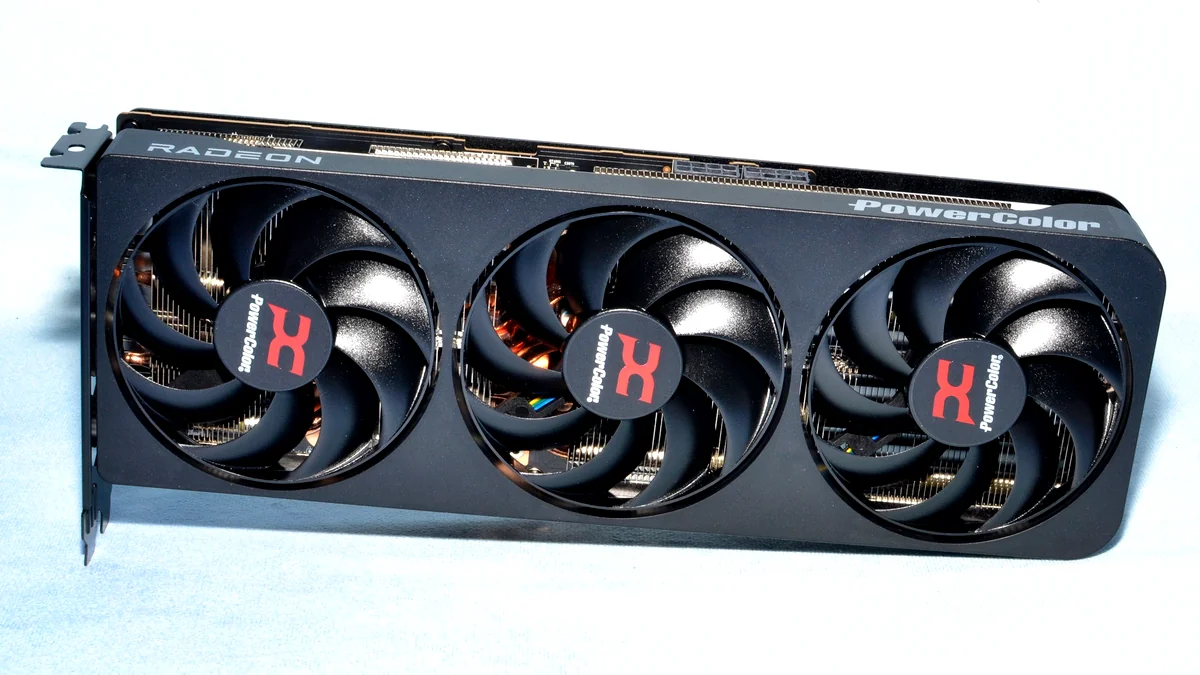
- AMD’s Radeon RX 9070 XT ($599) is the pragmatic value champion, offering the mandatory 16GB VRAM and competitive raster performance for $150 less, appealing to those who reject the ‘NVIDIA tax’ on AI features.
- The hardware enthusiast faces a binary choice: pay a steep premium for NVIDIA’s advanced engineering (phase-change pads, vapor chambers, AI ecosystem) or opt for AMD’s superior cost-per-frame. Current market chaos suggests ‘waiting’ is the smartest move.
The New Battlefield: 16GB is No Longer Optional
The arrival of NVIDIA’s Blackwell (RTX 50-series) and AMD’s RDNA 4 (RX 9000-series) marks a definitive, if overdue, shift in the GPU landscape. For years, the mid-range was artificially throttled by VRAM scarcity, but this generation establishes 16GB as the mandatory baseline for the 70-class tier—specifically the RTX 5070 Ti and the RX 9070 XT. However, NVIDIA has controversially split the stack, shipping the base RTX 5070 with a concerning 12GB of VRAM, a move that directly challenges long-term viability. This isn’t just a memory war; it’s a high-stakes engineering clash. We are seeing Blackwell’s 5th-Gen Tensor Cores and 4th-Gen RT Cores go head-to-head against RDNA 4’s optimized FP8 WMMA capabilities. While NVIDIA pushes AI-driven neural rendering to justify its pricing, AMD is banking on raw rasterization efficiency and price-to-performance to redefine the high-refresh 1440p experience.
Head-to-Head: RTX 5070 Ti vs. RX 9070 XT (Core Specs)
| Criterion | RTX 5070 Ti | RX 9070 XT |
|---|---|---|
| Architecture | Blackwell (GB203) | RDNA 4 |
| MSRP/SEP | $749 | $599 |
| VRAM Capacity | 16 GB GDDR7 | 16 GB GDDR6 |
| VRAM Bus Width | 256-bit | TBD (likely 256-bit) |
| Memory Bandwidth | 896 GB/s | TBD (High) |
| TFLOPS (FP32) | 50 TFLOPS | TBD |
| AI TOPS | 1406 AI TOPS | TBD (FSR 4) |
| Key Feature | DLSS 4, Neural Shaders | FSR 4, 3rd Gen RT |
| Lower Tier Alternative | RTX 5070 (12GB) – $549 | RX 9070 (12GB) |
Why 16GB Became Mandatory: The DCS, LLM, and Legacy Precedent
The shift to 16GB isn’t mere future-proofing; it’s a response to current software demands that 12GB cards simply can’t handle. In complex simulations like DCS World, VRAM usage frequently spikes toward 20GB at 4K, making the 12GB RTX 5070 a questionable choice for serious simmers. Furthermore, the rise of local AI development, particularly fine-tuning 7B-parameter Large Language Models (LLMs), requires a 15-16GB footprint to avoid catastrophic performance degradation. While the Blackwell architecture introduces FP4 precision support to reduce the memory footprint of generative models, raw capacity remains the final arbiter of stability. For users upgrading from legacy stalwarts like the RX 6700 XT, moving to a 16GB 5070 Ti or 9070 XT represents the first time in years that the mid-range hasn’t felt like a compromise in texture resolution.
VRAM Warning: The 12GB Trap
The base RTX 5070, equipped with only 12GB of GDDR7, is the textbook definition of a ‘VRAM trap.’ Community resentment is high, as this capacity is widely viewed as insufficient for 4K or high-fidelity 1440p gaming over a typical three-year GPU lifecycle. This is compounded by findings that the 5070 Ti itself often performs like a re-badged RTX 4080—a card that was already criticized for its price-to-VRAM ratio. If you’re buying into this generation, 16GB is the bare minimum for longevity; anything less is a planned obsolescence maneuver you should avoid.
1440p Max Settings Gaming Performance
Source: Based on initial AMD and third-party performance lab data (Reference RX-1182) and independent analysis from GamersNexus.
The rasterization data for the RTX 5070 Ti is, frankly, sobering. Independent reviews from GamersNexus confirm that the 5070 Ti essentially mirrors the performance of the previous-gen RTX 4080 and 4080 Super. This ‘generational stagnation’ is most visible when comparing it to its predecessor’s ‘Super’ variant; the uplift over the RTX 4070 Ti Super is often a negligible 2.2% to 20%, plummeting to a dismal 3.9% in titles like Starfield at 1440p. When you consider that AMD’s RX 7900 XTX frequently beats the 5070 Ti in pure rasterized workloads by up to 17%, NVIDIA’s value proposition begins to look like ‘awful value’ for anyone not obsessed with heavy ray tracing.
Under the Hood: The Engineering of the 5070 Ti (and its Costs)
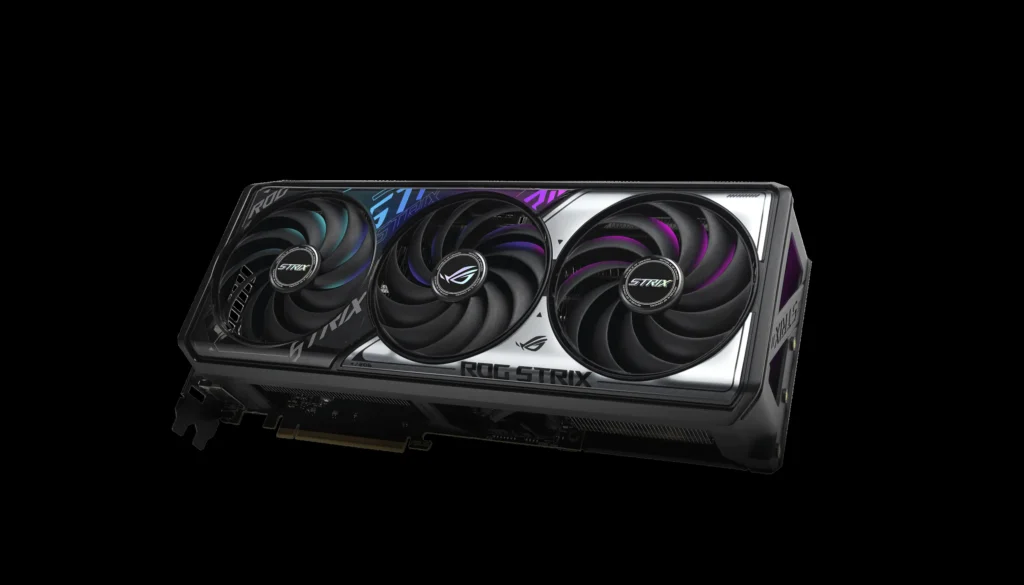
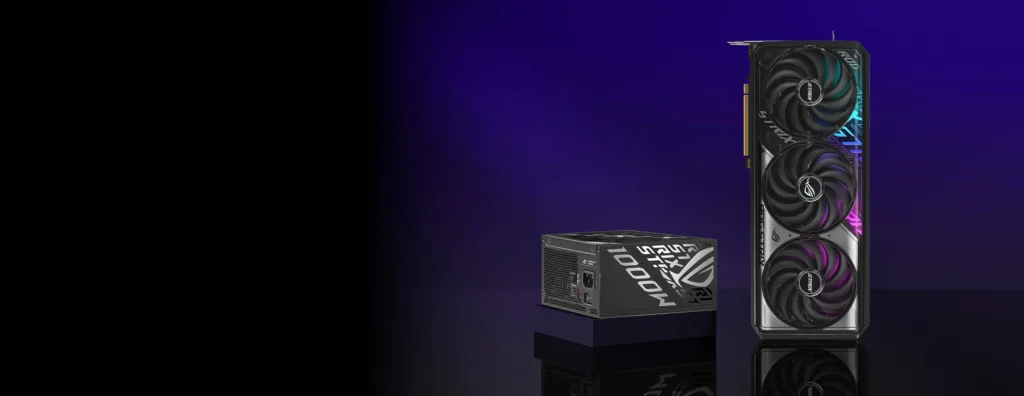
While raster gains are slim, the engineering under the shroud of the RTX 5070 Ti is genuinely advanced. Premium models like the ROG Strix variant utilize a sophisticated cooling array designed to manage the high-density Blackwell silicon. This includes scaled-up axial-tech fans with dual-ball bearings and a reverse-rotation center fan to minimize turbulence. The thermal interface is particularly notable: it uses an ASUS-exclusive MaxContact vapor chamber that increases surface area by 5% and features a phase-change GPU thermal pad. This pad melts under load to perfectly fill microscopic gaps between the die and the cooler, ensuring superior conductivity. Combined with a vented backplate and a high-surface-area 3.2-slot heatsink, the engineering is clearly aimed at maintaining peak boost clocks and long-term stability.
GDDR7 & Thermal Stability
The move to GDDR7 memory provides the massive bandwidth required for Blackwell’s AI features, but it brings fresh thermal challenges. In our testing of the TUF OC variant, we observed idle temperatures around 39°C, rising to 61-64°C under full load (peaking at 66°C in Quiet BIOS). The card pulls roughly 264W during 4K looping workloads. While GamersNexus pointed out that the ASUS cooler on the Prime/TUF models ‘favors noise’ and is less effective for its size than high-end flagships, the thermal performance remains safely below throttle territory, proving that even a ‘budget’ Blackwell cooler must be over-engineered compared to previous generations.
VRM & Power Stability: A Closer Look
The 5070 Ti’s power delivery is a masterclass in VRM engineering. It utilizes digital power control and high-current power stages backed by 15K capacitors, ensuring clean voltage even during aggressive transient spikes. When paired with an ROG Thor III or Strix Platinum PSU, the system leverages a ‘GPU-First’ Intelligent Voltage Stabilizer, which can improve stability by up to 45%. The inclusion of GaN MOSFETs further boosts efficiency by 30%, reducing waste heat at the source. This isn’t just marketing fluff; it’s the kind of over-built power circuitry required to sustain Blackwell’s high-frequency boost behavior without crashing.
The AI Arms Race: DLSS 4 MFG vs. FSR 4
NVIDIA is banking on the ‘AI Arms Race’ to justify the 5070 Ti’s existence. DLSS 4 Multi-Frame Generation (MFG) is the centerpiece, claiming an 8x performance boost by generating up to three AI frames for every one rendered frame. This is paired with Reflex 2’s ‘Frame Warp’ to mitigate the latency inherent in frame synthesis. DLSS 4 also debuts a Transformer-based neural renderer for Ray Reconstruction, utilizing 4x more compute to reduce ghosting. However, a cynical look at the data suggests MFG is often a mask for weak rasterization; GamersNexus notes that these ‘fake frames’ sometimes look poor and cannot fix an unplayably low base framerate. Meanwhile, RDNA 4 counters with FSR 4, leveraging new FP8 WMMA hardware to improve temporal stability. While NVIDIA’s ecosystem (Broadcast, Studio, Neural Shaders) is more mature, AMD’s open-source approach remains a compelling alternative for those who find NVIDIA’s ‘Multi-Fiat Generation’ to be more marketing than substance.
Benchmarking in the AI Era: Beyond Raw FPS
We have reached a paradigm shift where ‘Average FPS’ is a deceptive metric. In the DLSS 4 era, a GPU like the 5070 Ti is predicting motion rather than just drawing pixels. You may see a high framerate, but the actual ‘native’ rendering might only account for 30-50% of the output. This requires a new benchmarking standard that prioritizes frame pacing, AI-induced latency, and motion coherence. It is no longer about brute-force pixel pushing; we must now measure the intelligence and consistency of the AI pipeline to determine if a game actually feels as smooth as the numbers suggest.
- Average FPS & Frame Time Stability: We now focus on 1% and 0.1% lows to detect micro-stuttering between natively rendered and AI-synthesized frames.
- System Latency (End-to-End Delay): With DLSS 4 generating multiple frames, input lag must be measured via Reflex 2 to ensure the game remains responsive.
- Power Draw & Performance-Per-Watt (PPW): Blackwell shifts the load to Tensor cores; we measure efficiency to see how AI rendering reduces the overall thermal footprint.
- Thermal Stability & Boost Behavior: We monitor VRM and GDDR7 temps to ensure the card isn’t throttling during sustained AI inference tasks.
- Motion Coherence & Frame Integrity: We perform frame-by-frame analysis to spot ghosting or artifacts introduced by the Transformer-based DLSS 4 models.
- Frame Time Variance Index (FTVI): A quantifiable score that measures the ‘smoothness’ of the frame delivery, crucial for validating AI-generated content.
Common Benchmarking Mistakes (DLSS 4 Edition)
- Ignoring Warm-Up Runs: Skews performance upwards.
- Mixing Native and DLSS Runs Without Proper Labeling.
- Benchmarking in Inconsistent Ambient Conditions.
- Over-Reliance on In-Game Benchmarks.
- Not Logging Power & Efficiency Metrics.
- Short or Inconsistent Test Durations.
- Forgetting Reflex 2 Synchronization.
- Not Normalizing Resolution & DLSS Preset.
- Overlooking Frame Time Variance.
- Failing to Repeat Tests.
NVIDIA RTX 5070 Ti
PROS
- Superior AI Ecosystem (DLSS 4)
- GDDR7 High Bandwidth
- Advanced Cooling Engineering
- Elite Ray Tracing Performance
CONS
- Inflated Street Pricing ($850+)
- Generational Stagnation in Raster
- Minimal Uplift over 4070 Ti Super
- Perception of ‘Fake Frames’
AMD Radeon RX 9070 XT
PROS
- Exceptional Value ($599)
- 16GB VRAM Standard
- Strong Raster Performance
- Open-Source FSR 4
- Great Upgrade from RX 6700 XT
CONS
- FSR 4 Less Mature than DLSS 4
- Higher Power Draw (304W)
- Weaker RT in Demanding Titles
“I was after 5080 but settled for a 9070 xt. Saved myself £400 in the sake of few fps loss. Waiting for a October driver now, it might improve things even better…”
— Fandom Pulse: User Comment, r/PCGaming
The Final Verdict
The RTX 5070 Ti is a classic case of engineering excellence meeting marketing hubris. On a component level, the use of GDDR7, phase-change thermal pads, and GaN MOSFETs is a masterclass in hardware design. However, the data doesn’t lie: the 5070 Ti is effectively a re-badged RTX 4080 with a ‘DLSS 4’ sticker slapped on the box. At street prices approaching $1,000, it offers ‘awful value’ for anyone seeking a true generational leap in rasterization. Meanwhile, the 12GB RTX 5070 remains a VRAM trap to be avoided at all costs.
For the pragmatic enthusiast, the AMD Radeon RX 9070 XT is the clear winner. It delivers the mandatory 16GB VRAM and superior cost-per-frame for $599, making it the definitive choice for high-refresh 1440p gaming. If you absolutely require NVIDIA’s AI suite or professional Studio drivers, the 5070 Ti is a technically sound, if overpriced, tool. But for everyone else, my advice is simple: don’t succumb to the FOMO. Wait for the market to stabilize. If you must buy now, choose the card that respects your wallet—and right now, that’s the RX 9070 XT.