In the ever-evolving world of PC building, where performance meets aesthetic prowess, All-In-One (AIO) CPU coolers with integrated display screens have emerged as a dominant trend. No longer just about raw thermal efficiency, these units transform your CPU block into a dynamic canvas for system metrics, personalized GIFs, and vibrant visuals. But beyond the eye-catching appeal, what truly defines the best display AIOs? How do they stack up in terms of cooling, and more importantly, how do you navigate the real-world challenges of integrating them into your dream build? This ultimate guide dives deep into the technology, performance, and practicalities, ensuring you’re equipped to make an informed decision.
The Rise of the Visual Cooler: Aesthetics Meets Performance
The evolution of AIO coolers has been driven by a dual pursuit: maximizing thermal dissipation and enhancing visual appeal. Initially, RGB lighting transformed the humble CPU block, but the introduction of integrated LCD and IPS screens marked a paradigm shift. These displays offer unprecedented levels of personalization, allowing users to monitor critical system stats, showcase unique artistic flair, or even integrate with streaming services like Spotify and YouTube. This blend of form and function has captivated the PC building community, making a display AIO a coveted centerpiece for any high-end rig.
Spotlight: NZXT Kraken Elite Series (2024) – The Performance & Visual Apex
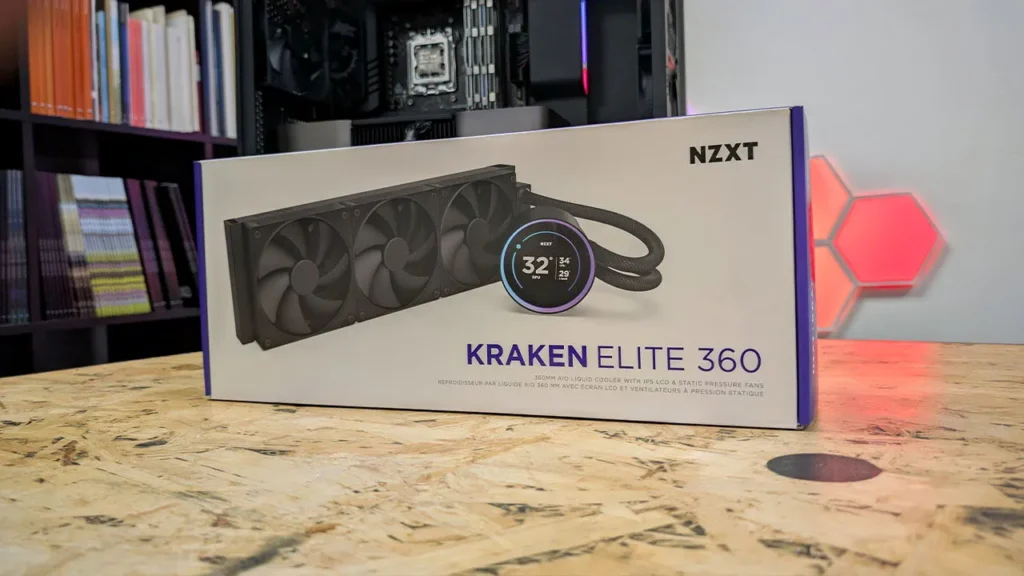
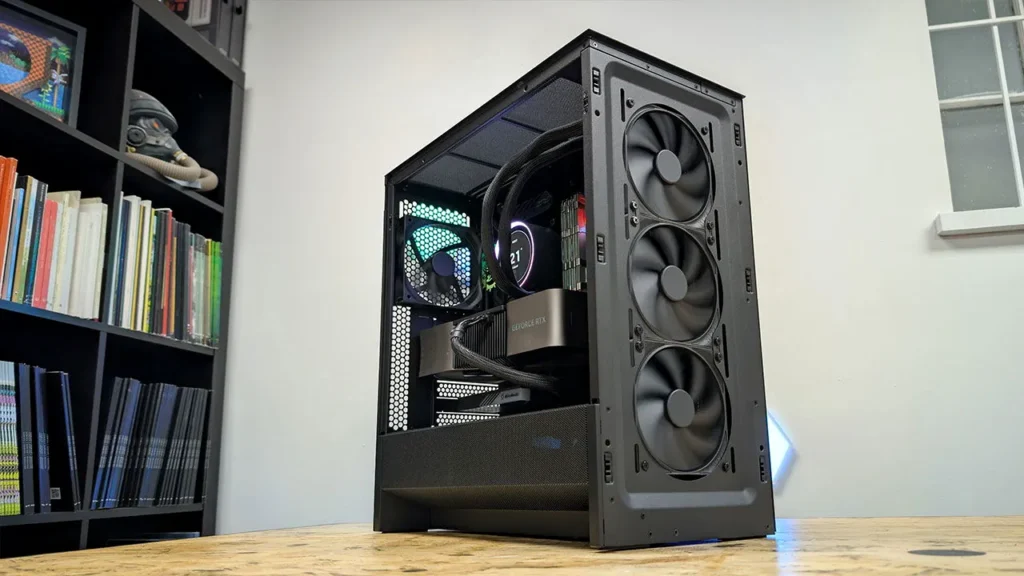
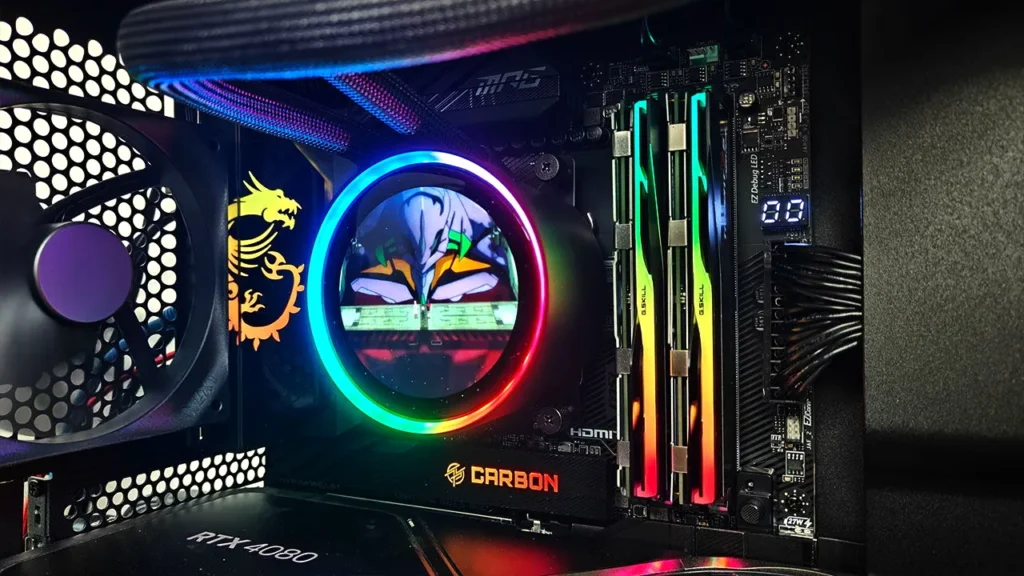
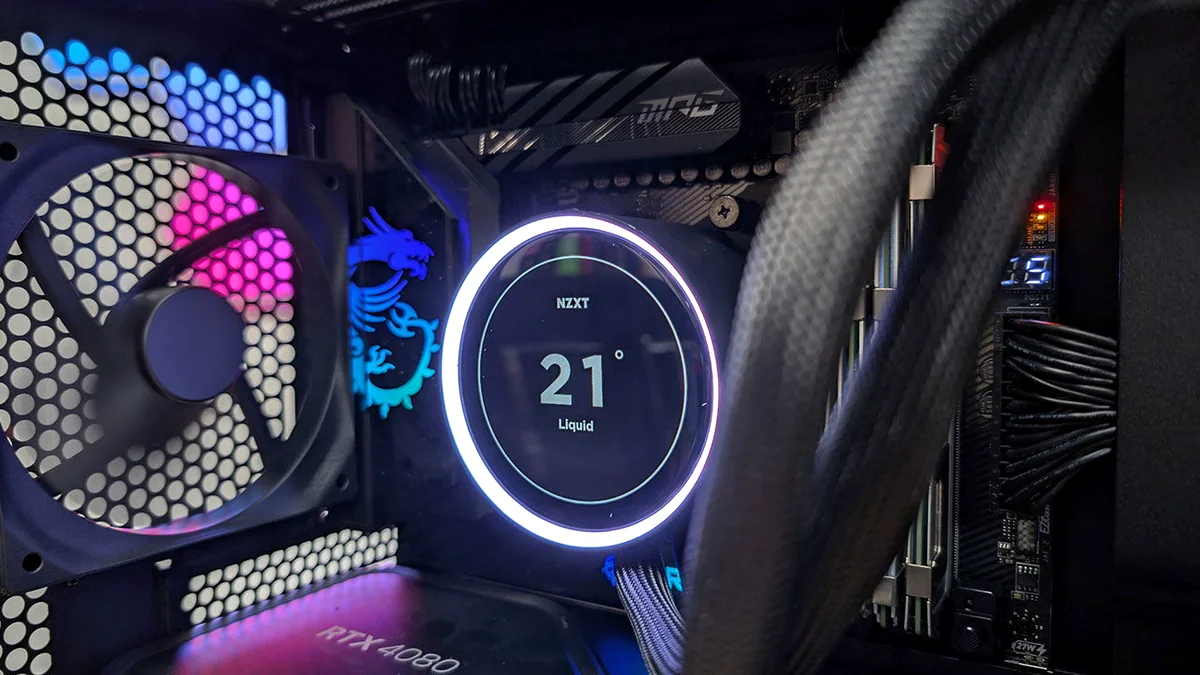
The 2024 NZXT Kraken Elite series stands as a testament to what AIO cooling can achieve when performance and personalization converge. Building on NZXT’s legacy, these coolers feature an improved 2.72-inch IPS LCD screen, now 30% larger than its predecessor, boasting a crisp 640×640 resolution and a 60Hz refresh rate for incredibly smooth visuals. Underneath the stunning display, NZXT has engineered a custom Turbine pump, developed with CoolIT, to deliver up to 10% greater CPU cooling performance. This ensures your high-end CPU remains chilled even under intense loads, which is critical for maintaining peak clock speeds in demanding applications. The integration with NZXT CAM software allows for unparalleled customization, from displaying system temperatures to animated GIFs, Spotify integration, and even RGB auto-sync with on-screen content. Installation is streamlined with a single breakout cable and pre-applied thermal paste, making it relatively straightforward for most builders, significantly reducing setup time.
NZXT Kraken Elite 360 RGB Key Specifications
| Feature | Value |
|---|---|
| Display Type | 2.72-inch IPS LCD |
| Display Resolution | 640×640 |
| Refresh Rate | Up to 60 Hz |
| Pump Type | Custom NZXT Turbine (CoolIT) |
| Radiator Size | 360mm (available in 240mm/280mm also) |
| Fan Type | F Series RGB Core (RGB model) |
| Software Control | NZXT CAM |
| CPU Socket Support | Intel LGA 1851/1700, 1200/115X; AMD AM5, AM4 |
| Pricing (360mm RGB) | Approx. $294.99 USD |
NZXT Kraken Elite 360 RGB: Pros & Cons
Pros
- Stunning, large, high-resolution IPS LCD display (640×640, 60Hz)
- Excellent cooling performance with custom Turbine pump
- Extensive customization via NZXT CAM software (GIFs, system stats, Spotify, YouTube)
- Streamlined installation with single breakout cable and pre-applied thermal paste
- Robust build quality and wide CPU socket compatibility
Cons
- Premium price point (one of the more expensive options)
- NZXT CAM software requires an account and runs in the background
- RGB version’s single-frame fan design could complicate individual fan replacement
The Contender: Corsair NAUTILUS RS LCD Series – Accessibility with Flair
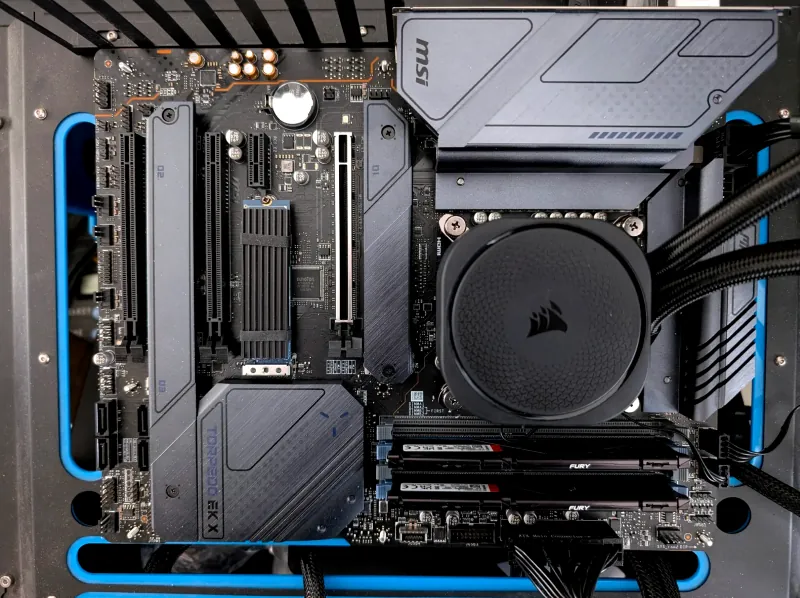
Corsair’s NAUTILUS RS LCD series enters the arena with a focus on bringing customizable display features to a broader audience without compromising on core cooling. Building on the established NAUTILUS RS line, the LCD variant integrates a vibrant 2.1-inch IPS LCD screen into the pump cap, offering a native resolution of 480×480 pixels. While slightly smaller than NZXT’s offering, it still provides ample space for system monitoring, custom images, and animations, all configurable through Corsair’s iCUE software. A key differentiator for the NAUTILUS RS LCD is its emphasis on straightforward connectivity; the RS120 ARGB fans can be daisy-chained and plugged directly into a single 4-pin PWM motherboard header, significantly reducing cable clutter and simplifying the build process. Corsair also offers the NAUTILUS RS LCD Screen Module as a standalone upgrade kit for existing NAUTILUS RS owners, promoting modularity and value by allowing users to add the display without replacing their entire cooling system.
Display AIO Face-Off: NZXT Kraken Elite vs. Corsair NAUTILUS RS LCD
| Feature | NZXT Kraken Elite 360 RGB | Corsair NAUTILUS RS LCD 360 |
|---|---|---|
| Display Size | 2.72-inch IPS LCD | 2.1-inch IPS LCD |
| Display Resolution | 640×640 | 480×480 |
| Display Refresh Rate | Up to 60 Hz | Not specified (typically 60Hz) |
| Software | NZXT CAM | Corsair iCUE |
| Fan Connectivity | Single Frame RGB Core Fans (RGB version) | Daisy-chainable RS120 ARGB fans (direct MB connection) |
| Pump Design | Custom NZXT Turbine (CoolIT) | Low-noise pump with convex cold plate |
| Pricing (360mm) | Approx. $294.99 USD | Approx. $159.99 USD |
Behind the Pixels: Understanding AIO Display Technology and Customization
The magic of AIO display screens lies in the synergy of advanced LCD/IPS panels and intuitive software. These screens are typically mini-versions of the displays found in smartphones, offering vibrant colors, wide viewing angles, and sufficient resolution for crisp text or animated graphics. The IPS (In-Plane Switching) technology common in these displays ensures that your custom content looks good from almost any angle within your PC case, providing consistent visual appeal. Crucially, the accompanying software – such as NZXT CAM or Corsair iCUE – acts as the command center. Beyond basic system monitoring, these platforms enable users to upload personal images and GIFs, synchronize RGB lighting with screen content, and even integrate with third-party applications for dynamic data displays. This level of granular control is what truly differentiates a display AIO from its non-screened counterparts, allowing for a deeply personalized system aesthetic and functional monitoring experience.
The Fandom Pulse: Addressing the Builder’s Reality Check
“The community is eager to adopt the latest display-centric AIO technology for its performance and style, yet they are experiencing a growing ‘builder’s fatigue’ regarding cable clutter and perceived lack of flexibility in component engineering.”
While the allure of a vibrant AIO display is undeniable, the community’s enthusiasm is often tempered by practical frustrations. Cable management is consistently cited as a major headache. These advanced coolers often require multiple cables for power, RGB, USB data for the display, and fan headers, which can quickly turn a clean build into a tangled mess. Users express skepticism about rigid engineering choices, such as tube orientation (e.g., ‘I don’t understand why Corsair is so reluctant to let the tubes exit from the bottom when the cooler is mounted up top’), which can impact both aesthetics and long-term pump health. The question of value, particularly for additional investments like push/pull fan configurations, also surfaces frequently. A ‘Cornerstone Guide’ must acknowledge these realities and offer actionable advice, empowering builders to overcome these common hurdles.
To combat cable clutter, plan your routing before installation. Utilize motherboard fan and USB headers strategically, and consider cable ties or Velcro straps to bundle wires discretely behind the motherboard tray. Some AIOs, like the Corsair Nautilus RS LCD, offer daisy-chainable fans, which can significantly reduce the number of cables directly connected to your motherboard. For the display’s USB cable, route it carefully to avoid kinks and ensure it doesn’t obstruct airflow or other components.
Optimal Performance and Aesthetic Harmony
Ultimately, a display AIO must first excel as a cooler. Both the NZXT Kraken Elite and Corsair NAUTILUS RS LCD demonstrate strong thermal performance, capable of taming modern high-TDP CPUs like the Intel i9-14900K and AMD AM5 processors. Key performance indicators include low CPU temperatures under load, consistent frame-times, and quiet operation, all crucial for stable and enjoyable gaming or productivity. The integration of high static pressure fans, optimized pump designs, and efficient cold plates are paramount to achieving this. While the display adds significant aesthetic value, it should never come at the expense of effective cooling. Builders should always verify that their chosen AIO can adequately cool their specific CPU, especially in overclocked scenarios, ensuring that form truly follows function.
Choosing Your Display AIO: A Practical Framework
Key Factors to Consider Before Buying:
- CPU Compatibility: Ensure the AIO supports your current and potentially future CPU sockets (e.g., LGA 1851/1700, AM5/AM4).
- Case Clearance: Verify that the radiator size (240mm, 280mm, 360mm) and thickness fit comfortably within your PC case, especially at the top or front mounts.
- Display Features: Compare screen size, resolution, refresh rate, and customization options (GIFs, metrics, software integration).
- Software Ecosystem: Assess the manufacturer’s software (NZXT CAM, Corsair iCUE) for ease of use, features, and overall stability.
- Cable Management: Consider the number of cables and any features like daisy-chaining that simplify installation.
- Aesthetic Preference: Match the cooler’s design, RGB lighting, and available colors (black/white) to your build’s theme.
- Budget: Display AIOs are a premium product, so weigh the features against your budget. Cheaper options exist without displays if cost is a primary concern.
Installation & Setup Tips for a Flawless Build
Best Practices for Display AIO Installation:
- Pre-Installation Prep: Test fit the radiator and fans in your case before applying thermal paste or mounting. Familiarize yourself with all cable connections.
- Pump Orientation: While some AIOs are flexible, generally avoid mounting the pump at the highest point in your loop to prevent air bubbles from collecting in the pump, which can shorten its lifespan. Tubes exiting the bottom of a top-mounted radiator or from the top of a front-mounted radiator are often preferred.
- Thermal Paste Application: Most display AIOs come with pre-applied thermal paste. If you’re using your own, ensure an even application for optimal heat transfer.
- Cable Routing: Group cables (fan, RGB, USB) and route them discreetly behind the motherboard tray or along existing cable channels. Use zip ties or Velcro for a clean look.
- Software Configuration: Once installed, immediately download and configure the manufacturer’s software (e.g., NZXT CAM, Corsair iCUE) to customize your display, set fan curves, and monitor performance. Ensure the software is running in the background for full functionality.
The Road Ahead: Future Innovations in Display AIOs
The rapid innovation in display AIOs suggests an exciting future. We can anticipate larger, higher-resolution screens, potentially with higher refresh rates for even smoother animations. Further integration with operating systems and third-party applications will likely expand customization options, offering even more dynamic data displays. Simplified cabling solutions, perhaps integrating power and data into a single intelligent cable, could become standard, directly addressing current builder frustrations regarding clutter. The expiry of patents (like Asetek’s) could also open the door for even more diverse and innovative designs from manufacturers, potentially leading to competitive pricing and unique form factors. As CPUs continue to demand robust cooling, the display AIO is poised to remain a prominent and visually captivating solution, continually evolving to meet both performance and aesthetic desires.
Frequently Asked Questions About Display AIO Coolers
Are display AIOs worth the extra cost?
Do I need special software for the display to work?
Can I display anything I want on the screen?
Is cable management really that difficult with these?
Will the screen impact performance or pump longevity?
The New Era of PC Cooling: Functional Artistry
Display AIO CPU coolers are more than just a passing fad; they represent a significant evolution in PC cooling, blending cutting-edge thermal performance with unparalleled aesthetic customization. From the high-performance, feature-rich NZXT Kraken Elite to the more accessible, streamlined Corsair NAUTILUS RS LCD, there’s a display AIO catering to various needs and budgets. While considerations like cable management and the premium price tag remain, the ability to transform your CPU block into a personalized digital canvas offers a compelling reason for enthusiasts to upgrade. By understanding the technology, recognizing potential build challenges, and leveraging smart installation practices, a display AIO can be the crowning jewel of your next high-performance gaming PC.