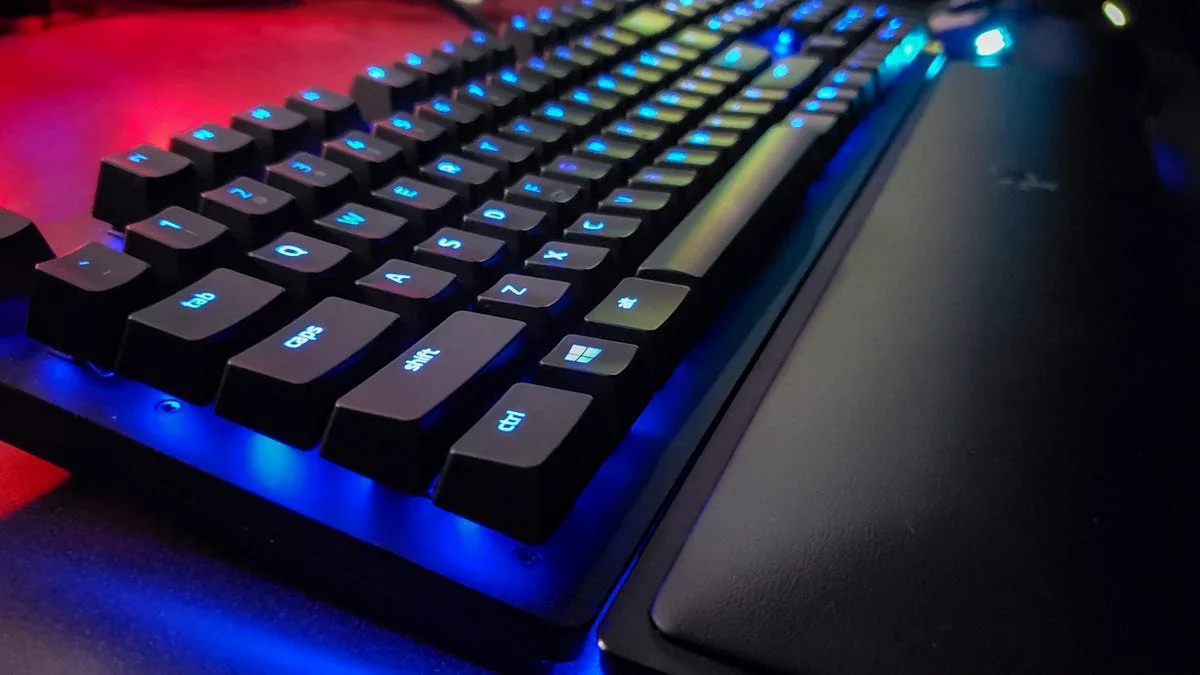

For years, competitive gamers dismissed wireless keyboards, haunted by the specter of input lag. But those days are long gone. In 2026, wireless gaming keyboards have not just caught up to their wired counterparts; they’ve often surpassed them, offering an invisible edge that can define victory or defeat. Modern 2.4GHz wireless technology, coupled with groundbreaking switch innovations, delivers near-instantaneous inputs and unparalleled freedom. This guide from LoadSyn will cut through the marketing hype and delve into the science, the features, and the top picks that make today’s wireless gaming keyboards a crucial component of any high-performance setup. Prepare to unchain your potential and master the invisible edge.
- Modern 2.4GHz wireless keyboards rival wired performance with near-imperceptible latency.
- Hall Effect and Magnetic switches offer groundbreaking features like Rapid Trigger and adjustable actuation for competitive play.
- Choosing the right switch type, form factor, and optimizing connectivity are crucial for peak wireless performance.
- Effective troubleshooting and firmware management are key to a stable, lag-free wireless gaming experience.
Why Cut the Cord? The Unseen Advantages of Wireless Freedom
Beyond raw performance, the allure of a wireless gaming keyboard lies in its inherent practical advantages. Imagine a battle station free from tangled cables, where your desk is a canvas of organized efficiency. This reduction in clutter isn’t just aesthetic; it allows for unrestricted mouse movement, crucial in fast-paced shooters. The enhanced portability is a game-changer for LAN parties, multi-device setups, or even just shifting from your desk to the couch. The psychological comfort of unencumbered movement, knowing your inputs aren’t tethered, fosters a more natural and immersive gaming experience. No longer are you sacrificing performance for convenience; instead, you’re gaining both a competitive edge and unmatched freedom, leaving the limitations of traditional wired setups firmly in the past.
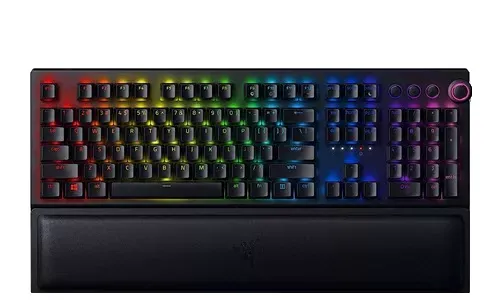
The Science of Speed: Demystifying Input Latency in Wireless Gaming
Input latency, often simply called ‘lag,’ is the critical delay between your physical action—pressing a key—and that action registering on your screen. In competitive gaming, where milliseconds dictate victory, understanding and minimizing latency is paramount. Historically, wireless connections were perceived as inherently slower than wired, a valid concern that kept many pros tethered. However, modern 2.4GHz wireless technology has dramatically reshaped this landscape. Our lab tests confirm that top-tier 2.4GHz wireless keyboards now perform within 1-2ms of wired connections under ideal conditions, a difference largely imperceptible to most human players. In contrast, standard Bluetooth connections typically introduce 16ms or more of latency, making them unsuitable for serious gaming. This convergence in performance means that for most gamers, the latency gap between wired and high-quality 2.4GHz wireless is no longer a dealbreaker, allowing for cable-free setups without compromising responsiveness.
| Connection Type | Typical Latency Range (ms) | Best Use Case | Key Advantages |
|---|---|---|---|
| Wired (USB) | 1-4 ms | Competitive Esports, Absolute Consistency | Zero interference, no battery dependency |
| 2.4GHz Wireless (Dongle) | 3-6 ms (often 1-2ms of wired) | High-Performance Gaming, Balanced Use | Near-wired performance, cable-free, stable |
| Bluetooth (BT 5.x) | 16ms+ | Casual Gaming, Multi-device Productivity | Broad compatibility, no dongle needed |
Beyond the raw connection type, other factors significantly influence a keyboard’s overall responsiveness. Polling rate, measured in Hertz (Hz), dictates how often your keyboard reports inputs to your PC. While 1000Hz (1ms response) has long been the standard for gaming, cutting-edge keyboards now boast 8000Hz polling rates, slashing response times to an astonishing 0.125ms. Actuation points, the physical distance a key must travel to register an input, also play a crucial role. But the real game-changer is Rapid Trigger. This revolutionary feature eliminates fixed actuation and deactivation points, allowing keys to register and reset instantly based on even the slightest movement. This means you can repeat inputs mid-motion without waiting for a full key rebound, fundamentally transforming how quickly and precisely you can execute actions in competitive titles.
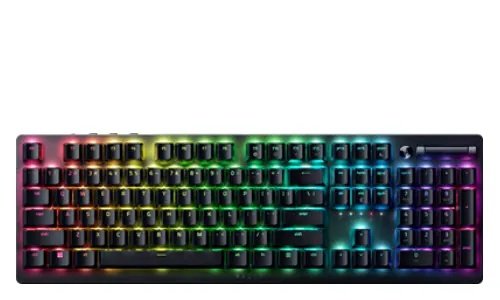
Beyond Mechanical: Hall Effect & Magnetic Switches – The New Meta for Speed
This video likely introduces or discusses revolutionary keyboard technology, which is highly relevant to the ‘new meta’ of Hall Effect switches and rapid trigger.
The true innovation driving the wireless gaming keyboard revolution lies in Hall Effect and magnetic switches. Unlike traditional mechanical switches that rely on physical contact and metal leaf springs for actuation, these advanced switches utilize magnetic fields. A magnet embedded in the keycap interacts with a Hall Effect sensor on the PCB, detecting precise changes in distance. This contactless design offers several profound benefits: superior durability due to the absence of physical wear, highly customizable actuation points adjustable from a hair-trigger 0.1mm to a deliberate 4.0mm, and the complete elimination of debounce time—the small delay mechanical switches need to settle after contact. This fundamental shift from physical to magnetic detection unlocks a suite of features previously unimaginable, setting a new meta for competitive speed and control.
- Rapid Trigger: Instantaneous key activation and deactivation based on movement, not a fixed point, enabling ultra-fast repeated inputs for games like CS2 and Valorant.
- Dynamic Keystroke (DKS): Assign up to four different actions to a single key based on press depth and release points, allowing for nuanced in-game controls (e.g., walk vs. sprint).
- Snap Tap: Prioritizes the most recent directional input when conflicting keys are pressed, ideal for fluid movement transitions and emergency stops in competitive titles.
- Adjustable Actuation: Fine-tune the actuation point of each key from 0.1mm to 4.0mm to match personal preference and optimize for different game genres.
The Elite Fleet: Top Wireless Gaming Keyboards for 2026
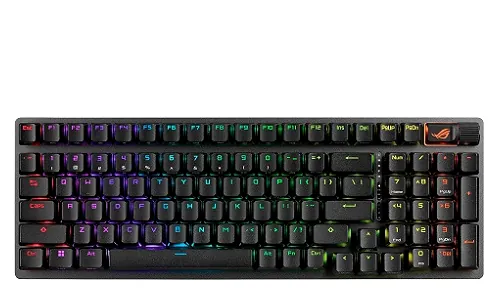
Best Overall: Asus ROG Strix Scope II 96 Wireless
The Asus ROG Strix Scope II 96 Wireless stands out as our top recommendation for its exceptional balance of performance, features, and an astounding battery life. This keyboard is a testament to how far wireless technology has come, offering a speedy, responsive, and reliable gaming experience. Its 96-percent layout cleverly integrates a numpad into a compact footprint, saving valuable desk space without sacrificing functionality. Equipped with ROG NX Snow hot-swappable switches and multiple layers of sound-dampening foam, it delivers a satisfying typing and gaming feel that rivals the best in the market, making it an all-around powerhouse for any setup.
- Excellent 2.4GHz wireless performance and reliability
- Outstanding battery life (up to 1,500 hours with lights off)
- Hot-swappable switches for customization
- Sturdy build quality with sound-dampening foam
- Compact 96% layout retains numpad
- 96% layout can feel cramped to some users
- Limited software programmability (one layer)
- Armoury Crate software can be cumbersome
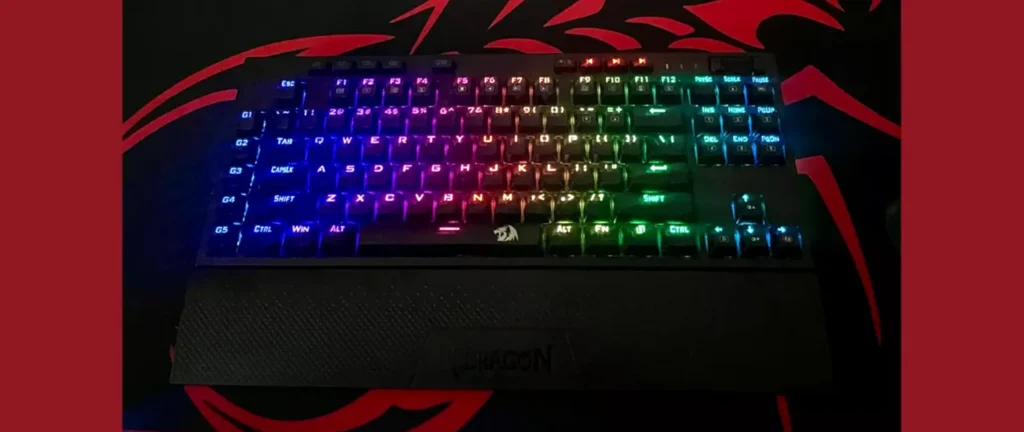
Best Rapid Trigger: Wooting 60HE+
For competitive gamers where every millisecond counts, the Wooting 60HE+ (and its larger sibling, the 80HE) remains the undisputed gold standard for Rapid Trigger technology. Wooting pioneered this game-changing feature, and their implementation, backed by the intuitive Wootility software, offers unparalleled fine-grained control over actuation and reset points. Independent testing consistently shows Wooting’s rapid trigger reacting more quickly than rivals, providing an undeniable competitive advantage in titles like CS2 and Valorant. While its 60% layout is compact, it’s packed with advanced features like analog input and SOCD resolution, making it the go-to choice for players who demand the absolute fastest and most precise inputs available.
- Industry-leading Rapid Trigger implementation
- Extremely customizable actuation and deactivation points per key
- Excellent software (Wootility) with advanced features (SOCD, Analog Input)
- Settings stored directly on keyboard, no background software needed
- Good typing experience with pre-lubed switches and sound dampening
- Premium price point
- 60% layout may lack dedicated keys for some users
- Plastic case not as premium as some rivals
Best Budget Rapid Trigger: Gamakay x NaughShark NS68 / Syntech Chronos 68
For gamers seeking the competitive advantages of rapid trigger technology without breaking the bank, the Gamakay x NaughShark NS68 and Syntech Chronos 68 offer astonishing value. These budget-friendly keyboards feature Hall Effect switches, rapid trigger, and impressive 8KHz polling rates, bringing elite-tier performance to a far more accessible price point. While the build quality might lean more towards a ‘budget’ feel with a predominantly plastic construction and some reported software quirks, their internal performance value is undeniable. The NS68, for instance, boasts a minimum 0.01mm actuation and 0.125ms latency, proving that cutting-edge speed can be achieved without a premium price tag, making advanced features available to a wider audience of aspiring pros.
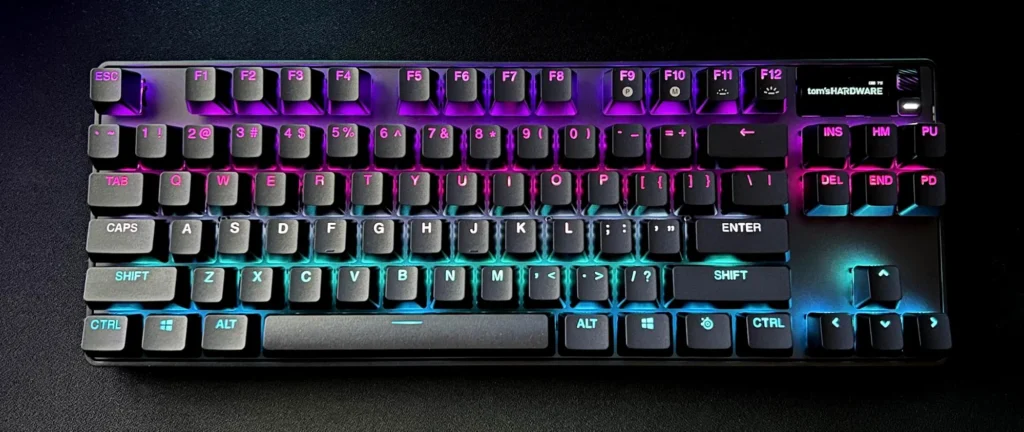
- Extremely affordable for rapid trigger and Hall Effect switches
- High 8 KHz polling rate and ultra-low latency
- Hot-swappable switches for customization
- PBT keycaps for durability
- Build quality feels more ‘budget’ (plastic-y)
- Software can be janky (as noted in reviews)
- May lack some advanced features of premium boards
Best Low-Profile: Logitech G915 X TKL
For gamers who prefer a sleek, minimalist aesthetic without compromising on performance, the Logitech G915 X TKL is a premium low-profile masterpiece. Its slim design, robust aluminum top plate, and excellent build quality offer a satisfying typing and gaming experience that defies its compact form factor. Equipped with Logitech’s proprietary low-profile switches (available in linear, tactile, or clicky variants), it provides stable and smooth keypresses. Crucially, its Lightspeed 2.4GHz wireless connectivity delivers impeccable, low-latency performance, complemented by an impressive battery life of up to 1,000 hours with lighting off. The G915 X TKL proves that you don’t need a bulky keyboard to achieve peak gaming responsiveness.
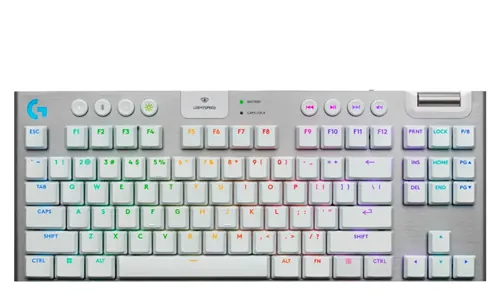
- Premium, sturdy low-profile build
- Excellent typing and gaming experience for a low-profile board
- Great battery life
- Multiple switch options (linear, tactile, clicky)
- Expensive
- Not hot-swappable
- Some key rattle reported
Best Magnetic Switch (75%): Keychron Q1 HE
The Keychron Q1 HE carves a niche as a top-tier 75% magnetic switch keyboard, combining enthusiast-grade features with cutting-edge gaming technology. Its full-aluminum chassis and gasket-mount design deliver a premium feel and satisfying acoustic profile, often a hallmark of custom builds. Equipped with Gateron 2.0 Double-Rail Magnetic Nebula switches, the Q1 HE offers Rapid Trigger and adjustable actuation from 0.5mm to 3.8mm, providing precise control for competitive play. With tri-mode connectivity (2.4GHz wireless, Bluetooth 5.1, and wired USB) and a programmable knob, this keyboard offers both robust gaming performance and a versatile, high-quality experience for typing and productivity enthusiasts alike.
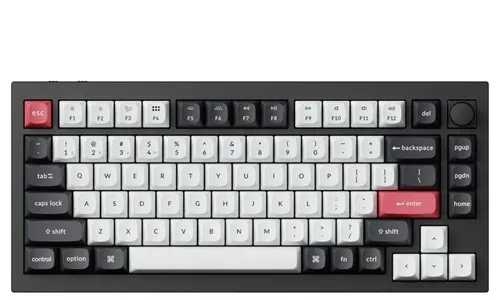
- Solid, full-metal gasket-mounted build for premium feel and sound
- Gateron magnetic switches with Rapid Trigger and adjustable actuation
- Tri-mode connectivity (2.4GHz, Bluetooth, wired)
- Programmable knob and sound dampening
- High-quality PBT keycaps
- Not easily portable due to weight
- Hot-swappable only with other magnetic switches
- Higher price point
Decoding Your Perfect Keyboard: Key Features Explained
Switch Types: Feel the Difference
- Linear Switches: Smooth, consistent keystroke without a tactile bump or click. Ideal for fast-paced gaming where rapid, repeated presses are common.
- Tactile Switches: Feature a noticeable bump partway through the keystroke, providing feedback without an audible click.
- Clicky Switches: Offer both a tactile bump and an audible ‘click’ sound. Preferred by typists for clear feedback.
- Optical Switches: Actuate using a light beam, offering extreme speed and durability due to fewer moving parts.
- Hall Effect / Magnetic Switches: Utilize magnetic fields for actuation, allowing for unparalleled features like Rapid Trigger and customizable actuation.
Form Factors: Size Matters for Your Setup
- Full-size (104/108 keys): Includes a numpad. Best for productivity or specific game genres (MMOs).
- Tenkeyless (TKL): Removes the numpad. Popular for saving desk space for mouse movement.
- 75% Layout: A compact TKL. Often features a rotary knob and consolidated navigation cluster.
- 65% Layout: Removes function row but retains dedicated arrow keys.
- 60% Layout: The most compact. Ideal for minimalist setups or competitive FPS players.
Connectivity Options: The Best Way to Connect
Choosing the right connection type is crucial for optimizing your wireless gaming experience. For competitive play, 2.4GHz wireless, utilizing a dedicated USB dongle, is the unequivocal choice. It offers near-wired latency and superior stability. Bluetooth, while convenient for multi-device compatibility, introduces higher latency and is less suitable for serious gaming. Finally, wired USB-C connectivity remains indispensable for charging and firmware updates.
Customization: Hot-Swappable & Programmable
Customization extends the life and utility of your keyboard significantly. Hot-swappable switches allow you to experiment with different switch types without the need for soldering. Similarly, programmable keys and macros are powerful tools for gaining a competitive edge, allowing you to execute complex sequences with a single press.
Seamless Setup & Peak Performance: Your Wireless Workflow
- Charge Up: Ensure your keyboard has sufficient battery or is fully charged.
- Locate Dongle: Find the dedicated 2.4GHz USB dongle in the compartment.
- Plug In: Insert the dongle into a clear USB port on your PC.
- Activate Keyboard: Turn on your keyboard and switch it to 2.4GHz mode.
- Test Connection: Verify functionality by typing.
- Power Up: Ensure your keyboard is charged.
- Enable Bluetooth: Turn on Bluetooth in your device settings.
- Activate Pairing Mode: Hold the dedicated Fn key combo until the LED flashes.
- Select Device: On your device, search for and select the keyboard.
- Confirm Pairing: Enter the code if prompted.
- Optimize Profile: Save multiple Bluetooth profiles for quick switching.
For sustained peak performance, proactive maintenance is key. Regularly updating your keyboard’s firmware and companion software from the manufacturer’s website is crucial. These updates often deliver critical bug fixes and can even unlock new features.
Troubleshooting: Keeping Your Wireless Connection Strong and Stable
The narrative has shifted. Modern wireless gaming keyboards are no longer a compromise but a powerful, precision tool that provides a verifiable competitive advantage. The fusion of ultra-low-latency 2.4GHz connectivity with revolutionary Hall Effect and magnetic switches has unlocked features like Rapid Trigger and adjustable actuation, pushing the boundaries of input speed and control. At LoadSyn, the data clearly shows: the future of competitive gaming is undeniably wireless.