
Key Takeaways
- Dual-Mode Monitors solve the GPU bottleneck: They allow instant switching between high-fidelity 4K (240Hz) for single-player games and ultra-fast 1080p (480Hz/720Hz) for competitive esports, requiring only a button press.
- Tandem OLED (LG/ROG) is the key innovation: This new panel stack delivers 15% higher peak brightness and 60% longer lifespan, directly mitigating historical burn-in fears for WFH users.
- Text Clarity is improving: Newer WOLED panels (RGWB) and high PPI 4K QD-OLEDs have significantly reduced the fringing issues that plagued previous 1440p models.
- The Catch: Utilizing the highest refresh rates (540Hz/720Hz) often requires DisplayPort 2.1a (UHBR20) bandwidth, a feature still rare on current GPUs.
Section I: The Dual-Mode Revolution Explained
For years, gamers have been forced into a zero-sum choice: sacrifice refresh rate for the visual splendor of 4K, or sacrifice resolution for the competitive edge of 360Hz esports speed. The problem was simple: no GPU could drive 4K at 480Hz, and running 1080p on a 4K panel looked blurry due to poor scaling. The new wave of Dual-Mode OLED monitors, pioneered by LG and ASUS ROG, finally solves this dilemma. By utilizing clever pixel blending and dedicated monitor firmware, these displays allow users to switch instantly between a high-fidelity 4K mode and a hyper-speed 1080p mode, giving competitive players the best of both worlds without compromise. This adaptive capability effectively neutralizes the GPU bottleneck that has stalled high-resolution competitive gaming.
What is Dual-Mode Operation?
Dual-Mode operation allows a monitor to run at its native high resolution (e.g., 4K) at a standard high refresh rate (e.g., 240Hz) OR switch to a lower resolution (e.g., 1080p) at an ultra-high refresh rate (e.g., 480Hz or 720Hz). This is achieved through proprietary scaling technology that prevents the typical blurring associated with running non-native resolutions, making the lower resolution mode viable for competitive play.
Section II: Flagship Contenders: ROG vs. LG Dual-Mode Specs
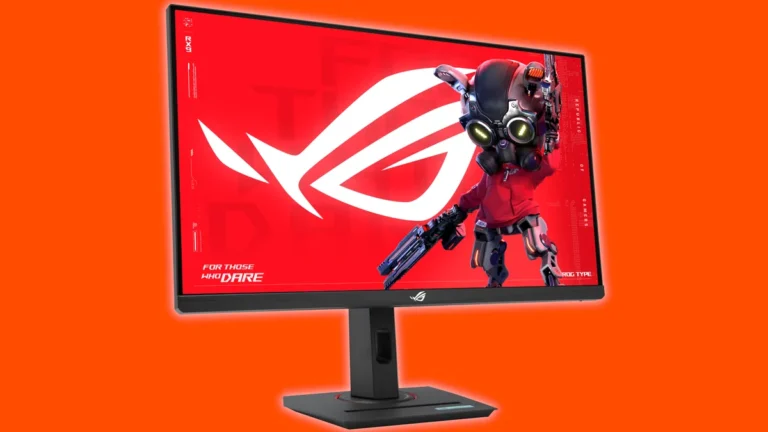
Next-Gen Dual-Mode OLED Monitor Comparison
| Criteria | LG UltraGear 32GS95UE | ROG Swift OLED PG27AQWP-W | ROG Strix XG32UCWMG |
|---|---|---|---|
| Panel Size / Tech | 32-inch / WOLED (RGWB) | 27-inch / Tandem WOLED | 32-inch / TrueBlack OLED |
| Native Resolution / Max Hz | 4K (3840×2160) / 240Hz | 1440p (2560×1440) / 540Hz | 4K (3840×2160) / 240Hz |
| Dual-Mode (Speed Mode) | 1080p / 480Hz | 720p / 720Hz | 1080p / 480Hz |
| Response Time (GtG) | 0.03ms | 0.02ms | 0.03ms |
| Peak Brightness (Nits) | 1300 nits (LG.Display rating) | 1500 nits (HDR Peak) | VESA DisplayHDR 400 TB |
| Key Connectivity | DP 1.4 (DSC), HDMI 2.1 | DP 2.1a (UHBR20), HDMI 2.1 | DP 1.4 (DSC), HDMI 2.1, USB-C |
| MSRP | $1,399.99 USD | $1,099 USD | TBD |
Section III: Engineering Deconstructed: Tandem OLED and Text Clarity
The performance leap in these new monitors is fundamentally driven by LG Display’s fourth-generation Tandem OLED technology. Unlike previous single-layer WOLED panels, Tandem stacks the three primary colors (RGB) into four independent layers. This proprietary structure is the key to solving two major historical OLED weaknesses: longevity and brightness. Tandem OLED panels are verified to deliver 15% higher peak brightness, a 25% wider color volume, and crucially, a 60% longer lifespan. For the WFH user paralyzed by burn-in fear—a major emotional conflict we identified—this engineering advancement, combined with sophisticated software like ASUS OLED Care Pro, offers the strongest mitigation yet. The added durability means these monitors can finally be considered true hybrid devices, capable of handling 100-hour work weeks without the anxiety of static UI elements causing permanent image retention.
The Trade-Off: Dual-Mode OLED for Gaming vs. Productivity
✓ Pros
- Perfect Motion Clarity: Near-zero GtG response times (0.02ms) eliminate ghosting and motion blur, achieving ClearMR 21,000 certification.
- Infinite Contrast: True blacks and pixel-level dimming provide unmatched HDR immersion and visual depth.
- Burn-In Mitigation: Tandem OLED structure and advanced care features (like Neo Proximity Sensor) significantly extend longevity.
- Flexibility: Dual-Mode operation allows users to optimize for either visual fidelity (4K) or competitive speed (480Hz+).
✖ Cons
- Subpixel Fringing: Even with new layouts (RGWB), 1440p OLEDs can still exhibit minor text fringing, bothering heavy productivity users.
- High GPU Cost: 4K/240Hz requires a flagship GPU (e.g., RTX 4090) to run demanding titles natively.
- QC Anxiety: The community still worries about panel lottery, dead pixels, and hardware failure rates (as seen in recent competitor reports).
The Text Clarity Problem, Solved?
The ‘Frustration’ hotspot in the community analysis highlights the critical issue: 1440p OLEDs often suffer from poor text clarity due to non-standard subpixel layouts (RWBG), forcing users toward expensive 4K panels just for desktop work. However, the latest panel generations are actively mitigating this. LG’s new WOLEDs are shifting to an RGWB layout, which significantly reduces the displacement and color fringing associated with older RWBG structures. Simultaneously, the extremely high pixel density of 4K QD-OLEDs (around 140 PPI) makes the residual triangular fringing almost unnoticeable to the naked eye at standard viewing distances. For competitive gaming and media consumption, these layouts are irrelevant, delivering perfect visual quality. But for heavy text work, the issue persists mildly, making the 32-inch 4K Dual-Mode models (like the LG 32GS95UE) the safer bet for hybrid users who prioritize desktop sharpness alongside gaming performance.
Understanding OLED Subpixel Arrangements
A visual representation comparing the three dominant modern subpixel layouts: 1. Standard RGB Stripe (Best for text, rare in OLED), 2. WOLED RWBG/RGWB (Used in LG, affects text clarity due to the added white subpixel and non-uniform alignment), 3. QD-OLED Triangular/Triad (Used in Samsung, causes minor fringing due to the non-linear arrangement). The visual design emphasizes the non-uniform size and arrangement of the subpixels, particularly the larger blue element required for efficiency, which complicates software anti-aliasing.
Section IV: The Practical Cost: GPU Power, Bandwidth, and QC Anxiety
While Dual-Mode operation offers a clever workaround for the GPU bottleneck in competitive titles, the fact remains that driving 4K/240Hz or 1440p/540Hz natively requires immense processing power. Even the 1080p/480Hz mode, while achievable by mid-range GPUs in lightweight esports titles, necessitates a high-end card to maintain stable, low frame times—the true metric of competitive input lag. Furthermore, accessing the absolute highest theoretical speeds (like the 720Hz mode on the ROG Swift) requires DisplayPort 2.1a (UHBR20) connectivity. This 80Gbps bandwidth feature is currently only available on a very small subset of high-end graphics cards, creating a temporary bandwidth bottleneck for early adopters who want to push the limits of motion clarity.
OLED is in a weird place that I still can’t recommend them… 1440p OLED has bad text clarity due to the subpixel arrangements. 4k OLED solves that, but now you need a 4k high FPS GPU for gaming…
CRITICAL WARNING: Addressing Hardware Failures
The high anticipation for new OLED panels is currently dampened by pervasive anxiety regarding quality control and catastrophic hardware failures. Reports of ‘black screen of death’ issues on certain competitor QD-OLED models have created a trust deficit that is hard to ignore. While ROG and LG have implemented robust longevity features (Tandem OLED, OLED Care Pro, specialized heatsinks), buyers should be cautious. Always purchase from retailers with excellent return policies and prioritize models with strong warranties, such as ASUS’s comprehensive three-year warranty, which often covers burn-in.
The Dual-Mode Future is Here, But It’s Still Niche
Dual-Mode operation is not a gimmick; it is the most intelligent compromise yet devised for the high-end gaming market. By providing a one-button solution to switch between visual mastery (4K/240Hz) and competitive dominance (1080p/480Hz+), these monitors eliminate the traditional GPU bottleneck barrier. Tandem OLED technology further removes the psychological barrier of burn-in by dramatically increasing panel longevity and brightness. However, the technology remains a premium, niche offering. For the average user, a high-quality 1440p IPS display still offers the best blend of price, clarity, and performance. For the competitive enthusiast who demands the absolute best motion clarity while refusing to sacrifice 4K fidelity for AAA titles, Dual-Mode OLED is the definitive, no-compromise answer—provided you have the GPU power and accept the premium price tag.
Frequently Asked Questions (FAQ)
Does Dual-Mode 1080p look blurry on a 4K screen?
No. Unlike standard GPU scaling, Dual-Mode technology uses proprietary pixel blending and monitor firmware tricks to ensure the 1080p image is sharp and clear, specifically optimized for competitive play, addressing the issue of typical non-native resolution blur.
Is burn-in still a major risk with these new OLED monitors?
While burn-in is theoretically possible with any OLED, the new Tandem OLED panels feature a double-stacked structure that significantly increases longevity (up to 60% longer lifespan). Combined with active cooling and software suites like OLED Care Pro, the risk is the lowest it has ever been, especially for typical gaming usage.
Why do some OLED monitors have bad text clarity?
The issue stems from non-standard subpixel arrangements (like RWBG or triangular QD-OLED layouts) that Windows ClearType anti-aliasing doesn’t handle perfectly. This causes color fringing on fine text. The issue is less noticeable on high PPI 4K panels and is being actively mitigated by manufacturers moving to newer RGWB and squarer RGB layouts.
Source Attribution: This analysis was built upon intelligence gathered from ASUS ROG announcements, LG Display technical briefings on Tandem OLED and 540Hz technology, independent monitor reviews detailing subpixel structures (WOLED/QD-OLED), and community sentiment analysis regarding burn-in and text clarity concerns.