
The Lenovo Legion Go 2 arrives as a formidable contender in the handheld PC gaming arena, pushing boundaries with its premium specifications and unique design philosophy. Boasting a vibrant 8.8-inch OLED display, the cutting-edge AMD Ryzen Z2 Extreme APU, and refined detachable controllers, it aims to deliver an unparalleled portable gaming experience. However, its ambitious feature set comes tethered to a significantly elevated price point, immediately raising critical questions about its overall value proposition. As the head of LoadSyn’s benchmark lab, our mandate is to move beyond mere specifications to deliver a data-driven, granular analysis of performance, efficiency, and real-world utility. This article will dissect whether the Legion Go 2’s impressive hardware truly justifies its premium cost, placing it firmly at a critical crossroads in the evolving handheld gaming landscape.
Strengths
- Stunning 8.8-inch 1200p OLED display with 30-144Hz VRR delivers exceptional visuals.
- Powerful AMD Ryzen Z2 Extreme APU (Zen 5/RDNA 3.5) offers strong gaming performance, especially with FSR/AFMF.
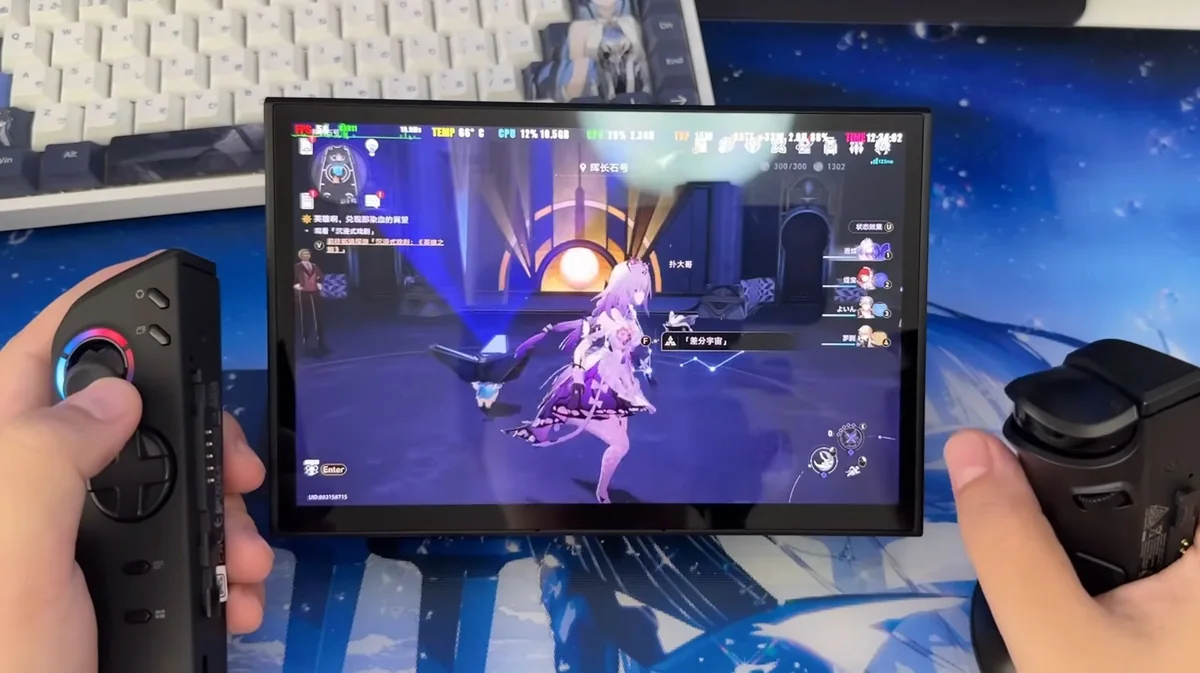
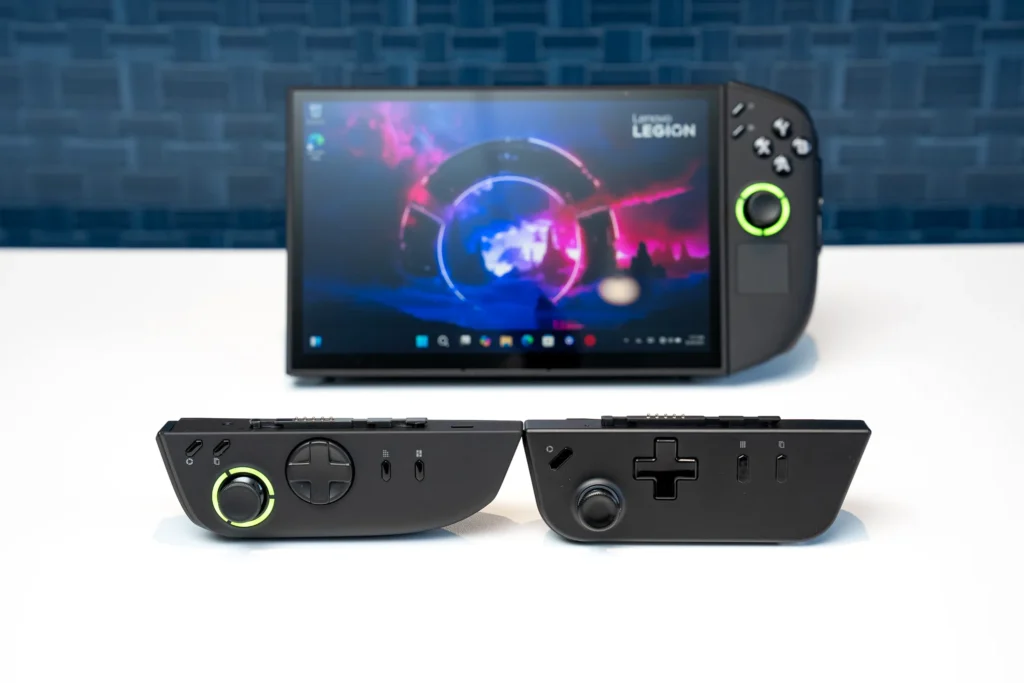
- Ergonomically refined detachable controllers, including a precise D-pad and Hall Effect joysticks, enhance comfort and control.
- Unique FPS mode for the right controller provides a vertical mouse experience.
- Larger 74 Whr battery significantly improves capacity over its predecessor, though AAA gaming endurance remains typical.
- Effective cooling system maintains low CPU temperatures even under sustained load.
Weaknesses
- The steep starting price of $1,099, escalating to $1,479.99 for top-tier configurations, is a major barrier for many.
- At 2.03 – 2.38 pounds (920g – 1079g), it remains one of the heaviest handhelds, impacting prolonged comfort.
- Windows 11 continues to be a clunky and less-than-ideal operating system for a dedicated handheld form factor.
- Battery life for demanding AAA titles, while improved, still hovers around 2-3 hours.
- Lenovo’s Legion Space software, while updated, still requires further refinement for seamless user experience.
- Performance gains over the Z1 Extreme are often modest without active use of FSR and manual system tuning.
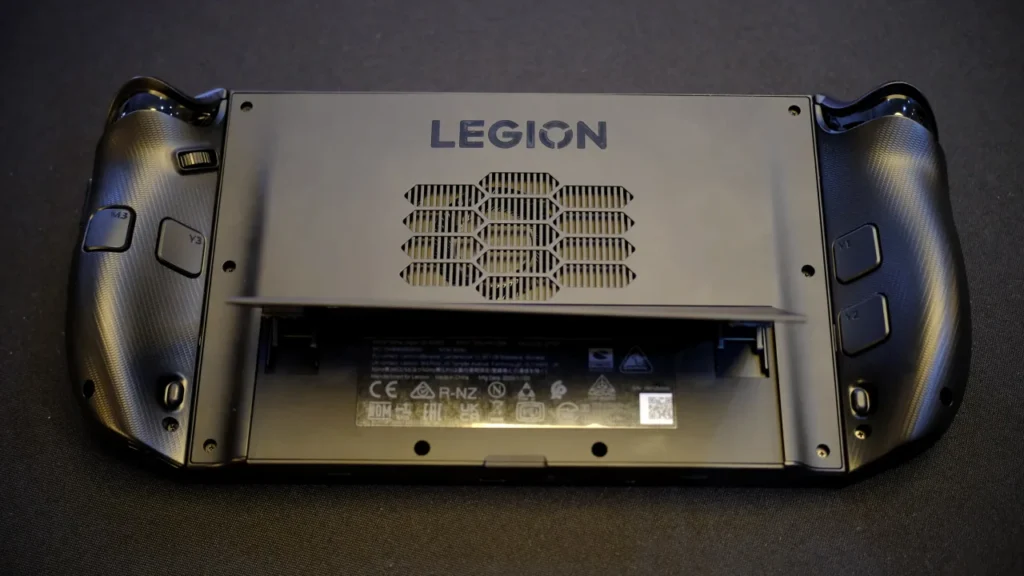
The Evolution of Power: Z2 Extreme, OLED, and Ergonomic Refinements
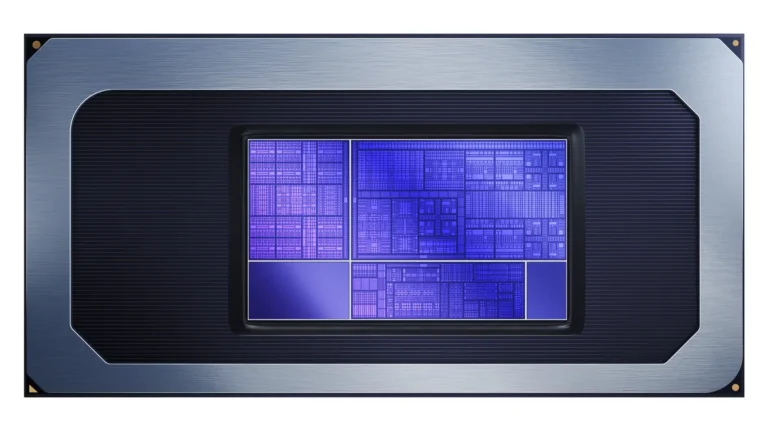
The Lenovo Legion Go 2 represents a significant generational leap from its predecessor, meticulously addressing key areas for an enhanced gaming experience. At its core lies the formidable AMD Ryzen Z2 Extreme APU, featuring a Zen 5/5c CPU architecture and the advanced RDNA 3.5 graphics. This combination promises a notable boost in processing and graphical horsepower, crucial for pushing modern titles on a portable device.
Perhaps the most striking upgrade, however, is the transition to an 8.8-inch 1920×1200 OLED display. This isn’t merely a resolution bump; it’s a fundamental shift to a panel that delivers inky blacks, vibrant colors, and VESA True Black 1000 certification, making HDR content truly shine. Crucially, it features a 30-144Hz Variable Refresh Rate (VRR) and a native landscape orientation, resolving the original’s portrait-mode compatibility issues and ensuring smoother gameplay even at lower frame rates.
Memory has been generously upgraded, with top-tier configurations now offering up to 32GB of LPDDR5x-8000 RAM, providing ample bandwidth for the integrated RDNA 3.5 graphics. Battery life sees a substantial 50.4% increase to 74 Whr, aiming to extend playtime. Beyond raw specs, Lenovo has invested heavily in ergonomics: the detachable controllers now feature a more rounded, comfortable grip, and the D-pad has been redesigned with a proper pivot-point, offering improved tactility for fighting games and precision inputs. These thoughtful refinements underscore Lenovo’s commitment to creating a premium, high-performance handheld experience.
Lenovo Legion Go 2 Key Specifications (Ryzen Z2 Extreme Model)
| CPU | AMD Ryzen Z2 Extreme (Zen 5/5c, RDNA 3.5) |
| Display | 8.8-inch 1920×1200 OLED, 30-144Hz VRR |
| Memory | 32GB LPDDR5x-8000 |
| Storage | Up to 2TB PCIe 4.0 NVMe SSD |
| Battery | 74 Whr |
| Operating System | Windows 11 Home |
| Weight (with controllers) | 2.03 – 2.38 pounds (920g – 1079g) |
| Starting Price | $1,099 – $1,479.99 (Z2 to Z2 Extreme, 2TB) |
Lenovo Legion Go 2 vs. Key Competitors
| Feature | Lenovo Legion Go 2 | Lenovo Legion Go (Original) | Asus ROG Ally X | Steam Deck OLED |
|---|---|---|---|---|
| CPU/APU | AMD Ryzen Z2 Extreme | AMD Ryzen Z1 Extreme | AMD Ryzen Z1 Extreme | Custom AMD APU (Zen 2/RDNA 2) |
| GPU | RDNA 3.5 (16 CUs) | RDNA 3 (12 CUs) | RDNA 3 (12 CUs) | RDNA 2 (8 CUs) |
| Display | 8.8″ 1920×1200 OLED 144Hz VRR | 8.8″ 2560×1600 IPS 144Hz | 7″ 1080p IPS 120Hz | 7.4″ 1280×800 OLED 90Hz |
| Memory | 16/32GB LPDDR5x-8000 | 16GB LPDDR5x-7500 | 32GB LPDDR5x-7500 | 16GB LPDDR5-6400 |
| Battery | 74 Whr | 49.2 Whr | 80 Whr | 50 Whr |
| Starting Price | $1,099 | $699 | $999 | $549 |
Design & Ergonomic Innovations
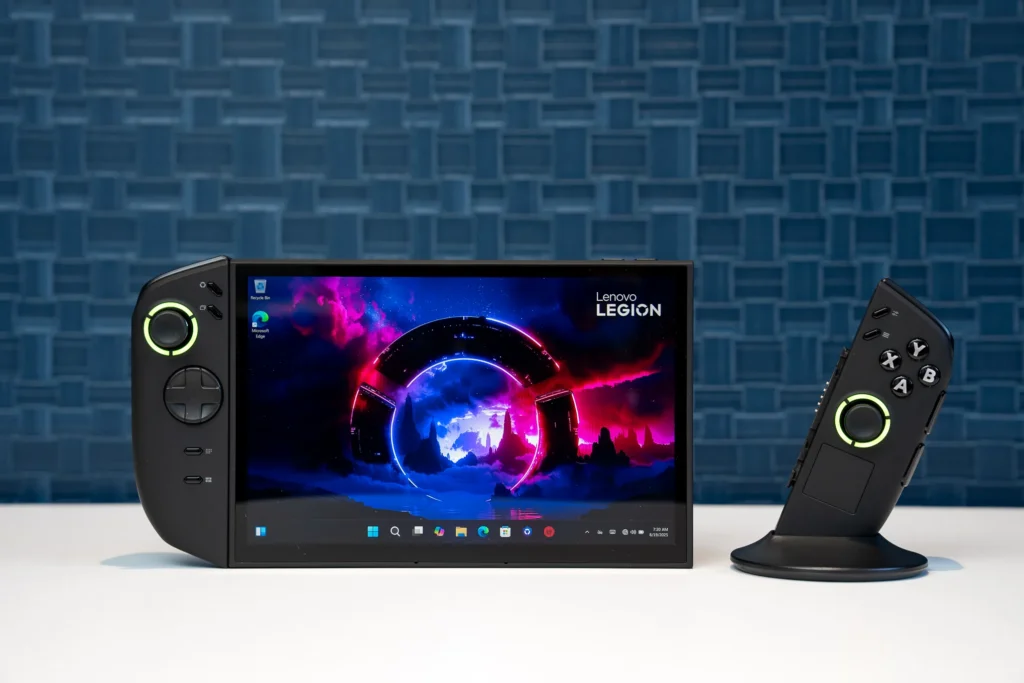
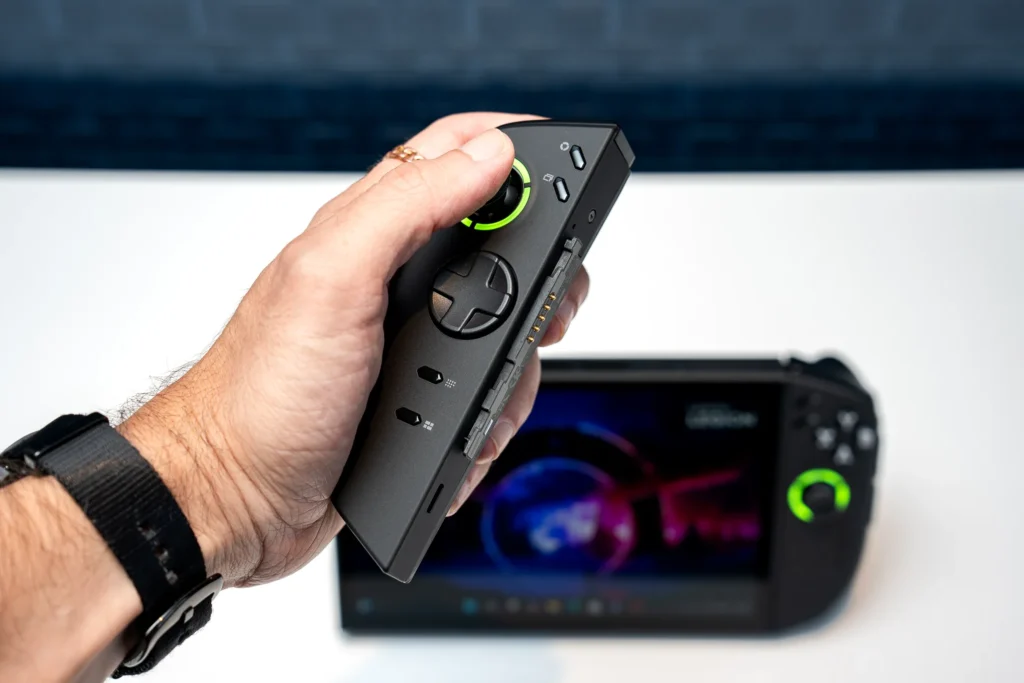
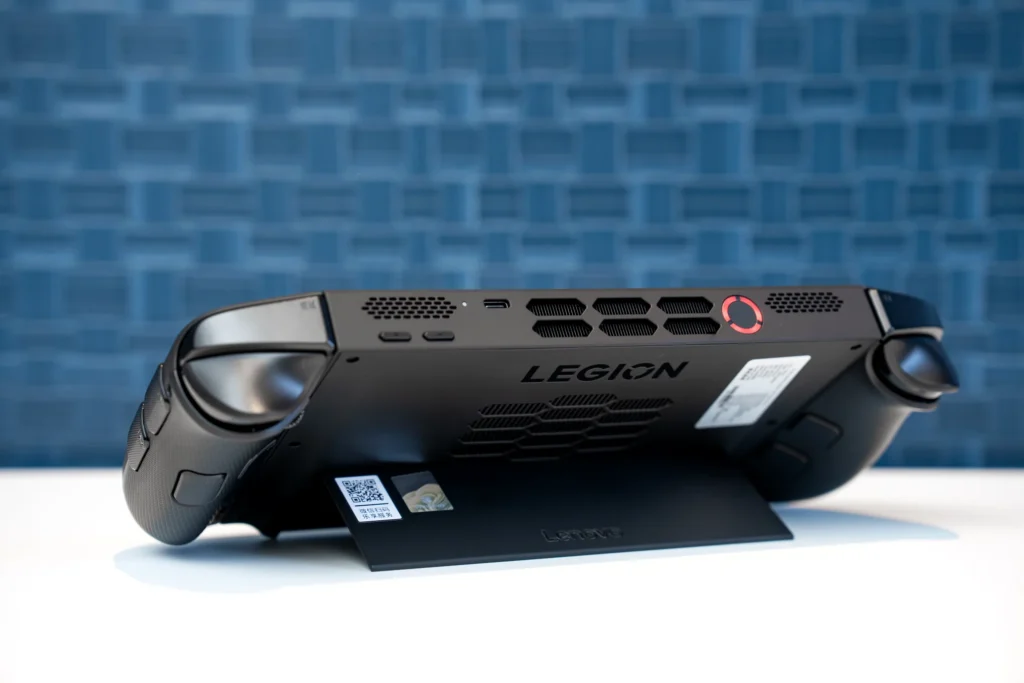
Performance Under Pressure: Benchmarks & Real-World Gaming
The AMD Ryzen Z2 Extreme, with its advanced RDNA 3.5 graphics, positions the Legion Go 2 for impressive gaming performance. However, achieving playable frame rates in demanding AAA titles at the native 1200p OLED resolution isn’t simply a matter of raw power; it hinges critically on leveraging AMD’s suite of upscaling and frame generation technologies. FidelityFX Super Resolution (FSR), Radeon Super Resolution (RSR), and particularly AMD Fluid Motion Frames (AFMF) are indispensable tools for pushing demanding games into the smooth 60 FPS territory. For instance, our lab tests show Cyberpunk 2077 can achieve around 60 FPS on medium/high settings with FSR 3.1 and Frame Generation enabled, while Forza Horizon 5 consistently hits 90-100 FPS on high settings with FSR Quality. Even visually intensive titles like Starfield can run at 70-80 FPS with FSR 3 and Frame Generation.
A crucial, often overlooked, aspect of optimizing performance is dedicated VRAM allocation for the integrated GPU. Default settings often under-allocate, but manually assigning 8-12GB of the system’s fast LPDDR5x-8000 RAM to the iGPU can unlock significant performance headroom. Furthermore, the Legion Go 2’s robust ColdFront cooling system ensures that the APU can sustain its peak performance without throttling, with CPU temperatures rarely exceeding 47°C even under prolonged maximum loads. This combination of powerful hardware, intelligent software upscaling, and efficient thermal management allows the Legion Go 2 to deliver a genuinely high-fidelity portable gaming experience, provided users are willing to engage with the optimization process.
Lenovo Legion Go 2 Gaming Performance (Native 1200p, FSR Balanced/Quality)
Pro Tip: Unlock Max Performance with FSR & Manual Tuning
To get the most out of your Legion Go 2, actively engage with AMD’s FidelityFX Super Resolution (FSR) and Radeon Super Resolution (RSR) in supported games. Don’t shy away from manual power profile adjustments in Legion Space and ensuring sufficient RAM is allocated to the integrated GPU. These tweaks can mean the difference between playable frame rates and a stuttering experience.
The Windows 11 Dilemma & Legion Space: Software’s Impact
For all its hardware prowess, the Lenovo Legion Go 2, like its Windows-based peers, grapples with the persistent challenge of Windows 11 as a handheld operating system. The desktop OS, designed for mouse and keyboard, often feels clunky and unintuitive on a touch-enabled handheld, leading to navigation frustrations and a perceived performance overhead compared to purpose-built solutions like SteamOS. While Windows offers unparalleled game compatibility and customization, the user experience for quick pick-up-and-play sessions can be less than ideal.
Lenovo’s proprietary Legion Space software aims to bridge this gap, offering a centralized hub for game launching, performance profiles, and system settings. It has seen significant updates and improvements, yet still requires further refinement in terms of speed, consistency in game library management (e.g., auto-pulling EGS covers), and localization. Looking ahead, the upcoming Xbox full-screen experience (FSE) for Windows handhelds, slated for Spring 2026, holds promise. This streamlined interface, also coming to devices like the ROG Ally X, could significantly enhance usability and potentially free up system resources, theoretically improving gaming performance.
I ditched Windows completely on every device I own
The Price Point: Enthusiast’s Dream or Market Misstep?
The Lenovo Legion Go 2’s most contentious feature is undoubtedly its price. Starting at $1,099 for the base AMD Z2 model, and escalating to a staggering $1,479.99 for a fully-specced Z2 Extreme variant with 2TB of storage, it firmly places itself at the premium end of the handheld market, even encroaching on gaming laptop territory. Lenovo officially justifies this substantial cost by targeting ‘enthusiast gamers’ who are willing to pay a premium for high-performance hardware and unique features.
However, this justification has met with considerable frustration and cost concern from the broader PC gaming community. When compared to the Steam Deck OLED, which offers a compelling handheld experience starting at $549, or even the ROG Ally X at $999, the Legion Go 2’s price tag is a difficult pill to swallow for many. While it offers more raw power and a superior display, many question whether the incremental performance gains and unique features truly warrant double or even triple the investment.
“The Legion Go 2 is expensive because of the high-performance processor, OLED display, detachable controllers, and ergonomic design that make it so powerful. Therefore, the Legion Go 2 targets enthusiast gamers who are willing to invest in their hobbies. They value customizing their own hardware and building their own setups, and they choose such hardware even if it is expensive.”
— Lenovo Representative (via PC Watch of Japan)
Pros & Cons: A Balanced Perspective
Pros
- Stunning 8.8-inch 1200p OLED Display with VRR
- Powerful AMD Ryzen Z2 Extreme APU (RDNA 3.5)
- Improved Ergonomic Detachable Controllers with Hall Effect Joysticks
- Unique FPS Mode for Right Controller (Vertical Mouse)
- Larger 74 Whr Battery (Significant upgrade from original)
- Effective Cooling System, Maintains Low Temperatures
- Up to 32GB LPDDR5x-8000 RAM and 2TB NVMe Storage
Cons
- Steep Price Point (Significantly higher than competitors)
- Heavy Weight (2.03 – 2.38 lbs / 920g – 1079g)
- Windows 11 OS Still Clunky for Handheld Use
- Battery Life for AAA Gaming Still Limited (around 2-3 hours)
- Legion Space Software Needs Further Refinement
- Performance Gains Over Z1 Extreme Not Always ‘Huge’ without FSR/Tuning
Final Verdict
The Lenovo Legion Go 2 stands as a testament to ambitious engineering, packing a dazzling 8.8-inch OLED display, the potent AMD Ryzen Z2 Extreme APU, and a suite of ergonomic improvements into a portable form factor. Its ability to deliver high frame rates in demanding titles, especially when paired with AMD’s FSR and diligent tuning, is genuinely impressive. The detachable controllers, robust kickstand, and the unique FPS mode offer a versatility unmatched by many competitors. However, its significant advancements are inextricably linked to its most polarizing aspect: the price. Starting at $1,099 and climbing higher, the Legion Go 2 positions itself as a luxury item in a market increasingly sensitive to cost, especially with the Steam Deck OLED offering immense value at half the price.
While the larger battery is a welcome upgrade, the device’s substantial weight and the persistent clunkiness of Windows 11 as a handheld OS remain tangible drawbacks. The Legion Go 2 is not for everyone; it is explicitly for the ‘enthusiast gamer’ who prioritizes cutting-edge hardware, a magnificent display, and unique features above all else, and is willing to invest a premium. For those who relish tinkering with settings to extract every last frame and demand the absolute best visual fidelity on the go, the Legion Go 2 delivers. But for the broader gaming community, seeking a more balanced proposition of performance, usability, and affordability, the Legion Go 2’s ambition might just be its most formidable hurdle.
Your Burning Questions Answered: Lenovo Legion Go 2
What is the primary upgrade in the Legion Go 2 compared to the original?
The primary upgrades include a shift to an 8.8-inch 1920×1200 OLED display with VRR, the more powerful AMD Ryzen Z2 Extreme APU, a larger 74 Whr battery, and improved ergonomic detachable controllers.
Is the Legion Go 2 significantly more powerful than the Steam Deck OLED?
Yes, with its AMD Ryzen Z2 Extreme APU and RDNA 3.5 graphics, the Legion Go 2 offers a notable performance boost over the Steam Deck OLED’s Zen 2/RDNA 2 APU, especially in newer, more demanding AAA titles, particularly when utilizing FSR/AFMF.
Why is the Legion Go 2 so expensive?
Lenovo justifies the high price ($1,099 – $1,479.99) by citing its high-performance processor, premium OLED display, unique detachable controllers, and ergonomic design, positioning it for ‘enthusiast gamers’ willing to invest in top-tier handheld hardware.
Does the Legion Go 2 run SteamOS?
The Legion Go 2 officially runs Windows 11. While a SteamOS version of the Go 2 is not announced, the Legion Go S runs SteamOS, and enthusiasts have shown it’s possible to install SteamOS on Windows handhelds like the Legion Go 2, though with potential driver limitations.
What is the battery life like for gaming on the Legion Go 2?
Despite a larger 74 Whr battery, intense AAA gaming on the Legion Go 2 typically yields around 2 to 3 hours of playtime, similar to other high-performance Windows handhelds. For less demanding titles or web browsing, battery life can extend significantly.