
Key Takeaways
- The Orbi 370 delivers class-leading 5 GHz performance for a budget Wi-Fi 7 mesh, achieving over 1.3 Gbps at close range.
- Its 2.4 GHz performance is consistently poor, placing last among tested competitors and severely limiting IoT and older device speeds.
- The system is dual-band (no 6 GHz band), forcing the use of Multi-Link Operation (MLO) across the 5 GHz and 2.4 GHz bands for backhaul.
- Netgear heavily relies on paid subscriptions ($70-$150/year) for essential features like advanced parental controls and full security (Armor).
The Netgear Orbi 370 Spec Sheet: Budget Entry to Wi-Fi 7
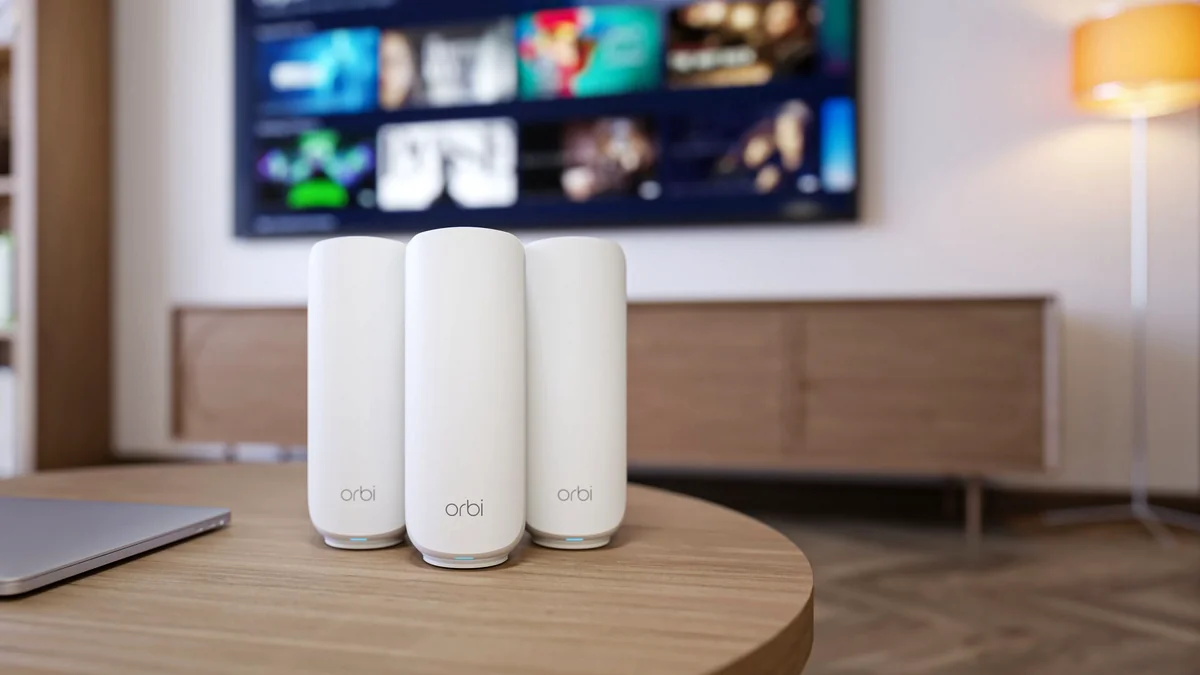
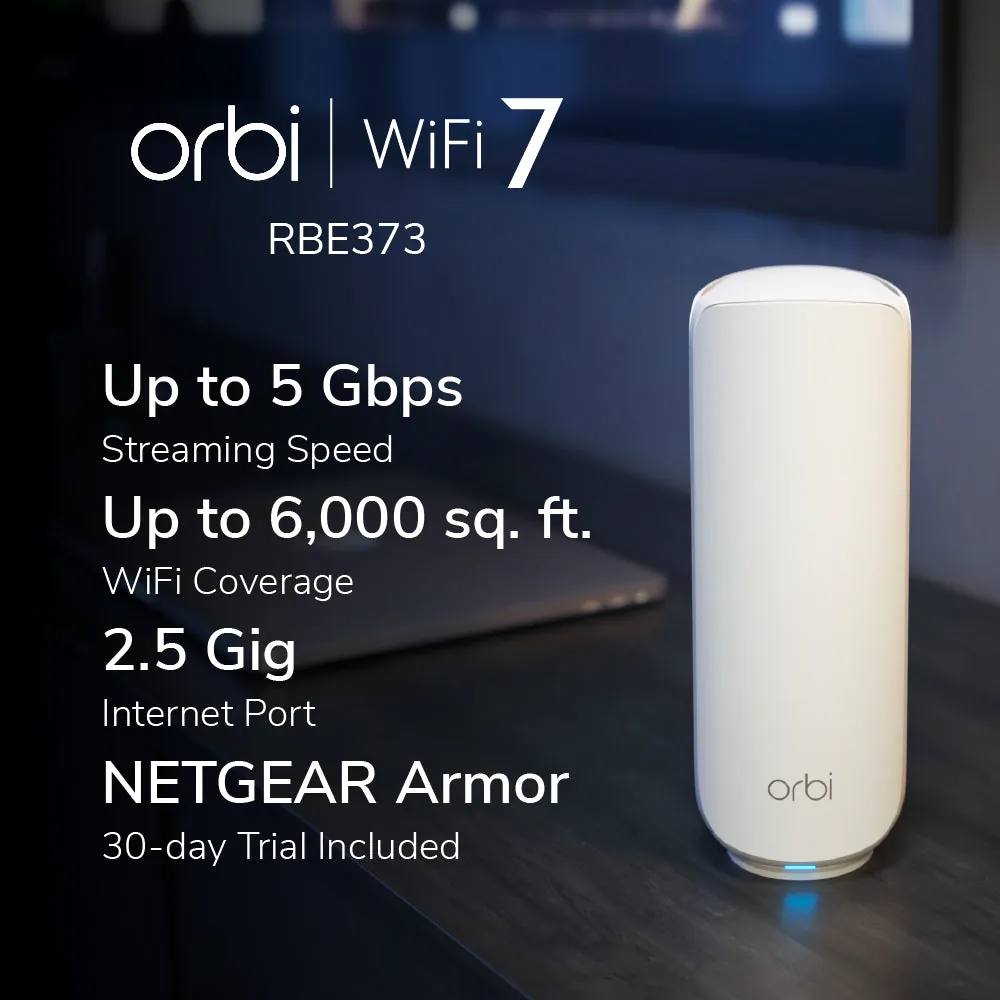
NETGEAR Orbi 370 Series (RBE373 3-Pack)
- Wi-Fi Standard
- Wi-Fi 7 (802.11be)
- Bands
- Dual-Band (2.4 GHz + 5 GHz)
- Max System Speed (US)
- 5 Gbps (Theoretical)
- Router WAN Port
- 1 x 2.5 Gbps
- Satellite LAN Port
- 1 x 2.5 Gbps (Major Limitation)
- Coverage (3-Pack)
- Up to 6,000 sq. ft.
- Key Features
- MLO Backhaul, 4096-QAM, 2.5G Wired Backhaul Support
The Value Question: Dual-Band Wi-Fi 7 vs. Tri-Band Wi-Fi 6E
Netgear positioned the Orbi 370 as a $350 gateway to Wi-Fi 7, but its dual-band architecture forces a critical comparison not just with other budget Wi-Fi 7 systems (like the TP-Link Deco BE5000) but also with mature, tri-band Wi-Fi 6E systems. For the enthusiast gamer, the omission of the 6 GHz band—which offers clean, wide channels and dedicated backhaul—is the biggest compromise. Without that dedicated channel, the system is forced to use Multi-Link Operation (MLO) across the congested 5 GHz and unreliable 2.4 GHz bands for its backhaul connection. We analyze whether the theoretical benefits of MLO and 4K-QAM modulation on the 5 GHz band truly make up for this deficit when the network is under real-world load.
Orbi 370 vs. Key Budget Mesh Competitors
| Criteria | Orbi 370 | Deco BE5000 | Wi-Fi 6E Alt. |
|---|---|---|---|
| Model | Netgear Orbi 370 (Wi-Fi 7) | TP-Link Deco BE5000 (Wi-Fi 7) | ASUS ZenWiFi AXE7800 (Wi-Fi 6E) |
| Bands | Dual-Band (2.4/5 GHz) | Dual-Band (2.4/5 GHz) | Tri-Band (2.4/5/6 GHz) |
| 3-Pack Price (US) | $349.99 | $299.99 | $399.99 |
| 2.5G Ports per Node | 1 (Satellite), 2 (Router) | 2 (Both) | 1 (Router/Satellite) |
| Dedicated Backhaul | No (Uses MLO on 2.4/5 GHz) | No (Uses MLO on 2.4/5 GHz) | Yes (Dedicated 6 GHz Band) |
Benchmark Analysis: The 5 GHz Triumph and the 2.4 GHz Failure
Our rigorous testing methodology, designed to isolate router performance from ISP fluctuations, revealed a split personality within the Orbi 370. The 5 GHz band is genuinely fast, leveraging Wi-Fi 7 features like 4K-QAM to deliver speeds that lead its class. At close range (6 feet) we measured a searing 1,390 Mbps, and even at 25 feet, speeds remained robust at 694 Mbps. However, the 2.4 GHz band, crucial for legacy devices, smart home connectivity, and long-range stability, performed catastrophically poorly, consistently ranking last in every metric against its competitors. This means your high-demand gaming PC might fly, but your smart thermostat, Ring doorbell, or distant IoT devices will crawl, rendering the system functionally inconsistent across a modern, mixed-device household.
Orbi 370 Dual-Band Throughput (Mbps) – Uncongested Test
Loading chart data…
The Subscription Trap: Limited Ports and Mandatory Fees
Beyond the wireless performance issues, the Orbi 370 is restricted by its physical hardware and software model. While the main router offers two 2.5 Gbps ports, the satellites are critically limited to a single 2.5 Gbps LAN port. This forces a painful choice for users: either dedicate that single port to a high-speed wired client (like a gaming console or PC) or use it for a wired backhaul connection to the router. You cannot do both. Furthermore, Netgear coerces users into the Orbi App, locking advanced features like comprehensive parental controls and the full suite of network security (Armor) behind expensive annual subscriptions ranging from $70 to $150. This greatly diminishes the system’s long-term value proposition compared to competitors that offer these controls for free.
Orbi 370: The Highs and Lows
Pros
- Exceptional 5 GHz throughput (class leader for budget Wi-Fi 7)
- Great coverage (up to 6,000 sq. ft. for 3-pack)
- Easy setup via Orbi App
- Includes 2.5 Gbps WAN and LAN ports on the main router
Cons
- Abysmal 2.4 GHz performance (lowest tested speeds)
- Single 2.5 Gbps port on satellites limits wired backhaul/client options
- No 6 GHz band (dual-band architecture)
- Key security and control features require expensive annual subscriptions (Armor, Parental Controls)
Final Verdict: Should Gamers Buy the Orbi 370?
The NETGEAR Orbi 370 is a mixed bag defined by its technical compromises. While its 5 GHz performance is a genuine triumph, proving the low-latency potential of Wi-Fi 7 for high-speed gaming devices, its failure on the 2.4 GHz band and its prohibitive subscription model make it hard to recommend universally. For the gamer with a modest home who needs fast 5 GHz speed and can afford to ignore the 2.4 GHz band, it’s reliable and delivers undeniable top-end speed. However, for most users seeking balanced performance, superior value, more 2.5G ports, and more free features, the TP-Link Deco BE5000 or a high-end Wi-Fi 6E system remains the smarter purchase, offering a more consistent experience across all connected devices.
Authority Score Breakdown
- 5 GHz Performance4.5/5
- 2.4 GHz Performance2.0/5
- Features & Software3.0/5
- Value Proposition3.0/5
- Overall Authority Score3.5/5
Frequently Asked Questions
Does the Orbi 370 have the 6 GHz band?
No. The Orbi 370 is a dual-band system (2.4 GHz and 5 GHz only). The 6 GHz band is reserved for higher-tier models like the Orbi 770 and 970 series.
What is MLO and how does the Orbi 370 use it?
MLO (Multi-Link Operation) is a key Wi-Fi 7 feature. The Orbi 370 uses MLO to combine the 2.4 GHz and 5 GHz bands to create a faster, more reliable backhaul connection between the router and satellites.
Is the Orbi 370 good for competitive gaming?
If your gaming device supports Wi-Fi 7 and stays close to a node, the low latency and high 5 GHz speed are excellent. However, the reliance on dual-band backhaul introduces a risk of latency spikes compared to dedicated tri-band systems.