
In an era where digital natives are growing up with limitless virtual possibilities, a profound shift is underway: the rise of the ‘maker generation.’ Children and beginners are no longer content to just consume; they’re eager to create, to transform fleeting digital ideas into tangible, playable realities. This is where the magic of 3D printing steps in, offering an unparalleled gateway to creative play and foundational learning. Imagine your child sketching a fantastical creature, then, with a few clicks, watching it materialize, layer by intricate layer, into a physical toy they can hold, paint, and cherish. This isn’t science fiction; it’s the accessible reality of modern 3D printers designed for young minds. At LoadSyn, we understand the allure and the potential of this technology. This cornerstone guide will equip you to navigate this exciting new world, ensuring your journey into empowering the next generation of creators is both informed and inspiring.
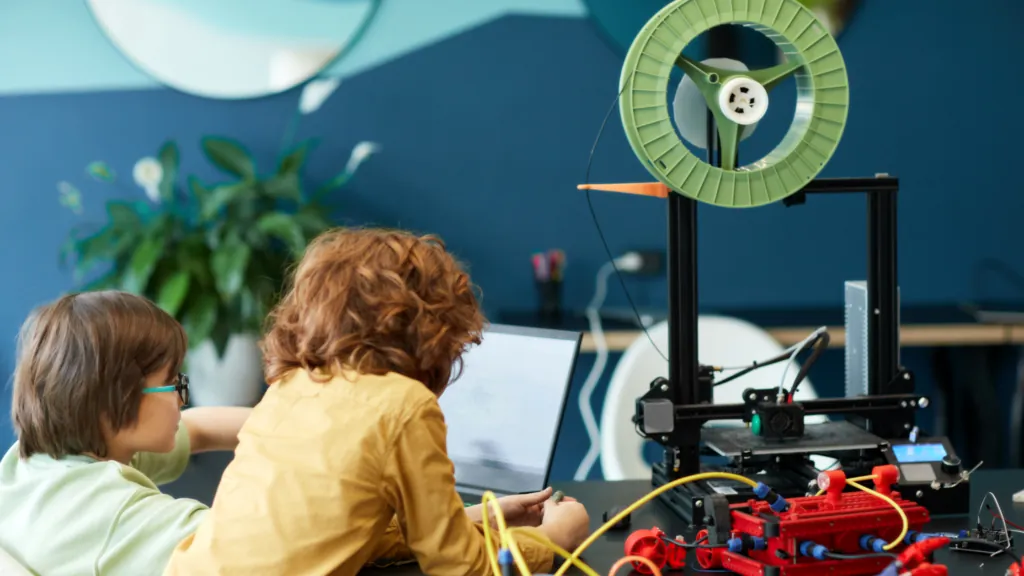
Igniting imagination: 3D printers are becoming essential tools for young creators.
Beyond the Screen: How 3D Printing Ignites Growth, Learning, and Endless Fun
A 3D printer is far more than a simple gadget; it’s a dynamic educational platform disguised as pure fun. For children and beginners, this technology provides a hands-on pathway to developing crucial STEM skills. They don’t just learn about science and math in abstract terms; they actively engage with material properties, design principles, and geometric precision as they bring their concepts to life. This iterative process inherently fosters robust problem-solving abilities: when a print doesn’t quite work, young makers learn to analyze, adapt, and refine their designs, cultivating resilience and critical thinking. Crucially, 3D printing offers a compelling, constructive alternative to the often-passive consumption of screen time. Instead of merely watching, children are empowered to actively create, transforming digital imagination into physical reality. Furthermore, the burgeoning world of licensed content allows kids to print their favorite pop culture characters – from superheroes to beloved animated figures – directly from popular fandoms, making the creative process even more engaging and personally relevant.
- Integrates STEM Education: Children actively apply principles of science (materials, heat), technology (printer mechanics, software), engineering (structural design), and mathematics (scaling, geometry) in every project. This hands-on approach makes abstract concepts concrete and engaging.
- Fosters Design Thinking: Kids learn to identify a need, conceptualize a solution, design, test, and iterate. This structured problem-solving methodology is critical for future innovation and is directly transferable to real-world challenges.
- Enhances Problem-Solving Skills: When prints don’t go as planned, children are encouraged to troubleshoot, analyze failures, and adjust designs or settings. This cultivates resilience and analytical thinking, turning setbacks into learning opportunities.
- Nurtures Boundless Creativity: From sketching original characters to customizing existing models, 3D printers provide an open canvas for imagination. Children aren’t limited by what’s available in stores; they become inventors of their own playthings.
- Improves Hands-On and Fine Motor Skills: The physical interaction with the printer, from loading filament to removing and assembling printed parts, refines dexterity, hand-eye coordination, and spatial awareness.
- Promotes Patience and Persistence: Unlike instant digital gratification, 3D printing requires waiting for layers to build up. This process teaches valuable lessons in delayed gratification and the importance of sustained effort to achieve a desired outcome.
- Connects to Popular Fandoms: Many platforms offer extensive libraries of licensed characters and themes from beloved franchises like DC Comics, Pokémon, Star Wars, and Minions. This allows children to create personalized figures and accessories featuring their favorite heroes and creatures, deepening their engagement.
The Blueprint for Play: What Makes a 3D Printer Truly Kid-Friendly?
Selecting the right 3D printer for a child or a beginner can feel daunting, given the array of options available. However, for a truly enriching and safe experience, several critical considerations rise to the forefront. Beyond mere functionality, parents and educators must prioritize robust safety features, ensuring young hands are protected from hot components and toxic fumes. Equally important is intuitive ease of use, as a complex interface can quickly stifle enthusiasm. Finally, a supportive ecosystem—one encompassing accessible content, design tools, and community—is vital for sustained engagement and learning. These three pillars form the foundation of a truly kid-friendly 3D printing adventure.
Safety First: Non-Negotiable Features for Young Makers
- Fully Enclosed Build Chambers: This critical feature physically separates curious hands from moving parts and hot components, preventing accidental contact and containing any potential fumes or particles.
- Non-Toxic PLA Filament Compatibility: Prioritizing printers that exclusively or primarily use PLA (Polylactic Acid) filament ensures a safer environment. PLA is derived from renewable resources, is biodegradable, emits minimal odors, and is generally considered non-toxic.
- Low-Temperature Printing: While hotends are inherently hot, printers designed for kids often operate at lower optimal temperatures or incorporate features to minimize external heat exposure, reducing burn risks.
- Auto Shut-Off Functions: Printers equipped with automatic shutdown after a print job is complete, or in case of detected issues, add an essential layer of safety, preventing unattended operation.
- Password-Protected Controls: Child-lock screens or passcode-restricted settings prevent unauthorized access to critical printer functions, ensuring that settings aren’t accidentally altered and prints are only initiated with adult approval.
- Shielded Hotends and Internal Wiring: Exposed hotends and wiring are potential hazards. Kid-friendly models integrate robust shielding and and internal cable management to keep these elements out of reach and sight.
For children’s 3D printing, PLA (Polylactic Acid) filament is the undisputed champion. Derived from renewable resources like cornstarch, it’s non-toxic, biodegradable, and produces minimal odor during printing. This makes it the safest, most environmentally friendly, and most comfortable option for home and classroom use.
Effortless Creation: Designing for Simplicity and Accessibility
- Pre-Assembled and Factory-Leveled: Many kid-friendly printers arrive ready to plug in and play, eliminating the often-frustrating calibration and assembly steps that typically deter beginners. This ensures immediate success and engagement.
- One-Touch Printing: The ability to select a model from a curated library and initiate a print with a single tap significantly lowers the barrier to entry, making the process as intuitive as using a tablet.
- Intuitive Touchscreen Interfaces: Clear, icon-driven touchscreens simplify navigation through menus, model selection, and basic settings, putting control directly at a child’s fingertips without needing a separate computer.
- Mobile App Control: Companion apps for smartphones and tablets offer seamless wireless control, allowing users to browse model libraries, manage prints, and even design on the go, enhancing accessibility and convenience.
- AI-Assisted Design Tools: Features like AI MiniMe or Toybox’s Magic AI Tools enable users to turn drawings or text prompts into printable 3D models with remarkable ease. While some experienced users might dismiss this as ‘AI cringe,’ for beginners, these tools are invaluable. They demystify complex CAD processes, providing a gentle on-ramp to design thinking without requiring extensive prior knowledge or advanced software proficiency. This approach empowers immediate creativity, fostering interest before delving into deeper technical skills.
A Supportive Ecosystem: Content, Community, and Continuous Learning
- Rich Content Libraries: Access to thousands of pre-designed, print-ready models is crucial for instant gratification and inspiration. This includes a vast array of generic toys, puzzles, and practical items, often augmented by exciting licensed characters from popular fandoms such as DC Comics (Batman, Superman), Pokémon (Pikachu, Charizard), Star Wars (Darth Vader), and Minions. These libraries instantly expand a child’s play universe.
- Intuitive Creative Design Apps: Beyond pre-made models, integrated design tools—like Toybox’s Creator Space or AOSEED’s AI MiniMe and AI Doodle—empower children to draw, sculpt, or even use AI prompts to create their own unique designs. Gamified apps make learning 3D modeling feel like play.
- Educational Tutorials and Learning Paths: Comprehensive, age-appropriate tutorials, often integrated directly into companion apps, guide children through design principles, printing techniques, and troubleshooting. These resources transform casual play into structured STEM learning experiences.
- Active Online Communities for Sharing and Support: A vibrant community fosters collaboration, allows young makers to showcase their creations, and provides a platform for troubleshooting and sharing tips. This social aspect can significantly enhance the learning journey, offering inspiration and a sense of belonging.
The Best Beginner-Friendly 3D Printers: A Deep Dive
With the surge in demand for accessible 3D printing, several manufacturers have stepped up to offer models specifically tailored for children and beginners. These printers balance robust safety features with intuitive interfaces and engaging content. In this section, we’ll delve into the leading contenders that are truly shaping the ‘maker generation,’ with a particular focus on innovative brands like Toybox and AOSEED, which have carved out a significant niche in this exciting market.
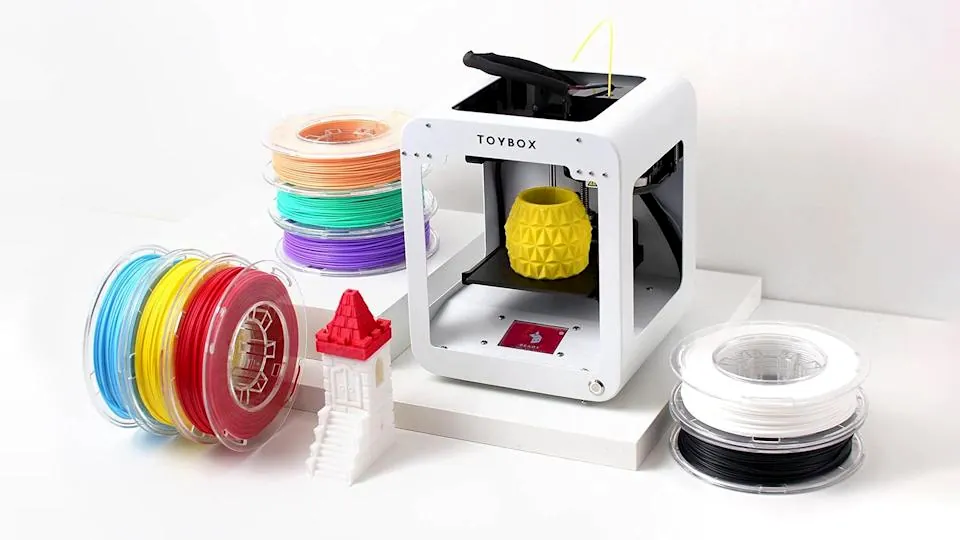
Toybox 3D Printer: The One-Touch Toy Factory for Little Hands
Technical Specifications
| Price | $249 (Alpha Three Pro Saver Bundle) / $299 (Alpha Three Pro Mega Bundle) |
|---|---|
| Build Volume | 75 x 80 x 90 mm (2.9 x 3.1 x 3.5 inches) |
| Max Print Speed | Up to 1.5x faster than original (Alpha Three), up to 75 mm/s (Alpha Two) |
| Filament | PLA only (Toybox ‘Printer Food’ recommended) |
| Key Features | One-touch printing, 7000+ digital toys, licensed characters, AI Tools |
| Age Range | 6 years and above |
Pros
- Extremely kid-friendly with one-touch printing and intuitive app control.
- Extensive library of 7000+ digital toys, including popular licensed characters (DC, Looney Tunes).
- Compact size, connects via Wi-Fi, acts as a standalone printer.
- Uses non-toxic, biodegradable PLA filament.
- Creator Space and Magic AI Tools for custom design.
Cons
- Smaller build volume limits the size of prints.
- Toybox ‘Printer Food’ is more expensive than generic filament.
- Access to premium models may require a subscription.
- Print speed is slower compared to newer beginner models.
AOSEED X-MAKER Series: A Scalable Ecosystem for Growing Creators
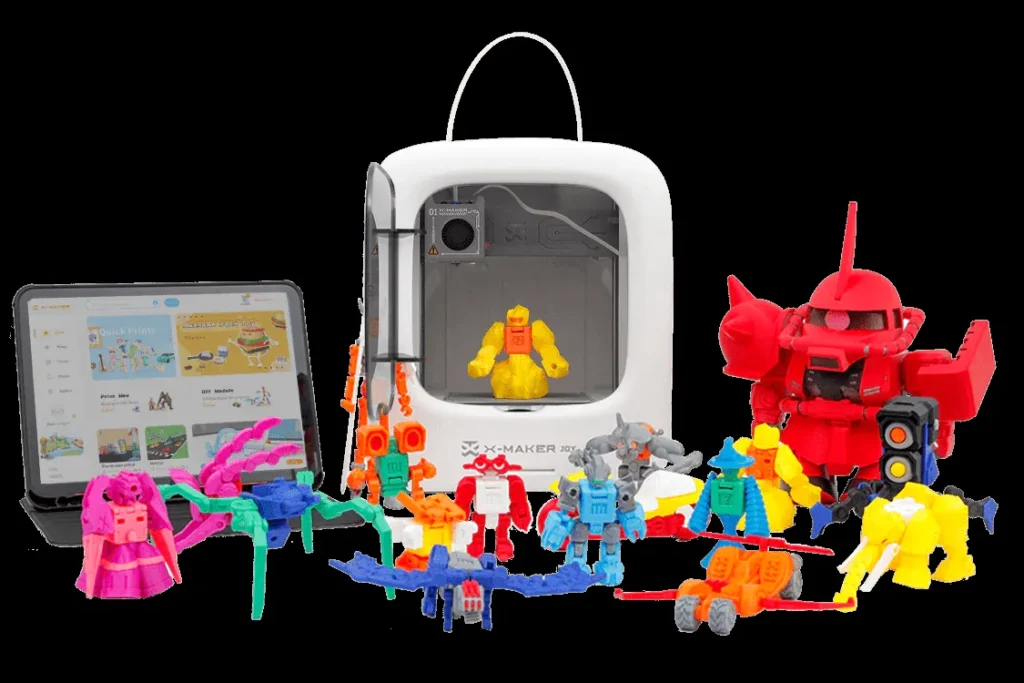
The AOSEED X-MAKER series offers a thoughtfully tiered approach to 3D printing, designed to grow with a child’s developing skills. The AOSEED X-MAKER JOY is specifically crafted for younger children, typically aged 4-9, providing an incredibly simplified and safe entry point into additive manufacturing. For older, more advanced aspiring engineers and designers, the AOSEED X-MAKER caters to ages 9-16, offering expanded capabilities and creative control. Both models share a foundational commitment to safety, featuring fully enclosed designs. They are also deeply integrated with educational apps and innovative AI-powered design tools, ensuring that learning and creativity are at the core of the user experience.
X-MAKER JOY Specifications
| Price | $259 |
|---|---|
| Build Volume | 120 x 120 x 120 mm (5.9 x 5.9 x 5.9 inches) |
| Max Speed | Up to 300 mm/s |
| Key Features | Fully enclosed, One-touch printing, AI MiniMe, 2000+ templates |
| Age Range | 4-12 years old |
Pros
- Fully enclosed design with magnetic chamber and passcode lock.
- AI-powered design tools (AI MiniMe, AI Doodle) simplify creation.
- High print speed (up to 300 mm/s) for quicker gratification.
- Quiet operation (<50dB) suitable for classrooms.
Cons
- Smaller build volume compared to full-sized printers.
- Limited primarily to PLA filament for safety.
X-MAKER (Standard) Specifications
| Price | $399 |
|---|---|
| Build Volume | 150 x 150 x 150 mm (5.9 x 5.9 x 5.9 inches) |
| Filament Support | PLA, PETG, ABS |
| Key Features | Time-lapse camera, Quick-swap nozzle, AI 3D modeling |
| Age Range | 9-16 years old |
Pros
- Larger build volume for more ambitious projects.
- Supports multiple filament types (PLA, PETG, ABS) for durability.
- Built-in camera for time-lapse videos.
- Advanced settings for older learners and creative control.
Cons
- Higher price point ($399).
- Advanced features may require adult guidance initially.
Beyond the Dedicated Kid-Printers: Other Budget-Friendly Contenders
While Toybox and AOSEED lead the charge with purpose-built kid-friendly ecosystems, several other budget-friendly 3D printers offer compelling value for beginners and older children under $300. Models like the Creality Ender 3 V3 SE, Flashforge Adventurer 5M, and Elegoo Neptune 4 Pro provide impressive features such as larger build volumes and faster print speeds, often appealing to users looking for more versatile capabilities as their skills grow. However, a key distinction to note is that these models frequently feature open-frame designs, which, while offering greater accessibility for maintenance and observation, necessitate more diligent adult supervision, especially when young children are present.
| Printer Model | Price (Approx.) | Build Volume (mm) | Max Speed (mm/s) | Key Safety Features | Notable Extras |
|---|---|---|---|---|---|
| Toybox Alpha Three | $249-$299 | 75 x 80 x 90 | 75 | Enclosed, PLA Only | 7000+ Toy Catalog |
| AOSEED X-MAKER JOY | $259 | 120 x 120 x 120 | 300 | Fully Enclosed, Lock | AI MiniMe, Gamified Apps |
| AOSEED X-MAKER | $399 | 150 x 150 x 150 | 300 | Fully Enclosed, Lock | Camera, Multi-Filament |
| Creality Ender 3 V3 SE | $199 | 220 x 220 x 250 | 250 | Open Frame | Auto-Leveling, Large Build |
| Flashforge Adv 5M | $299 | 120 x 120 x 120 | 250 | Open Frame | Remote Monitoring |
| Elegoo Neptune 4 Pro | $289 | 225 x 225 x 265 | 250 | Shielded Hotend | AI Print Monitoring |
Your First Print: Embarking on a Creative 3D Printing Journey
The leap from curiosity to creation with a 3D printer is often far simpler than many imagine. Modern kid-friendly models are designed for immediate success, making the initial setup and first print a surprisingly intuitive experience. Once the basics are mastered, an expansive universe of projects awaits, limited only by imagination.
- Unbox and Position: Carefully unbox your new 3D printer and place it on a stable, level surface in a well-ventilated area.
- Load Filament: Follow your printer’s on-screen prompts or manual to load the PLA filament.
- Connect and Update: Power on your printer and connect it to your home Wi-Fi network. Update both the app and firmware.
- Select Your First Model: Browse the printer’s integrated model library and choose a small, simple design like a keychain.
- Prepare for Printing (Slice): Most kid-friendly printers will automatically “slice” your chosen model into printable layers.
- Initiate Print and Monitor: With a single tap, start your first print. Stay nearby for the initial layers to ensure adhesion.
- Remove and Celebrate: Once complete and cooled, carefully remove your newly created object and celebrate the first step!
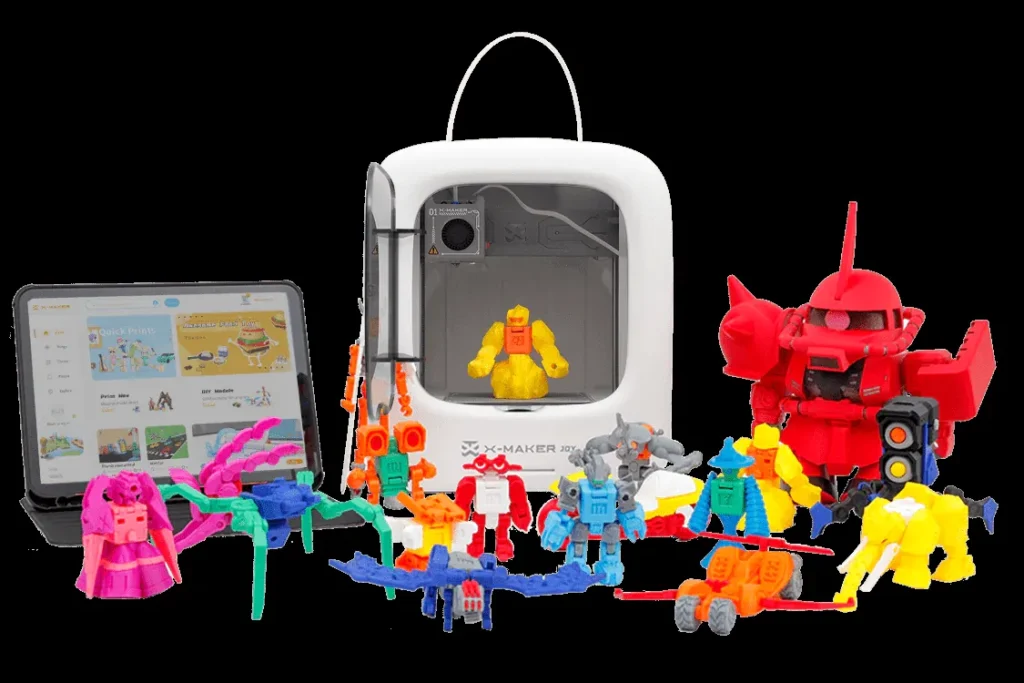
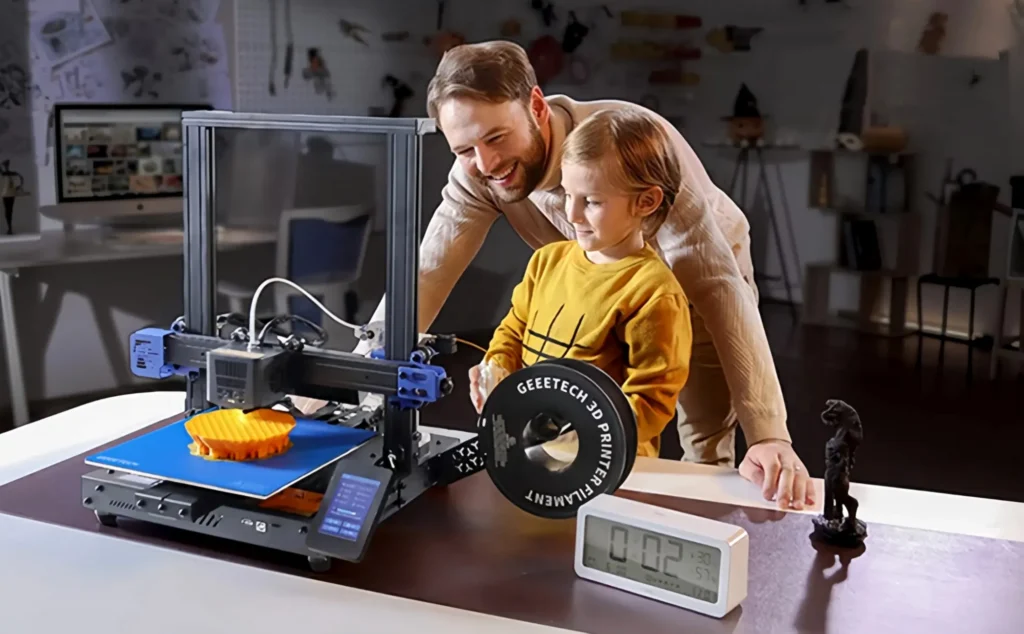
Unleashing Imagination: Inspiring 3D Printing Projects for Every Young Maker
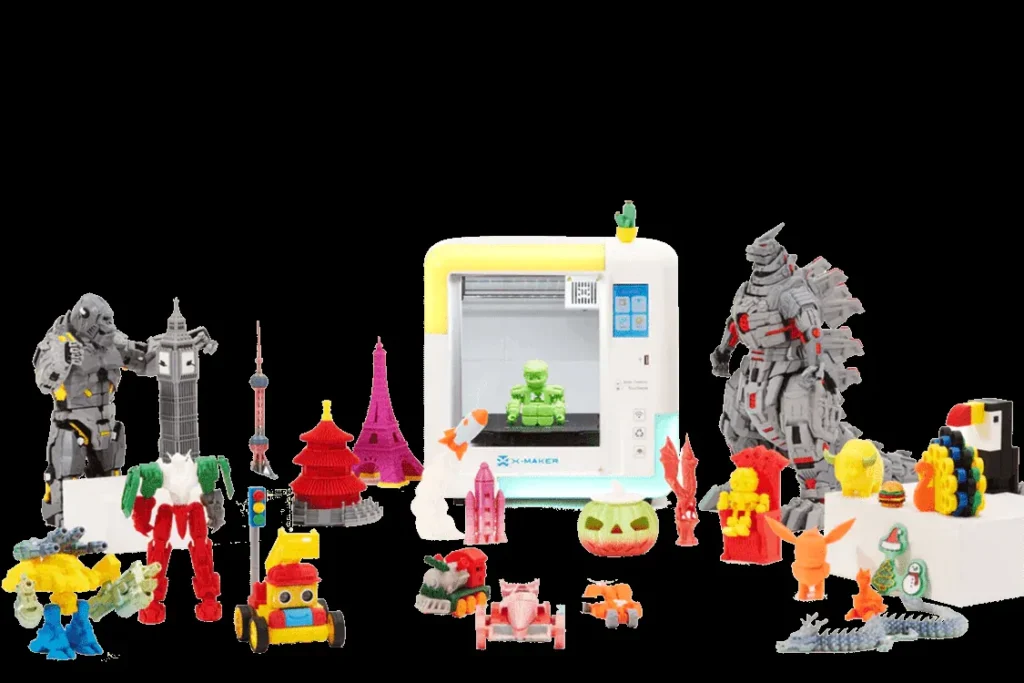
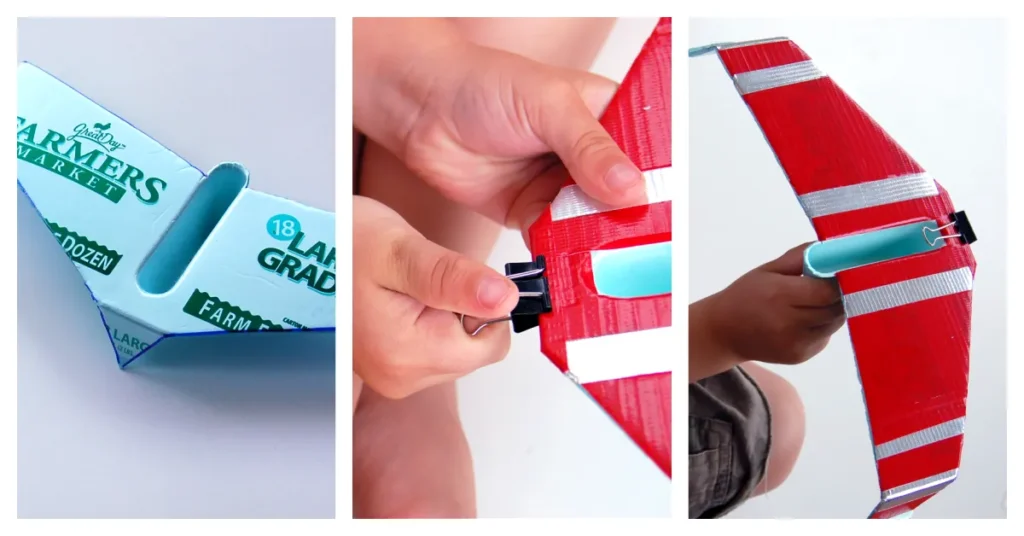
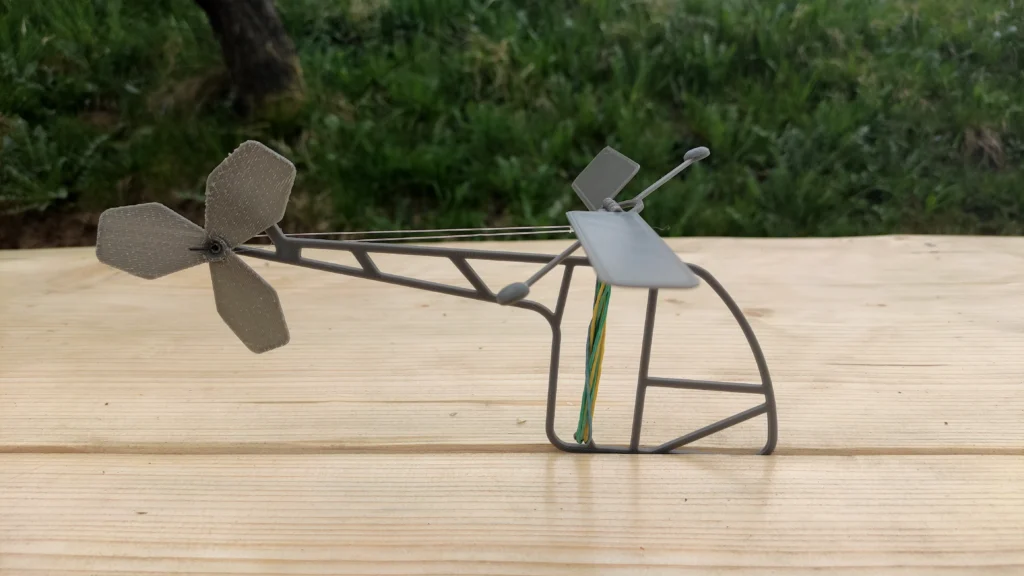
- Fandom Favorites: Articulated action figures of Batman, Superman, Spider-Man, or Pokémon like Pikachu. Custom board game tokens and props.
- Everyday Innovations: Personalized keychains, hair clips, desk organizers (like a Totoro Storage Box), and miniature worlds with tiny cars and animal sets.
- STEM Challenges: Miniature bridges for structural testing, gears, sliding puzzles, and interactive toys with wind-up mechanisms.
Navigating the Fandom Pulse: Addressing Community Feedback and Concerns
The rapid integration of AI into 3D printing platforms has sparked a lively debate within the broader maker community. While some experienced users express a sentiment of ‘AI cringe,’ viewing these tools as superficial, they serve a vital role for children by significantly lowering the barrier to entry. These tools empower instant creativity, allowing beginners to experience the joy of creation before needing extensive CAD expertise.
Another point of discussion has been the observed aesthetic and functional similarities among various new, affordable 3D printers. This convergence in design reflects a natural evolution toward optimized manufacturing processes and enhanced user experience. Ultimately, the proliferation of high-performing, affordable printers—regardless of their visual cues—democratizes the creative process for everyone, especially for new entrants and young makers.
Responsible Ownership: Ensuring Safety and Longevity
- Ensure Proper Ventilation: Even with non-toxic PLA, always place your printer in a well-ventilated room to maintain healthy air quality.
- Supervise Younger Children: Direct adult supervision is paramount for children under 8-10 years old.
- Understand “Hot Parts”: Educate children that the nozzle and print bed become extremely hot and are strictly off-limits to touch.
- Proper Filament Storage: Store PLA in a cool, dry, sealed environment to prevent moisture absorption and clogs.
- Post-Processing Safety: Sand sharp edges of finished toys and rigorously check for choking hazards in small parts.
The Future is Printed: Empowering Tomorrow’s Innovators, Today
The advent of accessible 3D printing marks a pivotal moment in how children interact with technology. It fundamentally empowers a shift from passive consumption to active, imaginative creation. This transformation is not merely about making toys; it’s about fostering a generation of innovators who understand design, engineering, and problem-solving from a young age.
Frequently Asked Questions
Final Verdict
In conclusion, the decision to invest in a 3D printer for a child or beginner is an investment in the future itself. These remarkable devices are powerful catalysts for fostering innate creativity, building essential STEM skills, and creating invaluable opportunities for family engagement through shared projects. By carefully selecting a beginner-friendly model that prioritizes safety, ease of use, and a rich content ecosystem, you unlock a world of boundless possibilities. This isn’t just about printing toys; it’s about empowering the next generation to be active creators, critical thinkers, and confident innovators who can bring their wildest ideas to tangible reality.