
Every PC gamer knows the routine: the insidious creep of dust, the sudden spike in CPU temperatures, the tangled mess of cables behind the rig. These aren’t just minor annoyances; they’re performance killers and sources of genuine frustration. But what if these dreaded chores could transform into satisfying acts of upkeep, all without draining your wallet? This guide will show you how to do just that, focusing on essential, high-utility items that make a monumental difference for less than $13.
“POV repasting ur am4 cpu and having to put back the stock cooler”
It’s a sentiment shared by many in the community, highlighting the often-tedious nature of PC maintenance, even when we know it’s for the best.
The Unsung Heroes: High-Impact Upgrades for Pocket Change
While the allure of a new GPU or a faster SSD is undeniable, those major upgrades come with significant price tags. Yet, many of the most impactful improvements to your PC’s longevity, stability, and even performance stem from small, often overlooked accessories and maintenance tools. Our mission here is to spotlight these unsung heroes, proving that a modest ‘under $13’ investment can yield surprisingly substantial returns.
1. Thermal Paste: The CPU’s Coolest (and Cheapest) Ally
At the heart of every well-cooled PC lies thermal paste, a seemingly simple compound with a critical mission. It acts as a microscopic bridge, filling the tiny, invisible gaps between your CPU/GPU’s Integrated Heat Spreader (IHS) and your cooler’s baseplate. Without it, these air pockets would trap heat, leading to inefficient cooling and potentially severe thermal throttling. Even a basic, good quality thermal paste can dramatically improve thermal transfer for a minimal cost, making it arguably the single most effective ‘under $13’ investment for preventing overheating. The classic ‘pea-sized dollop’ method, where a small amount is applied to the center of the CPU, remains a widely accepted and effective technique for even spread once the cooler is mounted.
Pro Tip: Cleanliness is Key!
Before applying any new thermal paste, always thoroughly clean the CPU/GPU surface and the cooler’s base with isopropyl alcohol (90% or higher) and a lint-free cloth. This meticulous prep ensures optimal contact and thermal transfer, maximizing the effectiveness of your new paste. A small bottle of isopropyl alcohol and a pack of lint-free wipes can easily be found for under $13, making this crucial step incredibly budget-friendly.
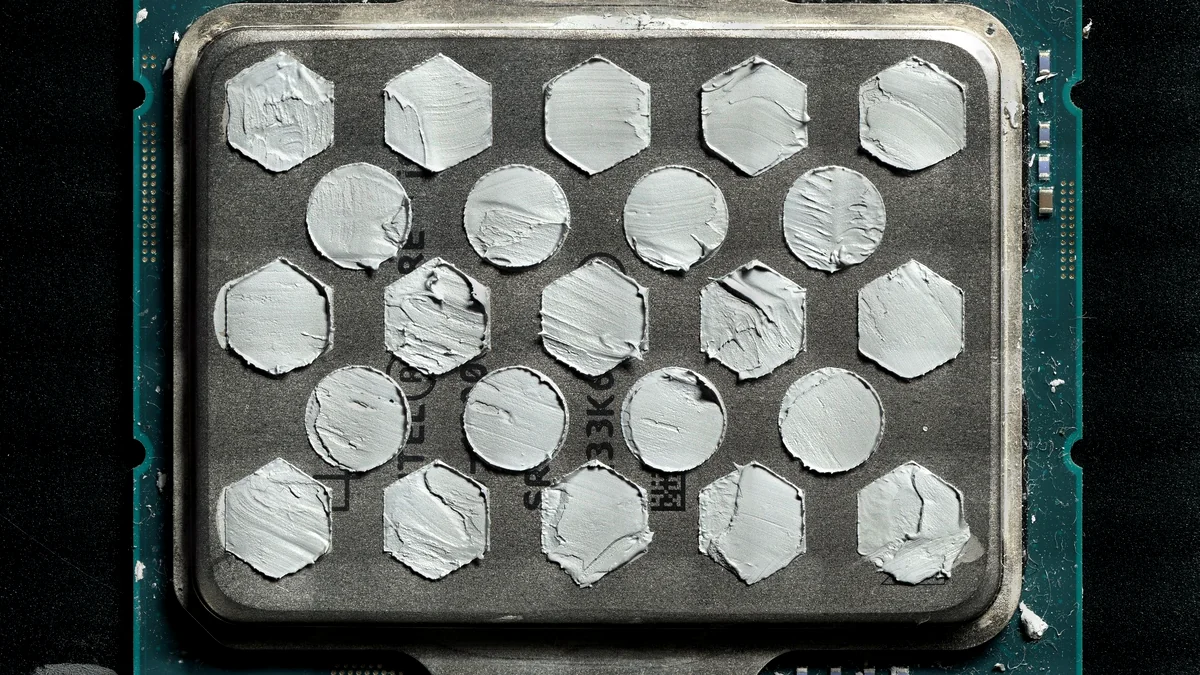
The perennial debate around the ‘perfect’ thermal paste application method has long been a source of anxiety for PC builders. However, new innovations are emerging to simplify this often-stressful process. Igor’s Lab, a respected voice in hardware analysis, has championed the development of the X-Apply stencil system. This innovative solution is designed to make thermal paste application truly ‘idiot-proof,’ ensuring a perfect, evenly distributed layer across the CPU’s IHS every time. Initial thermal testing has even demonstrated measurable temperature reductions—around 4°C—compared to standard application techniques, showcasing its efficacy. While X-Apply is not yet a retail product, its imminent release represents a significant step towards demystifying and de-stressing a common PC building anxiety, promising perfect coverage and optimal thermal performance for everyone.
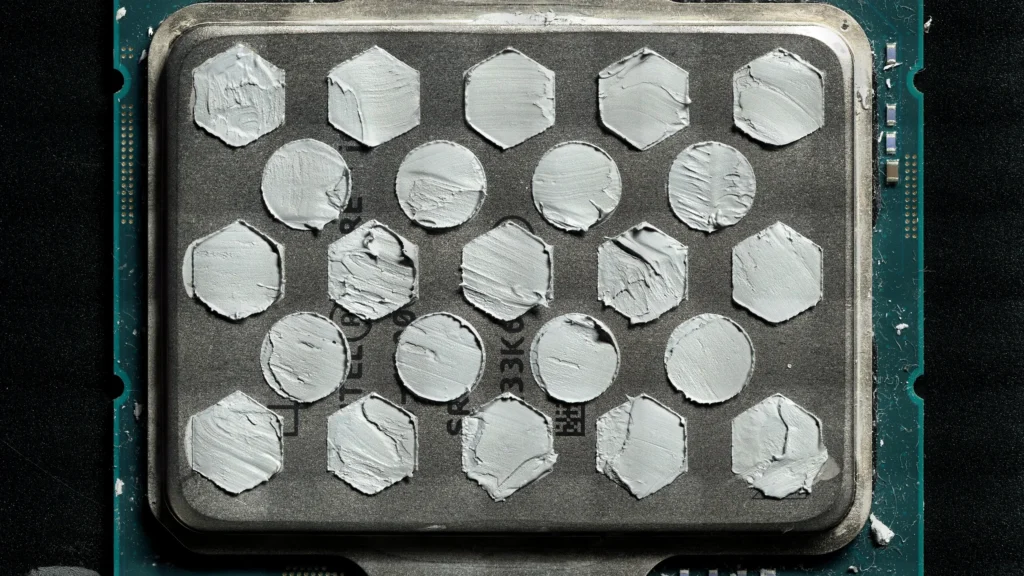
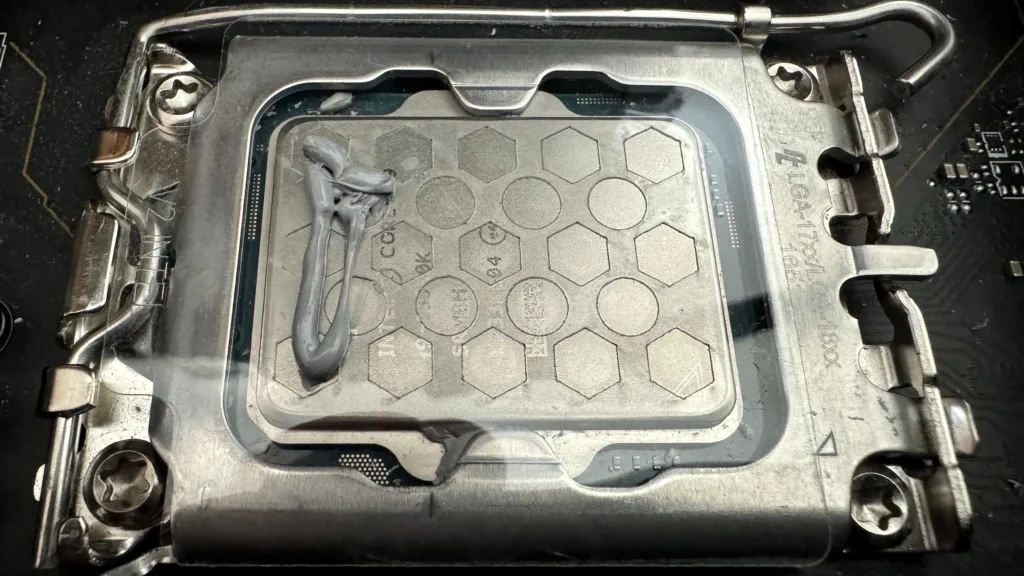
While the market offers alternatives like liquid metal and thermal pads, it’s crucial to understand their nuances. Liquid metal, while offering superior thermal conductivity, comes with electrical conductivity risks that can short-circuit components if not applied with extreme precision. Thermal pads, on the other hand, are safer and easier to apply, effectively bridging larger gaps, but generally don’t achieve the same ultra-thin bond lines as thermal paste, which are crucial for minimizing thermal resistance. For most gamers seeking optimal performance without unnecessary risk or complexity, a quality non-conductive thermal paste remains the best ‘under $13’ solution for efficient CPU and GPU cooling.
2. Keyboard Cleaning Kit: Banish the Crumb Monster
Your gaming keyboard is a battlefield, constantly assaulted by crumbs, dust, skin flakes, and grime. This isn’t just a hygiene issue; accumulated debris can severely affect key responsiveness, leading to missed inputs and a degraded gaming experience. Investing in a simple, effective keyboard cleaning kit is an ‘under $13’ investment that goes a long way. These kits typically include brushes, keycap pullers, and cleaning gels, making it easy to banish the crumb monster, restore tactile feedback, and significantly extend the lifespan of your most-used peripheral.
3. The Essential Tech Toolkit: Individual Gems for Under $13
While comprehensive repair kits from brands like OWC or Specialized can be incredibly robust, they often come with price tags well over $100. However, many of the individual components found within these professional kits are indispensable for routine PC maintenance and can be acquired for under $13 each. These are the versatile items that often sit quietly in your ‘junk drawer,’ waiting to save the day when a minor tech frustration arises.
- Precision Screwdriver Set: Essential for opening small electronics, tightening loose screws, or even swapping out components. Small sets with multiple bits (including specialized ones like Torx or Pentalobe) are widely available for under $13, ensuring you’re ready for any fastener.
- Anti-Static Wrist Strap: Critical for protecting sensitive components from electrostatic discharge (ESD) during any internal PC work. A fundamental safety tool, this easily found accessory costs just a few dollars, preventing costly damage to your motherboard, RAM, or GPU.
- Plastic Spudgers/Pry Tools: Perfect for safely opening cases, disconnecting stubborn connectors, or routing cables without scratching delicate surfaces. Unlike metal tools, plastic spudgers minimize the risk of damage, and they’re often sold in multi-packs for very little.
- Microfiber Cloths: Indispensable for cleaning screens, cases, and peripherals without leaving lint or streaks. A multi-pack is a budget-friendly staple that keeps your entire setup pristine.
- Canned Air/Dust Blower: While a single can of compressed air might occasionally nudge past the $13 mark, it’s invaluable for blasting dust from fans, heatsinks, and keyboard crevices. For a more sustainable and cost-effective long-term solution, consider a reusable electric air blower as a one-time investment that pays for itself.
- Cable Ties/Velcro Straps: For organizing messy cables behind your PC or desk, these simple tools dramatically improve airflow, aesthetics, and make future maintenance much easier. A large pack costs very little and makes a huge difference in tidiness and overall system health.

Future-Proofing Your Rig, One Cheap Fix at a Time
Ultimately, investing in these simple, high-utility tools isn’t just about fixing immediate problems; it’s about proactively extending the life of your expensive gaming hardware, maintaining peak performance, and significantly reducing future frustrations. These ‘under $13’ heroes are the backbone of a well-maintained, reliable gaming setup, empowering you to take control of your PC’s health and ensure it performs optimally for years to come. Don’t underestimate the power of small, smart investments.
Key Takeaways
- Thermal Paste is Crucial: A fresh application can significantly improve CPU/GPU cooling for under $13, preventing throttling and extending hardware life.
- Cleanliness Counts: A simple keyboard cleaning kit (like those for under $13) keeps peripherals responsive, hygienic, and extends their lifespan.
- Individual Tools Over Kits: Focus on acquiring essential individual tools like precision screwdrivers, anti-static straps, and spudgers—all available cheaply—rather than investing in expensive full toolkits for basic maintenance.
- Small Investments, Big Returns: These low-cost items prevent bigger problems, extend hardware life, and enhance your overall gaming experience by ensuring peak performance and reliability.
Frequently Asked Questions
How often should I reapply thermal paste?
Generally, thermal paste doesn’t need reapplication unless you remove your cooler or notice significant temperature increases. High-performance pastes typically last 1-3 years, while OEM pastes can last 5-10. However, if you’re experiencing throttling or higher-than-normal temps, it’s a good first step to check.
Are liquid metal thermal solutions safe for beginners?
Liquid metal offers superior thermal performance but is electrically conductive and can corrode aluminum. It’s generally not recommended for beginners due to the risk of short-circuiting components if not applied perfectly. Non-conductive thermal pastes are much safer and easier to use.
Can I use household cleaning products on my PC components?
No. Always use products specifically designed for electronics, such as isopropyl alcohol (90%+) for surfaces and contacts, and compressed air or a soft brush for dust. Household cleaners can leave residues, cause corrosion, or damage sensitive components.
Is a GPU support brace really necessary?
While not directly covered in the essential maintenance tools for under $13, GPU sag is a common aesthetic and potential structural issue for heavy graphics cards. While not strictly ‘necessary’ for performance, a simple, low-cost GPU support brace can prevent long-term stress on your PCIe slot and improve your build’s appearance and structural integrity. It’s a worthy consideration for maintaining your rig’s health and looks.