
The Unseen War: AI, Shortages, and the Battle for Your Budget Gaming PC
The dream of building an affordable 1080p gaming PC has never been more challenging. The ‘AI silicon apocalypse’ and relentless component shortages, particularly for crucial DDR5 memory, have decimated traditional budget DIY options. Once-spectacular deals, like the fabled $650 builds supported by now-vanished motherboard-plus-RAM combos, have evaporated. Aspiring gamers are now facing choices in that price range featuring ancient CPUs and poor graphics cards, riddled with red flags. This isn’t just a market fluctuation; it’s a fundamental economic shift, forcing a re-evaluation of how we acquire entry-level gaming power, pushing us away from the once-sacred DIY path towards unexpected alternatives. However, this shift requires a new level of engineering scrutiny. Beneath the polished RGB exterior of many modern budget builds lies a minefield of proprietary traps and engineered limitations designed to force early obsolescence. To find a true deal, we must look beyond the marketing and perform a forensic analysis of the component choices.
“That’s exactly what I would have liked to find brand new for that price. Finally a company that realized that there is a market for this price range and these parts, and not trying to scam everyone.”
LoadSyn Community Fandom Pulse
Finding the Oasis: When Prebuilts Offer Unexpected Value
In this turbulent market, system integrators are emerging as unlikely heroes due to their immense bulk-buying power. By securing GPUs by the pallet and maintaining direct supply lines even during RTX 50-series shortages, these companies can often offer pricing that individual DIY builders simply cannot replicate at retail. For those seeking a plug-and-play 1080p experience without the troubleshooting drama, these systems are a compelling alternative. However, convenience is a double-edged sword. Every ‘deal’ requires deep technical scrutiny to ensure it isn’t a ‘fake’ deal built on proprietary components. As Senior Analyst Jeff Kampman of Tom’s Hardware notes, the evolution of component deals means we must now verify the underlying engineering—from VRM quality to PSU reliability—to ensure that a short-term saving doesn’t lead to a long-term hardware headache.
The RTX 5050 vs. 3050: A Generational Leap, But Not Without Caveats
| Game | RTX 3050 Perf (Avg FPS / Stability) | RTX 5050 Perf (Avg FPS / Stability) | % Generational Gain | Key Takeaway (VRAM/Stability) |
|---|---|---|---|---|
| A Plague Tale Requiem | ~40 FPS / Unstable (dips to 30s) | ~64 FPS / Playable (dips to 49) | 59% | Significant jump to 60+ FPS average, but frame time variance remains high. |
| Alan Wake 2 | ~30 FPS / Barely playable | ~45 FPS / Playable with settings tweaks | 50% | Improved, but still requires settings adjustments for 60 FPS target. |
| Baldur’s Gate 3 | ~50 FPS / Playable but not amazing | ~82 FPS / Perfectly acceptable (lows >60) | 64% | Major improvement, achieving smooth 1080p 60+ FPS gameplay. |
| Cyberpunk 2077 | ~25 FPS / Unplayable | ~52 FPS / Playable with DLSS/MFG | 110% | Massive uplift; benefits greatly from frame generation and AI upscaling. |
| Hogwarts Legacy | ~40 FPS / Unplayable | ~63 FPS / Playable (lows need boost) | 57% | Reaches 60+ FPS average; upscaling/frame gen highly recommended for smooth lows. |
| Starfield | ~35 FPS / Disappointing | ~52 FPS / Still below 60 FPS, needs upscaling | 50% | Noticeable improvement, but still struggles to hit 60 FPS even at 1080p. |
| Indiana Jones (AAA Title) | Hard Crash (8GB VRAM limit) | Hard Crash (8GB VRAM limit) | N/A | Critical VRAM bottleneck: 8GB VRAM insufficient for engine initialization; leads to hard crash. |
The benchmarks vividly illustrate the generational leap from the RTX 3050 to the newer RTX 5050. While the 3050 struggled to consistently hit 60 FPS in many modern titles, the 5050 provides a 50-110% performance uplift, making demanding games genuinely playable at 1080p with appropriate DLSS intervention. However, there is a technical hard wall: VRAM. The ‘Indiana Jones’ case study is a stark warning. Despite the 5050’s raw rasterization gains, the 8GB VRAM buffer found on both cards is proving to be a fatal flaw for upcoming AAA titles. In our testing, the game simply hard-crashed at the main menu. While optimization is a developer responsibility, this fuels legitimate ‘VRAM Obsolescence Panic.’ In 2025, 8GB is no longer a safety net; it is a potential dead end for longevity, making VRAM capacity a more critical metric than raw FPS for budget buyers.
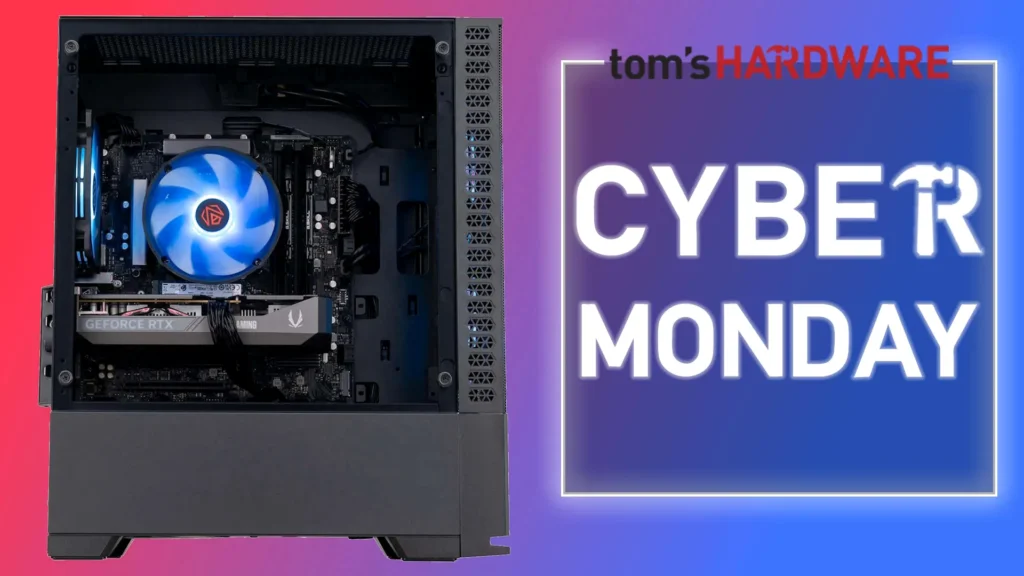
ABS Cyclone Aqua (Example Configuration for Scrutiny)
The Paradox of Parts: Understanding the Hidden Traps
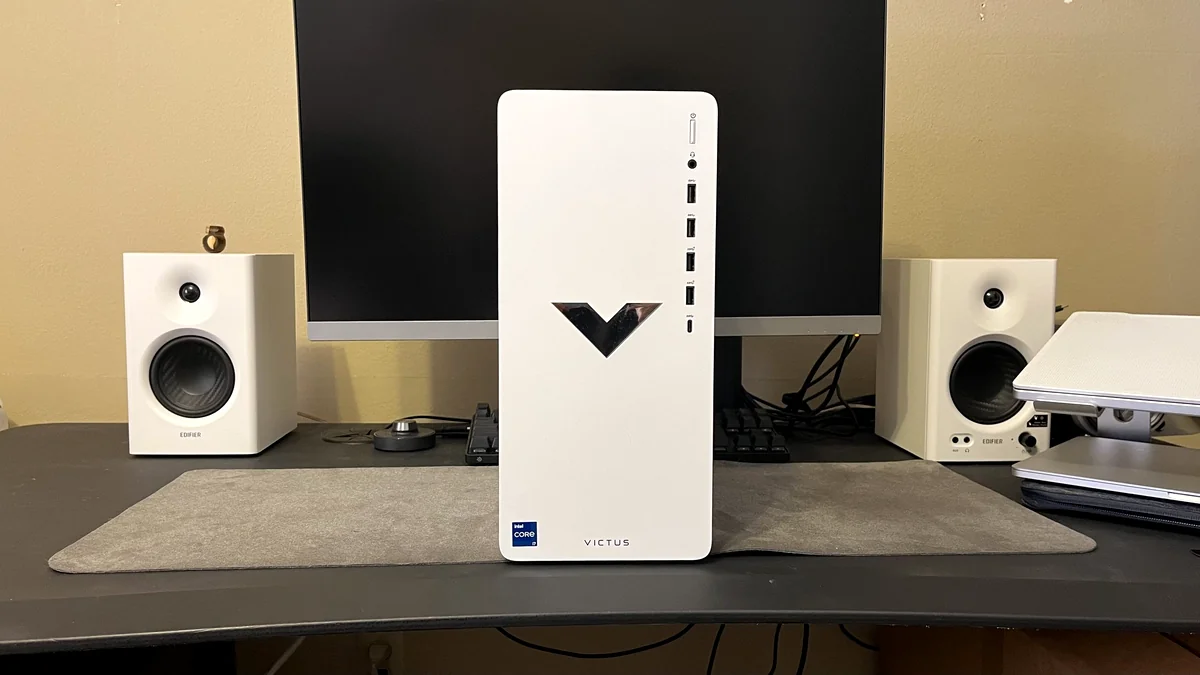
While prebuilts offer an escape from component scarcity, they often hide technical compromises. A prime example of the ‘Prebuilt Trap’ is the HP Victus 15L. Under the hood, this system utilizes HP’s proprietary ‘Erica8 motherboard’ and a non-standard 500W power supply (Model L89233-001). These components use non-standard connectors and form factors, effectively locking the user into a dead-end ecosystem where PSU and GPU upgrades are physically impossible without replacing the entire chassis and motherboard. Furthermore, the Victus 15L’s cramped internal design leads to what we call ‘mercurial performance.’ In our analysis, the restrictive airflow and minimal venting caused the system to overheat and literally restart when pushed hard in titles like Control. This is a direct manifestation of the ‘Thermal Distrust’ hotspot; unlike a standard DIY build with an open, airflow-optimized layout, these compact proprietary machines are engineered for the assembly line, not for longevity or thermal stability.
The Cost of Convenience: Proprietary Components vs. Open Standards
- Non-Standard Motherboard Form Factors: Proprietary designs like HP’s Erica8 lack standard mounting points, preventing motherboard or case swaps.
- Proprietary PSU Connectors: Many budget OEMs use 12VO or custom 6-pin power delivery instead of standard 24-pin ATX, making aftermarket PSU upgrades impossible.
- Custom Cooling Solutions: Custom CPU brackets or non-standard fan headers prevent the installation of high-performance aftermarket coolers.
- Limited BIOS Options: Locked-down BIOS settings often prevent enabling XMP/EXPO profiles for RAM or adjusting CPU power limits.
- Chassis Design with Non-Standard Mounting: Restrictive internal layouts and unique screw placements can make adding storage or larger GPUs a technical nightmare.
Subtle compromises also lurk in storage and memory. Many budget prebuilts ship with QLC (Quad-Level Cell) NAND SSDs lacking a DRAM cache. While cheap, these drives suffer from significantly reduced write speeds and endurance compared to TLC (Triple-Level Cell) alternatives with dedicated DRAM controllers. This impacts everything from game loading to asset streaming as the drive fills. Similarly, single-channel RAM remains a pervasive issue; a single 16GB stick effectively halves memory bandwidth, crippling CPU performance and 1% low frame-times. Savvy buyers must look past the headline numbers to verify dual-channel configurations and NAND types to ensure the system doesn’t degrade within its first year of service.
Market Anomaly: The ‘Bring Your Own RAM’ PC
The severe memory shortage and skyrocketing DDR5 prices—which have nearly tripled over the past year due to aggressive consumption by AI data centers—have led to radical solutions. Paradox Customs, for instance, now offers prebuilt PCs without any installed RAM, allowing customers to supply their own. While this innovative move can save hundreds of dollars and helps Paradox Customs sidestep supply chain headaches, it shifts significant technical risk onto the buyer. Memory compatibility is notoriously finicky, especially with newer platforms, and installing an incompatible kit can lead to black screens or constant blue-screen crashes. This demands meticulous compatibility checks, potentially turning a ‘turnkey’ system into a frustrating DIY troubleshooting project. It’s a stark indicator of the chaotic state of the hardware market, suggesting this unusual offering is a clever survival tactic rather than a permanent shift in PC sales methodology.
Budget Prebuilt Gaming PCs: The Good & The Bad
The Good
- Often better value than DIY during component shortages (e.g., GPUs)
- Plug-and-play convenience, no assembly stress
- Professional testing, warranty, and customer support
- Immediate access to latest hardware (RTX 50 series)
- Includes Windows 11 license
The Bad
- Proprietary motherboard designs limiting future swaps
- Non-standard PSU form factors preventing upgrades
- Sub-optimal VRM design leading to CPU throttling
- QLC or DRAM-less SSDs impacting long-term performance
- Inadequate cooling leading to thermal throttling
- Single-channel RAM configurations crippling 1% lows
The Gamer’s Dilemma: Community Voices and Concerns
The community’s reaction to budget prebuilts is a complex mix of cautious optimism and deep-seated concern. There’s palpable relief at finding seemingly non-scam options that offer decent value, yet this hope is significantly tempered by skepticism about long-term value and upgradeability. Gamers are hopeful for an accessible entry point into modern PC gaming but worry intensely about quick obsolescence, perceived performance bottlenecks from mismatched components, and the true capability of entry-level GPUs for modern titles. This emotional conflict highlights the precarious balance between affordability and future-proofing in today’s market.
“if it aint new (completely new) new gen hardware the time for support for older components isnot worth the expence of having to upgrade again- do it once do it right and dont get buyers regret when you go with new hardware”
LoadSyn Community Fandom Pulse
“The RTX 3050 was clearly bottlenecked by the CPU in all games based on the Afterburner graph, it was not being fully utilized at all. ofc buying used at that price point will get much better performance but not everyone likes buying used components.”
LoadSyn Community Fandom Pulse
Beyond the Benchmarks: A Curated Look at Upgradeable Sub-$1000 Prebuilts
- 1. MSI Codex R Gaming Desktop
Specs: Intel Core i5-13400F, RTX 4060 (8GB), 16GB DDR5, 1TB SSD. Price: ~$950. Upgradeability Analysis: Excellent. Uses a standard ATX motherboard and PSU, making it one of the few ‘true’ desktop platforms in this price range. Longevity is aided by the DDR5 platform support.
- 2. Skytech Gaming Nebula (RTX 4060 Config)
Specs: Intel i5-13400F or Ryzen 5 7600, RTX 4060, 16GB DDR4/DDR5, 1TB SSD, 600W Gold PSU. Price: ~$850-$900. Upgradeability Analysis: High. Skytech’s use of off-the-shelf components like the Nebula chassis and 80+ Gold PSUs ensures you can swap parts easily as your needs grow.
- 3. Yeyian Yumi (RTX 4060 Build)
Specs: Ryzen 5 5600X, RTX 4060, 16GB DDR4-3200, 1TB SSD. Price: ~$799. Upgradeability Analysis: Solid. While on the older AM4 platform, it provides a clear path to a Ryzen 7 5800X3D for massive gaming gains. Uses standard form factors throughout.
- 4. MXZ Gaming PC (RX 7600)
Specs: Ryzen 5 5500, Radeon RX 7600, 16GB RAM, 500GB SSD, 550W PSU. Price: ~$700. Upgradeability Analysis: Good. This is a pure rasterization value play. The standard AMD platform and open-airflow case allow for easy CPU and storage expansion.
Your Mission Brief: How to Choose Wisely in 2025
- Prioritize the GPU (and VRAM): Aim for at least an RTX 5050 or RX 7600 for 1080p. Critically, push for a minimum of 12GB VRAM if possible to avoid hard crashes in titles like Indiana Jones.
- Check for Standard Parts: Ensure the motherboard is ATX/Micro-ATX (avoid proprietary Erica8-style designs) and the PSU uses a standard 24-pin ATX connector (avoid 12VO). Seek well-vented cases to avoid thermal throttling.
- Don’t Skimp on RAM: 16GB is the baseline, but ensure it is a dual-channel DDR4-3200 or DDR5 kit. Check the BIOS for XMP/EXPO support to ensure you’re getting the advertised speeds.
- SSD First, HDD Second: Prioritize a 1TB TLC NVMe SSD with a DRAM cache. Avoid DRAM-less QLC drives as primary OS/gaming drives due to performance degradation and lower endurance.
- Verify Warranty & Support: Reputable integrators offer comprehensive warranties (e.g., Novatech’s 3-year warranty and lifetime support) and customer service, a major advantage over the self-reliance of DIY.
- Read Reviews Beyond Specs: Look for feedback on VRM thermals under load and PSU rail distribution. A high-quality 500W PSU with Japanese capacitors is better than a generic 700W unit.
Ultimately, the choice between DIY and prebuilt has never been more nuanced. The ‘best value’ is no longer a simple equation, shifting from a preference to a tougher economic calculation. For many, a carefully selected budget prebuilt offers a reliable, immediate entry into 1080p gaming, circumventing the current market’s chaos and component scarcity. But due diligence is paramount: understand the compromises inherent in budget systems, meticulously scrutinize the specs for potential pitfalls like mismatched components or proprietary parts, and align your choice with your long-term gaming ambitions to avoid buyer’s regret.
Key Takeaways
- AI demand and component shortages still favor prebuilts for budget gamers, but these systems demand rigorous engineering scrutiny.
- The RTX 5050 offers significant 1080p gains over the RTX 3050, but 8GB VRAM is becoming a major bottleneck for modern AAA titles like Indiana Jones.
- Beware of proprietary components like HP Erica8 motherboards and non-standard PSUs, which create an upgrade dead-end.
- Compact chassis designs (e.g., HP Victus 15L) are prone to thermal throttling; look for standard form factors with open airflow.
- Prioritize dual-channel RAM and TLC NVMe SSDs with DRAM cache to ensure long-term performance stability.
- Informed research is now a technical deep dive into VRMs, PSUs, and cooling efficiency beyond the headline marketing specs.
Final Verdict
In 2025, the landscape of budget PC gaming is a battleground of evolving market forces. While building your own system still offers unparalleled freedom, current economic realities often tilt the scales toward technically validated prebuilt options for entry-level 1080p performance. The ‘Great PC Paradox’ is that the most economically sensible path is often the most technically complex. For the aspiring gamer, genuine longevity is only achieved through a technical deep dive into component engineering and thermal performance. To avoid buyer’s regret, your research must be as rigorous as a hardware teardown, ensuring your $700 investment is built on open standards, not proprietary traps.