
For many gamers, the journey to a new battle station begins with a fundamental fork in the road: the meticulous, often rewarding, path of building a custom PC, or the streamlined convenience of a pre-built system. This dilemma is amplified in today’s volatile market, where component prices fluctuate wildly, and next-gen hardware seems to materialize and vanish in equal measure. Amidst this ever-shifting landscape, mid-range contenders often emerge as crucial benchmarks of value. Today, we turn our expert eye to one such contender: the Acer Predator Orion 3000. It’s a system that has consistently aimed for the sweet spot of 1440p gaming, and its latest iteration demands a closer, unvarnished look to see if it truly delivers in this challenging era.
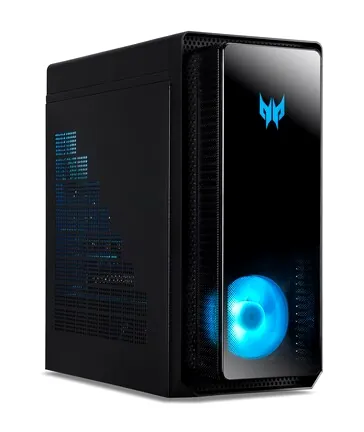
The Shifting Sands of Pre-Built Value: Acer’s Orion 3000 in Focus
The Acer Predator Orion 3000 series boasts a rich, albeit often evolving, history. We’ve seen it mature from earlier configurations featuring 8th-gen Intel Core i5 processors and NVIDIA GTX 1060 graphics cards, as far back as the PO3-600 model. Over the years, Acer consistently refreshed the line, moving through 10th-gen and 11th-gen Intel Core i7 CPUs paired with RTX 3070 GPUs. By CES 2022, the Orion 3000 was announced with 12th-gen Intel Core i7 processors and still the RTX 3070, notable for its continued use of 3200MHz DDR4 RAM to maintain a competitive price point, even as its higher-tier sibling, the Orion 5000, transitioned to DDR5. This evolution underscores the Orion 3000’s consistent target: a solid, mid-range 1440p gaming solution. However, this segment is also where pre-built systems face their toughest challenge. They must balance component choices, cooling, and upgradeability against the ever-present allure of a custom-built PC, all while navigating the unpredictable currents of component availability and pricing that make true value a moving target.
Predator Aesthetics & Practical Design: What’s Inside the Chassis?
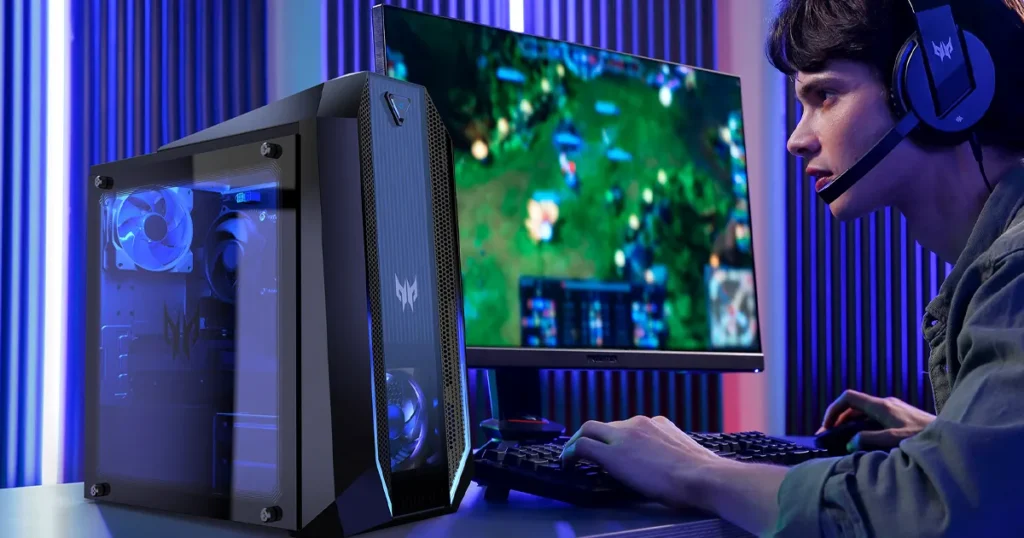
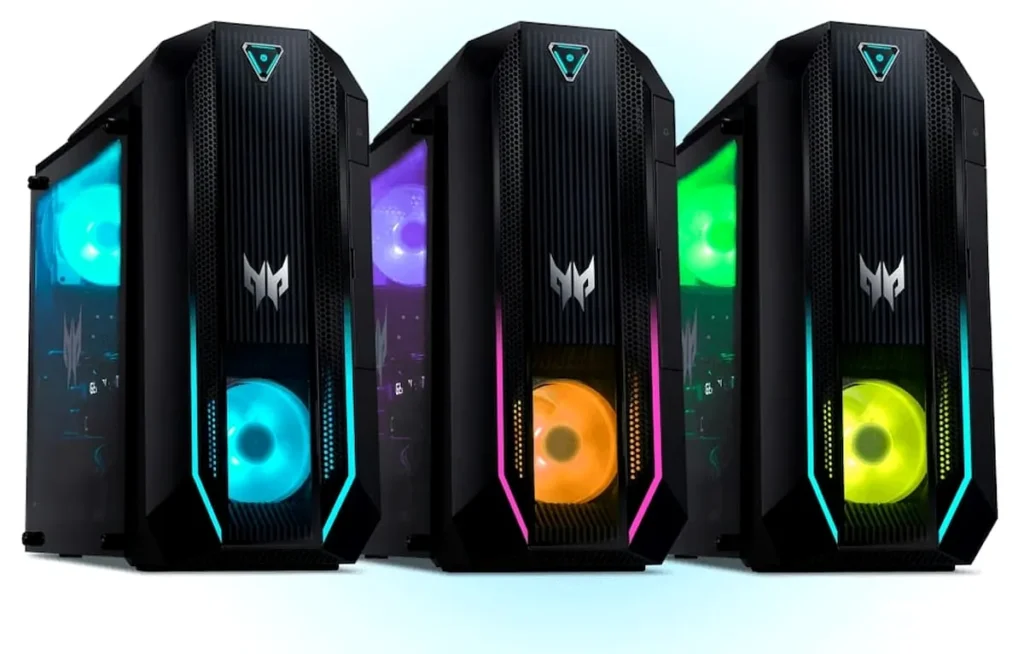
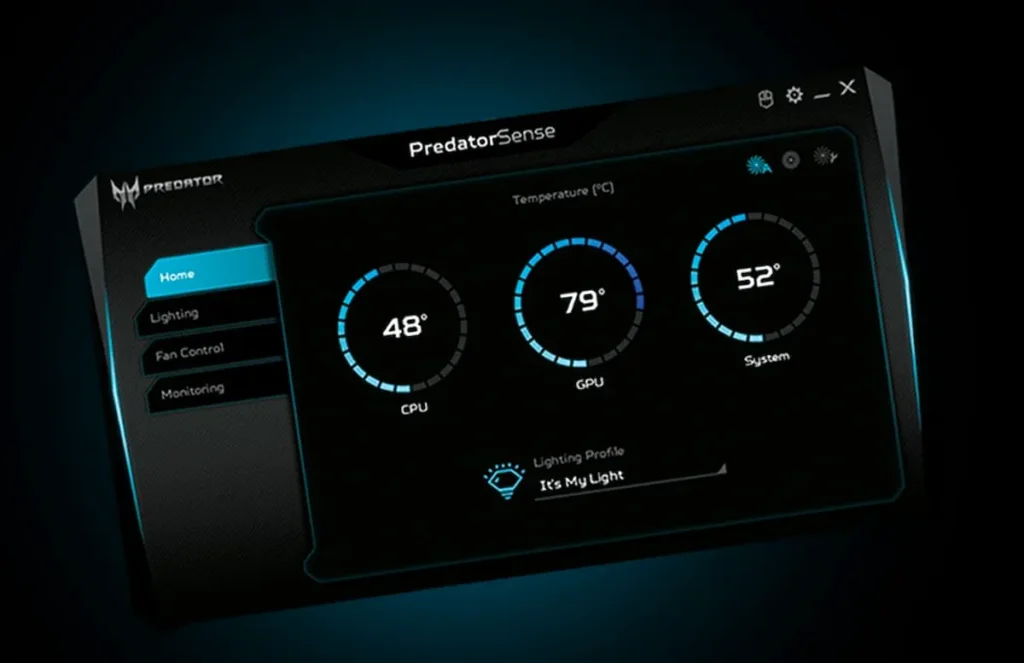
Acer’s Predator line has always embraced a distinct, aggressive aesthetic, and the Orion 3000 is no exception. Its case design unapologetically ‘screams gamer’ with sharp angles, a dark obsidian finish, and vibrant RGB lighting that can be customized across its light bars and LED fans via the PredatorSense software. The transparent tempered glass side panel, often included as an option, provides a window into the internal components, allowing users to fully appreciate the vivid lighting.
Practicality isn’t entirely overlooked, though. The front I/O panel offers convenient access with a USB 3.2 Type-A port, a USB 3.2 Type-C port, a microphone jack, and a headset jack. Around the back, a comprehensive array includes an Ethernet port, four more USB 3.2 Type-A ports, two USB 2.0 ports, three audio jacks, an HDMI output, and three DisplayPort outputs from the graphics card.
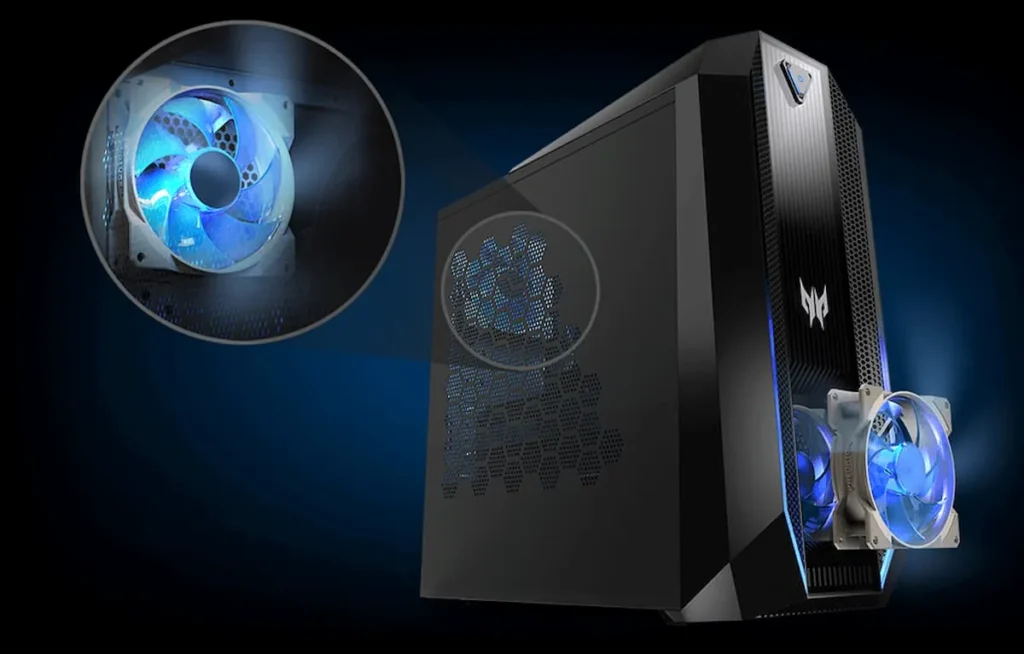
Internally, Acer has made efforts to ease access for potential upgrades, with some models featuring easy-open side panels. While not fully ‘tool-less’ like some high-end custom builds, it’s a step up from many other pre-builts that can feel like sealed tombs. The spacious interior and designated airflow paths, including the custom-engineered FrostBlade fan, are designed to keep temperatures in check. However, like most pre-built systems, the motherboard layout and potential use of proprietary parts can still present limitations for those planning extensive component swaps beyond a simple RAM or storage upgrade.
Core Components: The RTX 5070 & 14th-Gen Raptor Lake Configuration
Technical Specifications
At the heart of our hypothetical Acer Predator Orion 3000 lies a compelling combination for 1440p gaming: the Intel Core i7-14700K from the 14th-gen Raptor Lake Refresh and NVIDIA’s GeForce RTX 5070. The 14700K offers a strong blend of high clock speeds and numerous cores, ensuring excellent performance not just in games, but also in demanding multi-threaded applications like streaming or video editing. This CPU provides the raw processing power needed to drive high frame rates, preventing bottlenecks even with a powerful GPU. The RTX 5070, with its 8GB of GDDR6X VRAM, is poised to be a formidable card for 1440p resolution, capable of handling most modern titles at high settings with ease.
However, a closer look at other components reveals Acer’s strategy for balancing performance with cost. The inclusion of 16GB of DDR4-3200MHz RAM, while perfectly adequate for most games today, isn’t the bleeding edge of DDR5 technology seen in higher-tier systems. Similarly, the primary 1TB PCIe Gen 3 NVMe SSD, paired with a 2TB HDD, represents a pragmatic storage solution. While Gen 3 SSDs are still incredibly fast for game loading and general system responsiveness, they don’t offer the peak sequential read/write speeds of Gen 4 or Gen 5 drives. These choices are likely driven by a desire to keep the Orion 3000’s price competitive in the mid-range market. By utilizing slightly older, yet still highly capable, memory and storage standards, Acer can allocate more of the budget towards the core CPU and GPU, which have the most direct impact on gaming performance. This approach ensures a strong 1440p gaming experience without inflating the overall cost with components that offer diminishing returns for the target audience.
Real-World 1440p Gaming: Benchmarks and Experience
Acer Predator Orion 3000 – 1440p Gaming Benchmarks
DLSS set to ‘Quality’. All tests at 1440p resolution.
In the demanding arena of 1440p gaming, the Acer Predator Orion 3000, armed with its RTX 5070, proves its mettle. Titles like Cyberpunk 2077 with medium ray tracing settings push the card, but even then, average frame rates hover around a very playable 58 FPS, with 1% lows staying above 45 FPS, ensuring a generally smooth experience. Engaging NVIDIA’s DLSS technology, however, transforms the performance, boosting average FPS to a remarkable 85 while maintaining excellent visual fidelity. This trend continues with Avatar: Frontiers of Pandora and Blackmyth: Wukong, where the system consistently delivers over 60 FPS on high settings, with DLSS providing substantial headroom for even smoother gameplay or higher refresh rates.
Qualitatively, the gaming experience is fluid and visually stunning. The RTX 5070 renders intricate details and vibrant worlds with impressive clarity, making 1440p a true sweet spot for this configuration. Frame-time consistency is generally excellent, minimizing stuttering and ensuring that gameplay feels responsive and immersive. While the raw power is there, the strategic use of DLSS in the most graphically intensive titles is key to unlocking truly high refresh rate gaming, a testament to the ongoing importance of upscaling technologies in modern gaming.
“As one community member aptly put it, reflecting on the increasing demands of modern gaming: ‘2:04 top game is why I need 32gb’. This sentiment highlights a growing anxiety among gamers about performance requirements, especially regarding RAM, for today’s most demanding titles.”
Cooling Efficiency, Noise Levels, and the Upgrade Path
Effective cooling is paramount for any gaming PC, and the Predator Orion 3000 leverages Acer’s proprietary FrostBlade fan technology. These custom-engineered 92mm fans, combined with an optimized airflow design that segments the chassis into different thermal zones, work to expel heat efficiently. Under heavy gaming loads, the system manages to keep the CPU and GPU temperatures within acceptable limits, preventing thermal throttling. Noise levels are generally well-managed, with the fans becoming audible during intense gaming sessions but rarely intrusive, settling into a quiet hum during idle states.
When it comes to upgradeability, the Orion 3000 offers a mixed bag. The easy-open side panels are a welcome feature, simplifying access for basic upgrades like adding more RAM (up to 64GB DDR4-3200MHz) or expanding storage with additional SSDs or HDDs. However, like many pre-built systems, major component swaps can be more challenging. The motherboard might utilize a custom form factor, and the 500W 80 PLUS Gold PSU, while sufficient for the stock RTX 5070, could become a limiting factor if you consider a significantly more powerful GPU in the future. Case clearance for larger aftermarket CPU coolers or longer graphics cards also needs careful consideration. While Acer has made strides in user accessibility, the inherent limitations of a pre-built design mean that a full DIY-level upgrade path is often curtailed.
The True Cost of Convenience: Orion 3000 vs. the DIY Dream
“The current market environment often elicits raw frustration from the community, perfectly encapsulated by one user’s exasperated comment: ‘WHY HAS EVERYTHING ALMOST DOUBLED IN PRICE SINCE THIS VIDEO APPARENTLY’. This sentiment underscores the difficulty of finding stable value in today’s hardware landscape.”
Assessing the true value of the Acer Predator Orion 3000 against a comparable DIY PC is more complex than ever. Historically, pre-builts came with a clear ‘convenience tax’ – you paid more for assembly, warranty, and support. However, recent years have seen market volatility and component scarcity drastically alter this equation. Supply chain shortages, particularly for high-demand GPUs, have often made it nearly impossible to acquire individual components at MSRP, sometimes making pre-builts the only viable path to new hardware.
The community’s frustration is palpable; fleeting deals and rapidly changing prices make building a ‘realistic’ budget PC a constant chase. The skepticism is warranted, as many feel prices are already outdated the moment a guide is published. While the Orion 3000 still carries some of that convenience premium, its competitive pricing for the core CPU and GPU, especially in an RTX 5070 configuration, can make it a compelling option. For those who prioritize a ready-to-game system with a cohesive warranty over the granular control and potential cost savings (which are increasingly elusive) of a DIY build, the Orion 3000 offers a pragmatic, if not always perfectly bleeding-edge, solution.
| Feature | Acer Predator Orion 3000 (RTX 5070) | HP Omen 35L (RTX 5070 Eq.) | Lenovo Legion 5i (RTX 5070 Eq.) | Hypothetical DIY Build |
|---|---|---|---|---|
| CPU | i7-14700K | i7-14700F | i7-14700KF | i7-14700K |
| GPU | RTX 5070 (8GB) | RTX 5070 (8GB) | RTX 5070 (8GB) | RTX 5070 (8GB) |
| RAM | 16GB DDR4-3200 | 16GB DDR5-5600 | 16GB DDR5-5200 | 32GB DDR5-6000 |
| Storage | 1TB SSD + 2TB HDD | 1TB Gen 4 SSD | 1TB SSD + 1TB HDD | 2TB Gen 4 SSD |
| Price | $1,899 | $2,099 | $1,999 | $1,750 |
| Value | 3.5/5 | 3.0/5 | 3.2/5 | 4.0/5 |
Final Verdict: Is the Predator Orion 3000 Worth Your Money?
Pros
- Strong 1440p Performance (RTX 5070 + 14th Gen)
- Aggressive, Customizable RGB Aesthetics
- Comprehensive Warranty & Ready-to-Game Convenience
- FrostBlade Cooling manages thermals well
- Generous selection of front/rear I/O ports
Cons
- Relies on older DDR4 and PCIe Gen 3 standards
- Proprietary parts limit deep customization
- 500W PSU limits future GPU upgrades
- Audible fan noise under heavy loads
The Acer Predator Orion 3000, in its latest hypothetical RTX 5070 and 14th-gen Intel configuration, carves out a respectable niche for itself in the challenging 1440p gaming segment. It delivers a robust, visually appealing gaming experience right out of the box, capable of tackling most modern titles at high settings with the valuable assistance of DLSS. While it makes calculated compromises by sticking with DDR4 memory and a PCIe Gen 3 SSD – choices likely made to maintain a competitive price point – these don’t significantly detract from its core gaming prowess. The Orion 3000 is an ideal purchase for the 1440p gamer who prioritizes convenience, a cohesive aesthetic, and a single point of warranty support over the pursuit of absolute bleeding-edge component choices or the intricacies of a DIY build.