
Key Takeaways
- The F16 range spans from budget-friendly RTX 3050 configurations (65W TGP) to high-performance RTX 5050/5060 models (115W TGP).
- A critical hardware bottleneck exists across all models: the stock 512GB SSD often delivers real-world speeds under 800 MBps, necessitating an immediate upgrade.
- Software instability is a major risk; users should replace ASUS Armoury Crate with the lightweight GHelper utility to prevent system freezes.
- The Indian market features specific ‘Core 5 210H’ variants starting around ₹69,399, offering a 16:10 144Hz display and MIL-STD durability.
- Despite the 90Wh battery in higher trims, real-world endurance rarely exceeds 7 hours, making the 240W/280W power adapter mandatory for gaming.
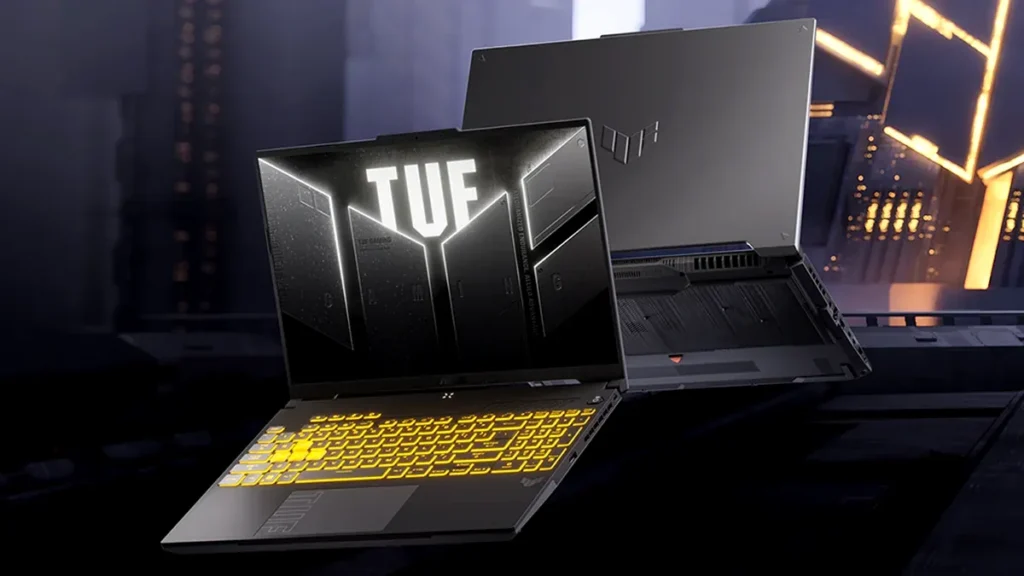
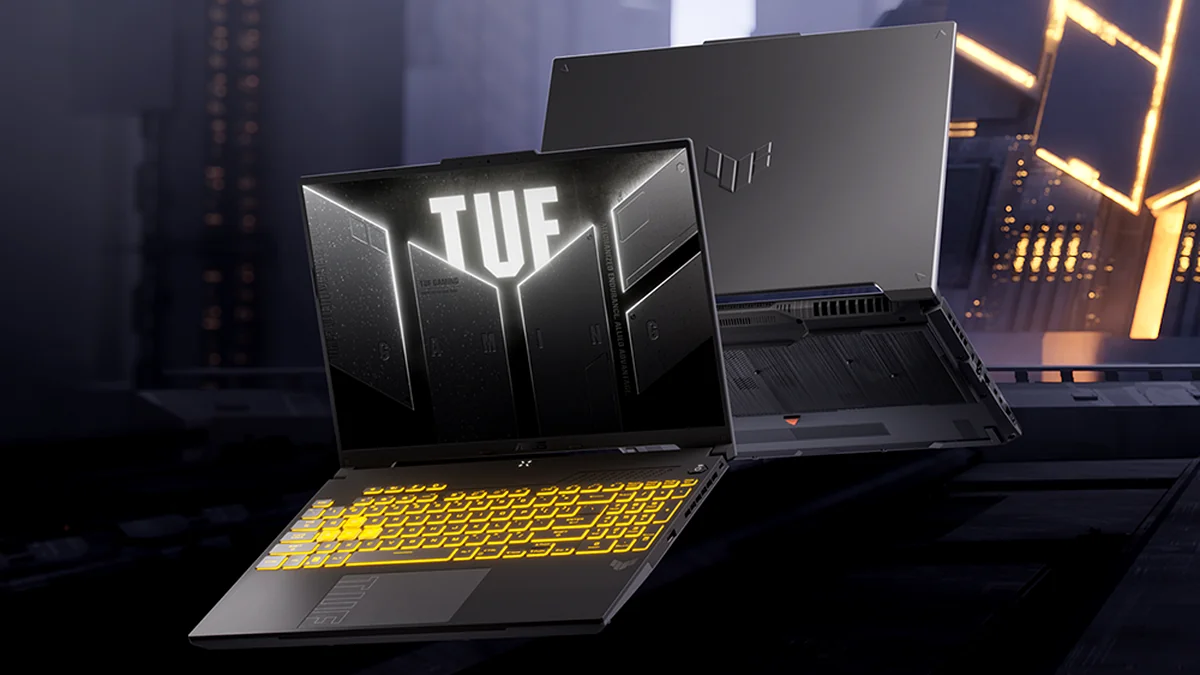
The ASUS TUF Gaming F16 (2025) is a study in contradictions. On one hand, it offers some of the highest TGP (Total Graphics Power) ratings in the mid-range segment, allowing its RTX 50-series and 40-series GPUs to punch into higher performance tiers. On the other hand, the out-of-the-box experience is often marred by a ‘crippling’ SSD bottleneck and software that can cause total system lockups. For users in markets like India, the F16 also serves as a premium entry point into 16-inch gaming via the RTX 3050 variants. This guide serves as your technical manual to ‘re-engineering’ the F16, whether you’re chasing 1200p ultra settings or looking for the best performance-per-rupee value.
1. The SKU Spectrum: From RTX 3050 to RTX 5060
| Configuration | CPU | GPU / Max TGP | Memory | Display | Storage |
|---|---|---|---|---|---|
| FX607VB (India Value) | Intel Core 5 210H (8 Cores) | RTX 3050A / 65W | 16GB DDR4-3200 | 16″ 1200p, 144Hz, 300 nits | 512GB PCIe 4.0 |
| FX677VU (Performance) | Intel i7-13620H (10 Cores) | RTX 4050 / 140W | 16GB DDR5-5200 | 16″ 1200p, 165Hz, G-SYNC | 512GB PCIe 4.0 |
| FX608JHR (2025 Flagship) | Intel i7-14650HX (16 Cores) | RTX 5050 / 115W | 16GB DDR5-5600 | 16″ 1200p, 165Hz, G-SYNC | 512GB PCIe 4.0 |
| Feature | Entry-Level (RTX 3050) | Mid-Range (RTX 5050) |
|---|---|---|
| Target Price | ₹69,399 / ~$800 | ₹1,15,000 / ~$1,100 |
| Gaming Target | 1080p Medium/High | 1200p Ultra / Ray Tracing |
| RAM Standard | DDR4 (Expandable to 32GB) | DDR5 (Expandable to 64GB) |
| Refresh Rate | 144Hz | 165Hz (G-SYNC) |
2. Performance Deep Dive: TGP Wins, Storage Loses
1200p Gaming Performance: 115W RTX 5050 vs. Standard RTX 4060 (Average FPS)
The high 115W TGP of the RTX 5050 allows it to deliver exceptional frame rates at the F16’s native 1200p resolution, closing the performance gap significantly against a lower-wattage RTX 4060.
THE 3050A PERFORMANCE NOTE
For Indian buyers looking at the FX607VB, the RTX 3050A (65W) is a refreshed variant of the classic 3050. While it lacks the raw power of the 50-series, its inclusion of a MUX Switch and Advanced Optimus ensures you are getting every frame possible out of the 4GB VRAM. Expect 60+ FPS in titles like Forza Horizon 5 at High settings.
3. The Mandatory Fix: Escaping the Armoury Crate Trap
CRITICAL SOFTWARE WARNING: Avoid Armoury Crate
Multiple user reports and extensive troubleshooting confirm that the ASUS Armoury Crate (AC) utility causes random, reproducible system instability, leading to full lockups and hard resets. This is not isolated; the failure mode often persists even after clean Windows reinstalls. We strongly recommend immediate, comprehensive uninstallation of Armoury Crate and replacement with the community-driven utility GHelper.
The GHelper Solution: Stabilizing Your F16
- Step 1: Uninstall Armoury Crate. Use the official ASUS Uninstall Tool to remove AC, the System Control Interface, and MyASUS. Restart immediately.
- Step 2: Install GHelper. Download this lightweight utility to manage fan curves, keyboard RGB, and power profiles without the background bloat.
- Step 3: Fine-Tune Power Limits. Limit the CPU to 40-50W via GHelper to maintain thermal stability and reduce fan noise during long sessions.
4. Regional Spotlight: The India Launch and Availability
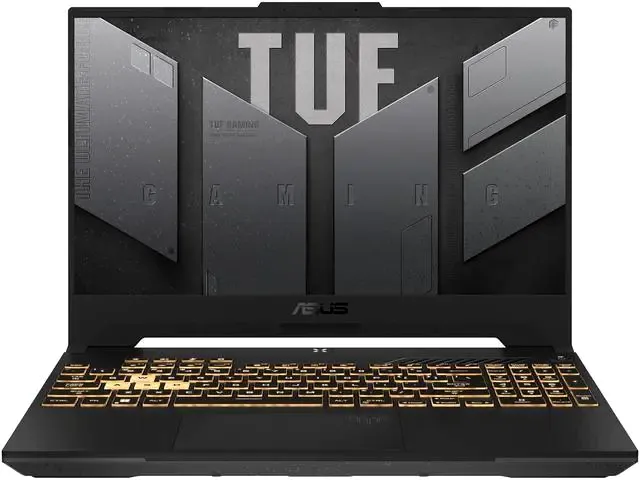
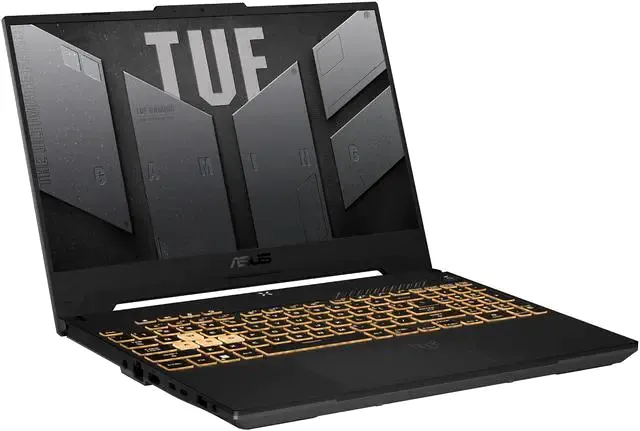
The ASUS TUF Gaming F16 (2024/2025) officially hit the Indian market with an aggressive launch strategy on March 12, 2025. Listed on Amazon India and Flipkart, the models vary significantly. The ‘Core 5 210H’ variant (Model FX607VB-RL076WS) has become a top seller at retailers like Computech and Vijay Sales due to its discounted price of ₹69,399. While this model uses DDR4 RAM instead of the faster DDR5 found in US models, it retains the MIL-STD-810H durability and the 16:10 FHD+ display, making it a robust choice for students and entry-level gamers in the region.
5. Final Verdict and Reference Guide
Final Verdict
The ASUS TUF Gaming F16 is a performance anomaly that rewards the technical user. If you are willing to perform ‘re-engineering’—replacing the sluggish stock SSD and swapping Armoury Crate for GHelper—you unlock one of the best performance-per-dollar machines on the market. In India, the RTX 3050 variant offers a durable, high-refresh-rate entry point for under ₹70,000, while the 115W RTX 5050 models represent the new gold standard for mid-range 1200p gaming. It is not ‘plug-and-play,’ but for the savvy gamer, it is the ultimate value project.
Frequently Asked Questions
Is the RTX 3050 version of the F16 good for gaming?
Yes, for 1080p/1200p gaming at Medium to High settings. The 65W TGP and MUX Switch allow it to perform better than older 45W 3050 laptops, though the 4GB VRAM is a limitation for modern AAA titles.
What is the price of the ASUS TUF F16 in India?
Prices start at approximately ₹69,399 for the Core 5/RTX 3050 model and can go up to ₹1,15,000+ for the RTX 4060/5050 variants depending on the retailer and current offers.
Can I upgrade the RAM on the India-specific Core 5 model?
Yes. The FX607VB uses DDR4-3200 SO-DIMM slots and is expandable up to 32GB, which we highly recommend for multitasking.
Does it support Thunderbolt 4?
The higher-end FX608 and FX677 models include Thunderbolt 4. The budget-oriented FX607 models typically feature USB 3.2 Gen 2 Type-C with DisplayPort and Power Delivery support.