
Key Takeaways
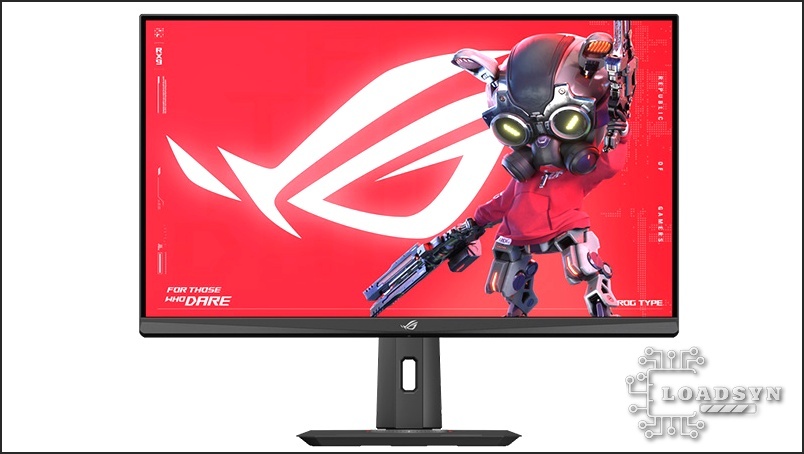
- The ASUS ROG Strix XG32UCG is defined by its unique engineering solution to the fidelity vs. speed debate. This 32-inch Fast IPS monitor offers a unique Dual-Mode capability: users can choose between a highly detailed 4K resolution at 160Hz for immersive single-player experiences, or switch to a lightning-fast 1080p resolution that boosts the refresh rate to 320Hz for competitive gaming speed.
- Critically, the 1080p/320Hz mode dramatically cuts down on measured input latency, reducing it from approximately 4ms in 4K mode to a razor-sharp 2ms. However, this high-speed mode utilizes interpolation scaling, meaning the picture appears noticeably soft or blurry when performing desktop tasks.
- The XG32UCG currently occupies a highly volatile price bracket, fluctuating between $449 and $599 USD. This pricing forces it to justify its position against both highly affordable budget IPS screens and the technologically superior, yet more expensive, OLED alternatives.
- Standard connectivity includes modern ports like HDMI 2.1 and DisplayPort 1.4, alongside a USB-C port (limited to 15W Power Delivery), comprehensive G-SYNC/FreeSync compatibility, and a full suite of proprietary ASUS ROG gaming features.
The Dual-Mode Difference: Balancing 4K Fidelity and 320Hz Speed
The ASUS ROG Strix XG32UCG is designed to solve a fundamental dilemma for PC gamers: do you prioritize visual fidelity (4K) or competitive speed (high refresh rate)? This 32-inch Fast IPS panel attempts to deliver both via its ‘Frame Rate Boost’ Dual-Mode technology. By default, users get a crisp 4K (3840 x 2160) experience at a respectable 160Hz. This is the mode for high-fidelity, visually demanding single-player titles. However, with a single hotkey press, the monitor instantly switches to a 1080p (1920 x 1080) resolution, simultaneously boosting the refresh rate to an ultra-fast 320Hz (or in some reports, 360Hz), drastically cutting motion blur and input latency for competitive titles. This dual capability is the monitor’s core identity, attempting to eliminate the need for a secondary, dedicated esports display.
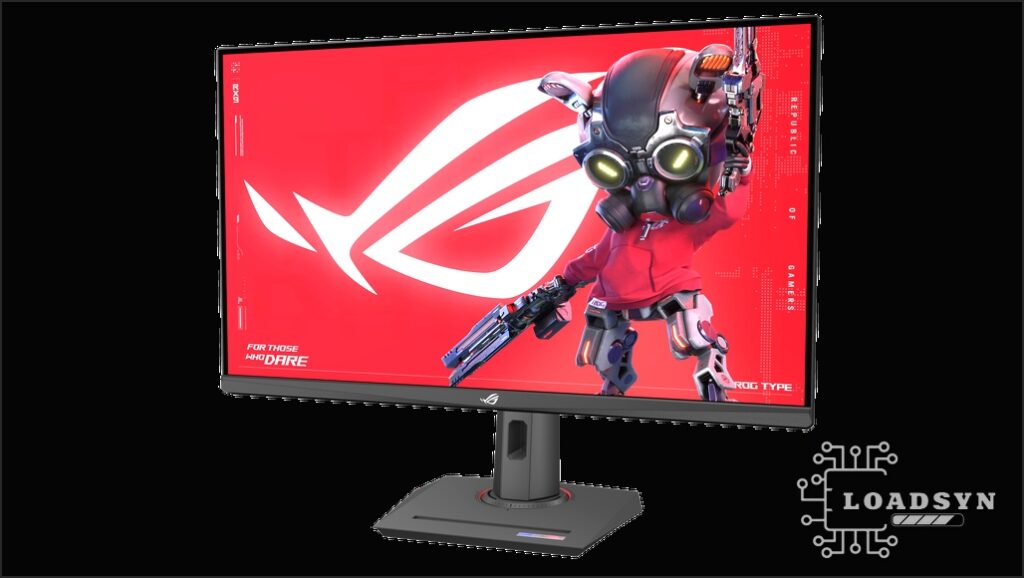
ASUS ROG Strix XG32UCG Core Specifications
- Panel Type
- 32-inch Fast IPS (Flat)
- Resolution (Native)
- 4K UHD (3840 x 2160)
- Refresh Rate (4K Mode)
- 160 Hz
- Refresh Rate (FHD Dual Mode)
- 320 Hz (via Frame Rate Boost)
- Response Time
- 0.3ms (GtG) / 1ms (GtG)
- Adaptive Sync
- NVIDIA G-SYNC Compatible, AMD FreeSync Premium
- Color Gamut
- 95% DCI-P3, 130% sRGB
- HDR Certification
- DisplayHDR 400
- Connectivity
- HDMI 2.1 (x1), DisplayPort 1.4 (x1, w/ DSC), USB-C (w/ 15W PD)
Latency and Motion Clarity: The True Cost of 320Hz
Estimated Input Latency Reduction (4K vs. 1080p Mode)
Measured Input Latency (ms)
AI-Powered Enhancements and VRR
Key Gaming Features
- ELMB-SYNC: ASUS’s signature technology allows Extreme Low Motion Blur (backlight strobing) to be used simultaneously with Variable Refresh Rate (VRR). This is crucial for maintaining exceptional clarity without introducing screen tearing or stuttering, operating effectively above 85Hz.
- Dynamic Shadow Boost: This feature intelligently analyzes the scene in real-time, selectively brightening dark areas to reveal hidden enemies or details without overexposing already bright regions.
- AI-Powered GamePlus: This advanced suite utilizes AI to dynamically adjust the on-screen crosshair color and position based on the background scene, ensuring maximum visibility and targeting accuracy regardless of the environment.
- Variable Overdrive: To minimize overshoot and inverse ghosting artifacts, this system dynamically adjusts pixel response overdrive based on the current frame rate. This ensures optimal motion clarity across the entire adaptive-sync range in both the 4K and 1080p modes.
The Market Test: IPS vs. OLED and the Price Wars
XG32UCG vs. High-End Competitors
| Comparison Criteria | ASUS ROG Strix XG32UCG (This Review) | ASUS ROG Strix XG32UCWMG (OLED) | MSI MAG 321CUPDF (VA Competitor) |
|---|---|---|---|
| Panel Technology | Fast IPS | WOLED (Glossy) | VA Panel |
| Max Refresh Rate (Native) | 160 Hz | 240 Hz | 144 Hz |
| Max Refresh Rate (Boost/FHD) | 320 Hz | 480 Hz | 320 Hz |
| Contrast Ratio (Typical) | 1,000:1 | Infinite | 3,000:1 – 5,000:1 |
| HDR Performance | DisplayHDR 400 | DisplayHDR True Black 400/1300 nits Peak | DisplayHDR 400 |
| Estimated Price Range | $450 – $600 | $999+ | Lower than XG32UCG |
I’m on a 24″ 2k 180hz IPS screen….. waiting for the time where the OLED drops to the below $200 price point…. Right now, it works and does a great job.
The XG32UCG’s Strengths and Weaknesses
Pros
- Exceptional versatility with reliable 4K/160Hz and ultra-fast 1080p/320Hz modes, catering to both visual fidelity and competitive speed.
- Industry-leading 0.3ms GtG response time and full VRR support (G-Sync/FreeSync) ensure top-tier motion performance for a non-OLED panel.
- Significantly more affordable than comparable 32-inch OLED monitors (price often sits between $450-$600 vs. $900-$1000+).
- Robust connectivity feature set including HDMI 2.1, proprietary AI gaming enhancements, and ergonomic stand features (phone holder, tripod socket).
Cons
- Low 1,000:1 static contrast ratio inherent to IPS panels, leading to visible IPS glow and mediocre black levels compared to VA or OLED technology.
- Interpolated 1080p scaling makes the high-speed mode impractical for non-gaming desktop use due to noticeable image softness.
- Limited 15W Power Delivery via USB-C (competitors often offer 45W-90W for single-cable connectivity).
- DisplayHDR 400 certification is basic and insufficient for delivering a true high dynamic range experience.
Frequently Asked Questions
Does the XG32UCG support HDMI 2.1 features for consoles (PS5/Xbox Series X)?
Yes, the monitor includes one full-bandwidth HDMI 2.1 port, supporting the Variable Refresh Rate (VRR) and 4K high refresh rates (up to 120Hz) required by current-generation consoles.
What is the true response time of the panel?
ASUS rates the XG32UCG at an extremely rapid 0.3ms GtG (Gray-to-Gray). This is achieved via the Fast IPS technology and Variable Overdrive settings, making it highly competitive with other high-end non-OLED panels in terms of pixel transition speed.
Is the XG32UCG susceptible to IPS glow or backlight bleeding?
As a large 32-inch IPS panel, the XG32UCG is limited by a 1,000:1 contrast ratio and is prone to some visible IPS glow around the corners, particularly when viewing dark scenes in a dark room. This is the expected technical trade-off for the superior speed and color accuracy that IPS offers over VA technology.
Final Verdict
The ASUS ROG Strix XG32UCG successfully executes its core mission: delivering a versatile, high-performance display that can serve both the single-player enthusiast and the competitive esports player. At its current, fluctuating price point, it provides a compelling middle ground, offering better speed and color accuracy than most budget 4K IPS monitors while avoiding the high cost and panel longevity concerns associated with premium OLED technology. However, its Achilles’ heel—the soft, interpolated scaling in 1080p desktop mode—means it is inherently a niche product. If you need a single monitor that can truly switch between stunning 4K visuals and competitive 320Hz latency (and you only game in 1080p mode), the XG32UCG is a powerful, if compromised, choice. For users demanding perfect desktop clarity across all resolutions, or those prioritizing cinematic contrast, the dual-mode gimmick falls flat, and a dedicated 4K/144Hz or 1440p/240Hz screen may be a more pragmatic investment.