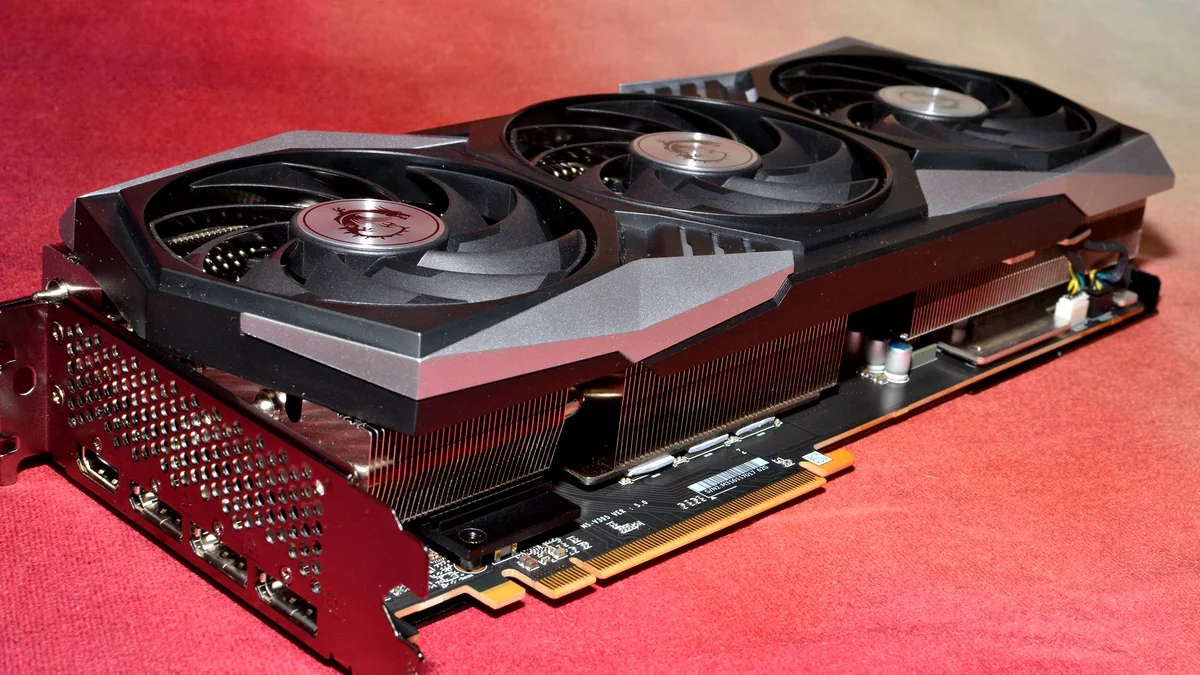
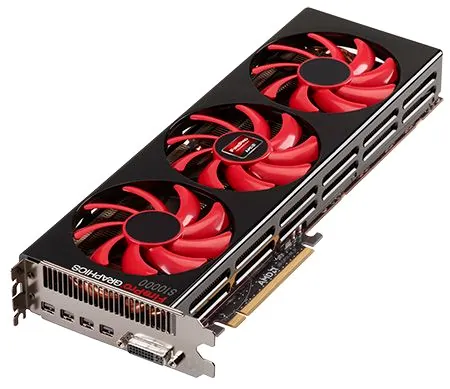
In the annals of PC hardware, some components are legends, others forgotten footnotes. The AMD FirePro S10000, launched in 2012, firmly belongs to the former, albeit in a niche category. This wasn’t your average gamer’s GPU; it was a professional-grade workstation card, boasting two full Tahiti XT2 GPUs (similar to the Radeon HD 7950) on a single PCB, geared for intensive compute tasks and scientific simulations. It was, in essence, a disabled Radeon HD 7990, the consumer dual-GPU king of its era, shackled by workstation firmware. Our mission: to unshackle it. This technical endeavor aimed to bridge the artificial divide between professional-grade compute power and consumer gaming performance.
The Resurrected FirePro S10000: Quick Hits
- The FirePro S10000 (dual Tahiti XT2 GPUs) was successfully BIOS-flashed into a Radeon HD 7990, enabling Adrenalin drivers and CrossFire.
- CrossFire provided significant performance boosts in older, well-optimized titles (e.g., Crysis 3, GTA V) at 1080p.
- Modern games (e.g., Cyberpunk 2077, Arc Raiders) showed poor multi-GPU scaling, often utilizing only a single GPU, resulting in playable but low-setting performance.
- The project highlighted the obsolescence of multi-GPU gaming solutions and AMD’s evolving driver support for legacy hardware.
- While a fascinating technical exercise, the FirePro S10000, even modded, is not a viable solution for modern AAA gaming compared to contemporary single GPUs.
The Workstation Behemoth: What Was the FirePro S10000?
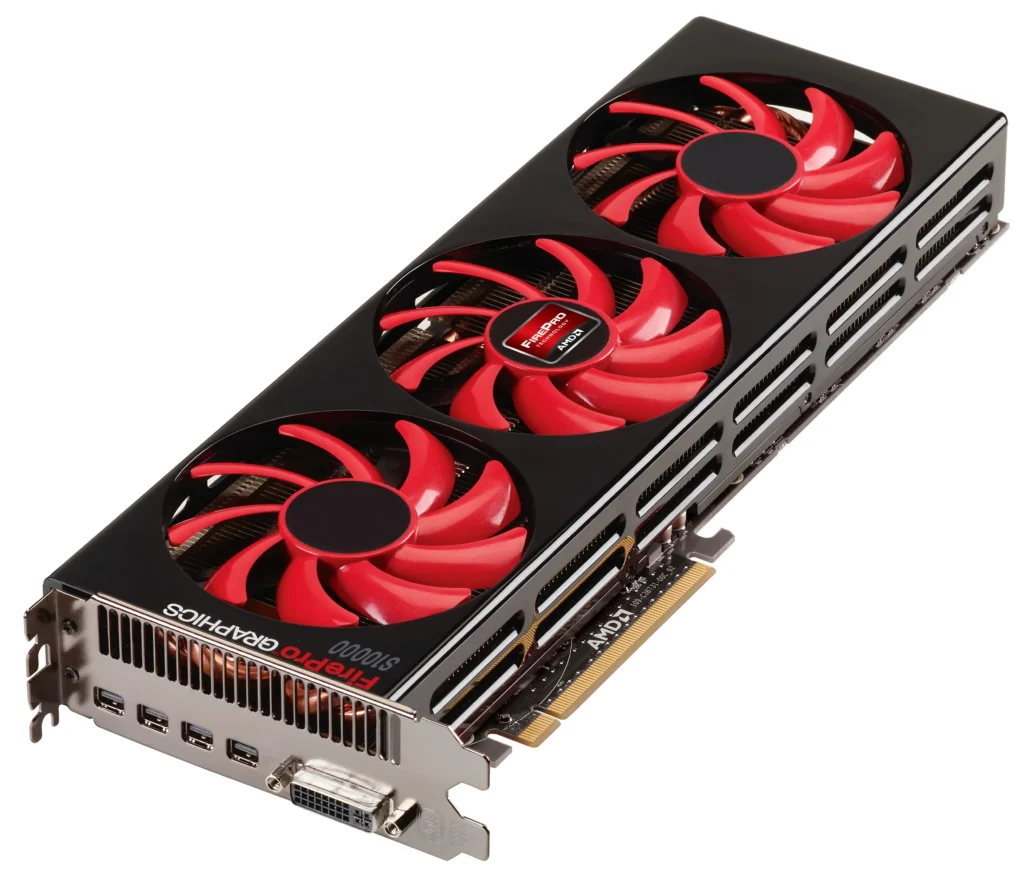
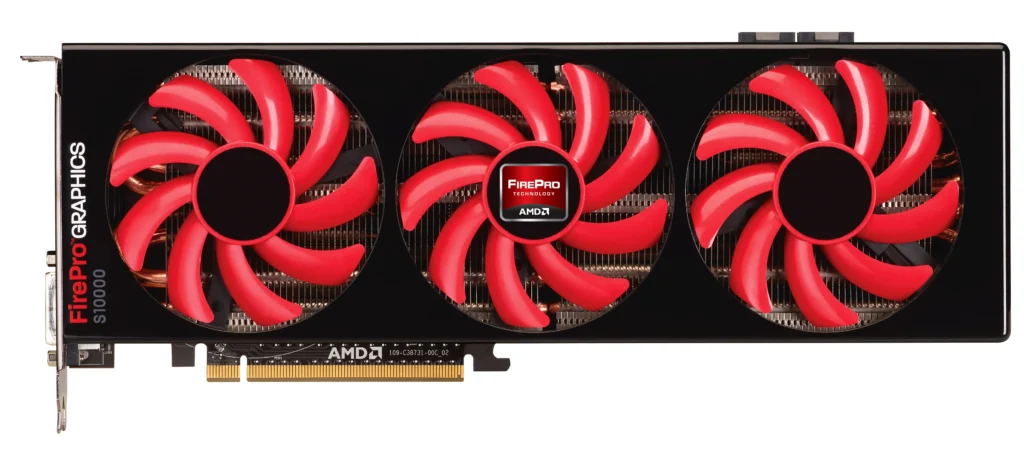
Before we could transform the S10000, we needed to understand its genesis. Released in November 2012, the FirePro S10000 was AMD’s answer to high-performance computing (HPC) and professional graphics workloads. It crammed two ‘Tahiti’ GPUs, the same architecture powering the consumer Radeon HD 7900 series, onto a single board. Each GPU was akin to a Radeon HD 7950, complete with 3GB of GDDR5 memory, totaling 6GB across the card. Its primary focus was double precision floating point performance, a metric far more critical for scientific simulations than frame rates in Call of Duty. This design choice underscored its role as a compute powerhouse, rather than a gaming accelerator.
AMD FirePro S10000 (Stock) Key Specifications
| Feature | Value |
|---|---|
| Architecture | 2x Tahiti (Graphics Core Next 1.0) |
| Stream Processors | 3,584 (1,792 per GPU) |
| GPU Clock Speed | 825 MHz |
| Memory | 6 GB GDDR5 (3 GB per GPU) |
| Memory Interface | 2x 384-bit |
| Memory Bandwidth | 480 GB/s |
| Peak Single Precision | 5.91 TFLOPS |
| Peak Double Precision | 1.48 TFLOPS |
| TDP | 375W |
| Launch Price | $3,599 |
A Closer Look at the FirePro S10000
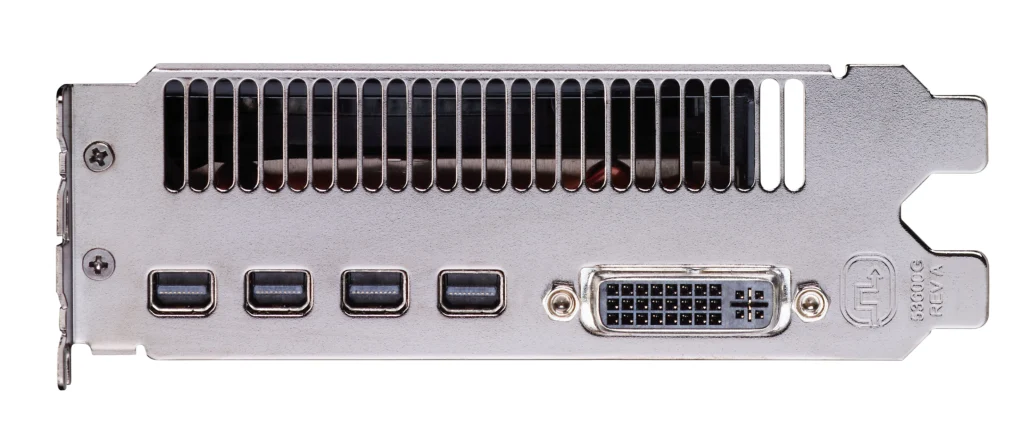
FirePro S10000 vs. Radeon HD 7990 (The Theoretical Twin)
| Feature | FirePro S10000 (Stock) | Radeon HD 7990 (Equivalent) |
|---|---|---|
| Architecture | 2x Tahiti XT2 | 2x Tahiti XT2 |
| Stream Processors | 3,584 | 4,096 |
| GPU Clock Speed | 825 MHz | 1000 MHz (Boost) |
| Memory | 6 GB GDDR5 | 6 GB GDDR5 |
| Driver Support | FirePro Drivers | AMD Adrenalin (Radeon) Drivers |
| CrossFire Support | No (Workstation) | Yes (Gaming) |
| Display Outputs | 1x DVI, 4x miniDP | 2x DVI, 4x miniDP |
The Core Hack: Flashing the FirePro S10000 into a Radeon HD 7990
The primary obstacle to gaming with the FirePro S10000 was its identity. As a workstation card, it utilized AMD’s professional FirePro drivers, which offer stability and certified application support but zero game-specific optimizations or CrossFire (AMD’s multi-GPU technology) functionality. To unlock its full potential, we needed it to be recognized as a consumer Radeon card, specifically an HD 7990, which shares the same underlying hardware. This meant a BIOS flash—a procedure not for the faint of heart, but one that promised to re-architect its very purpose.
The BIOS Flashing Process (Conceptual Steps)
- Step 1: Research & Download – Identify the correct AMD Radeon HD 7990 BIOS version compatible with the S10000’s dual Tahiti GPUs. Sources for legacy BIOS files were meticulously checked for authenticity.
- Step 2: Backup Original BIOS – Crucially, create a backup of the original FirePro S10000 BIOS using a tool like ATIFlash.
- Step 3: Prepare Bootable Media – Create a DOS bootable USB drive, as BIOS flashing utilities for older cards often perform best in a minimal environment.
- Step 4: Execute Flashing Commands – Boot from the USB, navigate to the ATIFlash utility, and execute the flash command for each GPU on the card.
- Step 5: Driver Installation – After a successful flash and reboot, install the latest compatible AMD Adrenalin drivers.
WARNING: BIOS Flashing Risks!
Flashing a graphics card BIOS is an advanced procedure that carries significant risks. An incorrect BIOS, power interruption, or improper execution can permanently brick your graphics card, rendering it unusable. Proceed with extreme caution and only if you are confident in your technical abilities. LoadSyn.com takes no responsibility for any damage incurred from attempting this modification.
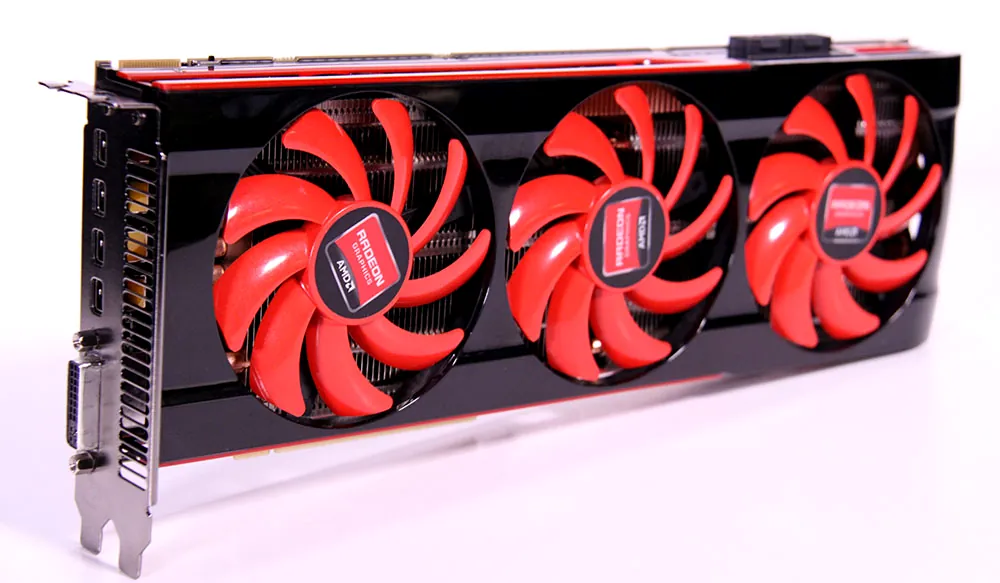
Gaming Performance: The Dual-GPU Comeback (or Crash?)
With the FirePro S10000 now masquerading as a Radeon HD 7990 and running on Adrenalin drivers, it was time to put it through its paces. We tested a mix of titles: older games known for good multi-GPU scaling, and modern AAA titles to see if the raw power of two Tahiti GPUs could stand up to contemporary demands. This rigorous benchmarking would reveal whether our Frankenstein’s GPU was a viable contender or merely a fascinating relic.
Legacy Gaming Performance (1080p Ultra Settings)
Performance of the modded FirePro S10000 against a popular mid-range modern card in older titles, showcasing strong CrossFire scaling.
In older titles like Crysis 3, GTA V, and Mafia 2, the results were impressive. CrossFire scaled beautifully, with the dual Tahiti setup often outperforming a modern mid-range single GPU like the RX 580. Frame times were generally consistent, delivering a smooth experience at 1080p on ultra settings. This was the promised land of multi-GPU performance, a testament to what was once possible when games and drivers were optimized for such configurations. It demonstrated the raw, latent power that the S10000 possessed, once liberated from its workstation shackles.
Modern Gaming Performance (1080p Low/Medium Settings)
Performance in modern games revealed a different story, with limited multi-GPU scaling and reliance on single-GPU power at lower settings.
Modern titles presented a starkly different picture. Cyberpunk 2077, Arc Raiders, and even CS2 showed minimal to no CrossFire scaling. In most cases, only one of the two Tahiti GPUs was actively utilized, or scaling was so inefficient that the performance uplift was negligible. While playable frame rates could be achieved at 1080p with very low or medium settings, the experience was often inconsistent, with noticeable frame time spikes and general instability. This clearly demonstrated the decline of multi-GPU support in contemporary game engines and driver stacks, a sobering reality for dual-GPU enthusiasts.
Pros & Cons: The Modded FirePro S10000 for Gaming
Pros
- Exceptional Value (for a niche): If acquired cheaply, offers dual-GPU power for specific legacy titles.
- Strong Legacy Performance: Excellent CrossFire scaling in older, optimized games.
- Unique Project: A challenging and rewarding technical experiment for enthusiasts.
- Raw Compute Power: Still capable for non-gaming compute tasks if repurposed again.
Cons
- Poor Modern Gaming Performance: Very limited to no multi-GPU scaling in current AAA titles.
- Driver Headaches: Relying on legacy Adrenalin versions, potential for instability.
- High Power Consumption: 375W TDP is significant for its gaming performance output.
- Limited VRAM (3GB per GPU): Becoming a bottleneck for modern textures even at 1080p.
- Significant Risk: BIOS flashing can permanently damage the card.
The Multi-GPU Graveyard & Driver Dilemma
The community views the decline of multi-GPU support and the artificial segmentation of workstation hardware as a deliberate move by manufacturers to prevent consumer-led value optimization. There’s a deep-seated fear that running hardware on unsupported or modified driver stacks leads to a ‘risky’ and unstable gaming experience in modern titles.
Our experiment with the FirePro S10000 is a microcosm of a larger trend: the slow, painful death of multi-GPU gaming. Once championed by both NVIDIA (SLI) and AMD (CrossFire), the complexity of optimizing game engines for parallel processing, coupled with diminishing returns and niche adoption, led to manufacturers gradually dropping support. Modern APIs like DirectX 12 and Vulkan offer more direct control over multi-GPU setups, but developers rarely implement it, opting for the simpler, more universal single-GPU optimization path. This shift underscores a pragmatic reality for game development, but leaves enthusiasts of multi-GPU solutions in a veritable graveyard of potential.
The Bigger Picture: Obsolescence by Design?
The artificial segmentation of hardware (workstation vs. consumer) and the rapid deprecation of driver support for older architectures fuels community cynicism. While there are legitimate engineering challenges, the perception that manufacturers deliberately ‘kill off’ older hardware to push new sales is strong. Our FirePro experiment highlights this tension: a powerful older chip, capable with the right firmware, but starved of official gaming support.
An Enthusiast’s Dream, Not a Practical Upgrade
Our journey to transform the AMD FirePro S10000 into a gaming GPU was a resounding technical success in terms of the BIOS flash, but a pragmatic mixed bag for gaming. It stands as a powerful testament to the longevity of AMD’s Tahiti architecture and the ingenuity of the PC modding community. For retro gaming or specific older titles, it can still deliver a stellar experience. However, for anyone seeking competitive performance in modern AAA games, even a BIOS-flashed FirePro S10000 is largely an academic exercise. The lack of multi-GPU optimization in current games, coupled with aging VRAM limitations, means that while the spirit of dual-GPU lives on, its practical application for today’s gamer is almost entirely gone. This card remains a fascinating relic, best admired for its engineering and the ‘what if’ potential it represents.
Frequently Asked Questions About the FirePro S10000 for Gaming
Is the FirePro S10000 a good budget gaming GPU after flashing?
Not really for modern games. While it can be found cheaply, its 3GB per GPU VRAM and lack of multi-GPU support in new titles severely limit its utility. It’s more of a fun project than a practical upgrade, particularly given the inherent risks of BIOS flashing.
What kind of power supply do I need for a modded S10000?
The S10000 has a 375W TDP. You’ll need a high-quality 750W or greater PSU with two 8-pin PCIe power connectors to ensure stable operation, especially after the BIOS flash where peak power draw might be less predictable.
Are there any modern games that still support CrossFire/multi-GPU?
Very few. While some older titles and specific benchmarks (like 3DMark) still show multi-GPU scaling, most modern game engines do not implement it due to development complexity and declining user adoption. This architectural shift fundamentally limits the utility of multi-GPU solutions.
Where can I find the necessary BIOS files and flashing tools?
These tools and BIOS files are often found on enthusiast forums and hardware archival sites. Extreme caution is advised to ensure authenticity and compatibility before attempting any modifications. Always verify sources and understand the potential consequences.
Sources & Further Reading