
Introduction: The Allure of Unrivaled Speed and the Hidden Costs
The gaming and data storage landscape is in a perpetual state of flux, constantly challenging the boundaries of technological possibility. At the vanguard of this revolution stand PCIe 5.0 NVMe SSDs, devices engineered to redefine load times and data transfer speeds. Samsung’s latest flagship, the 9100 Pro, exemplifies this cutting-edge advancement, showcasing performance figures that immediately capture the imagination of every enthusiast and professional. However, beneath the surface of these impressive benchmarks lies a more intricate reality: the relentless pursuit of ultimate speed frequently necessitates a careful consideration of trade-offs. These include significant factors such as power consumption, thermal management, operational noise, and the overarching long-term cost of ownership, particularly when contemplating integration into Network Attached Storage (NAS) solutions. This definitive guide aims to transcend the marketing hype, providing a granular, authoritative analysis of the Samsung 9100 Pro and offering a clear blueprint for seamlessly integrating PCIe 5.0 power into a balanced, efficient, and ultimately satisfying gaming and data storage ecosystem.
Unveiling the Beast: The Samsung 9100 Pro PCIe 5.0 SSD
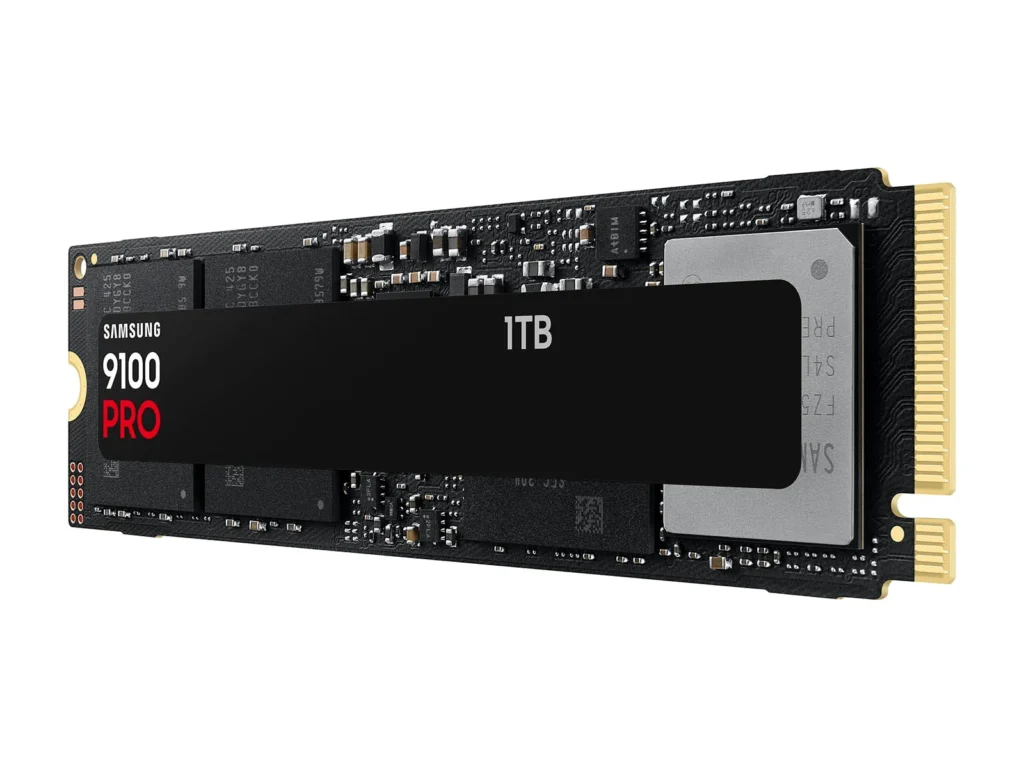
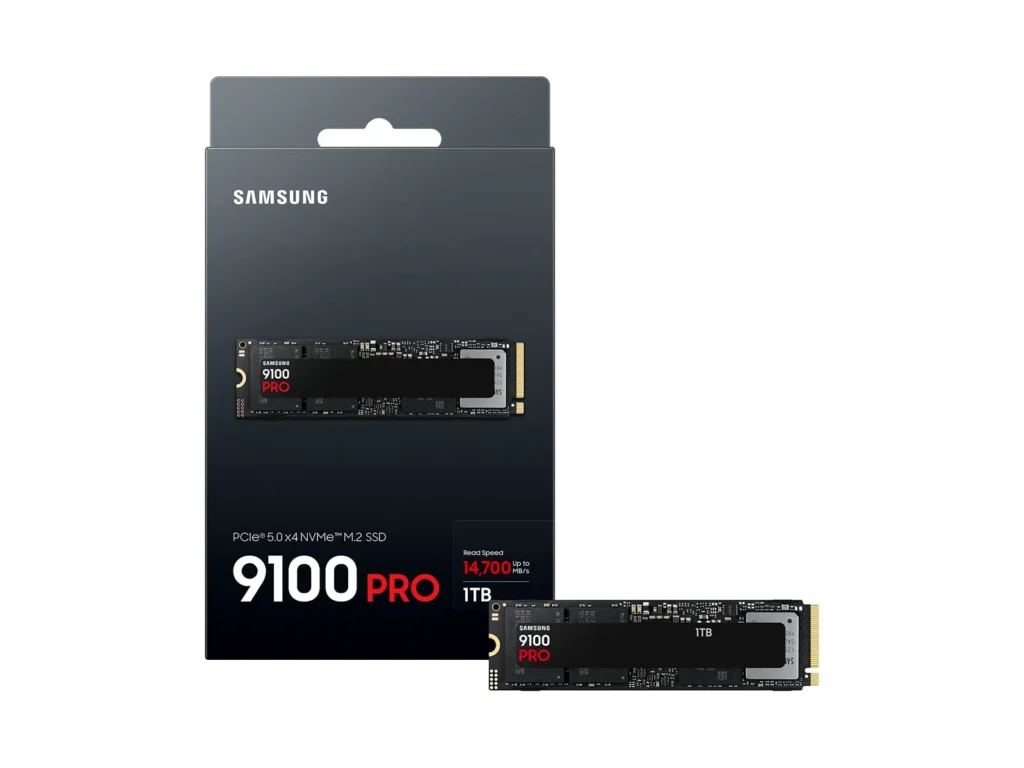
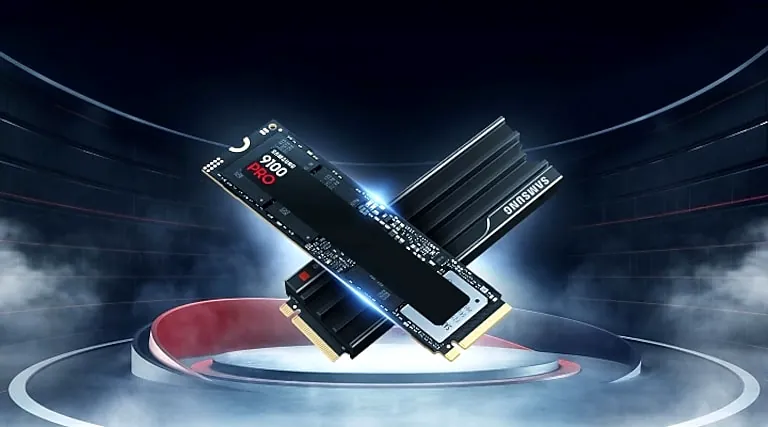
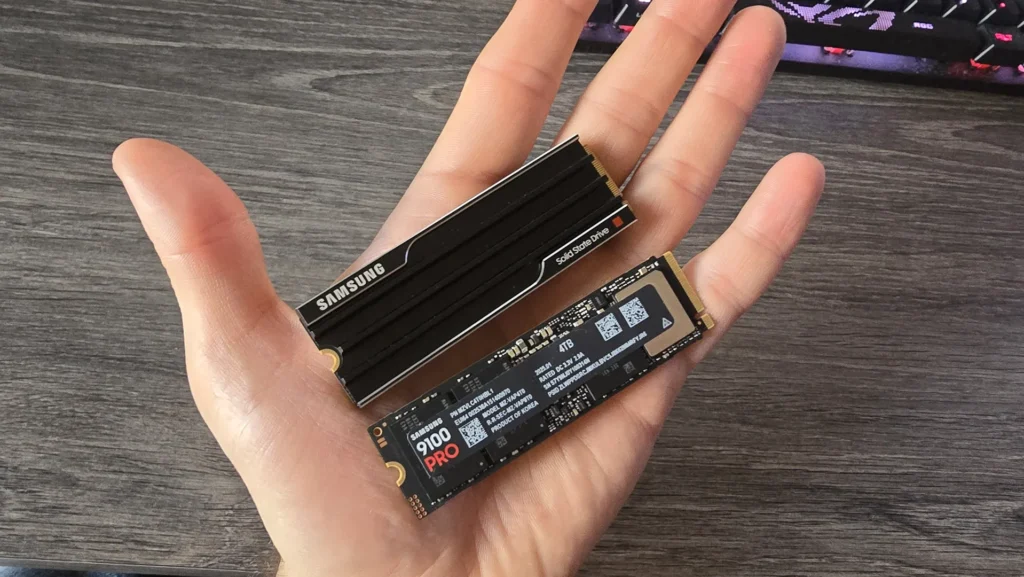
The Samsung 9100 Pro stands as the latest formidable entry into the high-performance SSD arena, marking Samsung’s inaugural full-fledged PCIe 5.0 NVMe solution for the consumer market. Engineered to address the escalating demands of intensive AI workloads, high-resolution 8K video editing, and the rigorous requirements of next-generation gaming, this drive is a marvel of modern engineering. It boasts sequential read speeds reaching an astonishing 14,800 MB/s and sequential write speeds up to 13,400 MB/s. At its core, the 9100 Pro leverages Samsung’s proprietary 5nm Presto controller—a sophisticated 5-core ARM Cortex-R8 design—paired with advanced 236-layer V8 TLC NAND flash. This combination delivers nearly double the performance of its highly regarded PCIe 4.0 predecessor, the 990 Pro. Available initially in capacities from 1TB up to a substantial 4TB, with a groundbreaking 8TB model anticipated later in 2025, the 9100 Pro also features significant power efficiency improvements, achieving up to 49% enhanced power efficiency compared to the 990 Pro, and incorporates advanced thermal control mechanisms.
Samsung 9100 Pro Series Key Specifications
| Interface | PCIe 5.0 x4, NVMe 2.0 |
| Form Factor | M.2 2280 (with/without Heatsink options) |
| Controller | Samsung Presto (5nm, 5-core ARM Cortex-R8) |
| NAND Flash | Samsung V-NAND V8 (236-layer TLC) |
| Capacities | 1TB, 2TB, 4TB (8TB later 2025) |
| Sequential Read (Max) | Up to 14,800 MB/s |
| Sequential Write (Max) | Up to 13,400 MB/s |
| Random Read (Max) | Up to 2,200K IOPS |
| Random Write (Max) | Up to 2,600K IOPS |
| DRAM Cache | 1GB (1TB) to 4GB (4TB) LPDDR4X |
| Power Consumption | 7.6W – 9.0W (Active) |
| Endurance (TBW) | 600 (1TB) to 2,400 (4TB) |
| Warranty | 5-Year Limited Warranty |
Performance Unpacked: What PCIe 5.0 Means for Your Gaming Rig and Workloads
The transition to PCIe 5.0 is far more than a mere increment in bandwidth; it heralds a new epoch for applications that are fundamentally data-intensive. For the dedicated gamer, this translates into tangible benefits: significantly faster game loading, virtually seamless asset streaming in sprawling open-world environments, and markedly quicker transitions between levels. This isn’t just about reducing wait times; it’s about eliminating the micro-stutters and loading hitches that break immersion. For content creators and AI developers, the 9100 Pro’s exceptional sequential and random performance fundamentally transforms workflows. It means dramatically reduced render times for complex projects, near-instantaneous loading of colossal AI models, and a smoother, more responsive creative process. Crucially, its optimized 5nm Presto controller and advanced V8 NAND flash ensure that even under sustained, heavy loads, performance remains remarkably consistent.
Samsung 9100 Pro vs. Competitors: Key Performance Metrics (4TB Models)
Pros
- Blazing-fast PCIe 5.0 performance, doubling previous generation speeds.
- Impressive power efficiency thanks to the 5nm Presto controller.
- Available with a heatsink option, ensuring optimal thermal management.
- High endurance ratings (up to 4,800 TBW for 8TB model).
- Industry-leading Samsung Magician software.
- Broad compatibility with PCs and PlayStation 5.
- Upcoming 8TB capacity caters to extreme storage needs.
Cons
- Higher price point compared to PCIe 4.0 drives.
- Gaming benefits may not be ‘night and day’ for all titles.
- ‘Naked’ drive can run very hot without cooling.
- Initial availability of 8TB capacity is delayed (H2 2025).
The Community’s Dilemma: Speed vs. Sanity in Home NAS & Bulk Storage
While the raw allure of PCIe 5.0 SSDs like the Samsung 9100 Pro is undeniably potent, the practical realities of deploying high-capacity storage, particularly within a home Network Attached Storage (NAS) environment, introduce a complex array of challenges. Traditional high-capacity Hard Disk Drives (HDDs), though offering a superior cost-per-terabyte ratio, are notoriously conspicuous for their mechanical noise and significant power draw. This fundamental conflict leads to widespread frustration as users grapple with the delicate balancing act of achieving peak performance without sacrificing the quiet, energy-efficient ideal of their envisioned ‘SSD Sanctuary’.
“I have an 8 slot QNAP, in the room with the NAS I don’t hear it but downstairs I can hear the drives seeking. The drives used to power down after 30 minutes of non use but that seems to have stopped, I just realised why my electricity bill is so high!” — r/pcmasterrace comment
The ‘Lucky Delivery’ & the Price of Opportunity
Anecdotal reports of users receiving multiple high-value SSDs due to packaging errors underscore the high entry barrier for acquiring top-tier storage technology. This highlights the critical need for strategic investment when embarking on the journey to construct your very own ‘SSD Sanctuary’.
This video addresses common pitfalls, reinforcing the theme of informed decision-making in NAS building.
Crafting Your Silent Sanctuary: Strategies for Optimal Gaming & NAS Storage
Achieving that coveted equilibrium of high performance, ample storage capacity, and quiet, energy-efficient operation necessitates a meticulously planned approach. This section outlines actionable strategies to help you construct a storage solution that adeptly harnesses the best of both worlds.
| Feature | Traditional HDDs | Samsung 9100 Pro SSD |
|---|---|---|
| Cost per TB | Low | High |
| Max Capacity | Very High (20TB+) | High (Up to 8TB) |
| Performance | Medium (250 MB/s) | Extreme (14,800 MB/s) |
| Noise | High (Seeking) | Silent |
| Best Use Case | Cold storage, Archival | Boot drives, Game libraries, Cache |
Blueprint for a Hybrid Performance & Efficiency NAS:
Allocate high-speed PCIe 5.0 SSDs like the Samsung 9100 Pro for your ‘hot’ data—operating systems, active game libraries, or as an NVMe cache. Reserve HDDs for ‘cold’ archival data.
The foundation lies in selecting energy-efficient CPUs like Intel’s N100 series or ARM-based solutions to minimize baseline power draw during 24/7 operation.
Proper heatsinks for the 9100 Pro are non-negotiable. For HDDs, select NAS-specific drives and use software to spin them down during idle periods.
Leverage file systems like ZFS or BTRFS. Understand the nuances of SLOG and L2ARC caching to prevent performance bottlenecks.
Choose enclosures with ample bays. The upcoming 8TB 9100 Pro will be transformative for consolidating fast storage into fewer M.2 slots.
The Samsung Ecosystem: Magician Software and Long-Term Reliability

Beyond the hardware, Samsung Magician software provides a suite of tools for monitoring health, performing firmware updates, and optimizing performance via features like Over Provisioning. This software, coupled with a 5-year warranty, establishes the 9100 Pro as a reliable long-term investment.
- Drive Health Check: Monitor temperature and TBW.
- Performance Optimization: Enable specialized caching modes.
- Firmware Updates: Stay optimized with the latest fixes.
- Data Security: AES 256-bit encryption management.
The Future of Fast Storage: What’s Next for PCIe 5.0 and Beyond
The evolution is relentless. We anticipate higher capacities, further refinements in power-per-watt, and innovative form factors for heat management. As PCIe 5.0 becomes the standard, the utility of drives like the 9100 Pro will expand alongside AI and immersive gaming demands.
Your Burning Questions Answered
Is the Samsung 9100 Pro worth the upgrade for gaming?
For everyday gaming, the difference over PCIe 4.0 may be subtle. However, for DirectStorage-optimized titles and heavy multitasking, the improvements are measurable and significant.
Do I need a heatsink for the Samsung 9100 Pro?
Yes. Proper thermal management is crucial to prevent throttling under sustained loads. Use the integrated motherboard cooler or the version with a factory heatsink.
Can I use the Samsung 9100 Pro in a NAS?
Absolutely. It excels as a boot drive, a ‘hot data’ volume, or a high-speed cache for synchronous writes (SLOG).
The 9100 Pro: A Cornerstone for Next-Gen Storage
The Samsung 9100 Pro is more than an incremental upgrade; it is a crucial component for future-proof gaming and workstations. By balancing its raw speed with strategic integration, enthusiasts can achieve a truly silent, high-performance sanctuary.
Samsung 9100 Pro (4TB) Rating
9.5
8.5
7.0