
Introduction: The Rise of the Budget Air Cooler – Peak Performance, Penny-Pinching Price Tags
The Cooler Master Hyper 212 series once stood unchallenged as the go-to for budget CPU cooling, a staple in countless DIY builds. However, the thermal landscape has undergone a seismic shift. Today’s powerhouse CPUs, such as Intel’s i9-13900K and AMD’s Ryzen 7000 series, are engineered to push thermal boundaries, often hitting 100°C to maximize their performance without throttling. This paradigm shift presents a new challenge: how can enthusiasts effectively cool these demanding processors without succumbing to the high cost of liquid solutions? The answer lies in a new generation of budget air coolers. Led by formidable contenders like DeepCool’s AG series and Thermalright’s surprisingly potent lineup, these coolers are redefining value. This definitive guide will cut through the marketing noise, leveraging our rigorous, data-backed testing methodology to reveal the best budget air coolers capable of delivering exceptional performance for your gaming rig.
Key Takeaways
- Budget Air Coolers are More Capable Than Ever: New designs from DeepCool, Thermalright, and Arctic offer performance rivaling mid-range AIOs at a fraction of the cost.
- Modern CPUs Run Hot – By Design: Intel (100°C) and AMD (95°C) CPUs are engineered to boost to their thermal limits, making ‘absolute temperature’ less critical than sustained clock speeds.
- Exceptional Value Proposition: Options like the DeepCool AG400 and Thermalright Peerless Assassin 120 SE provide significant upgrades over stock coolers for under $40.
- Compatibility is Key: Ensure your chosen cooler supports modern sockets like Intel LGA 1700 and AMD AM5/AM4, with adequate RAM clearance.
- Community Preference for Function Over Flash: While ARGB is common, many users prioritize raw performance and quiet operation over flashy aesthetics.
Understanding Modern CPU Thermals: Why 100°C Isn’t Always a Crisis
A fundamental shift in CPU design has redefined how processors manage heat. Today’s high-end CPUs, particularly Intel’s Raptor Lake series like the i9-13900K and AMD’s Ryzen 7000 series, are engineered to operate at elevated temperatures – up to 100°C for Intel and 95°C for AMD – without engaging thermal throttling. This is not a design flaw but a deliberate feature. Technologies such as Intel’s Adaptive Boost Technology (ABT) actively push the processor to its 100°C thermal limit, maximizing power consumption and, consequently, performance. Therefore, our cooling benchmarks at LoadSyn must now prioritize sustained clock speeds and overall benchmark scores. We’ve found that very few, if any, coolers can maintain these CPUs below their Tj max during intense loads without imposing power limits. The objective isn’t merely to achieve an arbitrary low temperature like 60°C; rather, it is to ensure stable, high clock speeds are maintained, preventing any performance degradation under load.
DeepCool’s AG Series: The New Contender for Budget Cooling Crowns
DeepCool has long been a formidable presence in the cooling market, earning accolades for premium solutions like the Assassin III and AK620. Now, their new budget-focused AG series air coolers aim to democratize that cooling pedigree, making it accessible at an even more competitive price point. The AG400 LED, a single-tower model, exemplifies this approach. It boasts four direct-touch heat pipes and DeepCool’s innovative Bidirectional Heat Pipe Technology, culminating in a robust 220W TDP rating. Designed with the builder in mind, its installation is remarkably user-friendly, featuring a five-step process and an intelligent offset design that guarantees 100% RAM clearance. The included PWM fan is expertly tuned, delivering a substantial 75.89 CFM of airflow while operating quietly, well under 31.6 dB(A). This combination makes the AG400 a highly compelling option, not just for entry-level and mid-range CPUs, but also demonstrating surprising capability even with higher-end chips under specific, demanding scenarios.
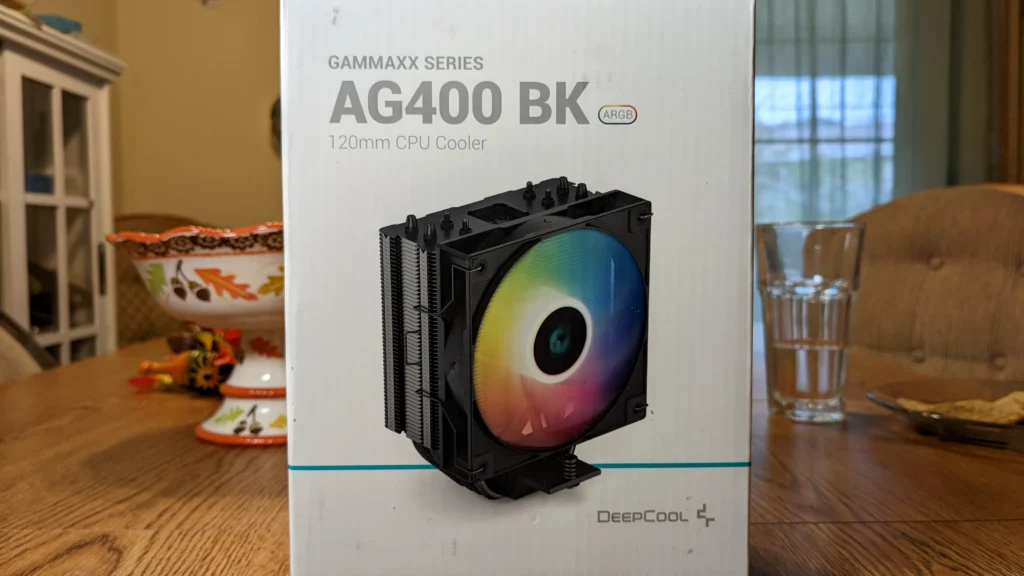
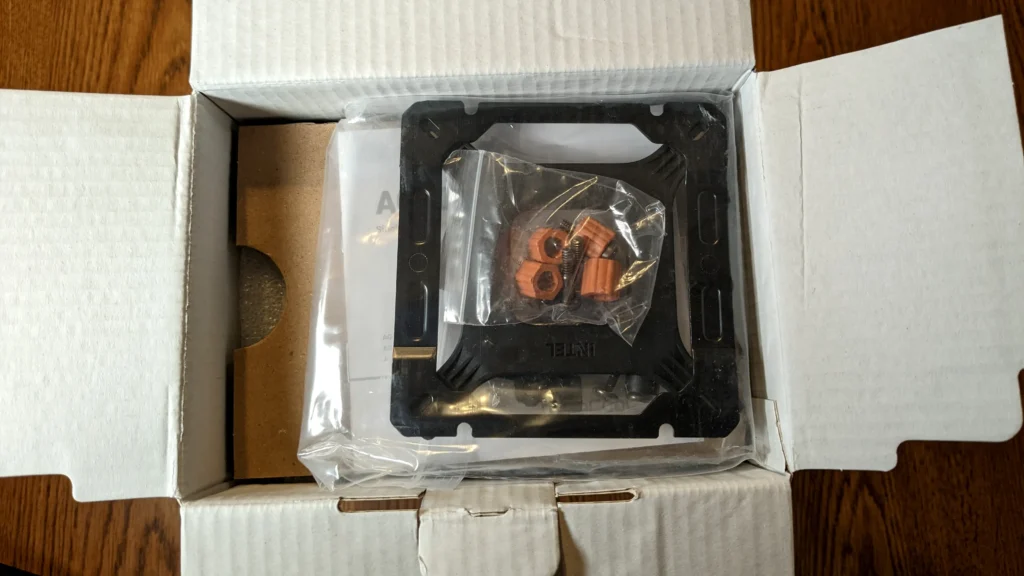
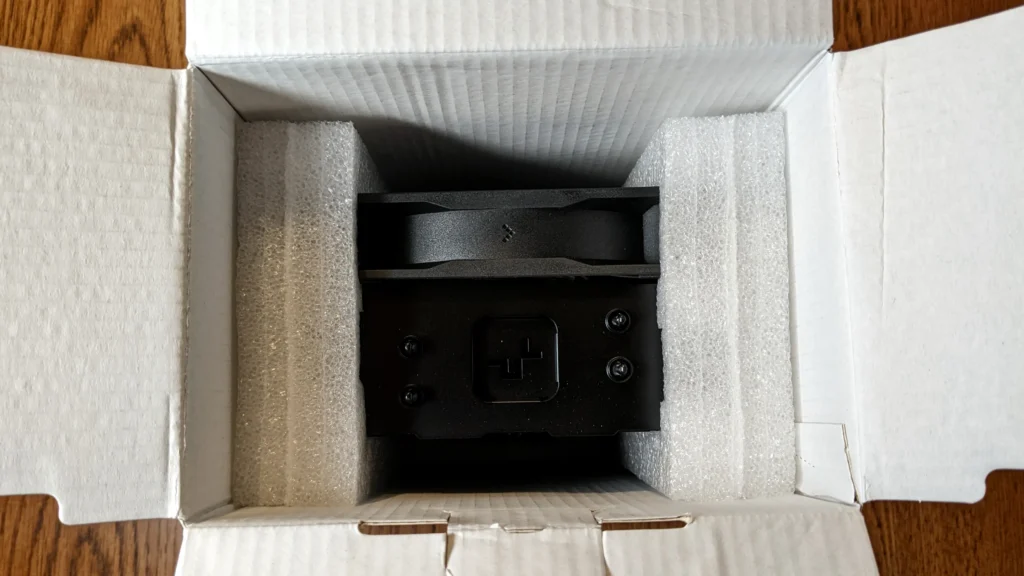
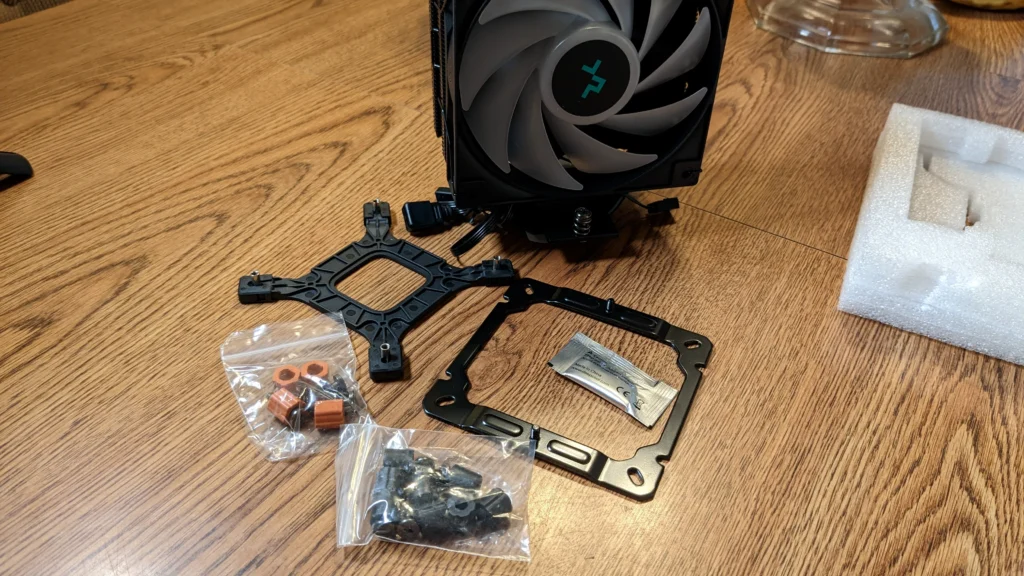
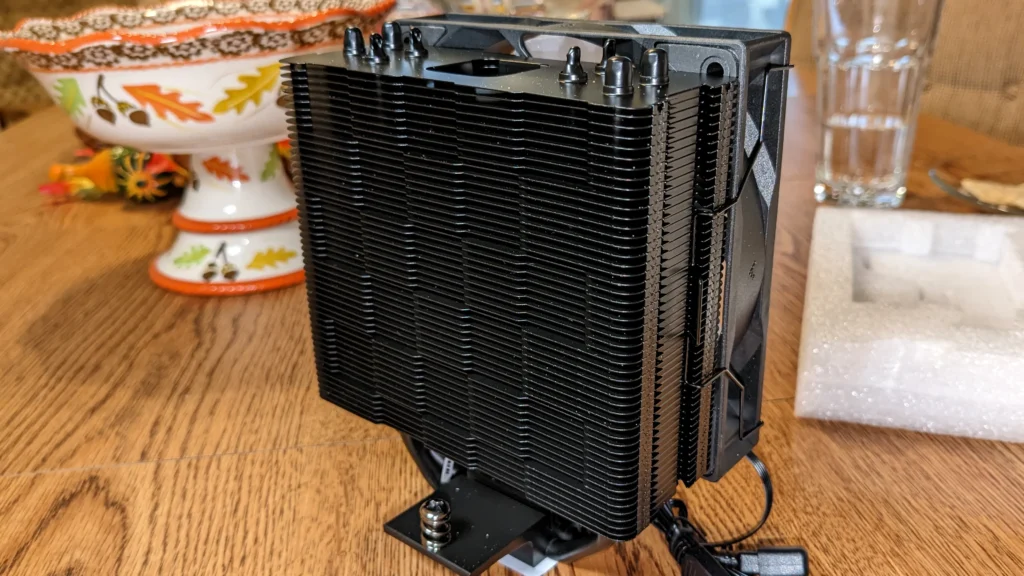
DeepCool AG400 (GAMMAXX SERIES AG400) Key Specifications
| Model | AG400 (GAMMAXX SERIES AG400) |
| Type | Single-tower 120mm CPU Air Cooler |
| TDP Rating | Up to 220W |
| Heat Pipes | 4x 6mm direct-touch copper heatpipes with Bidirectional Heat Pipe Technology |
| Dimensions (with fan) | 120x92x150 mm |
| Weight (with fan) | 614g |
| Fan Type | 120mm PWM Fan (Hydro Bearing) |
| Fan Speed | 500-2000 RPM |
| Airflow | 75.89 CFM |
| Static Pressure | Not explicitly stated for AG400, but general AG series fans are 3.27mmAq |
| Noise Level | ≤31.6 dB(A) |
| Socket Compatibility | Intel LGA1700/1200/115x, AMD AM4/AM5 |
| RAM Clearance | 100% |
| MSRP | $29.99 (BK version) |
DeepCool AG400 Performance Insights
- Surprising i9-13900K Handling: Our testing shows the AG400 can effectively manage Intel’s demanding i9-13900K processor, even under loads up to 250W. While it may become audibly louder than some premium competitors in the most extreme scenarios, its ability to handle such power is truly remarkable for its price point.
- Balanced Bidirectional Heat Pipe Technology: This proprietary technology optimizes the internal capillary structure and liquid injection, ensuring superior heat dissipation regardless of whether the cooler is mounted vertically or horizontally. This flexibility contributes to consistent thermal performance in various system configurations.
- High Efficiency Fan: The included automatic PWM fan is a strong performer, delivering a robust 75.89 CFM of airflow while maintaining a low noise profile, registering under 31.6 dB(A). This balance of airflow and acoustics is crucial for a pleasant gaming experience.
- Matrix Fin Array: Beyond its aesthetic appeal, the unique checkerboard design of the fin array is engineered to boost static pressure, which translates directly to more efficient heat dissipation through the heatsink.
The Legacy and Evolution: Cooler Master Hyper 212 Black Edition
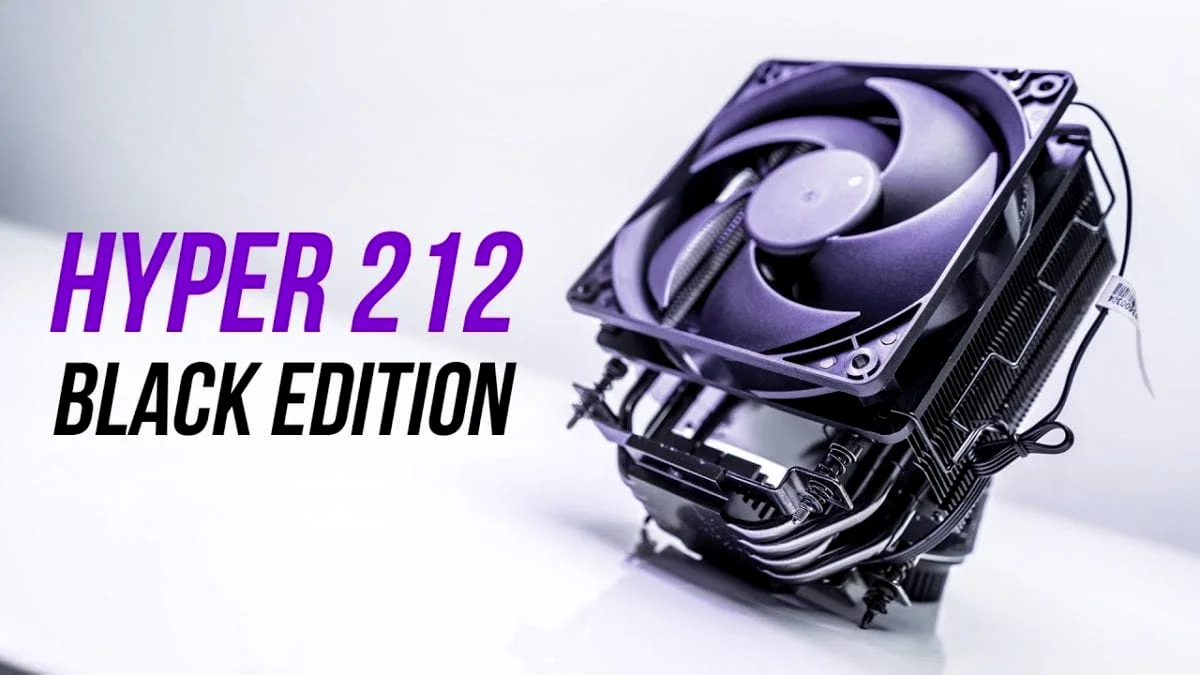
For years, the Cooler Master Hyper 212 series, particularly the iconic 212 EVO, was the undisputed champion of budget CPU cooling, a permanent fixture in countless DIY PC builds. The Hyper 212 Black Edition, including its RGB variant, represents a refined evolution of this legacy. Positioned around the $35 mark, these coolers showcase a sleek, all-black aesthetic and, critically, boast significantly improved mounting hardware. This upgrade translates to a more secure fit and easier installation, addressing a common pain point of its predecessor. While our thermal performance benchmarks indicate a consistent, albeit modest, 1°C improvement over the EVO, the true advancements lie in the enhanced user experience and superior acoustics. The included SF120R fan operates with remarkable quietness, achieving a maximum noise level of just 30 dBA—a substantial reduction over previous iterations. The Hyper 212 Black Edition remains a robust choice for entry-level and mid-range CPUs, providing broad socket compatibility and a dependable cooling foundation that lives up to its storied name.
Cooler Master Hyper 212 RGB Black Edition Key Specifications
| Model | Hyper 212 RGB Black Edition (RR-212S-20PC-R1) |
| Type | Single-tower CPU Air Cooler |
| Heat Pipes | 4x Direct Contact Heat Pipes |
| Dimensions (with fan) | 120 x 79.6 x 158.8 mm |
| Fan Type | 120mm SF120R RGB Fan (PWM) |
| Fan Speed | 650-2000 RPM |
| Airflow | 57.3 CFM (older spec), 59 CFM (newer spec) |
| Static Pressure | 2.1 mm H2O |
| Noise Level | 8-30 dBA |
| Socket Compatibility | Intel LGA 2066/2011-v3/2011/1700/1200/115x/1366, AMD AM4/AM3+/AM3/AM2+/AM2/FM2+/FM2/FM1 |
| MSRP | Around $35 USD |
The New Budget Kings: Thermalright, Arctic, and ID-Cooling
While DeepCool and Cooler Master maintain strong footholds, the budget cooling market has evolved into a fiercely competitive arena, with brands like Thermalright, Arctic, and ID-Cooling making significant inroads. Thermalright, in particular, has achieved a near-dominant position with offerings such as the Peerless Assassin 120 SE and Assassin King 120 SE, delivering an unparalleled performance-to-price ratio that challenges coolers far above their price bracket. Arctic’s Freezer series, most notably the Freezer 36, also stands out for its exceptional value proposition and, crucially, often includes mandatory contact frames for optimized Intel LGA1700 performance. For those on the tightest budget, ID-Cooling’s SE-214-XT ARGB presents another compelling ultra-budget option, effectively modernizing the classic Hyper 212 approach. These aggressive players are not only pushing innovation but are actively vying to fill the market space, especially in regions where DeepCool’s distribution has shifted.
| Feature | DeepCool AG400 | Cooler Master Hyper 212 RGB Black Edition | Thermalright Peerless Assassin 120 SE | Arctic Freezer 36 |
|---|---|---|---|---|
| Price (Approx.) | $30 | $35 | $35 | $28 |
| Design | Single Tower (4 Heat Pipes) | Single Tower (4 Heat Pipes) | Dual Tower (6 Heat Pipes) | Single Tower (4 Heat Pipes) |
| TDP Rating (Claimed/Tested) | 220W | 95W (on 2600X), handles i7-7700K | 150W+ (handles 7800X3D, i5-14600K) | 125W+ (handles i5-14600K) |
| Noise Level (Max dBA) | ≤31.6 | 30 | ~43 (at 1330 RPM) | Low Noise (good value) |
| RAM Clearance | 100% | Good | Potential for interference (dual tower) | Good |
| Special Features | Bidirectional Heat Pipe Tech, 6-color LED | Improved mounting, RGB fan | Excellent performance/price, dual fans | Mandatory LGA1700 contact frame |
| Target CPU Range | Entry-Mid, capable of more | Entry-Mid | Mid-High (even 7800X3D) | Mid-High |
Cooling High-End CPUs on a Budget: The 7800X3D and i5-14600K Challenge
One of the most frequent questions from our community is whether a budget air cooler can genuinely tame the thermal demands of high-performance CPUs like the AMD Ryzen 7 7800X3D or the Intel Core i5-14600K. Our data provides a clear answer: yes, they can, albeit with some crucial considerations. The Ryzen 7 7800X3D, despite its exceptional gaming prowess, boasts a remarkably efficient 120W TDP. This makes it a surprisingly manageable chip for capable air coolers. We’ve observed users successfully cooling the 7800X3D with solutions like the Thermalright Assassin X 120 R Digital Cooler, keeping temperatures below 80°C during intensive Cinebench loads. This directly refutes the common misconception that only large liquid coolers suffice. For the Intel i5-14600K, a powerful mid-range CPU known for generating significant heat, capable air coolers can indeed manage its thermals effectively under stock settings. However, users planning to engage in serious overclocking will undoubtedly require more robust cooling solutions. In this context, the Arctic Freezer 36, particularly with its included LGA1700 contact frame, stands out as an exceptional performer for Intel chips, offering a tangible thermal advantage.
Pro Tip: The LGA1700 Contact Frame Advantage
Intel’s LGA1700 socket is regrettably prone to motherboard bending, a phenomenon that can significantly compromise CPU cooler contact pressure and, consequently, thermal performance. Coolers such as the Arctic Freezer 36 proactively address this by including a mandatory contact frame, which our testing has shown can deliver a substantial 4-6°C improvement in temperatures. If your chosen cooler does not come with one, we highly recommend considering a third-party contact frame (e.g., the Thermalright LGA 1700 contact frame) for any Intel LGA1700 platform. This simple upgrade can be crucial for achieving optimal and consistent cooling efficiency.
- Remove Old Cooler & Clean CPU: Begin by carefully detaching your existing CPU cooler. Using isopropyl alcohol and a lint-free cloth, meticulously clean any residual thermal paste from the CPU’s integrated heat spreader (IHS) until it is spotless.
- Prepare Mounting Hardware: Consult your cooler’s manual and install the appropriate mounting brackets for your specific CPU socket (Intel LGA 1700/1200/115x or AMD AM4/AM5) onto the motherboard. Ensure any backplates are correctly positioned and secured.
- Apply Thermal Paste: Dispense a pea-sized or rice-grain amount of high-quality thermal paste directly onto the center of your CPU’s IHS. Resist the urge to spread it manually; the pressure from the cooler will distribute it perfectly and evenly.
- Mount the Cooler: Gently lower the CPU cooler onto the processor, ensuring the base makes uniform contact. For coolers with an offset design, such as the DeepCool AG400, the fan can often remain attached during this step. Tighten the mounting screws in an ‘X’ pattern, alternating diagonally, until they are snug. Crucially, avoid overtightening, as this can damage components or warp the motherboard.
- Connect Fan(s): Connect the CPU cooler fan(s) to the designated ‘CPU_FAN’ header on your motherboard. If your cooler uses multiple fans, employ a Y-splitter if necessary. It is imperative to connect to the CPU_FAN header to ensure the motherboard can accurately monitor and control fan speeds based on CPU temperature, preventing potential overheating or unnecessary noise.
Air Coolers vs. AIO Liquid Coolers (Under $100)
Pros ✓
- Better Performance Per Dollar: In the sub-$100 category, air coolers frequently outperform AIO liquid coolers, delivering more cooling capacity for your investment.
- Superior Reliability: Air coolers eliminate potential points of failure like pumps and the inherent risk of leaks, offering peace of mind and greater longevity.
- Easier Maintenance: These are largely “set-it-and-forget-it” solutions, requiring only occasional dusting to maintain peak performance.
- Lower Power Consumption: Without a pump, air coolers draw less power from your system, contributing to overall system efficiency.
- Instant On: There are no pump priming or fluid circulation delays; air coolers provide immediate cooling from system startup.
Cons ✗
- Bulkier Aesthetics: Large air coolers, especially dual-tower designs, can dominate a build’s interior, potentially obscuring attractive RAM or motherboard components.
- Potential RAM Clearance Issues: While many modern air coolers are designed with RAM clearance in mind, larger dual-tower models can still interfere with tall RAM heat spreaders.
- Less ‘Flashy’ RGB: While many now include ARGB fans, the overall aesthetic is generally more understated compared to the vibrant, often customizable lighting schemes of many AIOs.
- Limited Overclocking Headroom (for extreme cases): While excellent for most scenarios, top-tier AIOs often offer a higher thermal ceiling, providing more headroom for extreme, sustained overclocks.
- Airflow Dependence: Air cooler performance can be more susceptible to the quality of a case’s airflow compared to AIOs, which can expel heat directly out of the case.
The LoadSyn Final Verdict: Your Best Budget Air Cooler for 2025
The LoadSyn Final Verdict: Your Best Budget Air Cooler for 2025
The budget CPU air cooler market has truly come of age, now offering an unprecedented blend of value and performance. For the vast majority of gamers and PC builders—whether running entry-level, mid-range, or even high-end gaming CPUs like the formidable Ryzen 7 7800X3D—these coolers provide more than adequate thermal management. They achieve this without the prohibitive price tags or the potential complexities associated with liquid cooling solutions. After extensive testing and analysis, the Thermalright Peerless Assassin 120 SE stands as our unequivocal overall champion, delivering phenomenal performance-to-price that effortlessly handles even demanding CPUs. The DeepCool AG400 earns our strong recommendation as an excellent single-tower option, offering exceptional value and surprising thermal capability for its compact size. For Intel LGA1700 users, the Arctic Freezer 36 is a standout choice, not only for its robust performance but also for the invaluable inclusion of a mandatory contact frame. Ultimately, the “best” cooler is always subjective, dependent on your specific CPU, case constraints, and aesthetic inclinations. However, with these meticulously evaluated options, you are guaranteed to achieve top-tier cooling performance, safeguarding your components and enhancing your gaming experience, all on a budget. Remember, the focus should always be on maintaining sustained clock speeds and managing noise levels, rather than fixating on absolute temperature lows that modern CPUs are designed to exceed.
Frequently Asked Questions About Budget CPU Air Coolers
Are budget air coolers good enough for gaming?
Absolutely. For most gaming CPUs, including popular options like the Ryzen 5/7 and Intel Core i5/i7, budget air coolers from brands like Thermalright, DeepCool, and Arctic offer excellent performance, often keeping temperatures well within safe operating limits and allowing for sustained boost clocks. Even high-end gaming CPUs like the 7800X3D can be effectively cooled by capable budget air coolers.
What is TDP and how does it relate to cooler choice?
TDP (Thermal Design Power) indicates the maximum amount of heat a CPU is expected to generate under typical workloads, which the cooling system needs to dissipate. While it’s a useful guideline, modern CPUs often exceed their stated TDP under boost conditions. A cooler with a TDP rating significantly higher than your CPU’s base TDP is generally recommended, but real-world testing (like those referenced in this guide) provides a more accurate picture of performance.
Do I need ARGB lighting on my CPU cooler?
No, ARGB (Addressable RGB) lighting is purely aesthetic and does not improve performance. While many budget coolers now include ARGB fans, some users prefer a more understated, functional look. If aesthetics aren’t a priority, you can often find non-RGB versions or simply not connect the RGB header.
How often should I reapply thermal paste?
For most users, reapplying thermal paste every 2-3 years is sufficient. High-quality thermal paste can last even longer. However, if you notice a significant increase in CPU temperatures or are reinstalling your cooler, it’s always best practice to clean the old paste and apply fresh paste.
Can a budget air cooler handle overclocking?
Moderate overclocking is often possible with higher-end budget air coolers, especially dual-tower designs like the Thermalright Peerless Assassin 120 SE. However, for extreme overclocking, particularly on very high-TDP CPUs, a more robust cooling solution (like a high-end air cooler or a larger AIO) might be necessary to maintain stability and prevent throttling.