
The Resurgence: Valve’s Steam Machine Returns, Challenging the DIY Console-PC Frontier
Valve, a company renowned for its disruptive hardware initiatives, is making an ambitious return to the living-room PC landscape. Building upon the undeniable success of the Steam Deck, the new Steam Machine aims to deliver a refined, console-like PC gaming experience directly to your television. Yet, Valve’s official re-entry isn’t the only force at play; a burgeoning community of enthusiasts is simultaneously pushing the boundaries of what a DIY console-PC can be, leveraging ingenuity and cost-effectiveness to achieve similar couch-friendly gaming nirvana. This article serves as LoadSyn.com’s definitive technical and practical guide, dissecting both Valve’s meticulously engineered solution and the vibrant, community-driven alternatives. Our aim is to empower you with the insights needed to navigate this evolving frontier of PC gaming, bridging the gap between traditional console simplicity and the inherent freedom of PC hardware.
Valve’s New Steam Machine: A Deep Dive into the Official ‘GabeCube’
Valve’s latest endeavor marks its second attempt at establishing a dedicated Steam Machine in the living room, a strategic pivot informed by the lessons of its 2015 predecessor. That initial foray, characterized by a fragmented ecosystem of various OEM hardware, ultimately faltered due to a lack of unified vision and a nascent SteamOS. However, the intervening decade, particularly the resounding success of the Steam Deck, has profoundly reshaped Valve’s approach. This time, the company is delivering a singular, fixed-spec device, meticulously engineered to provide a seamless, console-like PC gaming experience. This design philosophy, focusing on a tightly controlled hardware and software stack, is a direct response to the complexities that plagued the original initiative, promising enhanced stability and a more consistent user journey.
| Component | Specification |
|---|---|
| CPU | Semi-custom AMD Zen 4 6C / 12T (up to 4.8 GHz, 30W TDP) |
| GPU | Semi-Custom AMD RDNA3 28CUs (up to 2.45GHz, 110W TDP, likely Navi 33-derived RX 7600 variant) |
| VRAM | 8GB GDDR6 (Fixed) |
| System RAM | 16GB DDR5 |
| Storage | 512GB or 2TB M.2 2230 SSD (User upgradable to 2280) |
| Operating System | SteamOS (Linux-based, KDE Plasma desktop environment) |
| Output | DisplayPort 1.4 (up to 4K/240Hz or 8K/120Hz), HDMI 2.0 (up to 4K/120Hz, with select HDMI 2.1 features like HDR, FreeSync) |
| Connectivity | 2×2 Wi-Fi 6E, Bluetooth 5.3, Gigabit Ethernet, USB-C 10 Gbps, 4x USB-A (2x USB 3 front, 2x USB 2 rear) |
| Form Factor | Approx. 6-inch cube (152 x 162.4 x 156 mm) |
| Power Supply | Internal AC power 110-240V |
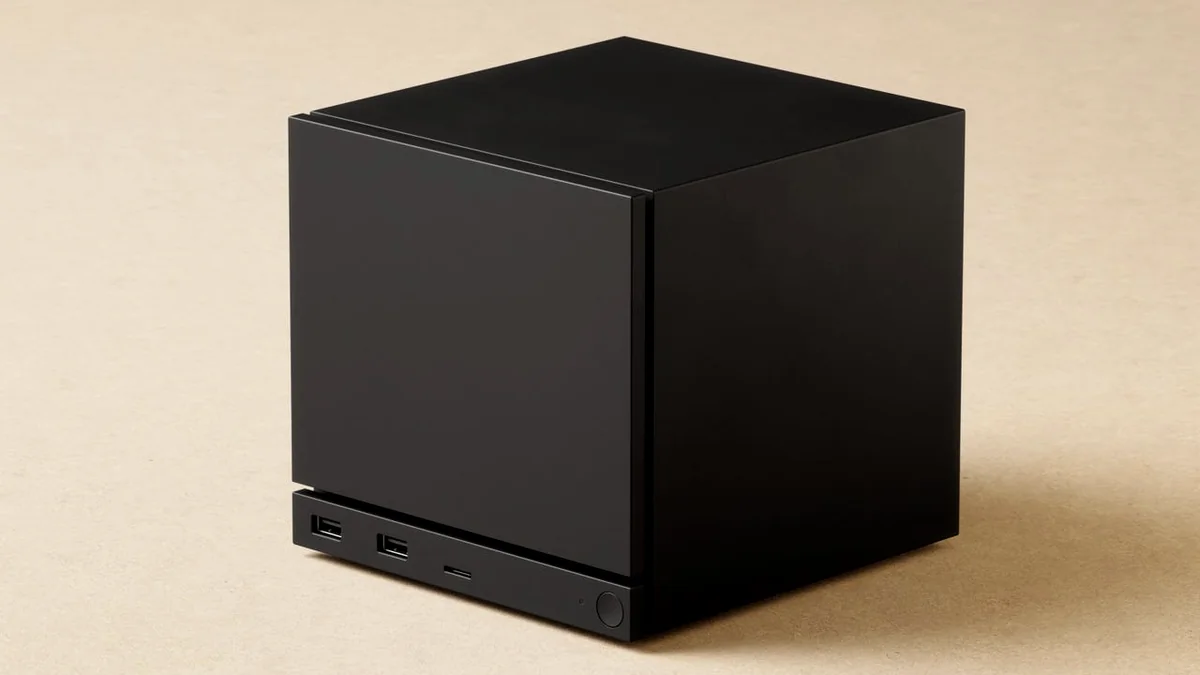
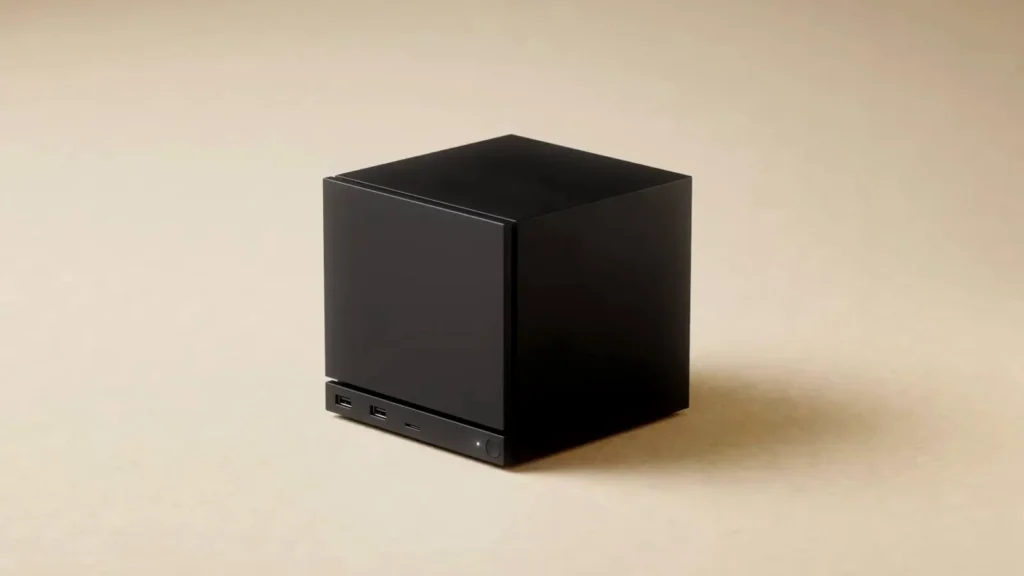
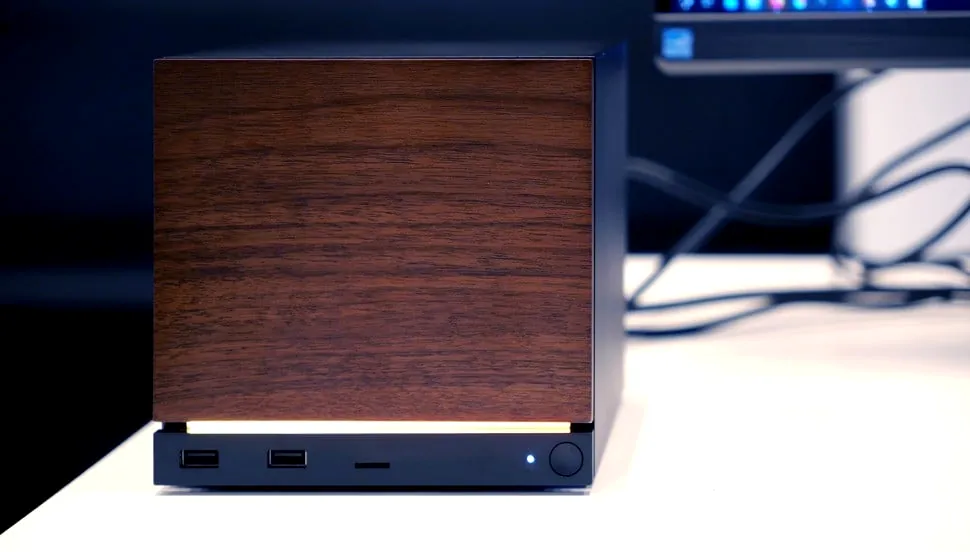
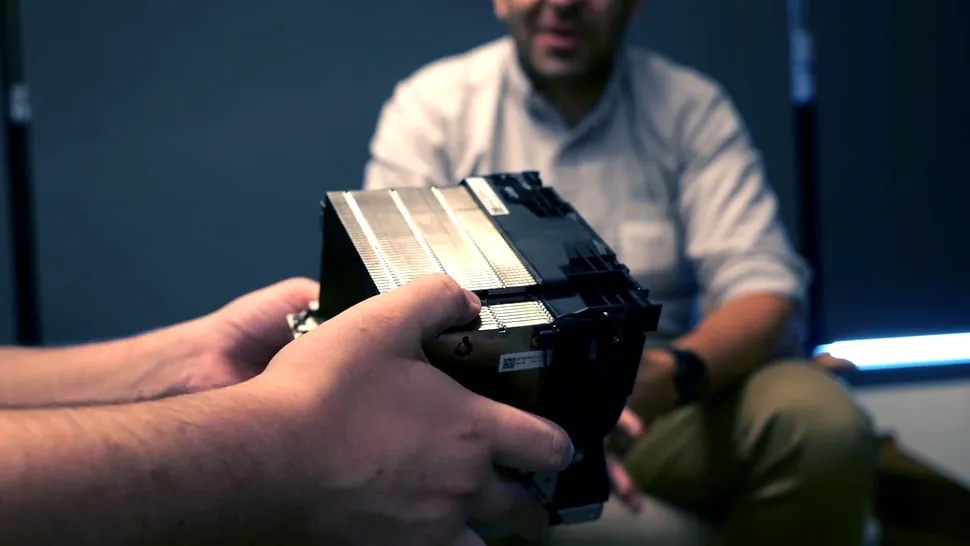
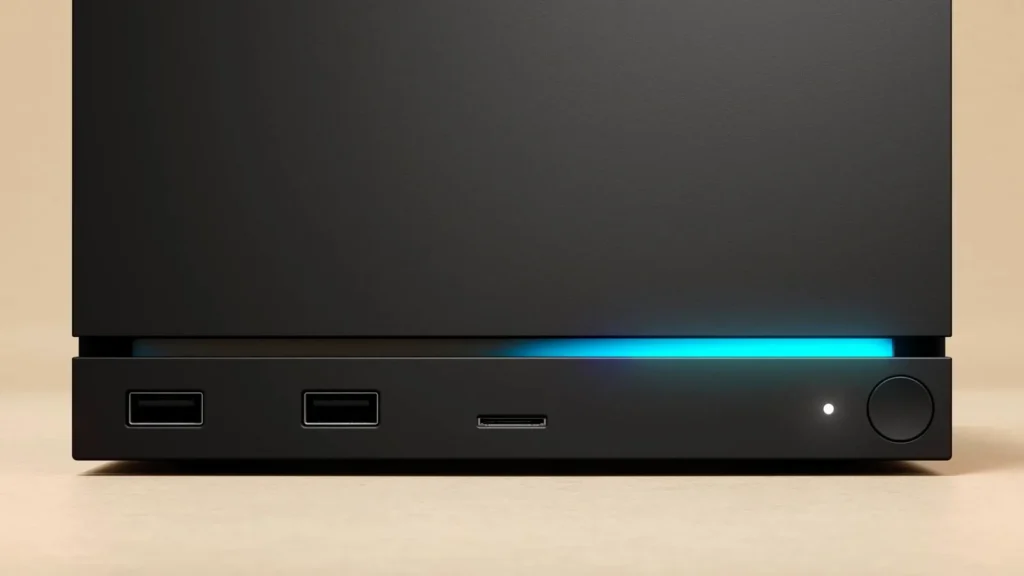
The Steam Machine’s physical manifestation is a testament to Valve’s commitment to compact, efficient engineering. Its roughly 6-inch cuboid form factor, reminiscent of the classic GameCube, is designed for unobtrusive integration into any living-room setup. Beyond aesthetics, the internal architecture reveals a highly optimized thermal solution. Valve engineers have reportedly dedicated extensive computational fluid dynamics (CFD) hours to this design, resulting in a gargantuan, server-inspired heatsink that occupies an impressive 70 percent of the system’s internal volume. This single-fan mechanism is engineered to cool all components efficiently and quietly, addressing a critical concern for living-room devices often placed within enclosed entertainment centers. Furthermore, the innovative concept of customizable magnetic faceplates, for which Valve plans to release 3D CAD files, offers a unique avenue for personalization, allowing users to tailor the device’s appearance to their own aesthetic preferences, a subtle nod to PC modding culture within a console-like shell.

Performance Projections: 4K/60 FPS, VRAM, and FSR
Valve’s assertion of 4K/60 FPS gaming, even with the aid of AMD’s FidelityFX Super Resolution (FSR) upscaling, warrants a closer technical examination. While FSR can indeed boost effective resolution, expert analysis from Digital Foundry suggests tempering expectations for consistently achieving this target in demanding AAA titles. The primary concern revolves around the Steam Machine’s fixed 8GB of GDDR6 VRAM. While sufficient for a significant portion of the current Steam library, this allocation is increasingly becoming a bottleneck for modern, graphically intensive games, often necessitating reduced texture quality or the complete disabling of ray tracing to maintain stable frame rates. Digital Foundry highlights that 8GB falls short of the VRAM pools available in both the Xbox Series X (10GB dedicated) and the PlayStation 5 (10-12GB dynamically allocated), impacting future-proofing. In terms of raw processing power, the Steam Machine is positioned between the Xbox Series S and the base PlayStation 5, perhaps leaning closer to the PS5 with certain caveats. Given these hardware realities, its true performance sweet spot is more likely to be found in robust 1080p and capable 1440p gaming, where its Zen 4 CPU and RDNA 3 GPU can deliver a consistently smooth and visually appealing experience.
| Component | Steam Machine | Xbox Series X | Xbox Series S | PlayStation 5 |
|---|---|---|---|---|
| CPU | Semi-custom AMD Zen 4 6C/12T @ 4.8GHz | AMD Zen 2 8C/16T @ 3.8GHz | AMD Zen 2 8C/16T @ 3.6GHz | AMD Zen 2 8C/16T @ 3.5GHz |
| GPU | Semi-Custom AMD RDNA3 28CUs @ 2.45GHz (8GB GDDR6) | AMD RDNA 2 52CUs @ 1.825GHz (16GB GDDR6) | AMD RDNA 2 20CUs @ 1.565GHz (10GB GDDR6) | AMD RDNA 2 36CUs @ 2.23GHz (16GB GDDR6) |
| VRAM | 8GB GDDR6 (Discrete) | 10GB (Dedicated) | 8GB (Dedicated) | 10-12GB (Shared/Dynamic) |
| System RAM | 16GB DDR5 | 16GB GDDR6 | 10GB GDDR6 | 16GB GDDR6 |
| Storage | 512GB / 2TB NVMe SSD | 1TB Custom NVMe SSD | 512GB Custom NVMe SSD | 825GB Custom NVMe SSD |
| Target Res/FPS | 4K/60 (with FSR), 1080p/1440p strong | 4K/60-120 | 1440p/60-120 | 4K/60-120 |
The Pricing Predicament: PC Prices, Not Console Subsidies
One of the most contentious aspects surrounding the new Steam Machine is its pricing strategy. Valve has explicitly stated that, unlike traditional game consoles, the Steam Machine will not be sold at a subsidized price. Instead, its MSRP will be competitively aligned with comparable PC builds. This decision, while understandable from a hardware manufacturing perspective, introduces significant uncertainty regarding its final cost. The current market is plagued by volatile component prices, particularly for DDR5 RAM, which has seen increases of up to 150% in recent months, largely due to demand from AI data centers. Such inflationary pressures directly impact Valve’s ability to hit an aggressive price point. Community sentiment, as captured in our Fandom Pulse, reflects considerable anxiety, with many expressing concern that the final price could easily exceed the $750-$1000 mark. For a device positioned as a console-like entry point, this potential price point could severely impact its broader consumer appeal, especially when competing with established consoles that often sell hardware at a loss to gain market share.
SteamOS & The Verified Program: A Console-Like Experience
At the heart of the Steam Machine’s console-like experience lies SteamOS, Valve’s Linux-based operating system. This bespoke OS features a highly streamlined user interface, reminiscent of modern console dashboards, designed for intuitive navigation from a living-room couch. Crucial to its functionality is the Proton compatibility layer, which enables the seamless execution of Windows-native games on a Linux foundation. This robust software stack also facilitates features like fast suspend/resume, allowing players to instantly jump back into their games, mirroring the convenience found in dedicated consoles. Furthermore, Valve is extending its successful “Verified” program to the Steam Machine. This certification helps users identify games optimized for the hardware. Notably, Valve intends to loosen the verification requirements compared to the more stringent Steam Deck Verified program, acknowledging the Steam Machine’s significantly greater processing power. This adjustment aims to broaden the library of officially supported titles, enhancing the out-of-the-box experience for a wider range of games.
The DIY Steam Machine Movement: Building Your Own ‘GabeCube’
Parallel to Valve’s official initiative, a vibrant DIY Steam Machine movement has steadily gained momentum, driven by a compelling blend of cost-effectiveness, unparalleled customization, and the pure joy of building. Many enthusiasts seek to craft their ideal console-like PC experience, either as an alternative to Valve’s offering or simply to get ahead of the curve. This community thrives on ingenuity, often repurposing unconventional hardware to achieve impressive gaming performance on a budget. For instance, components like ASRock BC-250 mining blades or even salvaged, cut-down PlayStation 5 APUs are being leveraged to construct surprisingly capable 1080p gaming systems. These innovative approaches underscore a desire for maximum control over component selection and a deep understanding of the underlying hardware, allowing builders to tailor their “GabeCubes” precisely to their performance targets and financial constraints.

Key Components for a Budget DIY Build
Hardware Highlights for DIY Console-PCs
- Repurposed Mining Hardware: Discuss how components like the ASRock BC-250 mining blade offer unique, cost-effective base platforms.
- Unusual APUs: Mention the potential use of cut-down PS5 APUs for budget-friendly 1080p performance.
- Small Form Factor (SFF) Cases: Emphasize the importance of compact cases like the Fractal Ridge for a console aesthetic and living-room integration.
- SteamOS Alternatives (Bazzite, ChimeraOS): Explain the role of community-driven Linux distributions that mimic SteamOS for broader hardware compatibility.
DIY Build Guide: Setting Up Your Custom Steam Machine
Essential Steps for Your DIY Console-PC
- Choosing Your OS (SteamOS 3.7 / Bazzite): Guide users on installing a Linux-based gaming OS, emphasizing compatibility and resources like ProtonDB.
- Hardware Assembly (SFF Considerations): Provide general advice on selecting and assembling components for a compact build, highlighting thermal management and cable routing in tight spaces.
- Controller Configuration & Gyro Aim: Detail the importance of selecting controllers with advanced features like Gyro Aim and how to optimize them for PC games. Mention the new Steam Controller and DualSense Edge as examples.
- Display & Audio Setup: Advise on optimizing TV settings (Game Mode, HDR) and audio solutions for a living-room environment.
- Performance Tweaks & Benchmarking: Suggest tools and methods for verifying performance and adjusting settings for optimal 1080p/1440p gaming.
The Fandom Pulse: Anticipation, Anxiety, and Affordability
The community’s emotional landscape surrounding Valve’s new hardware is a complex tapestry woven with threads of high anticipation and palpable anxiety. There is immense excitement for a truly console-like PC experience that offers the breadth of the Steam library in a living-room friendly form factor. However, this enthusiasm is significantly tempered by widespread concern over the eventual pricing. The volatility of component costs, particularly the recent surge in RAM prices, has fueled fears that the Steam Machine may land at an MSRP far exceeding initial expectations, undermining its value proposition. Many gamers yearn for an affordable, hassle-free entry into PC gaming, a device that democratizes access without the complexities and financial overhead typically associated with building a custom rig. This tension between desired accessibility and market realities forms a critical undercurrent in the ongoing discourse.
“Anything under $700 and this is an insta-buy for me. As my kid gets more into gaming, she needs a PC so we can play co-op games, but I don’t necessarily want her to have a full PC and all the problems that can come with that.”
Official vs. DIY: A Strategic Decision
Valve Steam Machine vs. DIY Console-PC: Which Path is Right for You?
Pros (Valve Steam Machine)
- Guaranteed out-of-the-box compatibility with ‘Steam Machine Verified’ games.
- Streamlined SteamOS experience with console-like ease of use.
- Compact, custom-engineered form factor with superior thermal management.
- Integrated Steam Controller 2.4GHz radio for seamless peripheral pairing.
- Official Valve support and warranty.
Cons (Valve Steam Machine)
- Uncertain pricing, potentially higher than expected due to market conditions (not subsidized).
- Fixed 8GB VRAM may limit longevity and performance in future AAA titles at higher resolutions.
- Limited hardware customization/upgradability compared to a full PC.
- Anti-cheat issues may restrict access to popular competitive online games.
- Less control over specific component choices (CPU/GPU model, vendor).
DIY Console-PC: Advantages and Challenges
Pros (DIY Console-PC)
- Significantly lower cost, especially when repurposing hardware.
- Full control over component selection, allowing for tailored performance/budget.
- Greater upgradability and repairability.
- Flexibility to use any Linux distribution (e.g., Bazzite) or even Windows.
- Educational and rewarding experience for builders.
Cons (DIY Console-PC)
- Requires technical knowledge and time for assembly and troubleshooting.
- Potential compatibility issues with hardware and software (e.g., drivers, Proton).
- Lack of official support or warranty for the integrated system.
- Challenges in achieving a truly compact, quiet, and thermally efficient build without custom engineering.
- Anti-cheat issues persist for Linux-based OS.
The Future of Console-Like PC Gaming
Valve’s re-entry into the living-room PC space with the new Steam Machine is poised to exert a significant influence on the broader PC gaming landscape. This official push, combined with the Steam Deck’s established success, could substantially accelerate the adoption of Linux as a viable gaming OS, further eroding Windows’ long-standing dominance. It actively blurs the historically distinct lines between traditional consoles and personal computers, offering a hybrid experience that prioritizes accessibility without sacrificing the depth of the Steam library. Simultaneously, the dynamic DIY community will undoubtedly continue its trajectory of innovation, adapting rapidly to new hardware releases and software advancements. Their ingenuity in repurposing components and optimizing open-source solutions will remain a critical force, pushing the boundaries of what’s possible for affordable, high-performance living-room PCs. Ultimately, the interplay between Valve’s structured vision and the community’s organic evolution promises a future rich with choice and enhanced accessibility for gamers, fostering a more diverse and vibrant ecosystem for all.
Frequently Asked Questions About Steam Machines & DIY Console-PCs
What is the main difference between Valve’s new Steam Machine and building my own?
Will the Steam Machine truly run games at 4K/60 FPS?
Can I install Windows on the new Steam Machine?
What are the biggest challenges for DIY Steam Machine builders?
Is the new Steam Controller essential for the Steam Machine?
The Console-PC Era: Valve Leads, DIY Empowers
The unfolding narrative of living-room PC gaming, spearheaded by Valve’s official Steam Machine and invigorated by the burgeoning DIY community, marks an exciting new chapter for accessibility and choice. Both paths represent significant advancements in democratizing the PC gaming experience, bringing its expansive libraries and inherent flexibility to the comfort of the couch. The “best” option ultimately hinges on individual priorities: a user’s budget constraints, their technical comfort level, and their desire for deep customization. Valve’s new Steam Machine, with its polished SteamOS and fixed-spec design, stands as a potentially disruptive force, capable of reshaping market expectations—provided Valve can navigate the challenging landscape of component pricing to deliver a truly competitive MSRP. Concurrently, the ingenuity and resourcefulness of the DIY community continue to push the boundaries, demonstrating that affordable, high-performance living-room PC gaming is not only achievable but constantly evolving through passionate innovation. This dual approach ensures a vibrant and diverse future for all gamers seeking to bridge the gap between console simplicity and PC power.