
Key Takeaways
- OLED’s Visual Dominance: Offers unparalleled contrast, perfect blacks, and instant response times, making it ideal for immersive gaming.
- Burn-in Reality vs. Myth: Modern OLEDs are far more resilient, with built-in protections and 3-year warranties. User behavior and maintenance are key to longevity.
- Performance Nuances: Understand the difference between input lag (system responsiveness) and pixel response time (motion clarity). Both are crucial for competitive gaming.
- VRR Flicker & Fringing: While improving, VRR flicker in dark scenes and text fringing for desktop use remain minor challenges, with varying impact across WOLED and QD-OLED panels.
- The Future is Bright: Next-gen panels (4th Gen WOLED, V-Stripe QD-OLED) and emerging technologies like QD-LED promise even greater brightness, color, and burn-in resistance.
The OLED Revolution: A Gamer’s Dilemma
For years, gamers dreamed of displays that could deliver perfect blacks, infinite contrast, and response times so fast they felt like thought. OLED technology has delivered on that promise, transforming the visual landscape of our favorite titles. But with this revolutionary tech comes a new set of questions and concerns: Is burn-in truly a thing of the past? How do these panels handle the rigors of competitive gaming? And what’s next for the cutting edge of display science? This definitive guide cuts through the marketing hype to provide a clear, data-backed roadmap to understanding OLED gaming monitors in 2026, helping you make the most informed decision for your battle station.
Chapter 1: Beyond the Hype: Understanding OLED’s Core Advantages
At its heart, OLED (Organic Light-Emitting Diode) technology stands apart from traditional LCDs due to its self-emissive pixels. Unlike LCDs, which rely on a backlight to illuminate all pixels, each individual pixel in an OLED display generates its own light. This fundamental difference unlocks a suite of visual advantages that are particularly impactful for gaming.
- Perfect Blacks & Infinite Contrast: Pixels can completely turn off, resulting in true, inky blacks and an unparalleled contrast ratio, making dark scenes incredibly deep and highlights pop.
- Vibrant Color Accuracy: OLED panels offer exceptional color reproduction, often covering wide color gamuts (e.g., DCI-P3, Adobe RGB) for stunningly vivid and lifelike visuals.
- Instantaneous Response Times: With pixel response times often as low as 0.03ms (GtG), OLEDs virtually eliminate motion blur and ghosting, crucial for fast-paced competitive gaming.
- Wide Viewing Angles: Image quality, color, and contrast remain consistent even when viewed from extreme angles, ensuring a premium experience regardless of seating position.
- Energy Efficiency (for dark content): Since individual pixels can turn off, OLEDs consume less power when displaying darker content compared to always-backlit LCDs.
| Feature | OLED (WOLED/QD-OLED) | LCD (IPS/VA/TN) |
|---|---|---|
| Black Levels | Perfect (pixels turn off) | Good to excellent (requires local dimming, can have blooming) |
| Contrast Ratio | Infinite | Limited (often 1,000:1 to 5,000:1) |
| Response Time (GtG) | Near-instant (0.03ms) | Fast (1ms-5ms, can have ghosting/smearing) |
| Color Volume | Excellent (especially QD-OLED) | Good to excellent (varies by panel type) |
| Viewing Angles | Very wide, consistent | Varies (IPS best, VA/TN limited) |
| Peak Brightness | Improving (up to 4000 nits flash), variable APL | High (Mini-LED can exceed OLED sustained brightness) |
| Burn-in Risk | Present, but mitigated by tech & user care | None |
| VRR Flicker | Can occur, especially in dark scenes | Less common, can affect some VA panels |
| Text Fringing | Can occur due to subpixel layouts (improving) | Generally not an issue (standard RGB stripe) |
Chapter 2: The Elephant in the Room: Burn-in, Reliability, and Real-World Lifespan
The specter of ‘burn-in’ has long haunted OLED technology, a concern that continues to fuel debate and anxiety among potential buyers. Burn-in refers to the permanent retention of static images on a screen, and it’s a valid concern given the organic nature of OLED pixels. However, the narrative around burn-in is evolving rapidly, driven by significant technological advancements and real-world testing.
“I love OLED. Got an OLED TV just for content and games. But people who say that burn-in is only on older models is the same exact lie I’ve been fed 12 years ago when I was looking for a Plasma TV.”
Recent comprehensive tests, such as RTINGS’ 3-year reliability study, provide crucial insights. Their findings indicate that modern OLEDs are significantly more reliable than many perceive, especially compared to older display technologies like Plasma. Most OLEDs in their test lasted over 10,000 hours under normal viewing conditions without significant burn-in. Notably, LG and TCL demonstrated impressively low failure rates. The study found that OLED burn-in is not a significant issue under normal viewing circumstances, only under deliberate ‘torture testing’ with static content displayed for extreme durations. More commonly, LCDs, particularly edge-lit models, suffered from backlight failure.
Understanding Pixel Degradation: Image Retention vs. Permanent Burn-in
It’s important to distinguish between temporary image retention and permanent burn-in. Image retention (sometimes called ‘ghosting’) occurs when a static image temporarily lingers on the screen after the content changes. This is usually resolved quickly by displaying varied content or running a pixel refresh cycle. Permanent burn-in, on the other hand, is irreversible degradation of pixels due to uneven wear, resulting in a persistent ‘ghost image’ etched into the screen. Modern OLED panels are engineered with sophisticated mechanisms to prevent this.
Mitigation: Your OLED’s Built-in Protections
- Pixel Cleaning (Pixel Refresh Cycle): An automated process (usually runs after a certain number of hours or when the monitor is in standby) that adjusts the voltage of individual pixels to correct any slight variations in brightness, preventing image retention from becoming permanent.
- Pixel Shifting (Screen Move): Subtly shifts the entire image by a few pixels at regular, imperceptible intervals to prevent any single pixel from displaying static content for too long. LG’s ‘OLED Screen Move’ offers multiple modes for this.
- Logo Brightness Adjustment: Automatically detects static logos or UI elements and reduces their brightness to minimize the risk of burn-in in those specific areas.
- Screen Saver: Most OLED monitors prompt users to enable screensavers or automatically engage them after periods of inactivity, preventing static images.
Don’t Skip Pixel Maintenance!
Many OLED monitors will prompt you to run pixel refresh cycles. While it might seem inconvenient, especially if it interrupts a gaming session, these cycles are vital. Ignoring them repeatedly can lead to the monitor forcing a refresh at an inopportune moment, or worse, increasing the risk of burn-in. Incorporate these short breaks into your routine; your monitor (and your eyes!) will thank you.
- Run Pixel-Cleaning Cycles Regularly: Even if your monitor does it automatically overnight, a manual cycle every few weeks or months can further safeguard your panel. Check your monitor’s OSD for ‘OLED Care’ or ‘Pixel Cleaning’ options.
- Turn Off Energy Saving Modes (for peak brightness): While good for the planet, default energy-saving modes can limit your OLED’s peak brightness. For the full visual experience, especially in HDR, disable these settings.
- Auto-hide the Windows Taskbar: For PC users, the static Windows taskbar is a prime candidate for potential burn-in. Enable ‘automatically hide the taskbar’ in Windows settings to minimize this risk.
- Bump Up Pixel Brightness and Contrast: Modern OLEDs are far more resilient. Don’t be afraid to maximize ‘OLED pixel brightness’ and contrast settings to 100 in most scenarios, especially for HDR content, as built-in protections handle the risks.
- Use a Microfiber Cloth for Cleaning: Maintain a pristine screen by gently cleaning it with a microfiber cloth and a dedicated display cleaning solution (never spray directly on the screen). Regular cleaning prevents debris from accumulating and affecting image quality.
Chapter 3: The Competitive Edge: Input Lag, Response Time, and the VRR Conundrum
Beyond stunning visuals, a gaming monitor’s performance hinges on how quickly it reacts to your inputs and how clearly it renders motion. Two often-confused terms, input lag and pixel response time, are critical here.
| Metric | Input Lag (Total System Latency) | Pixel Response Time (GtG) |
|---|---|---|
| What it Measures | Delay from user input (mouse click) to on-screen action (muzzle flash) | Speed of a single pixel changing from one color to another (e.g., gray-to-gray) |
| Impact on Game | How ‘responsive’ or ‘snappy’ the game ‘feels’ | How ‘clear’ or ‘blurry’ motion ‘looks’ |
| Causes | Cumulative delay across peripherals, PC/console processing, and display’s internal processing | Intrinsic property of the display panel itself |
| Optimal Value | < 20ms (Elite Tier) | < 8.3ms (for 120Hz refresh, faster for higher refresh rates) |
| Mitigation | Enable ‘Game Mode’, ‘Exclusive Fullscreen’, NVIDIA Reflex/AMD Anti-Lag, lower graphics | Adjust ‘Overdrive’ settings, higher refresh rate (if pixels keep up) |
Gaming Responsiveness Tiers (Total System Latency)
The VRR Flicker Phenomenon: WOLED vs. QD-OLED
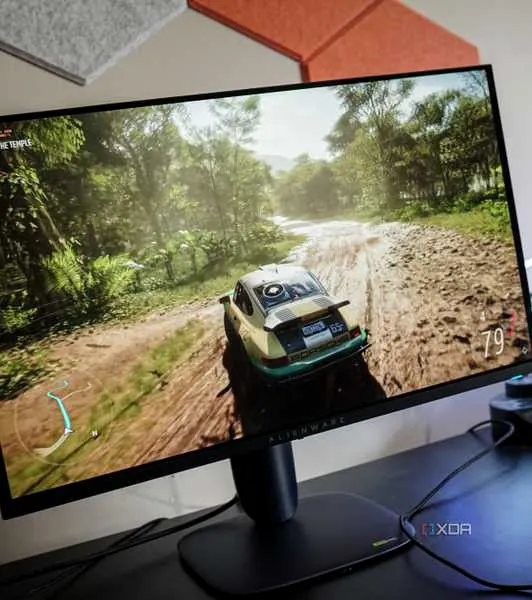
Variable Refresh Rate (VRR) technologies like NVIDIA G-Sync and AMD FreeSync dynamically adjust a monitor’s refresh rate to match the GPU’s frame rate, eliminating screen tearing and stuttering. While invaluable for smooth gameplay, OLED panels can exhibit ‘VRR flicker,’ especially in dark scenes or during large frame rate swings. This isn’t like traditional LCD PWM flicker; it’s caused by the gamma response on OLED panels being optimized for a fixed refresh rate, leading to subpixel misfiring when the refresh rate deviates.
Interestingly, WOLED and QD-OLED panels tend to behave differently. WOLED panels often show a direct link between frame rate and gamma, meaning that as FPS varies, the gamma shifts, causing noticeable flicker and potentially ‘raised blacks’ if you cap your frame rate. QD-OLED panels, conversely, tend to exhibit shorter ‘spikes’ or flashes of flicker at various random points across the VRR range, with the frequency of these spikes increasing at lower frame rates. This distinction is vital for understanding how to mitigate the issue based on your panel type.
Managing VRR Flicker: Strategies for Smoother Gameplay
If you experience VRR flicker, especially in darker game scenes, consider these strategies:
- Disable VRR: The most straightforward solution, though it sacrifices adaptive sync benefits.
- Maintain Consistent High Frame Rates: A stable, high FPS minimizes drastic frame rate swings, which are often the primary trigger for flicker.
- Use Frame Rate Limiters: Tools like NVIDIA Control Panel’s frame rate limiter can help stabilize FPS, especially by capping it slightly below your monitor’s max refresh rate.
- Understand LFC Boundaries: Be aware of where your monitor’s Low Framerate Compensation (LFC) kicks in, as crossing this boundary can cause noticeable gamma shifts and flicker.
- Utilize ‘Anti-Flicker’ Modes: Some monitors offer specific modes (e.g., ASUS OLED Anti Flicker) that restrict the VRR range to mitigate flicker, particularly beneficial on WOLED panels.
Chapter 4: The Daily Grind: Text Clarity and Subpixel Fringing on OLEDs
While OLEDs excel at dynamic content like games and movies, their unique subpixel layouts can sometimes lead to ‘text fringing’ or chromatic aberration, particularly noticeable during desktop work or with static UI elements. This happens because Windows’ ClearType text rendering is optimized for traditional RGB stripe subpixel layouts found in most LCDs, not the triangular (QD-OLED) or RWBG/RGWB (WOLED) arrangements.
| Panel Type | QD-OLED (e.g., Samsung) | WOLED (e.g., LG) |
|---|---|---|
| Subpixel Layout | Triangular (Green above Red/Blue) | RWBG or RGWB (Red, White, Blue, Green) |
| Fringing Appearance | Fine, colorful fringe around all sides (magenta/green hues). More ‘chromatic aberration’ like. | More distinct, shadowy displacement (looks ‘over-sharpened’). Can appear as a red edge left, green/cyan right for some colors. |
| Impact on Text | Generally thin and subtle, less bothersome on high PPI panels. Improves with ‘squarer’ subpixels (Gen 2/3/4). | More noticeable, especially for smaller text or colored text on light backgrounds. Improves with RGWB layout. |
| Best Use Case | Gaming, movies, general use (less noticeable at higher pixel densities) | Gaming, movies (can be bothersome for heavy text-based productivity) |
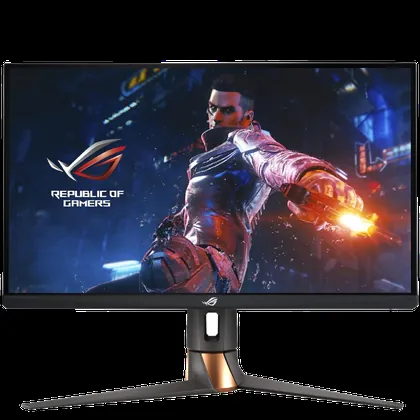
The good news is that manufacturers are actively addressing this. Samsung’s ‘Gen 2’ and ‘Gen 3’ QD-OLED panels feature a ‘squarer’ subpixel appearance, and ‘Gen 4’ panels offer even tighter pixel densities, significantly reducing the visibility of fringing. LG Display has also introduced RGWB layouts and even true RGB stripe WOLED panels in some ‘4K’ UHD models (e.g., ASUS ROG Swift PG27UCWM), which essentially eliminate these issues. While third-party utilities like MacType can offer some improvements, the ultimate solution lies in panel design and operating system-level optimization for these specific subpixel structures.
“My PC is on 14 hours a day with roughly 5 of those hours being static image/desktop. OLED is unusable in these scenarios.”
Chapter 5: What’s Next? The Cutting Edge of OLED Technology
The OLED landscape is far from static. Manufacturers are relentlessly pushing the boundaries of what’s possible, with several exciting developments poised to redefine gaming displays in the coming years.
- 4th Gen WOLED (Primary RGB Tandem): LG Display’s latest iteration, featuring a 4-stack structure (up from 3) with two layers of blue elements and independent red/green layers. This technology aims for unprecedented brightness (up to 4000 nits peak white, 2100 nits color) and improved energy efficiency, even removing the microlens array (MLA) for some panels.
- V-Stripe QD-OLED: Samsung Display is introducing this new layout on 360Hz ultrawide QD-OLED panels, where the green subpixel is no longer displaced. This vertical side-by-side arrangement is similar to traditional LCDs and promises to essentially eliminate fringing issues.
- Higher Refresh Rates: We’re seeing OLEDs reach and exceed 480Hz at 1440p and 240Hz at 4K, with some models offering dual-mode functionality to switch between resolutions/refresh rates. The ‘world’s fastest monitor panel’ is still being teased.
- True RGB Subpixel Layouts: Both LG Display and AU Optronics are exploring true RGB subpixel layouts for OLED monitors, which would resolve many of the text clarity issues currently experienced.
- QD-LED (NanoLED/QDEL): Beyond current OLED, QD-LED is an emerging technology where electricity directly excites quantum dots (no organic materials). This promises even longer lifespans, wider color gamuts, and potentially lower manufacturing costs, with prototypes already being showcased for a potential 2025/2026 commercial rollout.
Next-Gen OLED Monitor Spec Highlights (Conceptual 2026/2027)
Current-Gen OLED Gaming Monitors: A Balanced View
Pros
- Unparalleled image quality: Perfect blacks, infinite contrast.
- Instantaneous pixel response: No blur or ghosting.
- High refresh rates: Options for 240Hz, 360Hz, 480Hz.
- Improving longevity: 3-year warranties and better tech.
- Growing variety: More sizes and resolutions available.
Cons
- Potential for VRR flicker in dark scenes.
- Text fringing for static desktop/productivity use.
- Sustained brightness can be lower than Mini-LED.
- Premium price tag compared to LCD.
- Required maintenance (pixel cleaning) cycles.
Final Verdict
OLED gaming monitors in 2026 stand at a fascinating crossroads. They offer a visual experience that is, in many ways, unmatched by any other display technology, providing an immediate ‘wow’ factor that deeply resonates with gamers. Concerns around burn-in, while historically valid, are largely mitigated by advanced panel technologies and diligent user practices. Performance, in terms of input lag and response time, is elite-tier. However, subtle nuances like VRR flicker and text fringing still present minor compromises, particularly for mixed-use scenarios. For the pure gaming enthusiast seeking the absolute best visual fidelity and motion clarity, current OLEDs are an easy recommendation, provided you’re aware of the maintenance and potential quirks. For those with significant desktop productivity needs or extreme sensitivity to flicker, waiting for the next generation of truly RGB-striped, ultra-bright, and flicker-free OLEDs (or even QD-LEDs) might be the wisest move. The ‘future’ of gaming displays is here, but it’s still evolving, promising even more refined experiences ahead.
Frequently Asked Questions
Is OLED burn-in still a significant problem in 2026?
No, for normal gaming and mixed use, burn-in is much less of a concern than in previous generations. Modern OLED panels include sophisticated pixel-level compensation and refresh cycles that drastically extend their lifespan. Many manufacturers now offer 3-year warranties that cover burn-in, a strong indicator of improved reliability.
Which is better for gaming: WOLED or QD-OLED?
Both offer phenomenal experiences. QD-OLED generally provides higher color volume and brighter colors in HDR. WOLED (especially 4th Gen) can achieve very high peak white brightness and often has superior reflection handling. The choice usually depends on your specific lighting and preference for color saturation.
How do I maintain my OLED gaming monitor to prevent burn-in?
Allow automatic pixel cleaning cycles to run in standby. Enable pixel shifting in the OSD. Auto-hide your Windows taskbar and use dynamic wallpapers. Avoid leaving the same static image on screen for hundreds of hours straight.
What is VRR flicker and how can I reduce it on my OLED?
It’s a brightness fluctuation in dark scenes during FPS swings. To reduce it, maintain stable high frame rates, use FPS limiters, and check for ‘Anti-Flicker’ modes in your monitor’s settings menu.
Are new OLED technologies like 4th Gen WOLED or QD-LED worth waiting for?
If you demand the absolute peak of brightness and text clarity, waiting for next-gen panels (rolling out now) is wise. However, current high-end OLEDs are already such a massive upgrade that most users shouldn’t hesitate.