Introduction: The First Console War Ends, a New Era Begins
In a move that would have been unthinkable just a few years ago, Atari, the venerable titan of early gaming, has acquired the Intellivision brand. This surprising acquisition sets the stage for a dramatic reconciliation in gaming history, culminating in the release of the Intellivision Sprint. For decades, Atari and Intellivision were locked in what became known as the ‘First Console War,’ a fierce rivalry that shaped the nascent home video game market. Now, 45 years after the Intellivision first challenged Atari’s dominance, these former competitors have effectively signed a peace treaty, bringing a classic system back to modern living rooms. This revival isn’t just about nostalgia; it’s about celebrating a pivotal era in gaming with updated hardware for today’s enthusiasts.
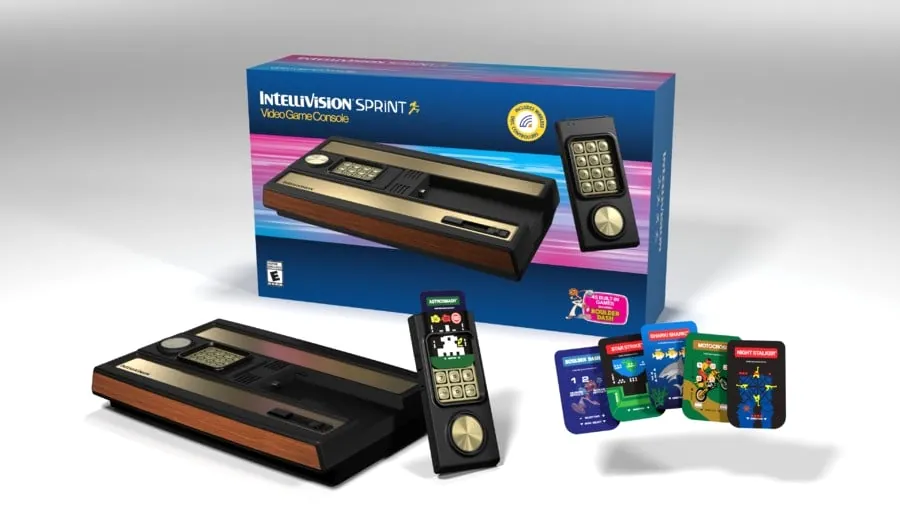
The Sprint Unveiled: Modern Tech Meets Retro Charm
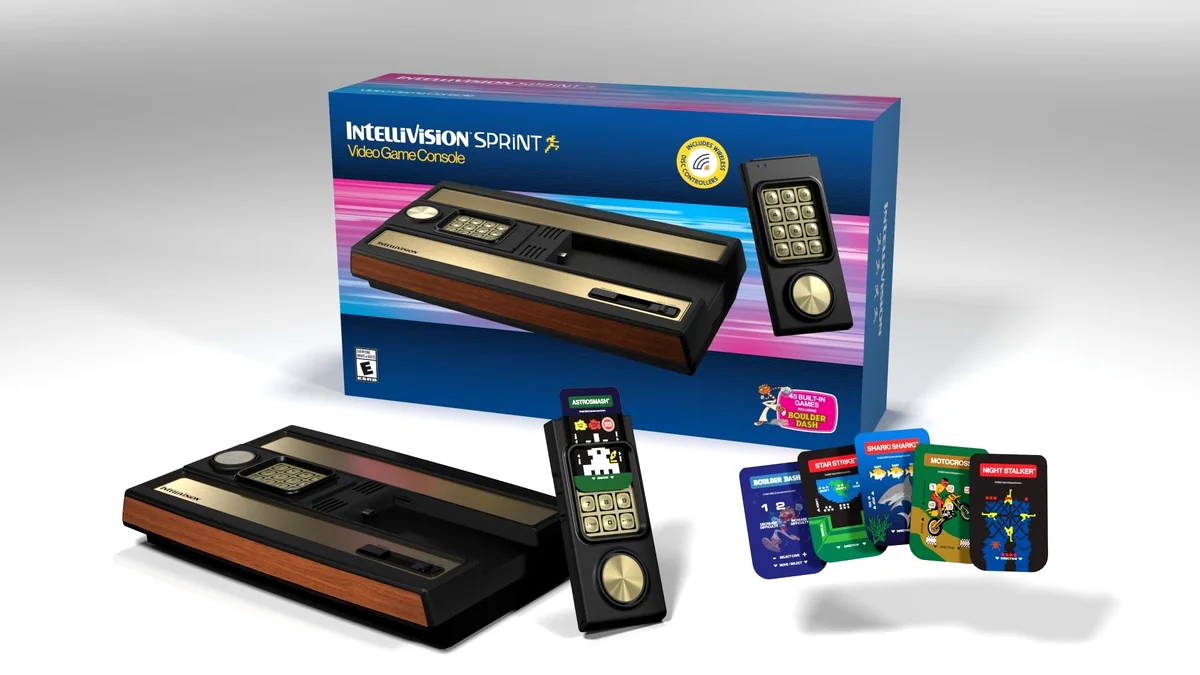
The Intellivision Sprint arrives as a premium, faithfully crafted recreation of the original console, meticulously updated for today’s displays. Developed in collaboration with PLAION REPLAI, the console boasts an authentic brown-and-gold industrial aesthetic with its classic wood grain front. It comes pre-loaded with 45 fan-favorite games, ensuring a robust out-of-the-box experience. Key modernizations include HDMI output for crisp, low-latency visuals on modern TVs and a pair of wireless, rechargeable disc controllers that dock seamlessly into the console. Crucially, each game also comes with newly designed controller overlays, preserving the unique tactile interaction and design philosophy that defined the original Intellivision experience, making this more than just a plug-and-play device—it’s a respectful homage designed for collectors and enthusiasts.
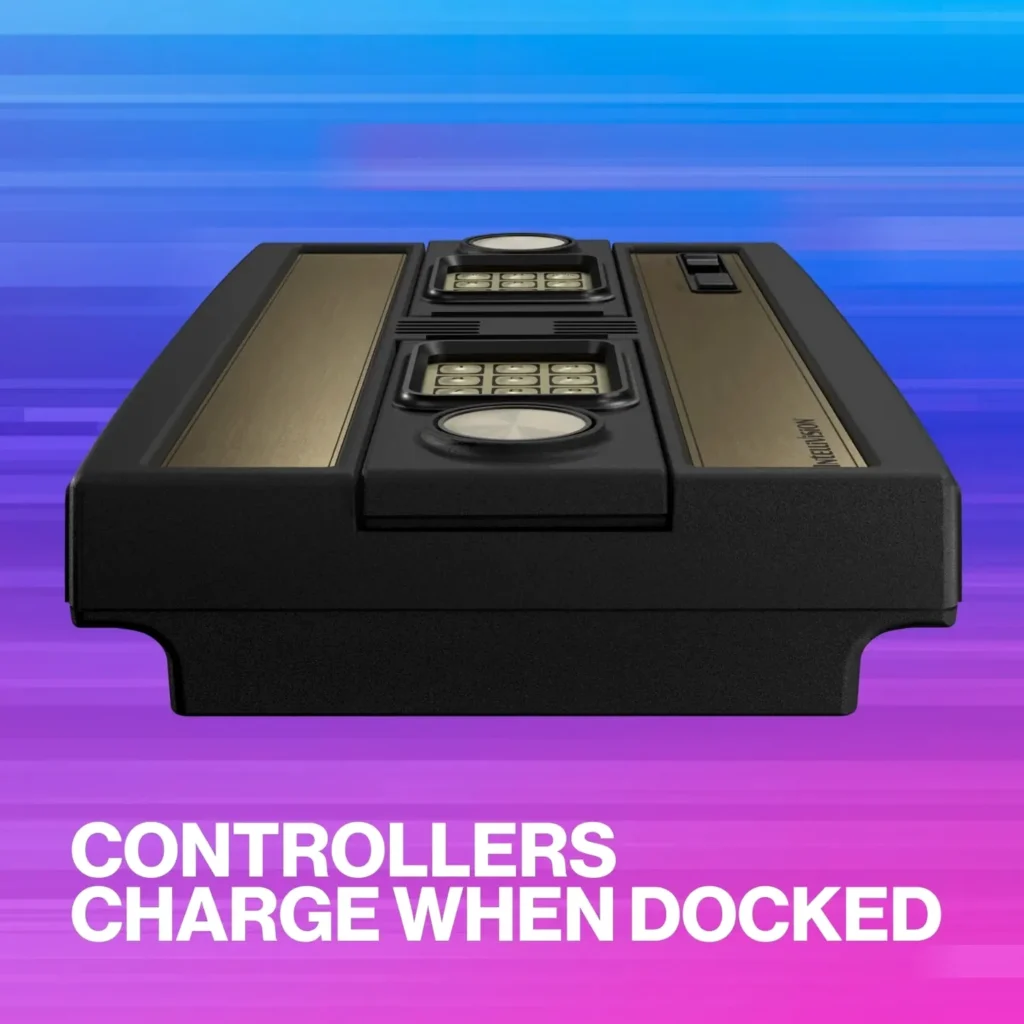
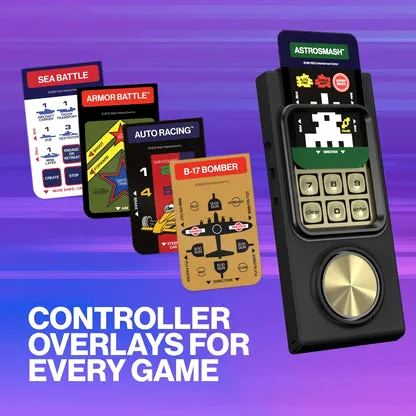
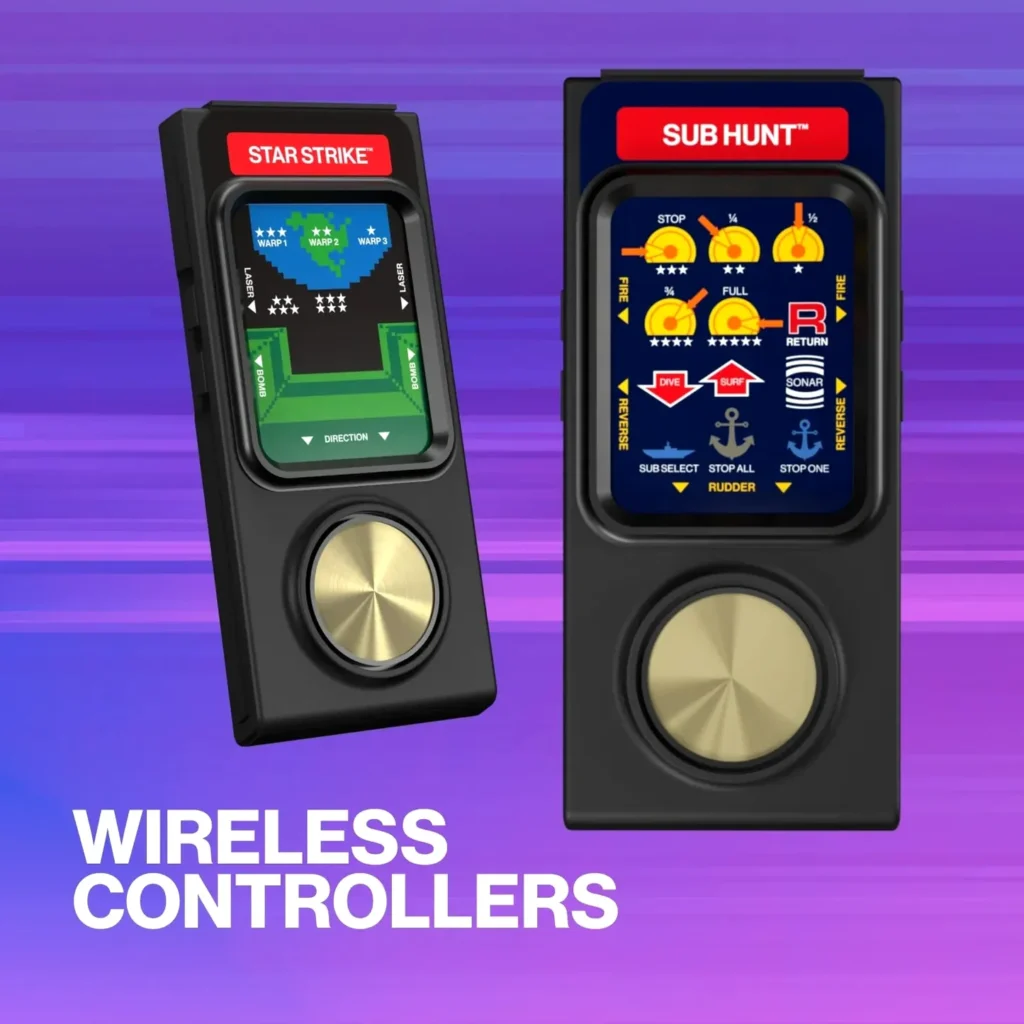
A closer look at the Intellivision Sprint’s updated hardware and classic overlays.
- Boulder Dash (first official Intellivision release)
- Astrosmash
- Shark! Shark!
- Utopia
- Night Stalker
- Baseball
- B-17 Bomber
- Body Slam: Super Pro Wrestling
- Chip Shot: Super Pro Golf
- Sea Battle
- Soccer
- Space Armada
- Thunder Castle
- Triple Action (Racing Cars / Biplanes / Battle Tanks)
The Community’s Call: Beyond the Built-in Library
While the Intellivision Sprint has garnered significant praise for its faithful recreation and modern enhancements, the pulse of the gaming community reveals a deeper, more ambitious engagement. The included 45 games are a solid foundation, evoking powerful nostalgia, but for many dedicated enthusiasts, this is merely a starting point. The true excitement, and indeed, a considerable amount of effort, revolves around expanding the console’s library. User feedback often highlights a blend of eagerness for new content and a palpable ‘dread of labor’ when contemplating the manual process required to fully customize their experience. This tension between potential and perspiration defines much of the early community interaction with the Sprint.
“Great tutorial!! When you get them all done, please post the file so we can all download it! 😂”
Unlocking the Archive: The USB Advantage
Atari’s official documentation notes the console’s USB-A port for connecting original Intellivision II controllers (with an adapter) or for playing “additional games (sold separately).” However, this port has quickly become a crucial gateway for tech-savvy enthusiasts. They are leveraging it to ‘side-load’ their existing digital ROM collections, effectively transforming the console into a much more expansive platform. This functionality, combined with the console’s use of the jzIntv Emulator—widely lauded by the Intellivision community for its accuracy and lag-free performance—allows for a significantly broader gaming experience, far beyond the default 45 titles. It’s a testament to the console’s underlying architecture that it can support such community-driven expansion, offering a pathway to truly unlock its full potential.
This video details how to add more games to the Intellivision Sprint, a crucial aspect for enthusiasts.
The top comment on the tutorial video highlights the community’s self-reliance: “Pre-made media? Sure! Discord member Mert has assembled images & metadata for >80 Intellivison games available on our Discord server…” This showcases how players are actively supporting each other to overcome the initial hurdles of customization.
Day One Enhancements: Atari’s Commitment to the Experience
Even as the community explores expansion, Atari has demonstrated its commitment to refining the core experience with a Day One firmware update. This update, available as a simple download from Atari’s official website, addresses several quality-of-life improvements. Installing it is straightforward: users simply format a USB drive to ExFAT, place the updater file on it (renaming it to ‘update.zip’ if necessary), insert it into Port 1 on the console, power on, and follow the on-screen prompts. This proactive approach by Atari in delivering crucial features like high score saving and improved navigation helps mitigate some of the ‘demand for polish’ seen in early user feedback, enhancing the console’s appeal right from the start.
- High Score Saving: Added support for saving high scores in games that feature this capability, a critical feature for competitive retro gaming.
- Online Manuals: QR codes are now integrated for every built-in game, providing instant access to digital user manuals.
- Improved Game Carousel: Enhancements ensure game descriptions and screenshots remain visible and clear while scrolling through the library, improving navigation and user experience.
The Verdict: A Console for the Enthusiast, By the Enthusiast
Pros
- Faithful recreation of a classic system with modern upgrades (HDMI, wireless controllers)
- 45 curated built-in games, including fan favorites and the first official Boulder Dash release
- High-quality jzIntv Emulator for lag-free gameplay
- USB-A port for library expansion (unofficial ROM loading)
- Day One firmware update adds crucial features like high score saving
- Authentic design and tactile experience with game overlays
Cons
- Out-of-the-box library of 45 games may feel limited for hardcore collectors
- Expanding the game library requires technical effort and community reliance for many users
- Initial ‘dread of labor’ for customization can be a barrier for less tech-savvy players
- Demand for more official polish (e.g., built-in save states) exists within the community
Intellivision Sprint Key Specifications
| SOC | Rockchip 3128 |
| RAM | 256MB |
| Flash Storage | 256MB |
| Wireless | 2.4 RF |
| Video Output | HDMI |
| Controllers | 2 Wireless, Rechargeable Disc Controllers |
| Built-in Games | 45 |
| Emulator | jzIntv |
| Expansion Port | USB-A (for original controllers/additional games) |
| Power | USB-C (AC Adapter not included) |
A Retro Console With Room to Grow
The Intellivision Sprint is more than just a plug-and-play nostalgia machine; it’s a bridge between gaming’s past and the vibrant, modding-friendly present. While its initial offering is solid, its true magic shines brightest when the passionate community steps in to unlock its full, expansive potential. For collectors and enthusiasts willing to put in a little extra effort, the Sprint is a rewarding journey back to the ‘smarter’ side of the First Console War, proving that sometimes, the best features aren’t just built-in – they’re community-built.