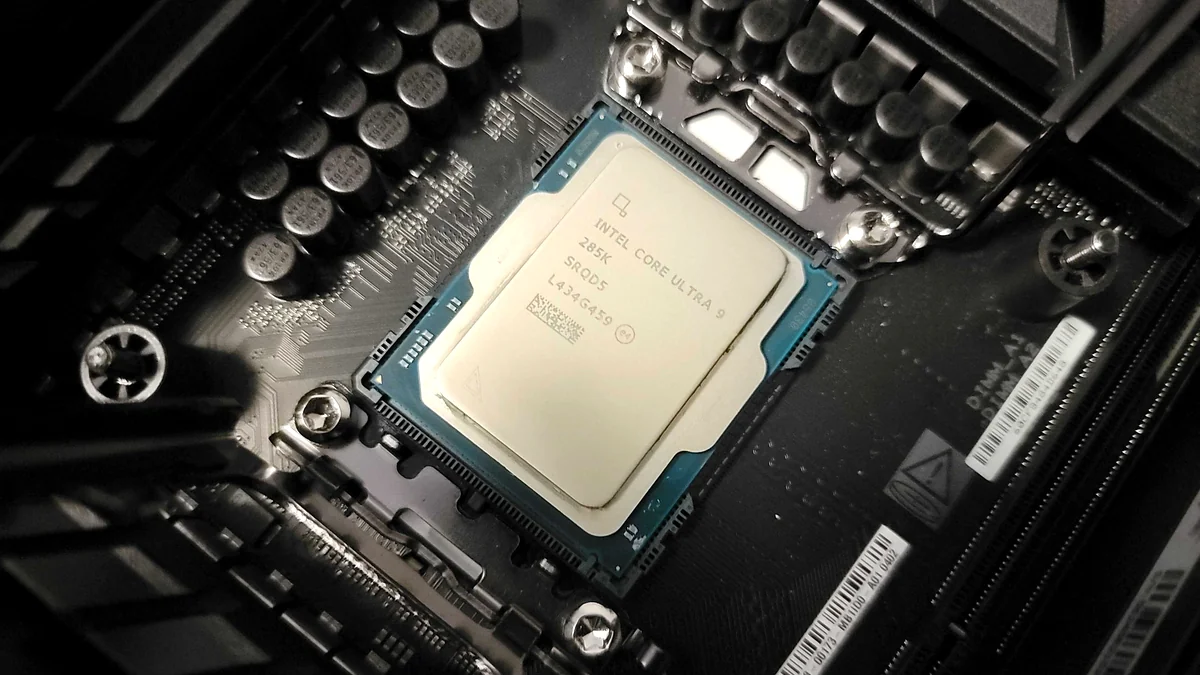

Intel’s Core Ultra 9 285K, codenamed ‘Arrow Lake,’ arrived with significant fanfare, promising a revolutionary multi-tile architecture, enhanced power efficiency, and a dedicated NPU for the AI era. Yet, its launch has been anything but smooth, particularly for the gaming community. While initial reviews lauded its productivity prowess and architectural innovation, a stark reality emerged: the 285K often struggles to keep pace with its predecessors and AMD’s X3D chips in gaming, leaving enthusiasts questioning Intel’s direction. This guide cuts through the marketing hype to deliver a definitive analysis of the Core Ultra 9 285K, exploring its design, real-world performance, the controversies surrounding its launch, and what Intel is doing to address its shortcomings.
Key Takeaways
- Architectural Leap: The Core Ultra 9 285K (Arrow Lake) introduces a radical multi-tile design with new ‘Lion Cove’ P-cores and ‘Skymont’ E-cores, dropping Hyper-Threading for improved power efficiency and a dedicated NPU.
- Gaming Disappointment: Despite its advanced architecture, the 285K has shown inconsistent gaming performance, often lagging behind AMD’s X3D chips and even older Intel generations, leading to significant community frustration.
- Productivity Powerhouse: Where it shines is in single-threaded and multi-threaded productivity tasks, demonstrating competitive or superior performance in applications like Cinebench and Blender.
- Launch Challenges: Intel has acknowledged the lackluster launch, attributing performance discrepancies to OS and BIOS-level issues, with fixes promised by December.
- Platform Shift: Adopting Arrow Lake requires a new LGA-1851 socket and 800-series motherboards, marking a significant platform upgrade cost.
- Cooling Concerns: Early user reports highlighted severe overheating issues, often traced back to cooler compatibility or failure modes, emphasizing the need for robust thermal solutions.
- Future Outlook: Intel is committed to refining Arrow Lake and has a roadmap for subsequent generations (Nova Lake, Panther Lake) that aim to re-establish its leadership across all segments, with a strong focus on AI integration.
The Core Ultra 9 285K: Intel’s New Desktop Flagship Unveiled
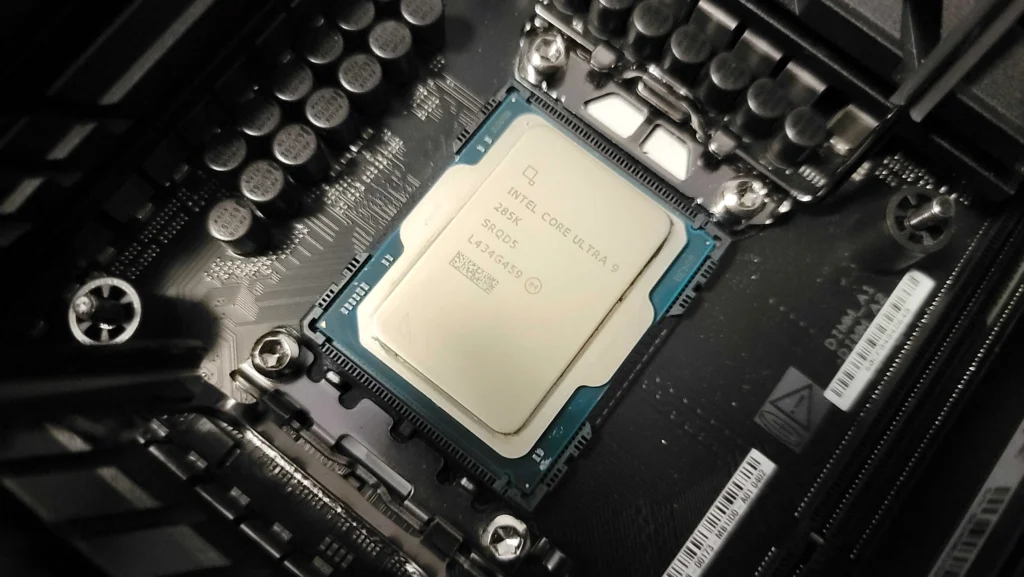
Launched in October 2024 with an MSRP of $589, the Intel Core Ultra 9 285K stands as the new high-end desktop processor built on the innovative Arrow Lake architecture. It represents Intel’s ambition to redefine performance and efficiency, featuring a substantial 24 cores (8 ‘Lion Cove’ P-Cores and 16 ‘Skymont’ E-Cores) for a total of 24 threads. Operating at a base frequency of 3.7 GHz, its P-Cores can boost up to 5.7 GHz, while E-Cores reach 4.6 GHz. Manufactured using TSMC’s advanced 3nm process, the 285K packs 17.8 billion transistors, boasting an unlocked multiplier and a 125W TDP, with PL1/PL2 set at 250W and PL2 Extreme at 295W. A critical detail for enthusiasts is its maximum junction temperature (tJMax) of 105°C.
Intel Core Ultra 9 285K Key Specifications
| Architecture | Arrow Lake (Lion Cove P-cores, Skymont E-cores) |
|---|---|
| Socket | LGA-1851 |
| Cores/Threads | 24 Cores (8P + 16E) / 24 Threads |
| Base Clock (P-Cores) | 3.7 GHz |
| Max Turbo Frequency (P-Cores) | 5.7 GHz |
| Max Turbo Frequency (E-Cores) | 4.6 GHz |
| L3 Cache | 36 MB |
| TDP (PL1) | 125 W |
| PL2/PL2 Extreme | 250 W / 295 W |
| Manufacturing Process | TSMC 3nm (Compute Tile) |
| Integrated Graphics | Arc Xe-LPG Graphics (64 EUs, 300-2000 MHz) |
| NPU Performance | 13 TOPS (NPU 3) |
| Total AI Performance | Up to 36 TOPS (CPU + GPU + NPU) |
| Memory Support | Dual-channel DDR5-6400 (ECC capable) |
| PCI-Express Lanes | 20x PCIe Gen 5 (CPU) + 4x PCIe Gen 4 (CPU) |
| MSRP | $589 (at launch) |
Architectural Ambition: Inside Arrow Lake’s Multi-Tile Design
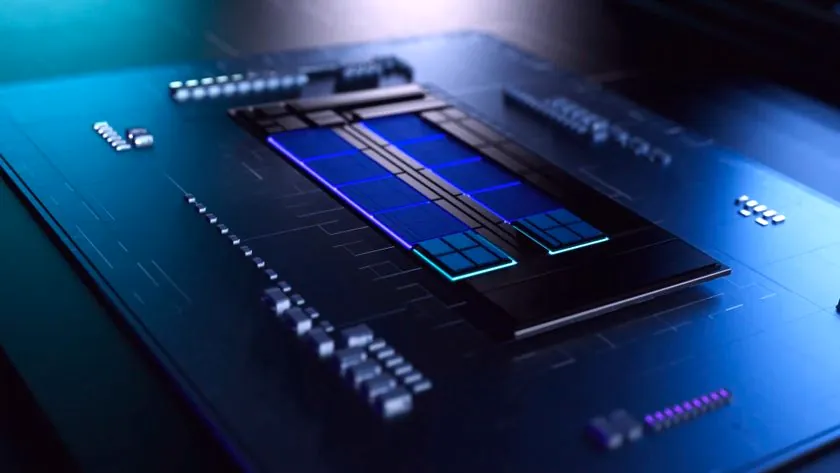
Arrow Lake represents Intel’s most revolutionary processor design in decades, moving away from monolithic dies to a radical multi-tile chiplet architecture. This design utilizes a mix of third-party (TSMC’s N3B for the compute tile) and in-house fabrication processes (Intel’s 22nm FinFET for the base tile), interconnected via Foveros 3D packaging. This approach aims to reduce latency and production costs while addressing the power and heat challenges that plagued previous Raptor Lake generations. Notably, Intel has dropped Hyper-Threading and introduced entirely new core architectures: ‘Lion Cove’ for the Performance-cores and ‘Skymont’ for the Efficient-cores, with doubled L2 cache bandwidth. Intel claims a 40% reduction in package power consumption and up to a 15% multithreaded performance uplift over the Core i9-14900K, alongside the integration of a dedicated Neural Processing Unit (NPU) rated for 13 TOPS for AI workloads.
Arrow Lake Architecture: Pros & Cons
Pros
- Improved Power Efficiency: Designed to address Raptor Lake’s power and heat issues, with claims of 40% reduction in package power.
- Dedicated AI Silicon: First desktop line with a dedicated NPU (13 TOPS) for enhanced AI workloads.
- Advanced Integrated Graphics: Upgraded Xe LPG architecture with doubled shader count and dedicated AI/ray-tracing hardware.
- Modular Chiplet Design: Potential for greater manufacturing flexibility and cost optimization.
- Strong Multi-threaded Performance: Shows significant gains in productivity benchmarks over previous generations.
Cons
- Gaming Latency Concerns: Early testing suggests the multi-tile design, with a separate memory controller die, can introduce latency detrimental to gaming performance.
- Lack of Hyper-Threading: Removal of HT impacts certain workloads, though compensated by core count and efficiency.
- New Socket Requirement: Forces users to upgrade to new LGA-1851 motherboards, increasing platform cost.
- Inconsistent Performance Profile: Reviewers noted significant swings between superb productivity and subpar gaming results.
- Limited NPU Power (Desktop): The desktop NPU is less powerful than its Lunar Lake mobile counterpart, leading to enthusiast skepticism.
Performance Under Scrutiny: Benchmarks & Real-World Gaming
The performance evaluation of the Core Ultra 9 285K has been a tale of two halves. While it demonstrates impressive gains in multi-threaded productivity workloads, often leading the Core i9-14900K by 17% in tests like Cinebench 2024 and showing strong results in Blender, its gaming performance has been unexpectedly lackluster. Reviews consistently highlight that the 285K lags behind even Intel’s previous Raptor Lake generation and, more critically, AMD’s Ryzen 9 9800X3D in many popular titles. This discrepancy, sometimes showing competitors with up to a 21% advantage in average frames per second, has fueled significant disappointment within the PC gaming community. Early testing also revealed optimization issues, with the 285K trailing significantly in certain benchmarks like AIDA64 encryption, suggesting that while the chip aims for power efficiency, its final performance profile is heavily reliant on future software updates and driver optimizations.
Core Ultra 9 285K vs. Key Competitors (Gaming & Productivity)
| Metric | Intel Core Ultra 9 285K | Intel Core i9-14900K | AMD Ryzen 9 9950X | AMD Ryzen 7 9800X3D |
|---|---|---|---|---|
| Cinebench 2024 Multi-thread | Excellent (Up to 17% over 14900K) | High | Very High (Often leading) | Good |
| 1080p Gaming Performance | Inconsistent/Lags (Behind X3D & 14900K) | Very Good | Excellent | Superior (Often leading) |
| Power Consumption (Full Load) | Improved (Similar to 9950X) | Very High | Efficient | Very Efficient |
| AI Boost NPU (TOPS) | 13 TOPS (Dedicated) | N/A (CPU only) | N/A (CPU only) | N/A (CPU only) |
| Platform Cost (CPU + Motherboard) | High (New LGA-1851) | Moderate (LGA-1700) | High (AM5) | Moderate (AM5) |
Conceptual Gaming Performance: Core Ultra 9 285K vs. AMD Ryzen 7 9800X3D (Average FPS)
This conceptual chart illustrates the general trend observed in early reviews, showing the Core Ultra 9 285K often trailing behind AMD’s X3D series in average frames per second across various popular gaming titles, particularly at 1080p resolution. While specific gains vary by game, the X3D’s consistent lead in gaming is a recurring theme.
Relative Gaming Performance (100% = 9800X3D)
The Overheating Conundrum: User Reports & Troubleshooting
Early adopters of the Core Ultra 9 285K, particularly those upgrading from older Intel generations, reported severe overheating issues. One user experienced immediate thermal throttling, with temperatures spiking to 104°C during boot and 105°C under Intel XTU load, despite in-game temperatures remaining below 85°C. This problem was specific to the new CPU, as their previous i7-12700KF did not exhibit such symptoms. Extensive troubleshooting, including cooler reinstallation, thermal paste changes, and airflow adjustments, initially failed to resolve the issue. Intel Customer Support was engaged, guiding the user through checks for recent system changes, BIOS versions, and overclocking status. The problem was ultimately resolved only after replacing the original CPU cooler, suggesting a common failure mode, possibly due to clogging after 1-2 years of use. This highlights the critical importance of a robust and well-maintained cooling solution for high-performance CPUs like the 285K.
Troubleshooting High Core Ultra 9 285K Temperatures
- Verify Cooler Installation: Ensure your CPU cooler (AIO or air) is correctly seated, with even mounting pressure and fresh thermal paste.
- Check BIOS/UEFI Settings: Confirm that your system is running on default settings. Disable any automatic overclocking features (e.g., MCE, enhanced turbo limits) temporarily to isolate the issue.
- Monitor Fan/Pump Operation: Ensure all cooler fans are spinning at appropriate speeds and, for AIOs, that the pump is vibrating and functioning correctly.
- Inspect Airflow: Confirm adequate case airflow with properly oriented intake and exhaust fans.
- Update BIOS: Ensure your motherboard BIOS is updated to the latest version, as manufacturers often release stability and thermal management improvements.
- Run Diagnostics: Utilize tools like the Intel Processor Diagnostic Tool or HWiNFO to monitor temperatures and identify any performance limiting reasons.
- Consider Cooler Age/Type: If using an older AIO cooler (1-2+ years), consider its potential for clogging or reduced efficiency. High-end CPUs like the 285K demand top-tier cooling solutions.
CRITICAL COOLING ADVICE
The Intel Core Ultra 9 285K, with its high TDP and tJMax of 105°C, demands a premium cooling solution. Do not underestimate the need for a high-performance 360mm AIO liquid cooler or a top-tier air cooler. Ensure proper installation and regular maintenance to prevent thermal throttling and ensure stable performance, especially under sustained loads.
Platform Overhaul: The LGA-1851 Socket and Z890 Motherboards
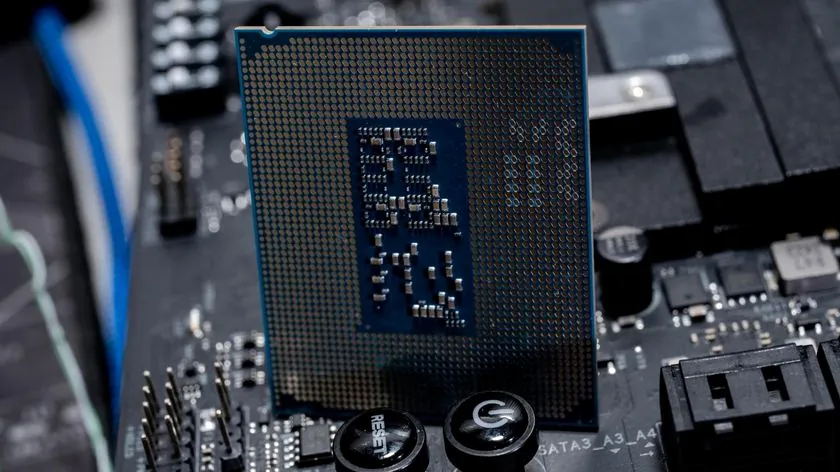
Adopting the Intel Core Ultra 200 series, including the 285K, necessitates a complete platform overhaul for desktop users. This means transitioning to a new range of 800-series motherboards featuring the mandatory LGA-1851 socket, which replaces the current LGA-1700 standard. Owners of Alder Lake and Raptor Lake CPUs will therefore need to purchase a new motherboard to upgrade. While this adds to the overall cost of adoption, new motherboards like the Gigabyte Z890 Aorus Master AI TOP or ASUS ProArt Z890 bring enhanced features such as strong VRM thermals, 10G Ethernet, Wi-Fi 7, and Thunderbolt 4 connectivity, ensuring a modern and robust foundation for the new processors.
Overclocking Arrow Lake: A Quest for Gaming Frames
For the dedicated enthusiast, overclocking often represents the final frontier of performance optimization. Early testing with the Core Ultra 9 285K on Z890 Apex motherboards, utilizing advanced cooling setups like the Mora3 420, revealed a mixed bag of results. While the 285K excels as a ‘Cine-machine’ in multi-threaded synthetic benchmarks (achieving impressive P58/E54.33/R43 at 344W load), its overall overclocked performance in gaming benchmarks, such as Shadow of the Tomb Raider, was often slower than an overclocked 14th-gen counterpart (e.g., 14900K). Memory performance also showed higher Gear 2 latency compared to the 14th gen, suggesting that the architecture, with its separate memory controller die, inherently struggles with gaming latency. Despite these comparative deficits, the E-core overclocking margin is surprisingly large (5.4+ GHz possible), and the platform demonstrated improved energy efficiency in multitasking, a developmental step despite the removal of Hyper-Threading. Features like the ‘Dimm Fit’ utility on Z890 boards aid in stabilizing higher memory clocks, but the core gaming performance gains from extreme tuning remain modest, often yielding only 2% average frame rate improvements, sometimes with increased power consumption and even performance regressions in specific titles.
Intel’s Response and the Road Ahead for Arrow Lake
“The launch just didn’t go as planned… We have identified factors causing wild unintended effects… A fix is imminent, describing the required remedy as a simple ‘flash the BIOS and update Windows kinda situation,’ with an ETA for a comprehensive update detailing the causes and solutions expected by the end of November or early December.”
Intel has publicly acknowledged the Core Ultra 200S series launch did not meet expectations, with Robert Hallock taking full responsibility for performance discrepancies and confirming multifactor issues at the OS and BIOS levels. The company has promised performance fixes by December, aiming to align reviewer figures with their internal testing. Beyond immediate fixes, Intel’s roadmap includes a mid-cycle refresh of Arrow Lake, branded as ‘Core Ultra Series 2,’ expected in the first half of 2026, which will maintain LGA 1851 compatibility. This will be followed by the true next-generation Nova Lake Desktop CPUs (‘Core Ultra Series 4’) in late 2026 into 2027, featuring up to 52 cores and a new LGA 1954 socket, positioned to compete against AMD’s Zen 6. Intel remains focused on an AI-centric future, viewing current investments in AI hardware and software as critical to avoiding performance and power deficits against competitors, and ensuring its processors can support whatever AI features become industry standards.
The Fandom Pulse: Community Reaction to Arrow Lake
The PC gaming community’s reaction to the Intel Core Ultra 9 285K has been overwhelmingly negative, characterized by significant disappointment and cynicism. The primary frustration stems from its inability to consistently compete with AMD’s X3D chips in gaming, often at a higher price point. Gamers, accustomed to the ‘plug-and-play’ superiority of AMD’s offerings, view attempts to ‘tune’ the 285K for competitive gaming as futile, requiring excessive effort and costly components without matching the straightforward performance of its rivals. There’s a strong sentiment of loyalty towards AMD’s X3D processors, praised for their ease of use and superior gaming value. This emotional hotspot highlights a critical challenge for Intel: winning back the trust and preference of a discerning gaming audience.
“In Australia where I am from (and Steve) the 9800X3D can be had for $739 AUD – the Ultra 9 285K is $200 AUD more at $947 AUD – not even a question for gamers.”
“REcently switched to a 9800X3D from intel and damn, its been running like a dream for two months now. 6000mhz cl30, expo on, plug and play, with a 360mm arctic liquid freezer averaging 45-55c in 3440x1440p, runs like a literal dream.”
Final Verdict: A Revolutionary Chip with Growing Pains
A Promising Future, But a Tricky Present
The Intel Core Ultra 9 285K is undeniably a marvel of modern chip design, showcasing Intel’s bold leap into a multi-tile, AI-accelerated future. Its prowess in productivity and multi-threaded applications is impressive, and the architectural shift promises greater power efficiency in the long run. However, its current iteration is plagued by significant gaming performance inconsistencies and a challenging launch that has alienated a substantial portion of the enthusiast community. While Intel’s commitment to addressing these issues through BIOS and OS updates is commendable, the fundamental latency characteristics of its architecture, combined with the need for a costly platform upgrade and premium cooling, make it a difficult recommendation for pure gamers at its current price point. For creators and professionals who prioritize raw compute and AI acceleration, the 285K holds significant appeal. For gamers, however, the ‘plug-and-play’ excellence of AMD’s X3D series continues to reign supreme, leaving Arrow Lake with a challenging road ahead to fulfill its revolutionary potential.
Frequently Asked Questions About the Core Ultra 9 285K
Is the Intel Core Ultra 9 285K good for gaming?
While capable, early reviews indicate the Core Ultra 9 285K is inconsistent in gaming performance and often lags behind AMD’s X3D chips and even older Intel generations. Intel has acknowledged issues and promised fixes, but for pure gaming, there are currently better value options.
Does the Core Ultra 9 285K require a new motherboard?
Yes, the Intel Core Ultra 9 285K uses the new LGA-1851 socket, meaning you will need a new 800-series motherboard (e.g., Z890) to use it. It is not compatible with older LGA-1700 boards.
Why is my Core Ultra 9 285K overheating?
High temperatures on the 285K can stem from several factors, including insufficient cooling (it requires a high-end solution), improper cooler installation, outdated BIOS, or software/OS optimization issues. Ensure your cooler is correctly installed and functioning, and update your BIOS.
What is the NPU in the Core Ultra 9 285K for?
The dedicated Neural Processing Unit (NPU) in the Core Ultra 9 285K is designed to accelerate AI workloads, offloading tasks from the CPU and GPU for improved efficiency in AI-driven applications and features.
Will Intel fix the 285K’s gaming performance?
Intel has publicly stated that they have identified OS and BIOS-level issues causing performance discrepancies and have promised comprehensive updates and fixes by December. The extent to which these updates will close the gap with competitors, particularly in gaming, remains to be seen.