
Acer ProCreator PE270KT: The Definitive Analysis of a Dual-Mode 4K Powerhouse
Acer has just dropped a serious contender into the professional display arena: the ProCreator PE270KT. Positioned as a remarkably budget-friendly option within their high-end ProCreator lineup, this 27-inch IPS monitor isn’t just another pretty face. Its true innovation lies in a unique dual-mode panel, allowing users to seamlessly switch between a razor-sharp 4K (3840×2160) at 72 Hz for intricate creative work and a fluid Full HD (1920×1080) at 144 Hz for responsive gaming, all managed by its Dynamic Frame Rate (DFR) technology. While the broader ProCreator series boasts higher-resolution siblings like the 5K PE270XT or even 6K models, the PE270KT carves out a niche for professional creators and graphic designers who demand both pixel precision and high-refresh fluidity without the premium price tag. At roughly €435, it’s an aggressive play, making professional features more accessible than ever before.
Key Takeaways
- Dual-Mode Display: Seamlessly switch between 4K (3840×2160) at 72Hz for crisp creative work and Full HD (1920×1080) at 144Hz for fluid gaming via DFR.
- Exceptional Color Accuracy: Boasts 99% Adobe RGB, 99% DCI-P3 color coverage, and is Calman-verified for professional-grade color fidelity.
- Creator-Focused Features: Includes 10-point touch, Auto KVM, an adjustable 8 MP webcam, dual 5W speakers, and robust connectivity (HDMI 2.1, DisplayPort 1.4, USB-C with 90W PD).
- Budget-Friendly Price: Positioned as an aggressive value option at roughly €435, significantly undercutting higher-resolution ProCreator models.
Unpacking the PE270KT: Specifications and Design
| Display Size | 27-inch |
|---|---|
| Panel Type | IPS |
| Resolution & Refresh Rate | 4K (3840×2160) @ 72Hz or Full HD (1920×1080) @ 144Hz |
| Brightness | 350 nits / 400 nits (HDR Peak) |
| HDR Certification | VESA DisplayHDR 400 |
| Color Gamut | 99% Adobe RGB, 99% DCI-P3 |
| Color Accuracy | Calman-verified (Delta E<1) |
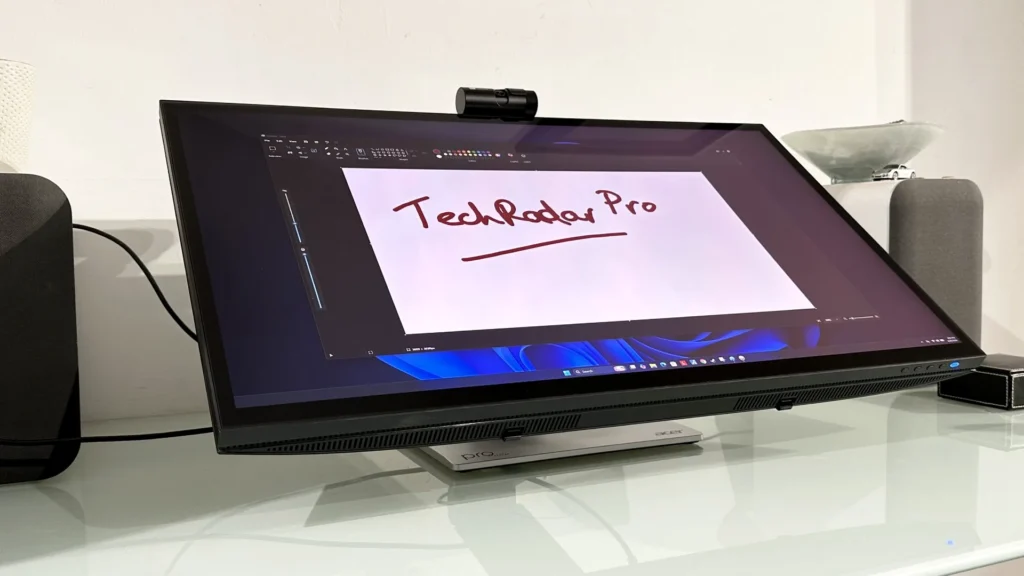
| Touch Support | 10-point touch |
| Connectivity | HDMI 2.1, DP 1.4, USB-C (90W PD), Auto KVM |
| Integrated Features | 8 MP webcam, Dual 5W speakers |
| Pricing (Approx.) | NT$15,980 / ~€435 |
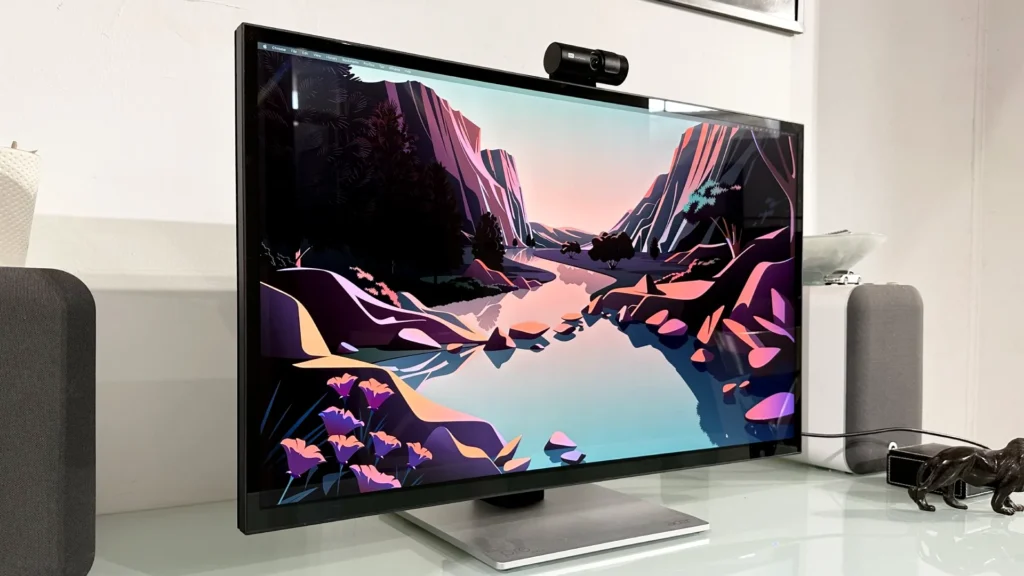
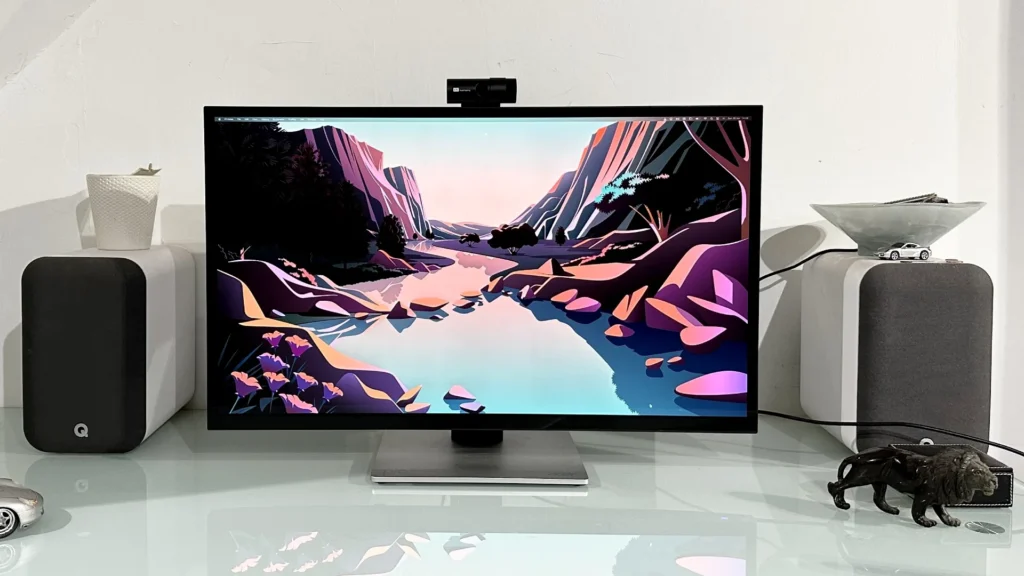
Gallery: The Acer ProCreator Series in Detail
The Dual-Mode Advantage: Bridging Creation and Play
The PE270KT’s dual-mode panel is more than just a novelty; it’s a pragmatic solution for the modern hybrid user. For professional creators, the 4K (3840×2160) resolution at 72Hz offers exceptional clarity, making it ideal for tasks demanding meticulous detail. Think graphic design, where every pixel counts, or high-resolution photo and video editing, where the expansive canvas enhances precision. This mode ensures that your creative vision is rendered with the fidelity it deserves, providing ample workspace and crisp visuals that truly elevate your output.
Conversely, when it’s time to unwind or dive into competitive esports, the monitor effortlessly transitions to Full HD (1920×1080) at a blazing 144Hz. This higher refresh rate is critical for smooth, tear-free gaming, giving you a competitive edge with reduced input lag and superior motion handling. Dynamic Frame Rate (DFR) is the unsung hero here, enabling seamless, on-the-fly switching between these two distinct modes. This means you no longer need multiple monitors or cumbersome manual adjustments to accommodate different workflows.
Acer ProCreator PE270KT: The Good
- Unique dual-mode 4K/72Hz & FHD/144Hz offers versatile use cases.
- Exceptional color accuracy (99% Adobe RGB, 99% DCI-P3, Calman-verified).
- Aggressive price point makes advanced features more accessible.
- Comprehensive connectivity including USB-C with 90W PD and KVM.
- IPS panel ensures wide viewing angles and consistent color.
The Potentially Better
- VESA DisplayHDR 400 is entry-level HDR, not true HDR experience.
- Potential for ‘blurry text’ issues on macOS if scaling is not handled correctly.
- 72Hz at 4K might not be enough for some higher-refresh-rate creative workflows.
- Integrated speakers are typically basic, not for critical audio work.
The Mac Dilemma: Can the PE270KT Solve Blurry Text?
For macOS users, the quest for an external monitor that delivers Retina-level text sharpness without an Apple-sized price tag is a familiar struggle. Many experience frustratingly blurry text on 27-inch 4K displays, a common issue stemming from macOS’s unique scaling algorithms. With a pixel density of 163 PPI at 4K, the PE270KT falls into that ‘dangerous midpoint’ between traditional 128 PPI screens and Apple’s 218-221 PPI Retina displays.
However, the PE270KT’s 4K resolution, when coupled with the right macOS adjustments, presents a compelling solution. By utilizing HiDPI tools like BetterDisplay or one-key-hidpi and ensuring a DisplayPort connection, users can force macOS to render at scaled Retina resolutions. This significantly mitigates the ‘blurry text’ issue, offering a vastly improved visual experience that rivals much more expensive Apple-branded alternatives.
Watch: ULTIMATE 2026 Mac Monitor Buying Guide!
PE270KT vs. The Competition: Value Proposition
| Feature | Acer PE270KT | Acer PE270XT (5K) | Typical 27″ 4K Pro |
|---|---|---|---|
| Resolution | 4K/72Hz or FHD/144Hz | 5K (5120×2880) @ 60Hz | 4K (3840×2160) @ 60Hz |
| Color Gamut | 99% Adobe RGB / DCI-P3 | 99% Adobe RGB / DCI-P3 | 99% sRGB / 95% DCI-P3 |
| HDR Support | DisplayHDR 400 | DisplayHDR 600 | DisplayHDR 400/600 |
| Price (Approx.) | ~€435 | ~€899 | ~€700-800 |
Connectivity and Creator Hub: A Seamless Workflow
Beyond its impressive display capabilities, the PE270KT excels as a central hub for any modern workstation. Its robust connectivity options include HDMI 2.1 and DisplayPort 1.4, ensuring compatibility with a wide range of devices. However, the true star is the highly versatile USB-C port, delivering up to 90W of power. This is a game-changer for laptop users, enabling a single-cable solution for video, data, and charging.
Frequently Asked Questions
Is the Acer ProCreator PE270KT suitable for gaming?
Yes, while primarily aimed at creators, its Full HD (1920×1080) at 144Hz mode via Dynamic Frame Rate (DFR) makes it highly capable for competitive gaming.
How does its color accuracy compare to more expensive professional monitors?
The PE270KT is Calman-verified and covers 99% Adobe RGB and 99% DCI-P3, putting it on par with many higher-priced professional monitors for color fidelity.
Can I connect my MacBook Pro to the PE270KT via a single USB-C cable?
Yes, the USB-C port supports DisplayPort Alt Mode, data transfer, and 90W power delivery, allowing for a single cable setup.
Final Verdict: The Hybrid Hero
The Acer ProCreator PE270KT emerges as a compelling proposition for users seeking a versatile monitor that doesn’t break the bank. Its unique dual-mode functionality, combined with professional-grade color accuracy and extensive connectivity, makes it a powerful tool for hybrid creative and gaming workflows. For anyone demanding both pixel-perfect creation and smooth gaming from a single display, the PE270KT stands out as a smart, budget-conscious choice.